
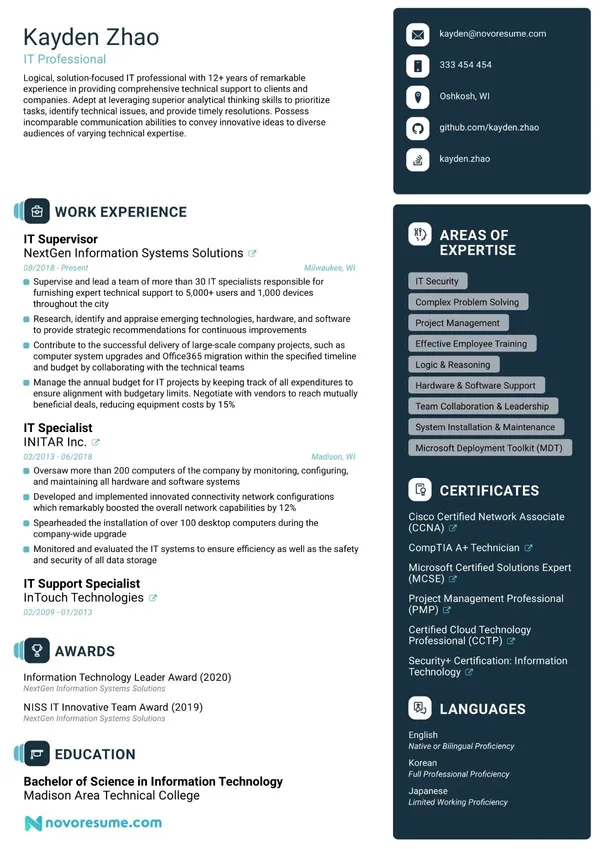
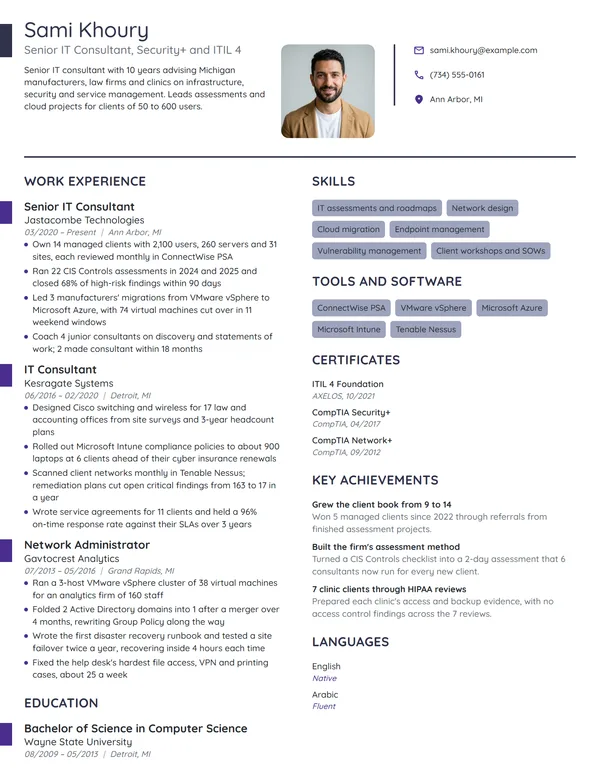
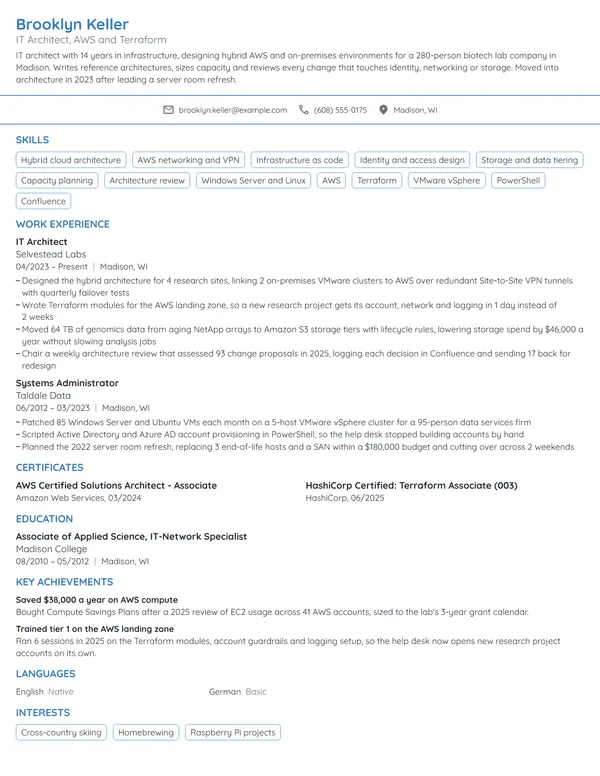
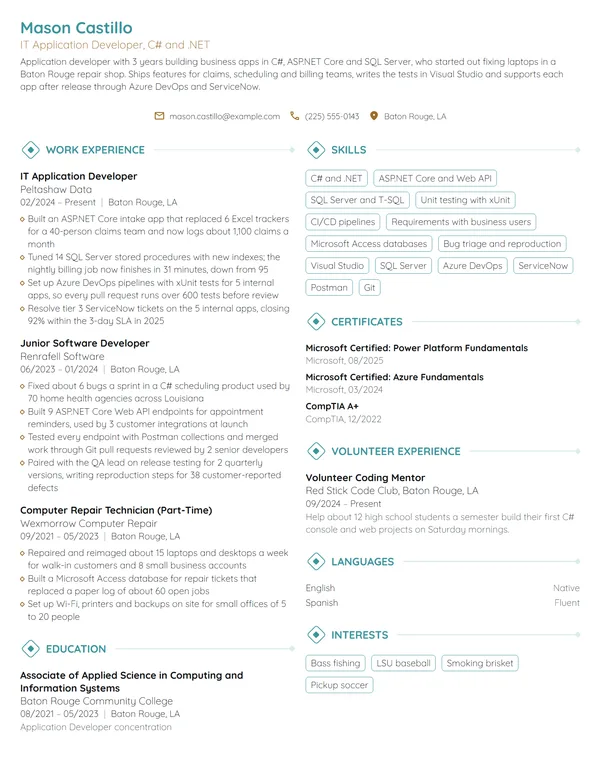
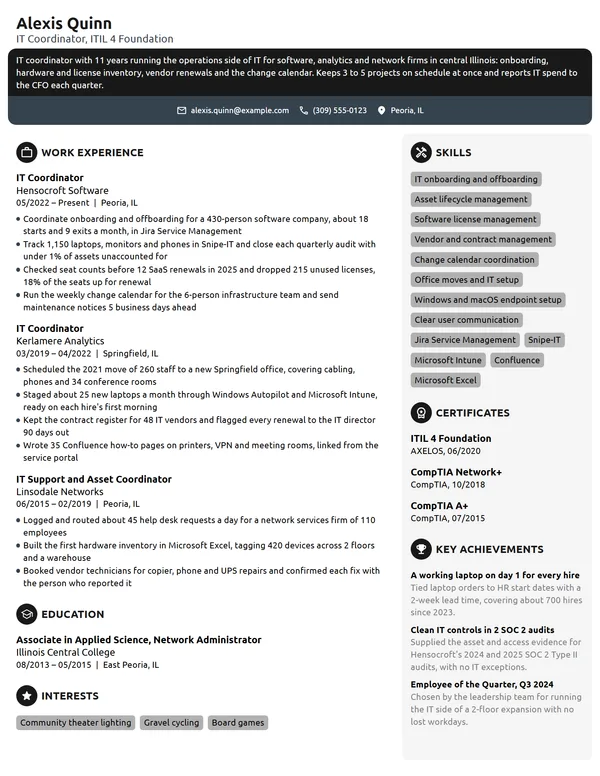
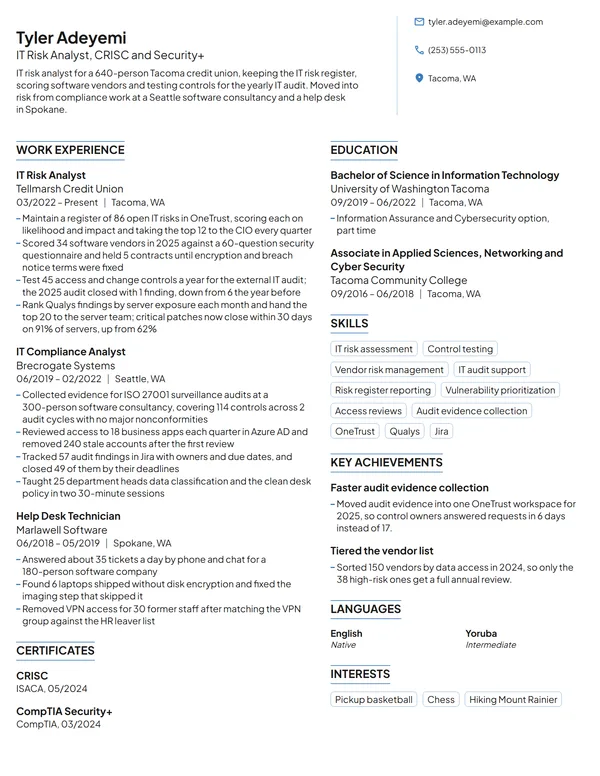
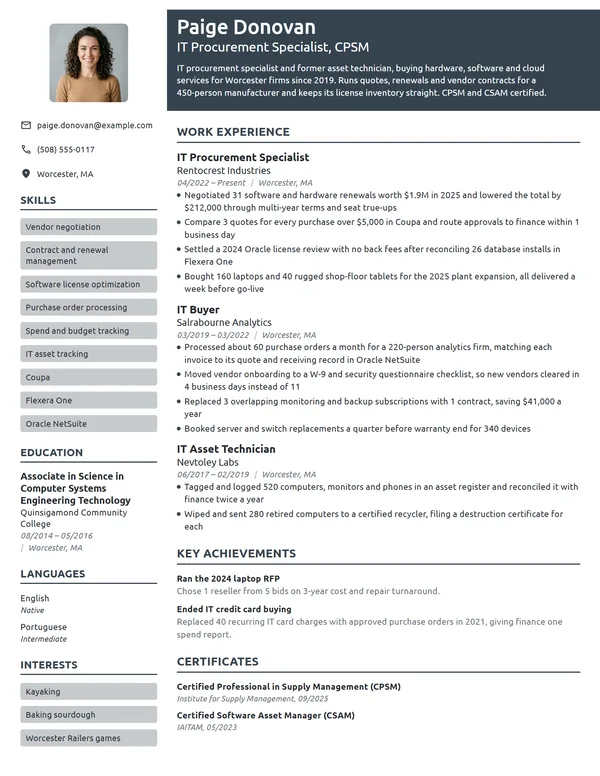
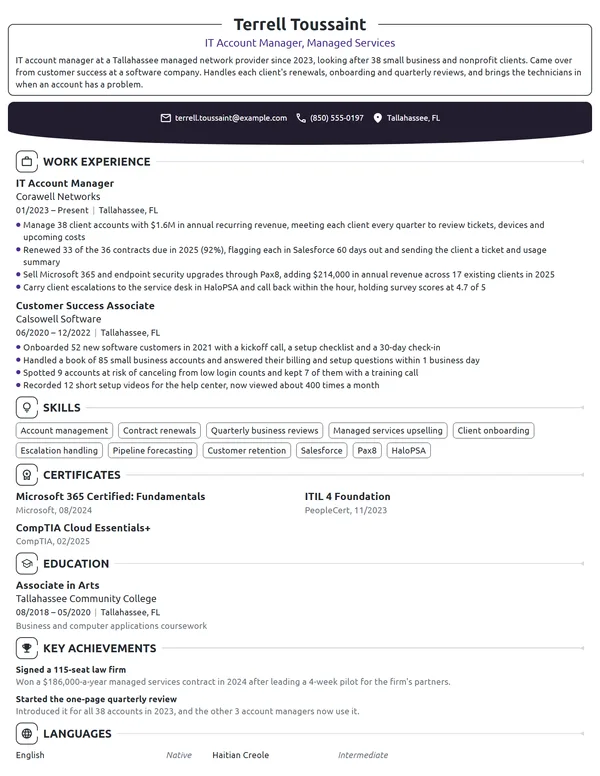
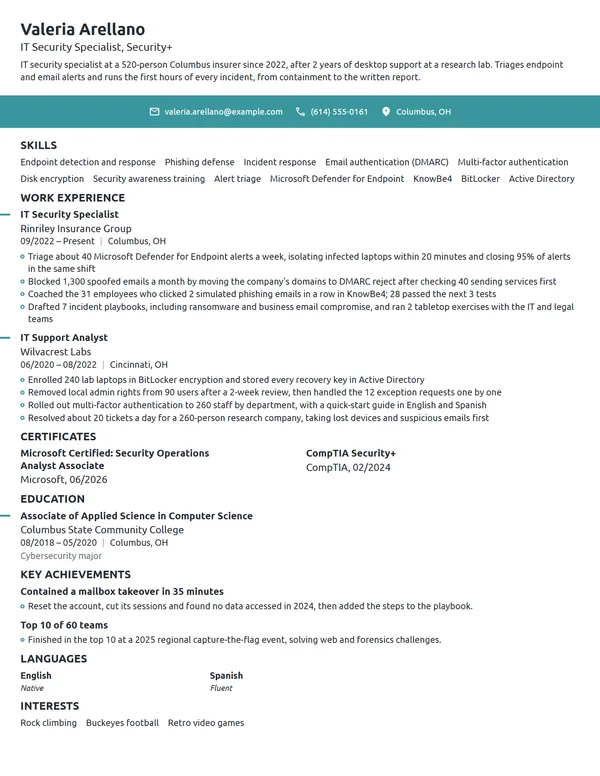
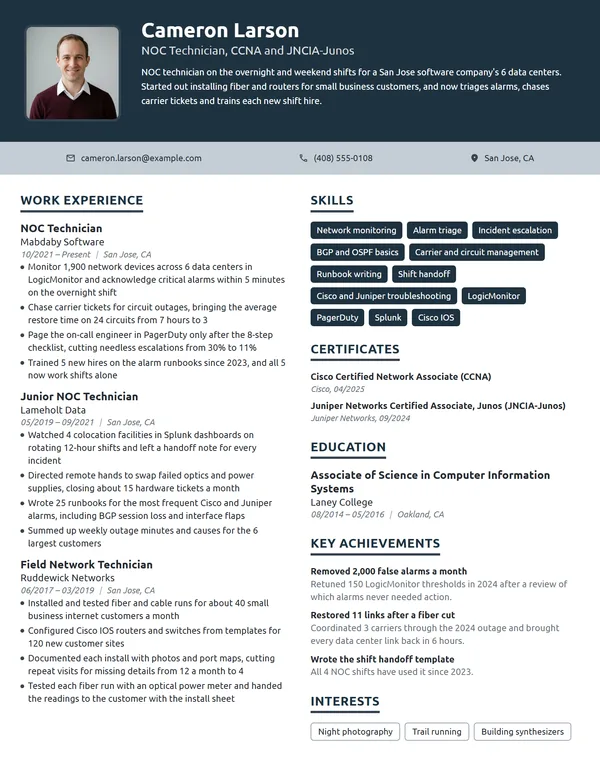
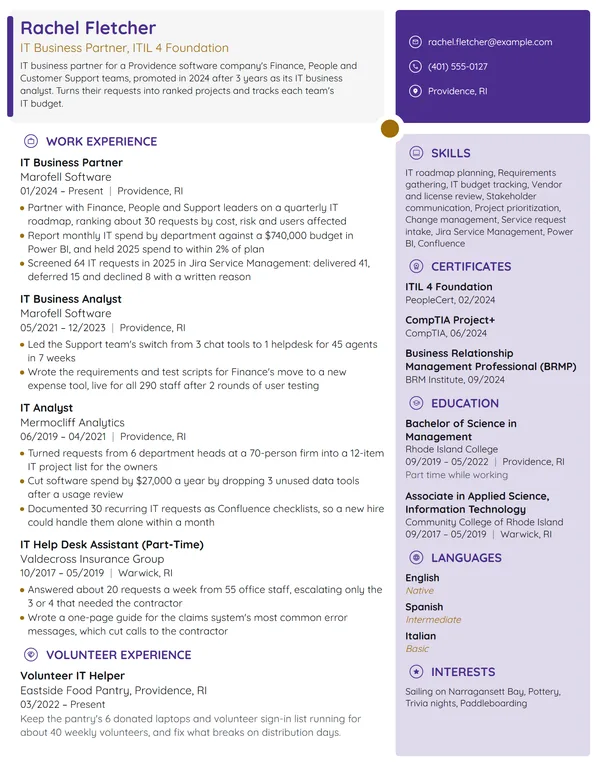
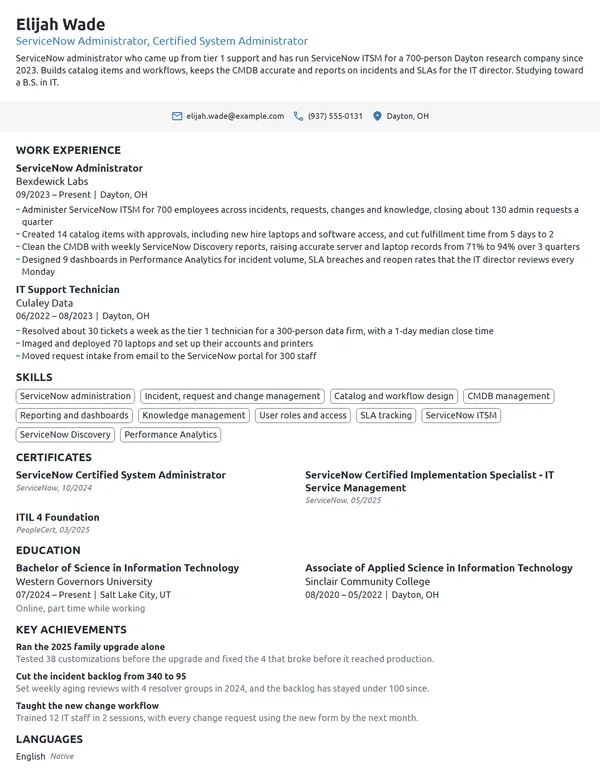
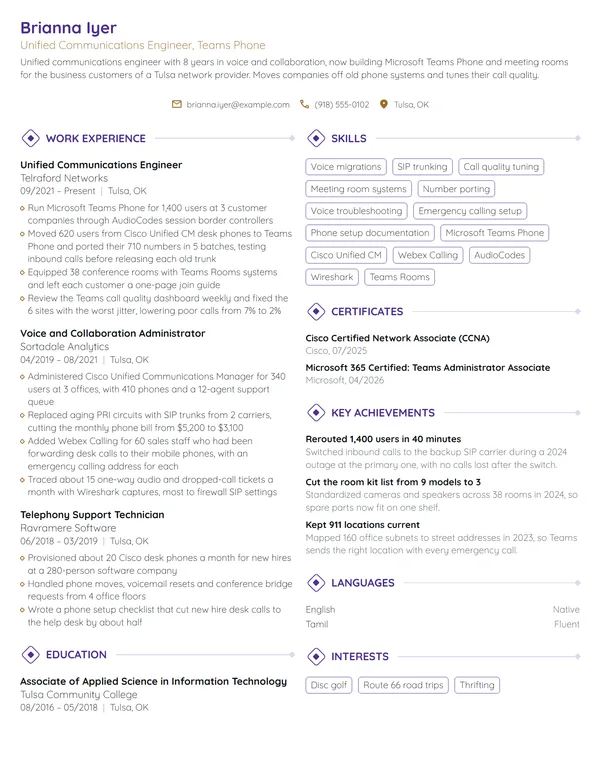
Help desk, servers or network security: in most IT jobs, your best work goes unnoticed because nothing broke. That is hard to show, and daily tasks can end up reading like a job description. Across every IT track, managers check which systems you know, how many users and devices you support, which certifications you hold and what improved because of your work. Those details turn tickets, uptime and projects into results.
How to Write an IT Resume - Key Takeaways
- Pick reverse-chronological order and keep it to 1 page, or 2 once you have 10+ years or a senior infrastructure role.
- Start with 2 or 3 lines on your track (support, systems, network or security), the size of your environment and 1 measured result.
- Give every bullet an IT number: tickets a week, first-contact resolution, devices patched, uptime, outage minutes or users migrated.
- Name systems exactly as the job ad does, such as Microsoft Entra ID, ServiceNow or VMware vSphere, and prove each one in a bullet.
- List certifications under Certificates with the vendor's full name and the month you earned them, and mark an exam you have not passed yet as scheduled.
- Keep the layout simple enough to parse, then test it with an ATS resume checker before you apply.
What hiring managers look for in an IT resume
An IT manager reads your resume to answer 3 things: how big was the environment, which systems did you run, and did things improve while you were there. The BLS lists diagnosing users' computer problems, guiding them through the fix, setting up equipment and training people on new hardware and software as core support duties. O*NET adds overseeing the daily performance of computer systems, which is where uptime, patching and monitoring results come from.
Because IT covers help desk, systems, network and security work, decide which track the job ad is hiring for and let your headline, summary and first bullets point at it. Build the page from these sections:
- Name, headline (for example, Systems Administrator, Security+) and contact details
- A short summary at the top, 2 or 3 lines, which needs no heading
- Work Experience, with your current job first
- Skills, with your systems and scripting languages
- Certificates, newest or most relevant first
- Education
- Optional: Languages, plus Key Achievements (a home lab, say) or Volunteer Experience
Best format for an IT resume
Pick the reverse-chronological resume format for almost every IT job: your latest role first, each with the title, employer, city and dates in MM/YYYY form. IT careers climb in steps a hiring manager knows by sight, from help desk to desktop support, then systems or network administration, then engineering or management, and this order shows that climb. A skills-first layout hides how recently you used each system, which is the detail IT readers check most.
- Best for most IT professionalsReverse-chronologicalYour jobs, newest first, with your results under each one.Best for: A steady work history in your field
- FunctionalSkills grouped up top, with a short work history below.Best for: Gaps or very little experience
- CombinationA skills section first, then your full work history.Best for: A career change with strong skills
Fit your resume on 1 page while you have under 10 years in IT. A 2-page resume works for a senior administrator, architect or IT manager whose projects, platforms and certifications fill it, provided page 1 holds your last 2 roles and your top certifications.
| Setting | What to use |
|---|---|
| Length | 1 page under 10 years in IT; 2 pages for senior infrastructure, architecture or management roles |
| Dates | MM/YYYY for every job and certificate, and Present for the role you hold now |
| Job title line | Your real title plus the track if the title is vague: IT Analyst, Network and Firewall Support |
| Layout | 1 or 2 columns with standard headings; no text boxes, skill bars or logos an ATS skips |
| Photo, age, SSN | No photo for most US and Canadian employers; leave out your SSN, marital status and date of birth |
| File type | PDF with selectable text, or Word if the application portal asks for .docx |
Most US and Canadian resumes carry no photo. For IT roles, the space is better spent on a certification line or 1 more measured bullet.
IT resume summary vs. objective
If you have held an IT job, even a part-time help desk one, write a resume summary: your track, your years, the size of the environment and your best result. If you have no IT job yet, write one of these resume objective examples instead: the role you want plus the evidence you already have, such as a certification or a home lab. Write it after your bullets so it can borrow their strongest number.
IT resume summary formula
Title with X years in track, supporting environment size or platforms. Your strongest uptime, ticket, security or project result, counted. Certifications, or the next exam you have booked.
Example
Systems administrator with 6 years in IT, the last 3 running Windows and Linux servers for a 3-site logistics company. Automated new-hire laptop setup with PowerShell, cutting it from 3 hours to 40 minutes per device. CompTIA Security+ and Microsoft Certified: Azure Administrator Associate; CCNA exam scheduled.
Don't
Hardworking IT professional with strong troubleshooting skills and a passion for technology, looking for a role where I can grow.
Do
Network administrator with 5 years supporting 12 clinic sites on Cisco Meraki switching and Fortinet firewalls. Cut branch outage time from 9 hours to 2 hours a quarter by adding LTE failover links. CCNA since 2024.
The rewrite gives a track, a scale, the platforms, a result and a credential in 3 sentences.
How to write IT work experience bullets with numbers
Write 3 to 4 bullets for the role you hold now and 2 to 4 for each older one, and every bullet opens with a verb and closes with what changed. IT work already leaves a trail of numbers in the ticketing system, the monitoring dashboard and the patch report, so pull your figures from there rather than guessing. Write achievements on your resume, such as a backlog cut or an outage avoided, instead of the tasks every IT job description lists.
| Area | What to count | Example bullet |
|---|---|---|
| Service desk | Tickets a week, first-contact resolution, SLA met | Raised first-contact resolution from 58% to 74% by writing 40 knowledge base articles on the most common password and VPN issues. |
| Endpoints | Devices managed, patch compliance, imaging time | Brought monthly patch compliance on 650 laptops from 81% to 97% with Intune update rings. |
| Servers and cloud | Servers, uptime, hosting or support cost | Retired 12 on-premises servers by moving file shares to SharePoint Online, saving $14K a year in hardware support. |
| Network | Sites, switches and access points, outage minutes | Replaced core switching at 4 branch offices over 3 weekends with 0 unplanned downtime in business hours. |
| Security | MFA coverage, phishing click rate, vulnerabilities closed | Cut the phishing simulation click rate from 19% to 6% in 2 quarters through monthly training for 380 staff. |
| Projects and migrations | Users or mailboxes moved, budget, deadline | Led a 210-mailbox move to Exchange Online on a $9K budget, 1 week ahead of the deadline. |
Here is a systems administrator's last 2 jobs written that way. The current role carries the scale of the environment in its first line, and the older support role keeps only the 2 results that still matter.
Work Experience
- Administer 46 Windows Server and Red Hat Enterprise Linux virtual machines on VMware vSphere across 2 server rooms, at 99.95% uptime over the last 12 months.
- Moved 310 user accounts to Microsoft Entra ID with MFA and single sign-on for 22 business apps, 3 weeks ahead of plan.
- Rebuilt nightly Veeam backups for 9 TB of data and run quarterly restore tests; the last 4 restores finished in under 2 hours.
- Take escalations from a 3-person service desk, closing about 15 tier 2 tickets a week.
- Resolved about 28 ServiceNow tickets a week for 140 staff across 9 dental offices, with a 4.8 of 5 satisfaction score.
- Upgraded 120 workstations to Windows 11 across 9 offices in 6 weeks, working after hours so no office lost access to patient charts.
Don't
Responsible for troubleshooting computer issues.
Do
Diagnosed and fixed hardware, Outlook and VPN issues for 220 remote users, solving 85% of tickets on the first call.
This version names the problems, the user base and the resolution rate a service desk manager tracks.
Don't
Helped with the Microsoft 365 migration.
Do
Moved 75 users and 1.2 TB of files from an on-premises file server to SharePoint Online and OneDrive in 1 weekend, with 3 support calls the next Monday.
IT skills and systems for your resume
Pick 6 to 8 technical skills for your resume, each one named in the posting and backed up somewhere in your Work Experience. A help desk resume leans on Windows, macOS and ticketing; a systems resume on servers, virtualization and scripting; a network resume on routing, switching and firewalls. Let the soft skills show through results, such as a calm outage handled or a fix explained to a non-technical manager.
Hard skills for IT professionals
- Active Directory and Group Policy
- Microsoft Entra ID and Intune
- Windows and macOS support
- Linux administration
- TCP/IP, DNS and DHCP
- Network troubleshooting
- Virtualization (VMware, Hyper-V)
- Backup and disaster recovery
- PowerShell scripting
- ITIL incident and change management
- Endpoint security and patching
Soft skills IT managers value
- Explaining fixes in plain language
- Staying calm during outages
- Clear ticket notes and documentation
- Prioritizing a full queue
- Working with vendors
- Patience with frustrated users
List your systems with your skills, then name each one again where a bullet puts it to work. For computer user support specialists, O*NET flags Microsoft Active Directory, ServiceNow, Microsoft Azure software, Linux, Apple macOS and Microsoft Windows as both hot and in-demand technology. Write product names as they were called when you used them: Microsoft announced on July 11, 2023 that Azure Active Directory is now Microsoft Entra ID, so a current job says Entra ID while a job that ended before then says Azure AD. On-premises Active Directory kept its name.
CompTIA, Cisco and Microsoft: how to list IT certifications
Put certifications on your resume in a Certificates section of their own, each with the issuer and the month you earned it, so a recruiter filtering for Security+ or CCNA finds them at once. Employers may require systems administrators to be certified in the products they use, the BLS says, and some support candidates qualify with no college at all, just high school and IT certifications. Match the certifications to your track: CompTIA A+ for support, CCNA for networking, Security+ for security, a cloud certification for systems work.
| Credential | Issued by | What it takes |
|---|---|---|
| CompTIA A+ | CompTIA | Pass 2 exams, Core 1 (hardware and networking) and Core 2 (operating systems and security). Renew every 3 years through CompTIA's continuing education program. |
| CompTIA Security+ | CompTIA | Pass the Security+ exam. Like A+, it runs on a 3-year renewal cycle from the date you earn it. |
| CCNA (Cisco Certified Network Associate) | Cisco | Pass 1 exam, 200-301 CCNA, with no formal prerequisites. Valid for 3 years. |
| Microsoft Certified: Azure Administrator Associate | Microsoft | Pass exam AZ-104. Renew every 12 months with a free online assessment on Microsoft Learn. |
| ITIL 4 Foundation | PeopleCert | Pass a 40-question, 60-minute exam with a score of 65% or higher. PeopleCert's current rule is renewal every 3 years. |
How to list a certification you are still working toward
List an exam you have booked under Certificates with the word scheduled and the month, and put it last so your earned credentials lead. Keep it out of your headline until you pass. A course you are taking without a booked exam belongs under Education, not Certificates.
Certificates
- Microsoft Certified: Azure Administrator Associate, Microsoft, 11/2024
- CompTIA Security+, CompTIA, 02/2022
- CompTIA A+, CompTIA, 08/2020
- CCNA (Cisco Certified Network Associate), Cisco, scheduled 01/2027
How to list an IT degree, or certifications instead of one
What IT employers ask for depends on the role. In the BLS's description, user support specialists typically need some college courses and network support specialists an associate's degree, while network and computer systems administrators usually enter with a 4-year degree. List your education as the degree, then the school and its location, then the month and year you finished. Add a GPA only if it is 3.5 or above and you graduated in the last 2 to 3 years.
Without a degree, keep the Education section short, with your high school diploma or the college courses you finished, and let Certificates carry the weight. A bootcamp or certificate program goes under Education with its hours or its length in months. If your degree is in an unrelated field, list it anyway: a bachelor's degree still counts where a posting asks for one.
Education
Worked 20 hours weekly on the student help desk for 2 years.
Entry-level and career-change IT resumes
Without a paid IT job yet, use an entry-level resume layout: an objective, Certificates and Education near the top, then the evidence that you can already do the work. Count each item the way a help desk manager would.
- A home lab: the virtual machines, domain, firewall or scripts you built and what each one taught you, written as entries under Key Achievements.
- Student or campus IT jobs: tickets a week, labs or classrooms supported, devices imaged.
- Volunteer IT for a nonprofit, church or school: users supported, machines set up, backups put in place, listed under Volunteer Experience.
- Tech work in another job: setting up registers, phones or printers in retail, or being the go-to person for your team's laptops.
Don't
Motivated self-starter seeking an entry-level IT position to gain experience.
Do
CompTIA A+ certified retail electronics associate seeking a help desk role. Set up and repair about 30 laptops and phones a week for customers, and run a 4-VM home lab with Windows Server and Ubuntu.
Even an objective needs proof: a certification, a weekly volume or a lab you built.
Moving in from customer service, retail tech, the military or office administration, keep reverse-chronological order and lead each old job with its most technical tasks, such as troubleshooting point-of-sale systems or onboarding new staff accounts. A career-change resume works best when your summary names the IT track you are aiming at and the certification you already hold. Explain the move itself in the letter you send with it; these IT cover letter examples show how to fit it into 2 or 3 sentences.
IT resume FAQ
Can I get an IT job without a degree?
Yes, especially in support roles. The BLS says computer support candidates may qualify with no degree beyond high school if they hold relevant IT certifications, though most systems administrator jobs start from a 4-year degree. Without a degree, put CompTIA A+ or a similar credential near the top and back it with lab or volunteer work.
How long should an IT resume be?
Use 1 page for most help desk, support and administrator jobs with under 10 years of experience. Senior engineers, architects and IT managers can use 2 pages when their projects and certifications need the room, as long as the last 2 roles sit on page 1.
Which certifications should I put on an IT resume?
Put every current certification that fits the job's track, plus any the posting names. A support resume leads with CompTIA A+, a network resume with CCNA, a security resume with Security+, and a cloud or systems resume with a vendor certification such as Azure Administrator Associate. Drop lapsed ones.
Do IT certifications expire?
Most do. CompTIA certifications run on a 3-year renewal cycle, Cisco's CCNA is valid for 3 years, and Microsoft's Azure Administrator Associate must be renewed every 12 months with a free online assessment. List the date you earned or last renewed each one, and remove any that have lapsed.
Should I write Azure AD or Microsoft Entra ID on my resume?
Use the name that was current while you did the work. Microsoft announced the rename to Microsoft Entra ID on July 11, 2023, so a current or recent job says Entra ID and a job that ended before then says Azure AD. Write Active Directory for on-premises domains either way.
How do I show a home lab on an IT resume?
Treat it as real work. Describe what you built and ran, such as a Windows Server domain, a pfSense firewall or Ansible playbooks, with counts like machines or users, and list it under Key Achievements. If the lab helped you pass a certification, say so in the same line.
Should I use a single IT resume for help desk, systems and network jobs?
No. Keep 1 master resume, then make a version per track that changes the headline, the summary, the order of your bullets and the skills list. A network job reads your switching and firewall work first, while a help desk job wants ticket volume and user satisfaction near the top.
How do I list a security clearance on an IT resume?
Name the level and its status in your summary or headline, such as Active Secret clearance, because many federal and defense contractor postings filter for it. Never describe classified systems, locations or projects; write your bullets in the general terms you could share with anyone.
How do I describe help desk experience for a systems administrator job?
Lead with the work closest to administration: tier 2 escalations, account and group management, imaging, patching and any scripts you wrote. Keep 1 bullet with your ticket volume to show scale, and cut the routine password resets that every help desk handles.
What do IT support specialists earn?
BLS puts the median yearly pay of computer user support specialists at $61,860 as of May 2025. Pay for systems, network and security roles differs by track, state and certifications. Keep the figure off your resume and use it as a benchmark when the interview or the application form asks what you expect.
Next steps
Find the example nearest your track and level, keep its order, and swap in your own environment size, tickets, uptime and projects. Set up the layout in our resume builder, which also offers ready resume templates. Pair the finished page with a short letter that opens on the result your next IT manager will care about most.