
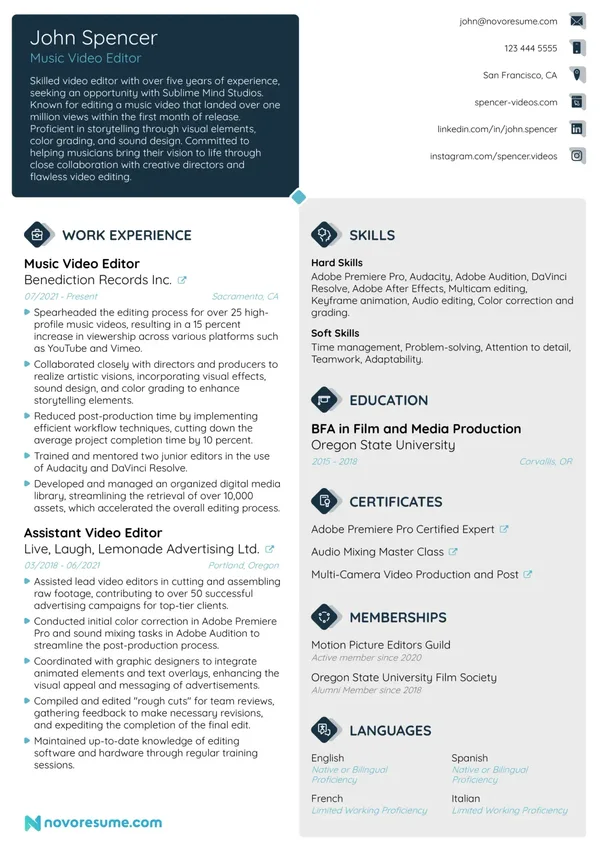
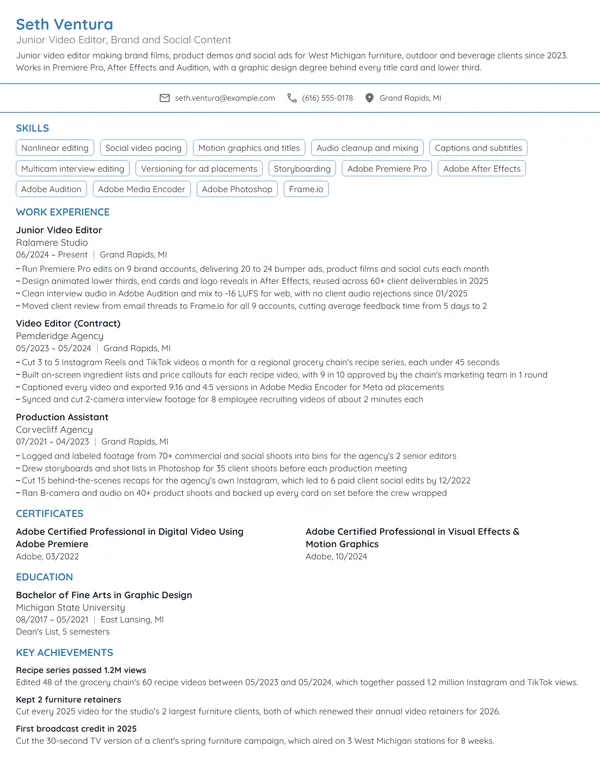
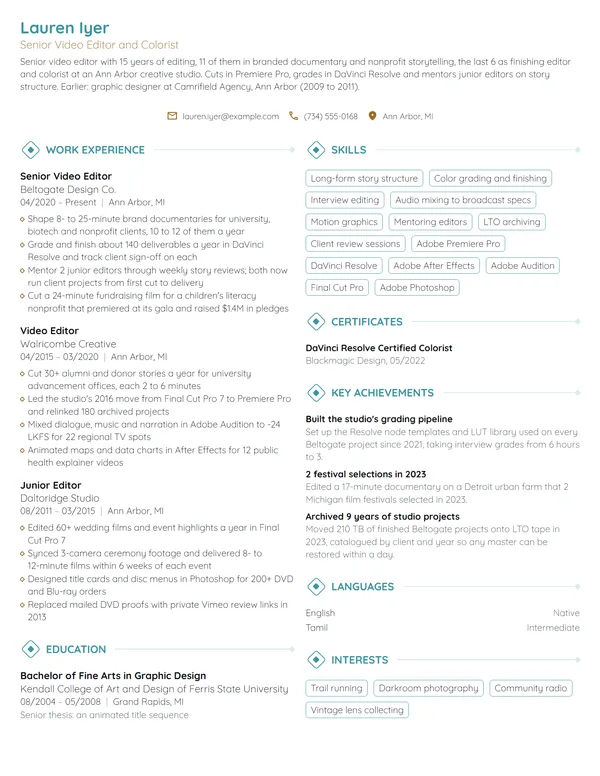
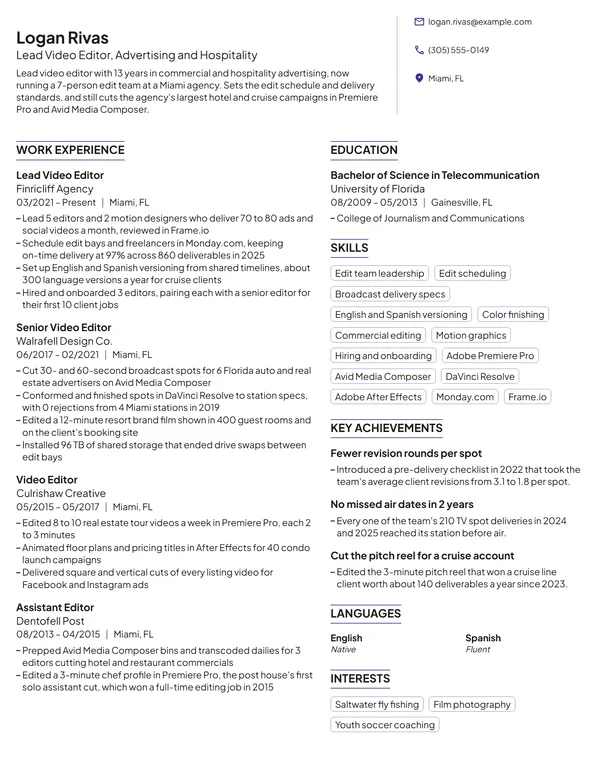
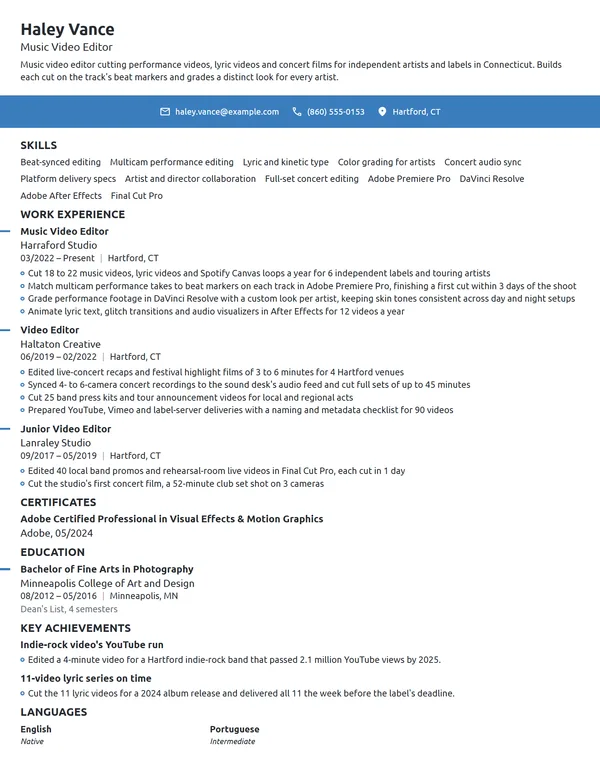
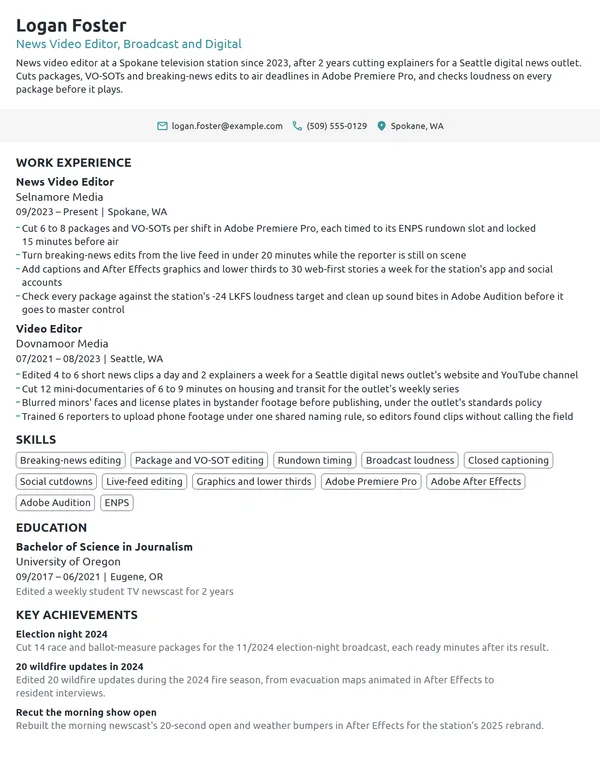
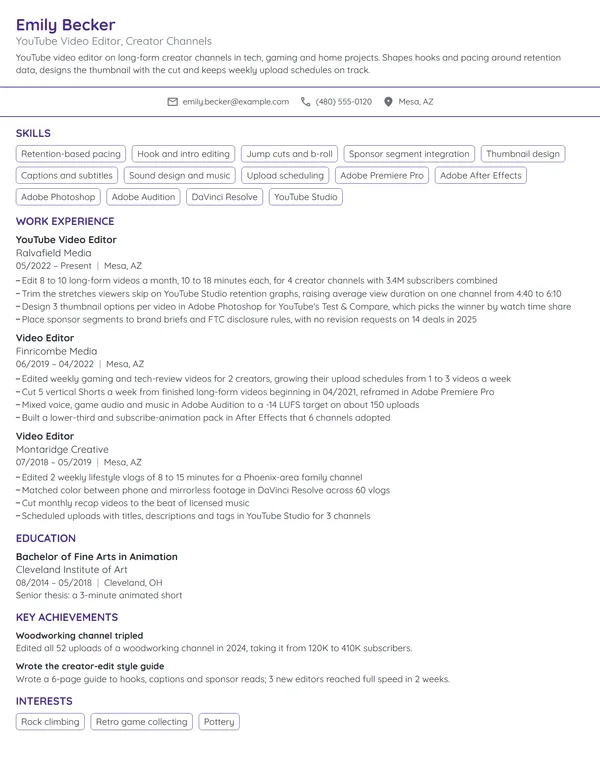
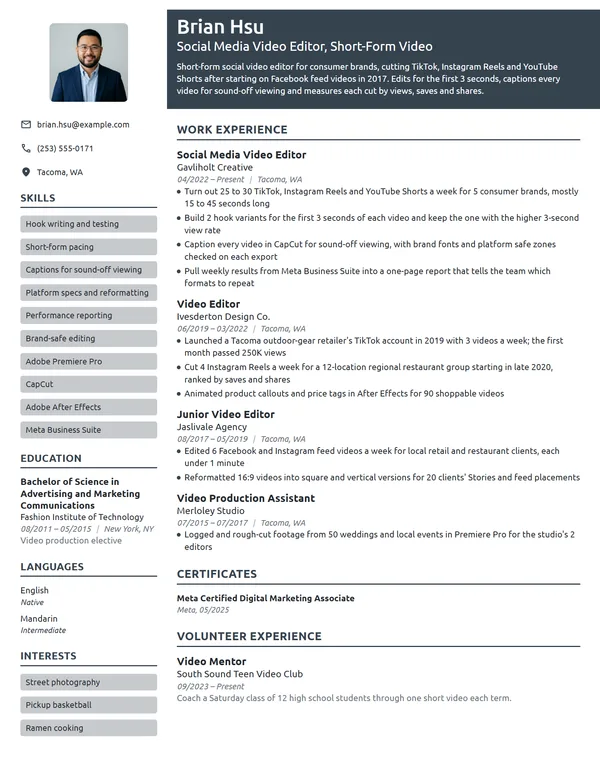
Video editors turn raw footage into finished work for brands, broadcasters and creators. Producers and post-production supervisors check what kinds of projects you have cut, which editing software you work in, how quickly you turn a first cut around and what your edits did for an audience. Your reel shows your eye. Your resume backs it up with project counts, runtimes, deadlines and the view or retention numbers behind your best cuts.
How to Write a Video Editor Resume - Key Takeaways
- Order jobs newest first in a reverse-chronological layout on 1 page, and go to 2 only once 10+ years of credits need the room.
- Open with 2 to 3 lines on the content you cut, your main editing software and 1 number, such as projects a year or days to a first cut.
- Give each bullet the deliverable, its runtime or platform, and a count: projects a month, versions delivered, rounds of notes or audience retention.
- Write DaVinci Resolve, Premiere Pro, After Effects or Avid Media Composer by their exact names under Skills, then show each one at work in a bullet.
- Send your reel link in the application's website field and your cover letter, and keep the reel to work you edited yourself.
- List Adobe, Avid or Blackmagic Design certifications under Certificates with their dates, then test the file with an ATS resume checker.
What producers and post supervisors look for in a video editor resume
A producer, post supervisor or in-house creative lead opens your resume to answer 3 questions: what you cut, what you cut it in, and whether you hit the dates. O*NET describes the core of the job as stringing raw footage together according to scripts or the instructions of directors and producers, selecting the best shots of each scene, and adding music, dialogue and sound effects. Bullets that name the project, its length and its deadline show that work better than a list of techniques.
Under these headings, the resume adds the scale and context a reel cannot carry:
- Name, a headline such as Video Editor, Branded and Documentary, and your email, phone and city
- A 2- to 3-line summary at the top, which takes no heading of its own
- Work Experience, starting with your current or latest edit job
- Skills, with your editing, color and motion software named in the list
- Certificates, for Adobe, Avid or Blackmagic Design credentials
- Education
- If space allows: Key Achievements for festival selections, or Volunteer Experience, Languages and Interests
Best format for a video editor resume
Go with the reverse-chronological resume format, listing your latest role first with its title, employer, location and dates written as MM/YYYY. Editing careers move through steps a reader recognizes, from post-production assistant or assistant editor to editor, senior or lead editor, and post supervisor, and this order puts the climb in view. Contract and freelance work fits the same layout as a dated entry of its own.
- Best for most video editorsReverse-chronologicalYour jobs, newest first, with your results under each one.Best for: A steady work history in your field
- FunctionalSkills grouped up top, with a short work history below.Best for: Gaps or very little experience
- CombinationA skills section first, then your full work history.Best for: A career change with strong skills
Hold the resume to 1 page while you have under 10 years of credits. A senior or lead editor with staff, agency and long-form work, or someone heading toward a video production manager role, can use 2 pages, as long as page 1 carries the 2 latest roles and the software line.
| Setting | What to use |
|---|---|
| Length | 1 page under 10 years of credits; 2 pages for long staff and contract histories |
| Job title line | Your real title plus the content you cut: Video Editor, Branded and Documentary |
| Reel link | In the application's website or portfolio field and the first lines of your cover letter |
| Dates | Month and year as MM/YYYY, with Present on the job you hold now |
| Photo and privacy | No photo for most US and Canadian applications, and never your Social Security number, birth date or marital status |
| File type | A PDF named with your name and the role, unless the posting asks for Word |
Most US and Canadian resumes carry no photo, and an editor gets judged on the cut, not a headshot. Use that space for one more bullet with a runtime and a result.
Video editor resume summary vs. objective
If you have been paid to edit, write a resume summary naming your content type, your software and 1 result. If your editing so far is student, personal or volunteer work, write a resume objective that names the role you want and the strongest project you can point to. Both stay at 2 or 3 lines, and both borrow their number from a bullet below.
Video editor resume summary formula
Title with X years cutting content type in main editing software. A count: projects a year, days to first cut or retention. Specialty such as color, motion graphics or sound.
Example
Video editor with 8 years cutting branded series and short documentaries in Premiere Pro and DaVinci Resolve. Delivers about 100 client projects a year with an average of 2 rounds of notes. Grades in Resolve and builds title packages in After Effects.
Don't
Creative, passionate video editor with a great eye for storytelling and strong skills in Premiere Pro and Final Cut Pro.
Do
News video editor with 5 years at a local TV station, cutting 25 packages a week on deadline in Avid Media Composer. Took over the 6 p.m. newscast promos in 2024, finishing each in under 2 hours.
The rewrite swaps adjectives for a setting, a weekly volume, the system and a deadline.
How to write video editor work experience bullets with numbers
Your current job gets 3 to 4 bullets and each older job 1 to 3, every one starting on an action verb and closing on a count or a result. Edit work leaves a trail of numbers: projects delivered, minutes of finished video, versions per spot, days to a first cut and the analytics a client sends back. Write achievements on your resume rather than the tasks every editor does, since every applicant can also cut, trim and add music.
| Area | What to count | Example bullet |
|---|---|---|
| Volume and runtime | Projects or episodes a month, minutes of finished video | Edited 4 half-hour episodes a month for a streaming cooking series. |
| Turnaround | Days from shoot to first cut, rounds of notes | Sent first cuts 2 days after each shoot and closed most projects within 2 rounds of notes. |
| Versions and deliverables | Cutdowns, aspect ratios, captioned and localized versions | Built 6 cutdowns from each hero spot: 60, 30 and 15 seconds in 2 ratios. |
| Audience results | Retention, completion rate, watch time, views | Trimmed YouTube intros to under 10 seconds and raised 30-second retention from 58% to 72%. |
| Workflow and media | Footage managed, proxy setups, projects archived | Set up a proxy workflow that let 5 remote editors cut 4K footage on laptops. |
| Team | Assistant editors trained, editors led, review tools set up | Trained 3 assistant editors on project and media management in DaVinci Resolve. |
Here is a full entry built that way, for an editor who started as an assistant at a post house. The current job names the client types, the lengths and the software, and the assistant role keeps 2 bullets about media and selects.
Work Experience
- Cut 7 to 9 branded videos a month for 14 retail and healthcare clients in Premiere Pro, from 15-second social spots to 22-minute mini-documentaries.
- Built a Premiere Pro template for 16:9, 9:16 and 1:1 versions that cut versioning time from 5 hours to 90 minutes per project.
- Graded 31 projects in DaVinci Resolve in 2025, matching footage from 4 camera models to each client's look.
- Re-edited the first 30 seconds of a 6-episode patient-story series for a hospital network, lifting the average percentage viewed from 41% to 63%.
- Ingested, synced and organized 2 to 3 TB of footage a week for 4 editors on Avid Media Composer.
- Pulled 120+ selects reels for interview-led projects and cut 18 social cutdowns from finished broadcast spots.
Don't
Edited videos for the company's social media channels.
Do
Edited 12 vertical videos a week for Instagram Reels and TikTok, raising average watch time from 6 to 11 seconds over 1 quarter.
The second version gives the platforms, the weekly output and the metric the marketing team reports on.
Don't
Responsible for color correction and audio.
Do
Color-corrected and mixed 40 training modules for a 9,000-employee insurer, each passing the client's loudness and caption checks on the first submission.
How to show freelance and contract editing credits
Group contract work into 1 Work Experience entry titled Freelance Video Editor, or your business name, dated from your first paid edit. Under it, name the types of clients and the kinds of projects, then count them: projects a year, repeat clients, your longest runtime. A studio contract that lasted 6 months or more can stand as its own entry, and the freelance video editor page covers resumes built mostly on client work.
Video editing skills and software for your resume
Choose 6 to 8 hard skills for your resume that the job ad asks for and your bullets prove, such as multicam editing for event or interview work, or color grading for finishing roles. Let the soft skills show through results like rounds of notes, deadlines met and producers who kept booking you.
Hard skills for video editors
- Nonlinear editing
- Story and pacing for interviews
- Multicam editing
- Color correction and grading
- Audio mixing and cleanup
- Motion graphics and titles
- Captions and subtitles
- Proxy and media management
- Versioning and cutdowns
- Export and delivery specs
Soft skills post supervisors value
- Taking notes without ego
- Deadline discipline
- Clear communication with producers
- Attention to continuity
- Organization across many bins and versions
- Calm during last-minute changes
Name your software inside Skills, then put each title to work in a bullet. O*NET marks DaVinci Resolve, Adobe Premiere Pro, Adobe After Effects and Apple Final Cut Pro as in demand for film and video editors, and lists After Effects, Adobe Photoshop and TikTok as hot technology. Broadcast and long-form postings often ask for Avid Media Composer, and review tools such as Frame.io only belong on the list when the posting names them and you have used them.
Adobe, Avid and DaVinci Resolve certifications on a video editor resume
No license is needed to edit video, so certifications are optional, but they help an assistant editor, a junior editor or a career changer prove software skill fast. Editors may show competence in editing software by earning a certification, usually from the software's vendor and earned by passing an exam, the BLS explains. List certifications on your resume in the Certificates section, naming the issuer and the date you passed as MM/YYYY.
| Credential | Issued by | What it takes |
|---|---|---|
| Adobe Certified Professional (Premiere or After Effects) | Adobe, with exams delivered by Certiport | A 50-minute exam per app; Adobe recommends at least 150 hours of instruction and hands-on experience, and each certification is valid for 3 years after the date of issue. |
| Avid Certified Specialist for Media Composer | Avid | Complete the MC101 and MC110 courses at an Avid Learning Partner, then pass a closed-book exam of 50 questions in 60 minutes. |
| DaVinci Resolve certification (editor, colorist or sound editor) | Blackmagic Design | Work through the official training book for the track, such as The Editor's Guide to DaVinci Resolve 20, or a course with a certified trainer, then complete the online exam. |
How to date an Adobe certification
Adobe certifications run for 3 years after the date of issue, so write the month and year you passed and let the reader work out the rest. If yours has lapsed, retake the current exam, or keep the line with its original date while your bullets prove the same software. Avid and Blackmagic Design exams are tied to a software version, so if your certificate names one, copy it as printed rather than the latest release.
Certificates
- DaVinci Resolve Certified Editor, Blackmagic Design, 06/2026
- Adobe Certified Professional in Visual Effects & Motion Graphics Using Adobe After Effects, Adobe, 02/2026
- Adobe Certified Professional in Digital Video Using Adobe Premiere, Adobe, 09/2025
- Avid Certified User: Media Composer, Avid, 11/2019
How to list a film, media arts or communications degree
In BLS terms, a bachelor's degree is the usual entry requirement for film and video editors, often in film, broadcasting, or a related fine and performing arts or communications field, and many colleges offer courses in video-editing software. When listing education on a resume, give the degree name, the school and its city, and the graduation month, below Work Experience once you have a paid editing job.
Within 2 to 3 years of graduating, add 1 line on the project you edited that best matches the job, with its runtime. A degree in graphic design, journalism or marketing counts too: list it as it is printed on your diploma and let your bullets and reel show the editing. The BLS also notes that employers may train new hires on the editing software they use, so a degree without your target system is no reason to hold back an application.
Education
Lead editor on a 19-minute thesis documentary.
Assistant editor, entry-level and career-change video editor resumes
Many editors start as assistant editors, and the BLS describes assistants as keeping track of each shot in a database or loading digital video into an editing bay. With no paid edit job yet, use an entry-level resume layout: an objective, Education high on the page, then the work that proves you can cut, each with a count and a runtime.
- Student and thesis films: your role, the runtime and any screening or festival selection.
- Freelance or social edits: videos a month, the platforms and the clients, even if they were small local businesses.
- Campus TV, church media or event teams: live or same-day edits, multicam shows and deadlines, listed under Volunteer Experience when unpaid.
- Internships at post houses or stations: footage logged, projects assisted and the editing software you used.
Don't
Recent film graduate looking for an opportunity to grow as a video editor.
Do
Film graduate seeking an assistant editor role, with 3 edited student documentaries, 1 regional festival selection and 9 months of freelance social edits for 2 local businesses in Premiere Pro.
Even without paid work, the objective names projects, a selection and the software.
If you are moving over from graphic design, event production, social media or marketing, stay with newest-first order and lead your current job with its editing tasks: the reels you cut, the event recaps you delivered, the motion graphics you built. A career-change resume works best when the summary names the editing software and the volume you already handle. Explain the move in a short letter, following the basics of how to write a cover letter, and put your reel link in its opening lines.
Video Editor resume FAQ
Should I put my reel link on my video editor resume?
Send it with every application, in the form's website or portfolio field and in the first lines of your cover letter. On the resume itself, name the projects the reel opens with in your top bullets, so the reel and the resume tell a producer the same story.
How long should a video editor resume be?
Use 1 page for most editors. Go to 2 pages only with 10+ years of staff and contract credits, and keep your 2 latest roles, your software and your strongest numbers on page 1.
Which editing software should I list on a video editor resume?
List the editing, color and motion software from the job ad that you could open and use on day 1, by its exact name, such as DaVinci Resolve, Premiere Pro, After Effects or Avid Media Composer. Show each one in at least 1 bullet so the list is backed by work.
Do you need a film degree to be a video editor?
Not always. The BLS lists a bachelor's degree, often in film, broadcasting or communications, as the usual entry point for film and video editors, but a strong reel and paid editing work count for a lot. Editors with a degree in another field list it as printed and let their bullets carry the editing.
Should I list assistant editor jobs on a video editor resume?
Yes. Give each assistant editor role its own entry with 1 to 3 bullets about footage managed, selects pulled and any cuts you delivered yourself. That path shows a post supervisor you know how an edit room runs.
How do I list freelance video editing on a resume?
Create 1 Work Experience entry titled Freelance Video Editor, or your business name, with the dates you have worked that way. Under it, count projects a year, repeat clients and your longest runtime, and name client types instead of every client.
Is an Adobe certification worth adding to a video editor resume?
Yes, early in your career. An Adobe Certified Professional credential in Premiere or After Effects shows a screener tested software skill when your work history is short. Adobe certifications are valid for 3 years after issue, so list the date you earned it under Certificates.
Should I include salary expectations on a video editor resume?
No. Save pay for the application form, or for the interview once a producer raises it. As a benchmark, the BLS puts the median yearly pay for film and video editors at $75,420 as of May 2025; your rate will depend on your market, the type of content and staff or freelance work.
Next steps
Pick the example that matches your level and the content you cut, keep its structure, and swap in your own projects, runtimes and audience numbers. Build it in our resume builder, or pick one of the resume templates, then send it with your reel link and a short letter that opens on your best project.