
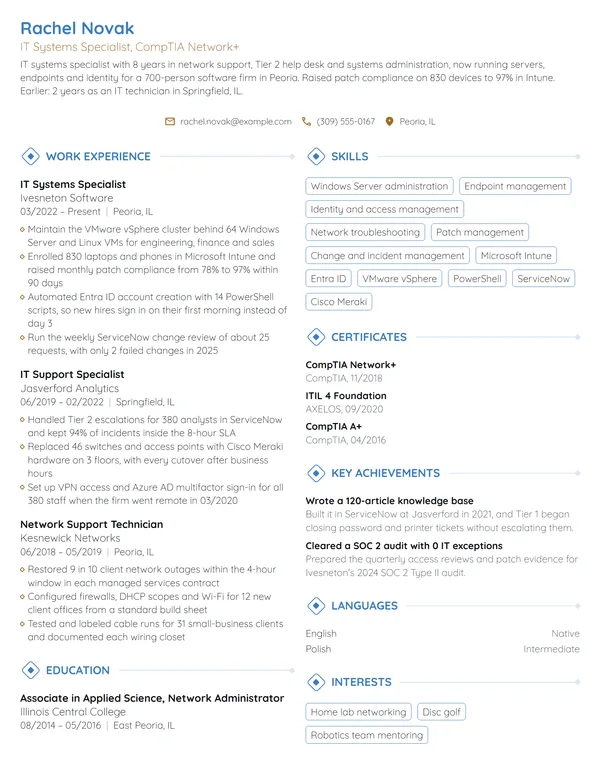
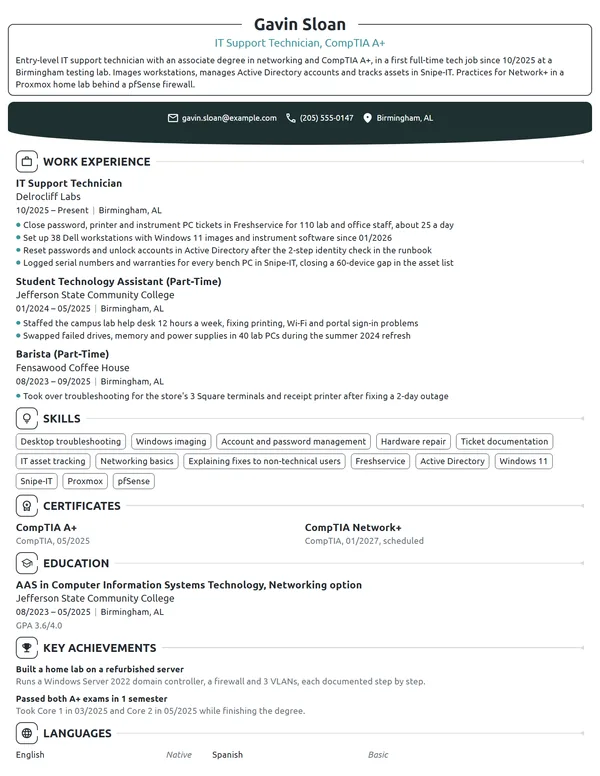
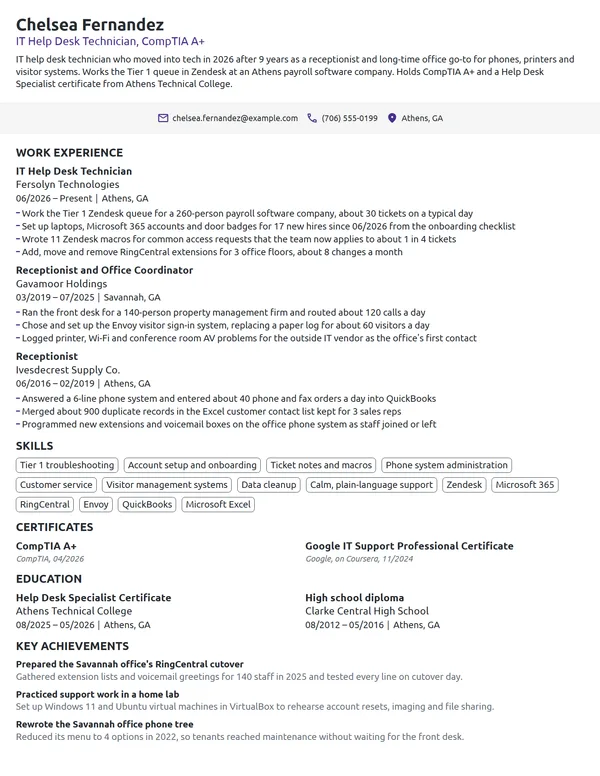
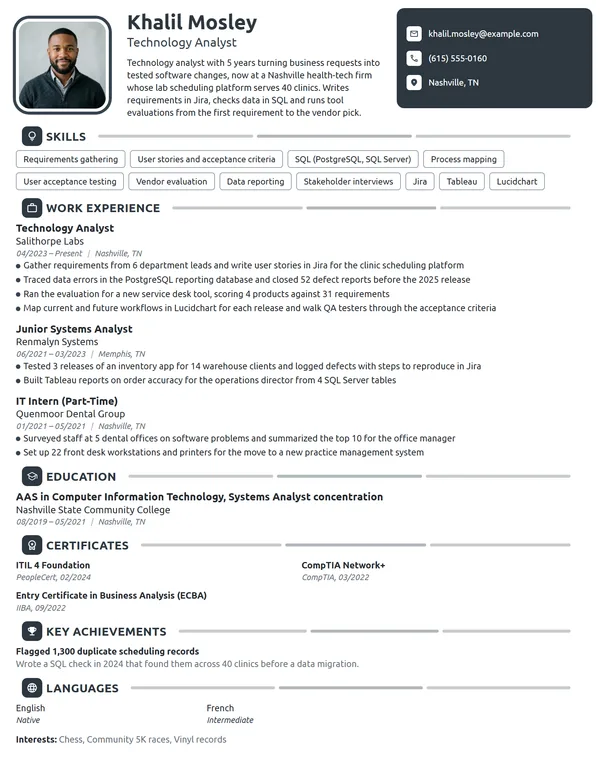
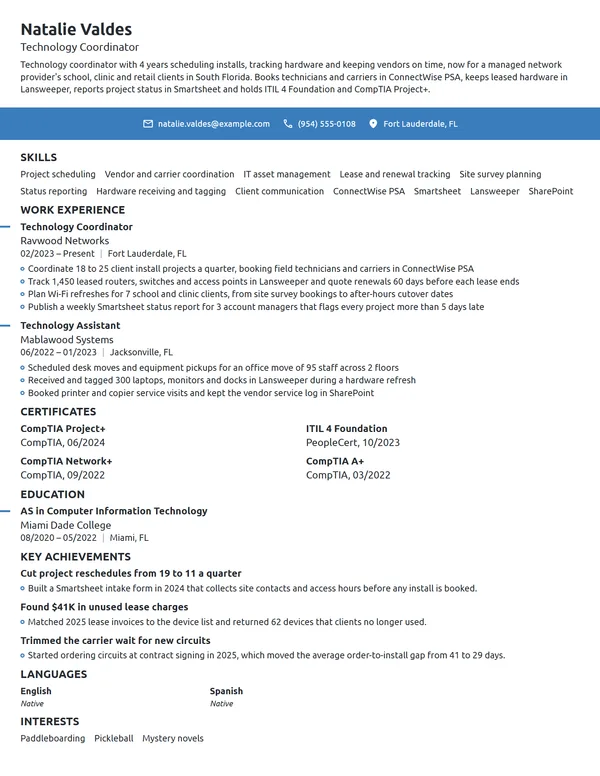
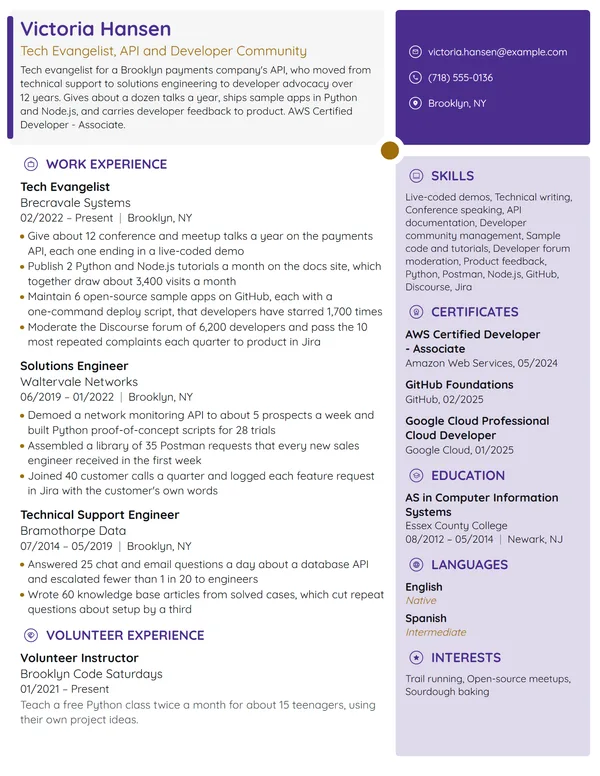
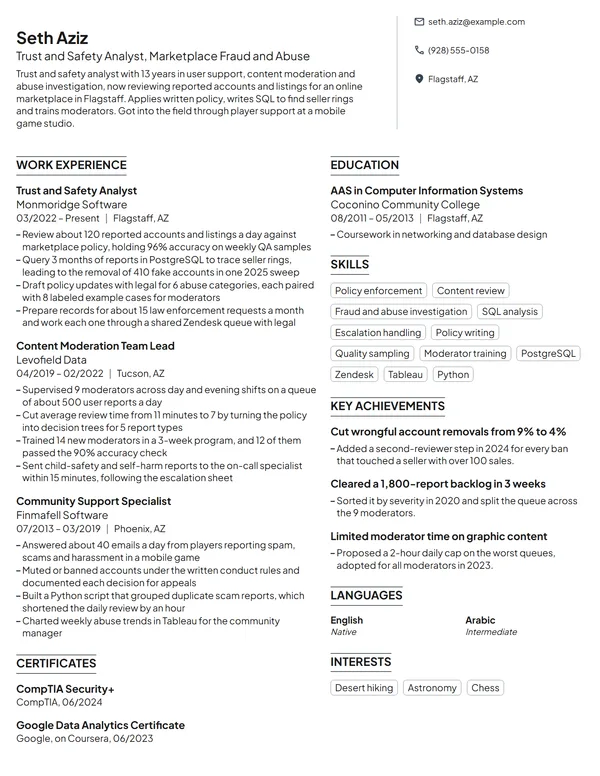
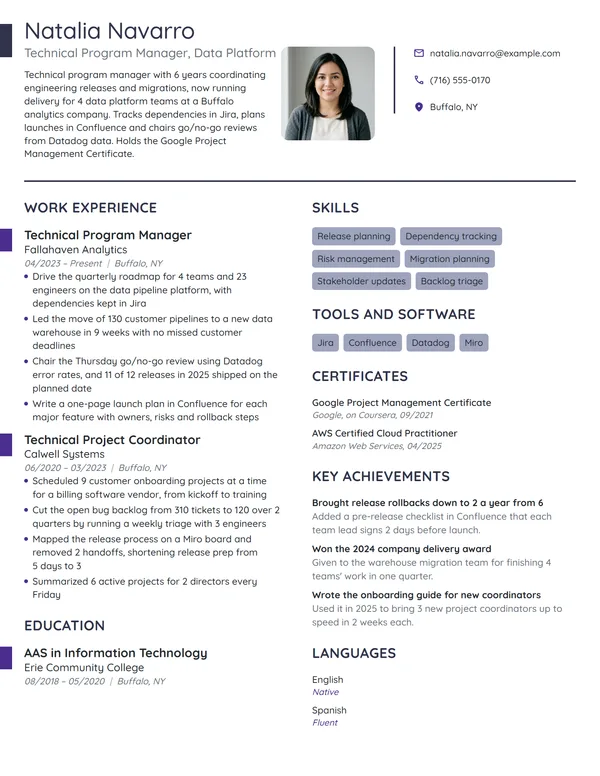
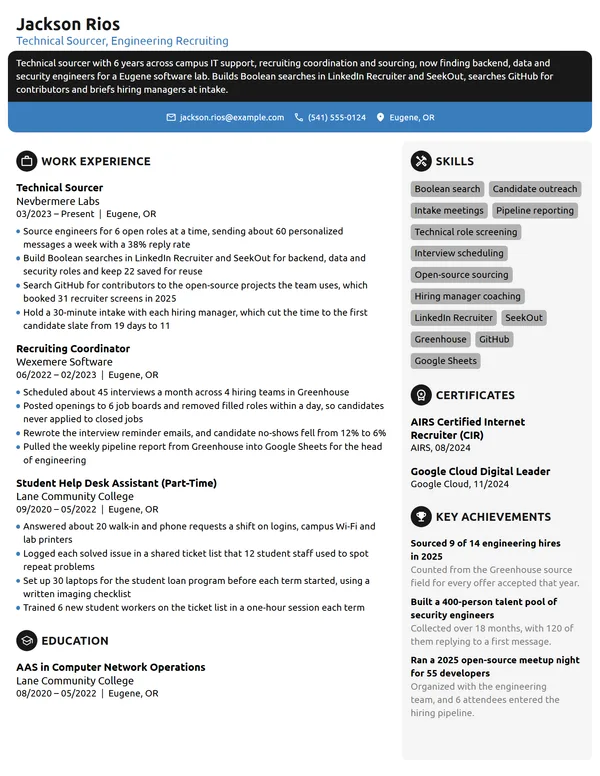
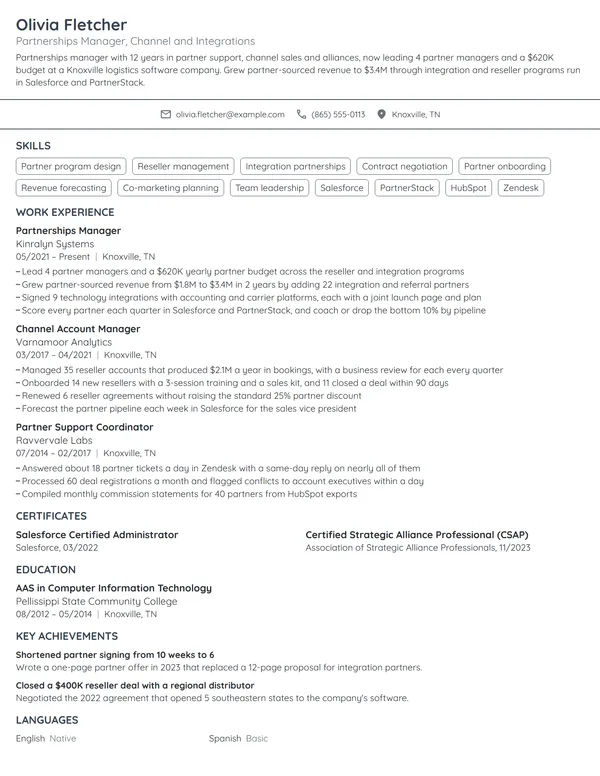
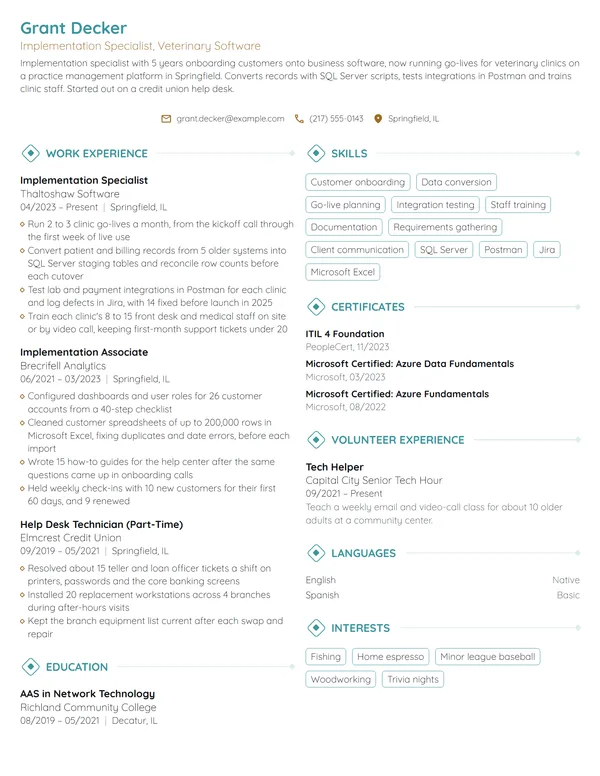
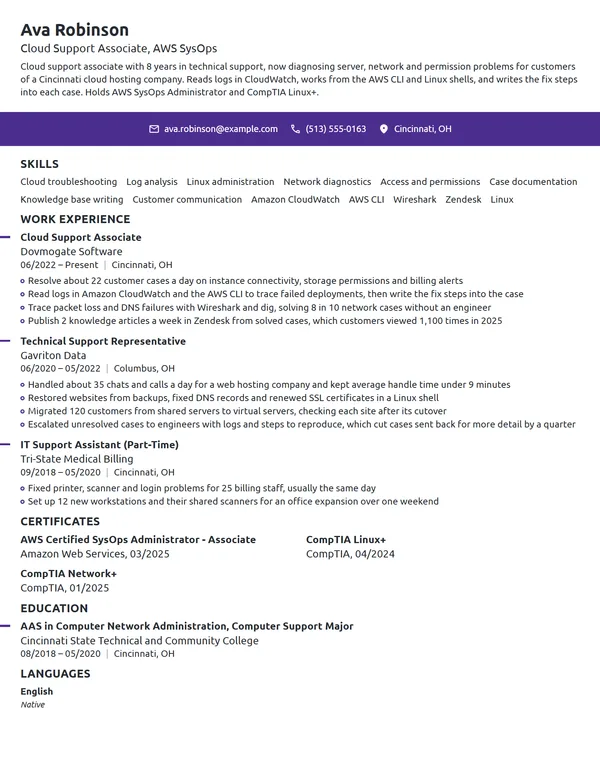
Tech teams hire people who make things work: systems that stay up, users who get unstuck, rollouts that land on schedule. A hiring manager wants the tools you use every day and the numbers behind what you fixed or delivered. Most people in tech have touched dozens of tools and tasks, and a resume listing all of them ends up saying very little. Deciding what to leave out is usually harder than deciding what to put in.
How to Write a Tech Resume - Key Takeaways
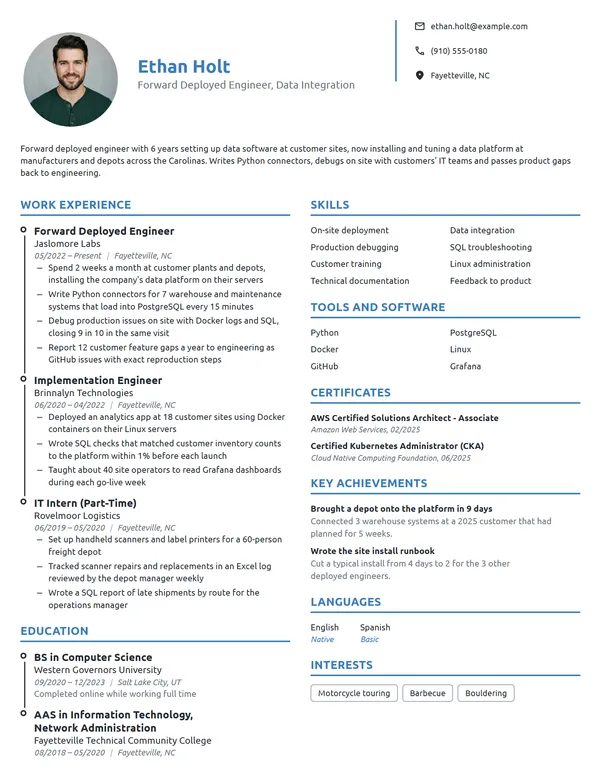
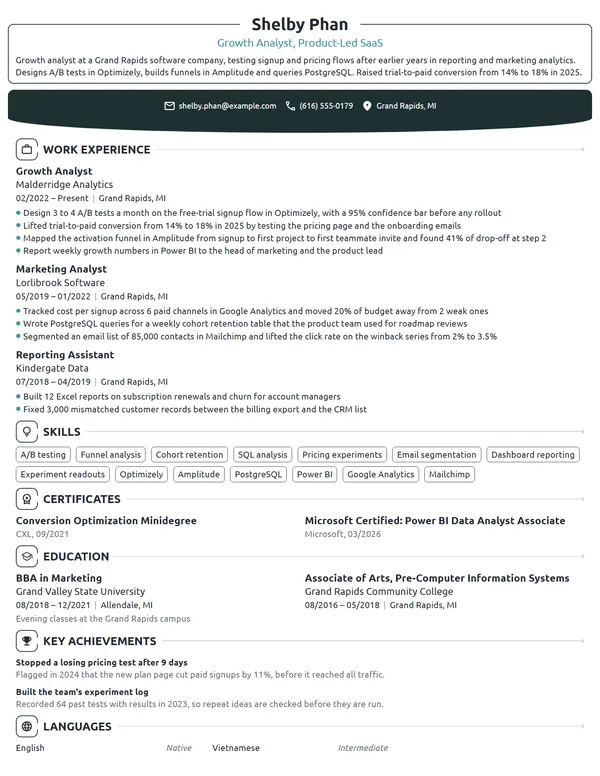
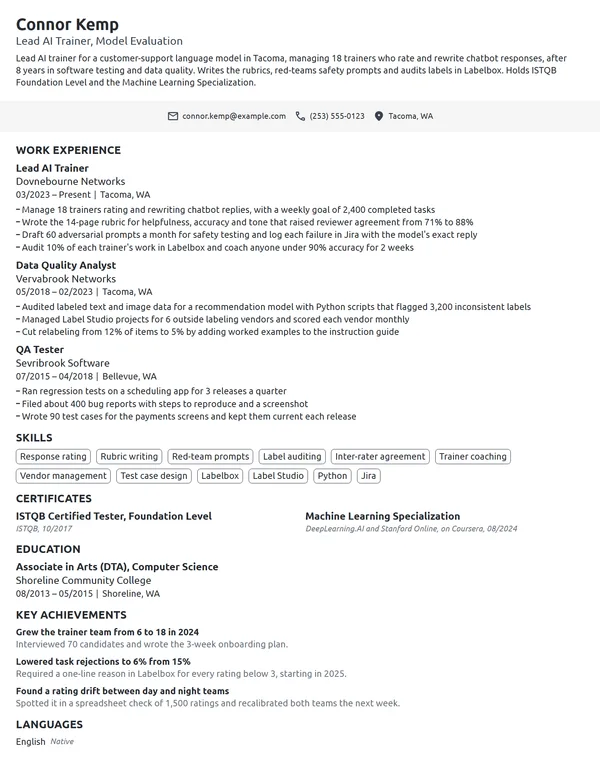
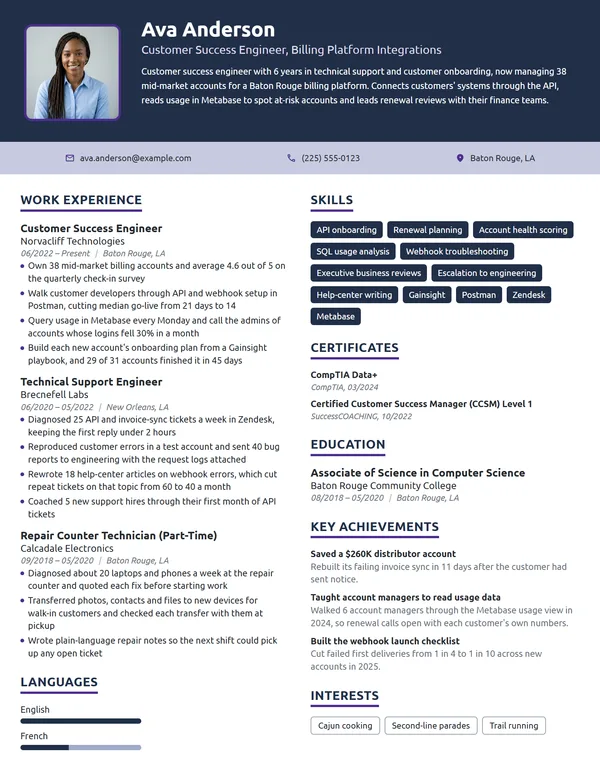
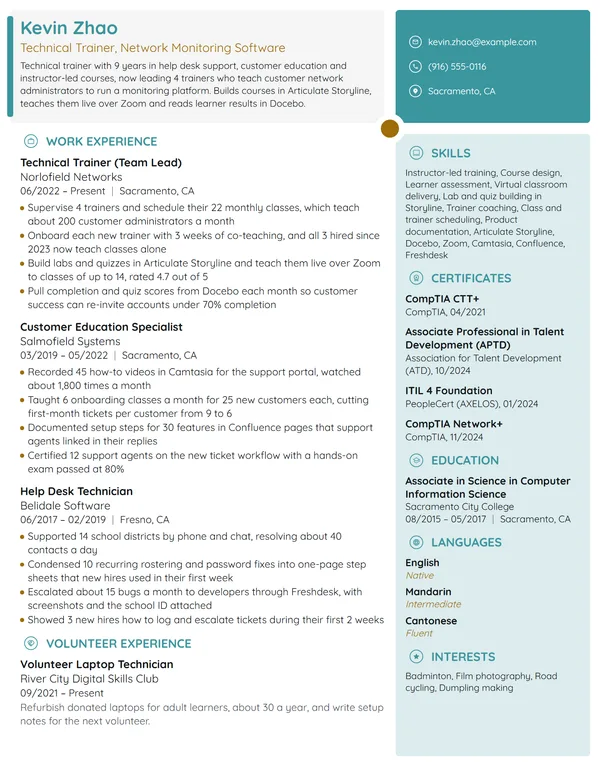
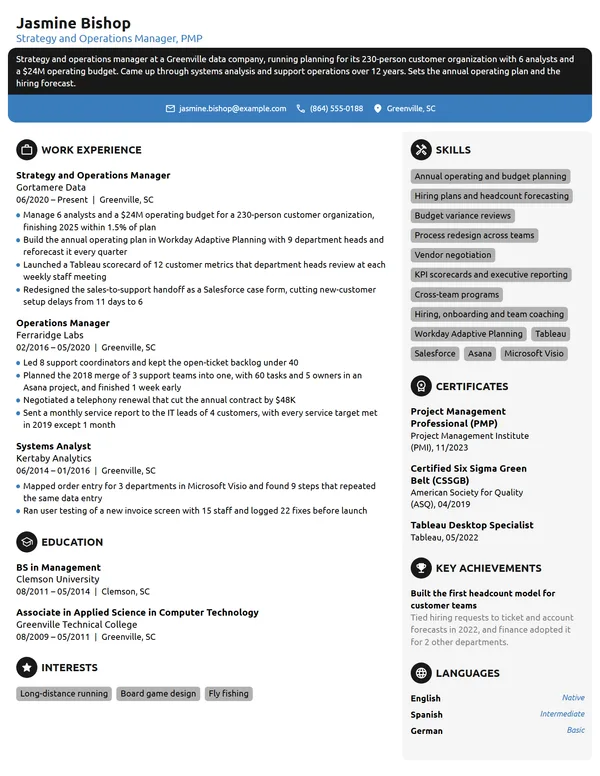
- Put your track in the headline under your name, such as IT Support Analyst, Technology Coordinator or Tech Sales Representative, and use reverse-chronological order on 1 page until you pass 10 years.
- Open with 2 to 3 lines that name your years, the environment you support, your main tools and 1 measured result.
- Give each bullet a figure your next manager tracks: tickets a week, uptime, users migrated, hours saved, dollars or deadlines.
- Name 6 to 8 skills and tools exactly as the job ad spells them, and back each one with a bullet that shows you using it.
- List exam certifications such as CompTIA A+ or ITIL 4 Foundation under Certificates with the issuer and month, and keep course certificates labeled as certificates.
- Keep personal details off the page and check the file with an ATS resume checker before you send it.
What hiring managers look for in a tech resume
Tech is a field, not a single job title. The BLS groups 10 computer and information technology occupations, from support specialists and systems analysts to security analysts and software developers, and tech companies also hire coordinators, trainers, recruiters and sales staff who need to speak the language. Whichever seat you want, the reader checks 3 things first: what you support or build, which tools you do it in, and what got faster, safer or cheaper because of you.
For support roles, the BLS lists diagnosing a user's problem, documenting it, guiding the user through the fix, and installing and training people on new hardware or software. For analyst roles, it lists consulting with managers on what IT systems should do and testing them to make sure they work. Write your bullets around the tasks of the track you are applying for, and use these sections:
- Name, a headline with your track (IT Support Analyst, Technology Coordinator) and contact details, with a GitHub or portfolio link if it shows real work
- A short summary of 2 to 3 lines, which needs no heading
- Work Experience, in reverse order from your present role
- Skills, with your tools and platforms listed inside it
- Certificates
- Education
- Key Achievements, Languages, Interests or Volunteer Experience, if you have room
Best format for a tech resume
Use the reverse-chronological resume format for almost every tech role: your latest job on top, each showing your title, the employer, its city and your start and end months as MM/YYYY. Tech careers tend to move from help desk to systems, analyst or coordinator roles, and newest-first order makes each step visible. If you are switching into tech, keep the same order and let your summary and first bullets carry the technical work, rather than hiding your history under a skills list.
- Best for most tech jobsReverse-chronologicalYour jobs, newest first, with your results under each one.Best for: A steady work history in your field
- FunctionalSkills grouped up top, with a short work history below.Best for: Gaps or very little experience
- CombinationA skills section first, then your full work history.Best for: A career change with strong skills
Stay on 1 page until you have 10+ years in the field. A second page fits a senior engineer, architect or manager whose history covers several platforms or large migrations, provided page 1 holds the 2 latest roles. Cut jobs older than about 15 years to a title, employer and dates, or drop them.
| Setting | What to use |
|---|---|
| Length | 1 page below 10 years in tech; 2 pages for senior, architect or manager roles |
| Headline | Your track plus 1 credential: IT Support Analyst, CompTIA A+ |
| Links | LinkedIn, plus GitHub or a portfolio only if it holds work you would discuss in an interview |
| Dates | MM/YYYY on jobs and certificates, Present on the role you hold now |
| Section headings | Standard names such as Work Experience and Skills, so applicant tracking systems file them correctly |
| Photo and private details | No photo for most US and Canadian employers; also leave off your date of birth, marital status and SSN |
| File type | PDF unless the application portal asks for .docx |
Most US and Canadian resumes carry no photo, so leave it off unless the employer asks for one.
Tech resume summary vs. objective
The test is simple: if you have held a paid tech role, even help desk, write a resume summary that names your years, your environment, your tools and 1 measured result. If you have not, write a resume objective that names the role you want and the best proof you have, such as a certification, a lab or a support job at school. Write it after your bullets, and reuse their strongest figure.
Tech resume summary formula
Track title with X years supporting users, systems or customers at type of organization, working in 2 to 3 core tools. 1 measured result. Certification or exam status.
Example
IT support analyst with 5 years supporting a 450-person software company, working in Microsoft 365, Jamf and Okta. Cut setup time for new-hire laptops from 3 hours to 40 minutes. CompTIA A+ and ITIL 4 Foundation certified.
Don't
Tech-savvy professional with a passion for technology and strong problem-solving skills, looking to grow with an innovative company.
Do
Technology support specialist with 4 years at a 2-hospital health system, supporting 900 clinical users on Windows 11 and Epic. Holds CompTIA A+ and Network+ and runs the overnight escalation queue.
The rewrite swaps adjectives for a setting, a user count, the systems and the credentials.
How to write tech work experience bullets with numbers
Write 3 to 4 bullets for the job you hold now and 1 to 3 for older roles, each led by an action verb. Tech work leaves a trail of counts in ticket queues, monitoring tools and project plans, so pull the real figures before you write. Every line should read as one of your achievements on a resume: what you did, at what scale, and what changed.
| Track | What to count | Example bullet |
|---|---|---|
| Support | Tickets a week, resolution time, satisfaction rating | Resolved about 45 tickets a week across 2 shifts with a 4.8 out of 5 user rating. |
| Systems | Servers, uptime, incidents, alerts | Kept 12 production servers at 99.95% uptime over 12 months by adding disk and memory alerts. |
| Rollouts and migrations | Users moved, devices, days ahead or behind plan | Moved 320 users from Google Workspace to Microsoft 365 in 6 weeks, 2 days ahead of plan. |
| Data and reporting | Dashboards, data sources, hours saved | Built 9 Power BI dashboards that replaced a weekly 5-hour manual report for operations. |
| Coordination | Projects, vendors, budget, sites | Scheduled 4 vendor installs for a $180K network refresh at 2 sites and closed it on budget. |
| Customer-facing tech | Demos, accounts, renewals, hires | Ran 30 product demos a quarter for prospects, and 11 of them signed annual contracts. |
Here is how a support analyst might write 2 roles.
Work Experience
- Support 450 employees in 3 offices and remote staff on Microsoft 365, Jamf and Okta, closing about 60 tickets a week.
- Cut new-hire laptop setup from 3 hours to 40 minutes by building zero-touch enrollment in Jamf for 280 Macs.
- Moved 22 TB of shared files from on-site servers to SharePoint Online for 9 departments over 4 weekends.
- Set up an on-call rotation for 4 support staff that held after-hours response under 30 minutes for 18 months.
- Answered about 35 calls and chats a day from 600 agents in 4 states, solving 7 in 10 on the first contact.
- Imaged and shipped 140 laptops in 3 weeks for a claims team opening a new office.
Don't
Responsible for troubleshooting computer issues.
Do
Diagnosed hardware, VPN and printer faults for 210 field staff and cut repeat tickets on the same device from 60 to 25 a month.
The rewrite gives the kind of fault, the user base and the result a support lead would track.
Don't
Helped with the new software rollout.
Do
Trained 85 staff in 12 small-group sessions before the switch to Salesforce and answered 140 follow-up questions in the first 2 weeks.
Tech skills and tools for your resume
Choose 6 to 8 technical skills for your resume from the job ad, then check that a bullet proves each one. A recruiter for a support role scans for troubleshooting, ticketing and device management; an analyst posting asks for requirements, SQL and reporting. Soft skills belong in the bullets as results, such as training a team or calming users during an outage.
Hard skills for tech roles
- Hardware and software troubleshooting
- Ticketing and SLA management
- User and access management
- Device enrollment and imaging
- Networking basics (TCP/IP, DNS, DHCP, VPN)
- Cloud productivity suites
- SQL and reporting
- Requirements gathering
- Scripting (PowerShell or Python)
- Documentation and knowledge bases
Soft skills tech managers value
- Explaining technical issues in plain words
- Patience with frustrated users
- Prioritizing a busy queue
- Ownership of a problem until it is closed
- Working across teams
- Learning new tools quickly
Put your tools with your skills, then show each one at work in a bullet. For computer user support specialists, O*NET flags ServiceNow and Microsoft Active Directory as both hot and in-demand technology, and lists Atlassian JIRA and Salesforce software as hot technology. If the posting names Okta, Jamf, Intune or Power BI and you have worked in them, write those exact names; if you have only watched a demo, leave them off.
CompTIA, ITIL and Google: certifications for a tech resume
Put certifications on your resume in the Certificates section, each with the issuer and the month you earned it. For support and operations jobs, start with the CompTIA certifications and ITIL 4 Foundation; for analyst, cloud or security roles, add the vendor exam the job ad lists. BLS career data shows that some support candidates qualify with only a high school education plus relevant IT certifications, so on an entry-level tech resume this section can carry real weight.
| Credential | Issued by | What it takes |
|---|---|---|
| CompTIA Tech+ | CompTIA | 1 exam of up to 70 questions in 60 minutes, with no prior experience needed. The FC0-U71 version has no expiration. |
| CompTIA A+ | CompTIA | 2 exams, Core 1 (hardware and networking) and Core 2 (operating systems and security), taken in any order. Renews on CompTIA's 3-year cycle. |
| CompTIA Network+ | CompTIA | Exam N10-009, up to 90 questions in 90 minutes. CompTIA recommends A+ and 9 to 12 months of hands-on work first. |
| ITIL 4 Foundation | PeopleCert | 40 questions in 60 minutes with 65% to pass. Renewal is due every 3 years under PeopleCert's current policy. |
| Google IT Support Certificate | Google, on Coursera | A course certificate with no prerequisites, which Google says prepares you in 3 to 6 months. Passing CompTIA A+ as well earns a dual credential from CompTIA and Google. |
Course certificates vs. exam certifications
A course certificate, such as the Google IT Support Certificate, shows you finished a training program; an exam certification, such as CompTIA A+, shows you passed a proctored test. List both under Certificates with their exact names and dates, and never call a course certificate a certification. For an exam you are preparing for, add it with the month it is scheduled, and remove any certification that has lapsed.
Certificates
- CompTIA A+, CompTIA, 08/2019, renewed, valid to 08/2028
- ITIL 4 Foundation, PeopleCert, 05/2024
- CompTIA Network+, CompTIA, scheduled 12/2026
How to list a tech degree, certificate program or bootcamp
Tech jobs accept several kinds of training. The BLS says network support specialists typically need an associate's degree and user support specialists some college courses, while computer systems analysts typically need a bachelor's degree, and some firms hire business or liberal arts graduates with relevant IT skills. Whatever you studied, follow the basics of listing education on a resume: the credential, the school, the city and the month you finished.
A bootcamp or college certificate program goes under Education with its full name, the school and the end date. Add a GPA only while you are in school or in the first 2 years after, and only at 3.5 or above. Once you have a tech job, keep Education to the credential lines and let Work Experience carry the detail.
Education
Capstone: a ticket-routing tool for a 6-person student help desk.
Entry-level and career-change tech resumes
With no tech job yet, the entry-level IT resume layout works for most first tech roles: an objective, your certifications and training near the top, then any work that shows you can fix, set up or explain technology. Count it the way a paid job would be counted.
- Campus or library tech desks: devices supported, hours a week, problems solved, listed under Work Experience.
- Home lab: what you built (a domain controller, a firewall, a small network) and what you learned, as a Key Achievements item with a link.
- Volunteer tech help: computers set up for a nonprofit, seniors trained, under Volunteer Experience.
- Course labs and bootcamp work: only the ones that used real tools, listed with the program under Education.
Don't
Motivated individual looking for an entry-level tech position to start my career.
Do
IT student finishing an associate degree in 05/2027, seeking a help desk role. Run a 6-computer lab at a public library 10 hours a week and passed CompTIA A+ Core 1.
Proof counts in an objective too: a finish date, a schedule, a credential.
Changing careers into tech, keep your old jobs and rewrite their bullets around the technical tasks you already did: the front desk phone system you set up, the scheduling software you trained colleagues on, the spreadsheets you built. Name these transferable skills in your summary, list the new certificate first under Certificates, and see the career-change resume page for layouts. Explain the move itself in 2 or 3 sentences of your cover letter; our IT cover letter examples show that opening in practice.
Tech resume FAQ
What should I put on a tech resume with no experience?
Lead with an objective, then your certifications and training, then any work where you supported people or devices, such as a campus help desk, a library lab or volunteer setups. Give each one a count, such as devices, users or hours a week, so it reads like experience.
How long should a tech resume be?
Keep it to 1 page until you have 10+ years in tech. Senior engineers, architects and managers with several platforms or large migrations behind them can use 2 pages, as long as the 2 latest roles sit on page 1.
Do I need a degree to get a tech job?
Not for every role. The BLS says user support specialists typically need some college courses and that candidates may qualify with a high school education plus relevant IT certifications, while computer systems analysts typically need a bachelor's degree. On your resume, put the credential you have under Education and your certifications under Certificates.
Which certification should I get first for a tech job?
For support and help desk roles, start with CompTIA A+, or with CompTIA Tech+ if you have no hands-on experience, since CompTIA lists none as needed for it. CompTIA recommends A+ and 9 to 12 months of hands-on work before Network+. Match the names in the postings you want.
Should I put a GitHub or portfolio link on my tech resume?
Only if it shows work you would walk an interviewer through. Put the link in your contact line, keep the profile tidy, and pin the 2 or 3 projects that match the job. An empty or abandoned profile hurts more than no link.
Where do personal projects go on a tech resume?
Under Work Experience, Key Achievements or Education. A substantial freelance or open-source project can be its own Work Experience entry with dates; a home lab or a smaller build fits under Key Achievements with 1 line on what it does and a link. Coursework projects stay under Education.
How do I write a resume for a non-technical job at a tech company?
Write it for the job you want, such as sales, recruiting or coordination, and add the technical context around it. Name the products you sold or supported, the systems you worked in, such as Salesforce or Jira, and the technical teams you worked with, with numbers for each.
Should I list every tool I have used on a tech resume?
No. List the 6 to 8 tools and skills the job ad asks for that you could use on your first day, and prove each in a bullet. A long list of tools you have barely touched invites interview questions you cannot answer.
How much do tech jobs pay?
Pay varies by track. BLS figures put the May 2025 median annual pay for computer and information technology occupations at $109,470, and at $61,860 for computer user support specialists. Keep salary figures off the resume itself and save them for the interview.
Next steps
Open the example that matches your track and level, reuse its section order, and put your own tickets, systems, rollouts and results in place of its figures. Build it in our resume builder or pick one of the resume templates, and send it with a short cover letter that names the tool or certification the job ad stresses most.