
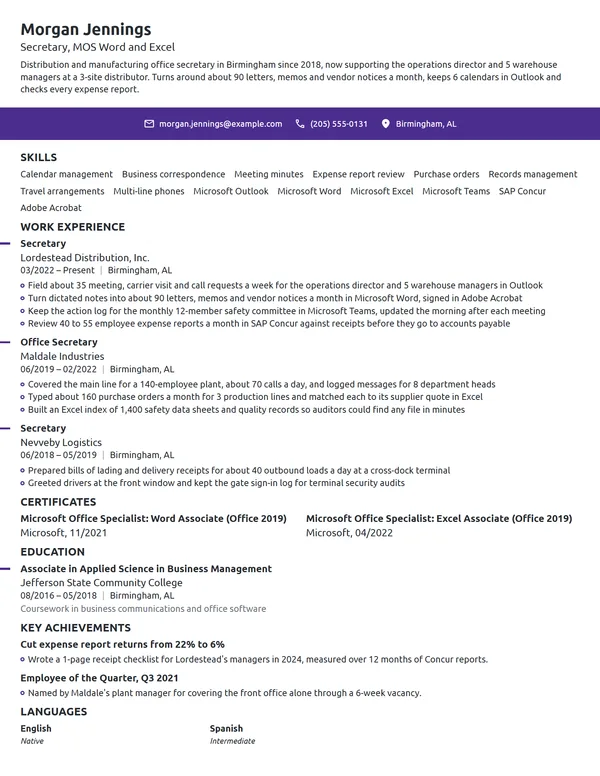
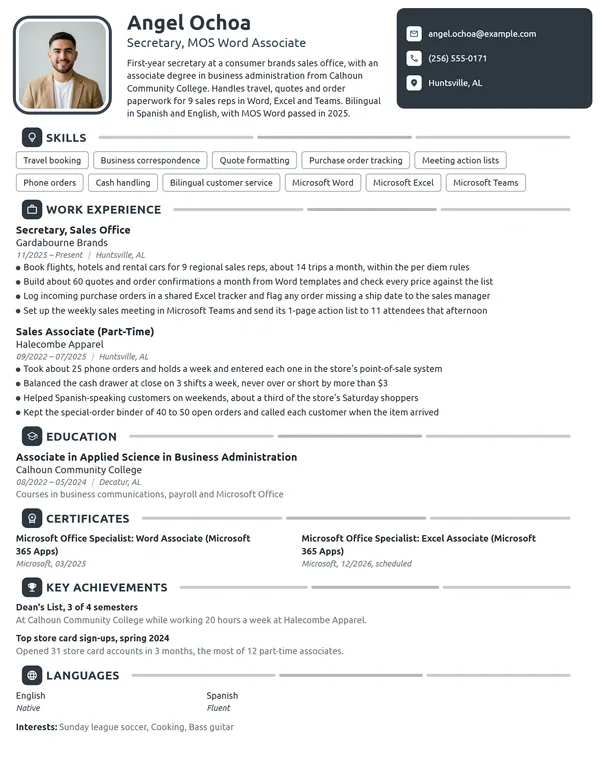
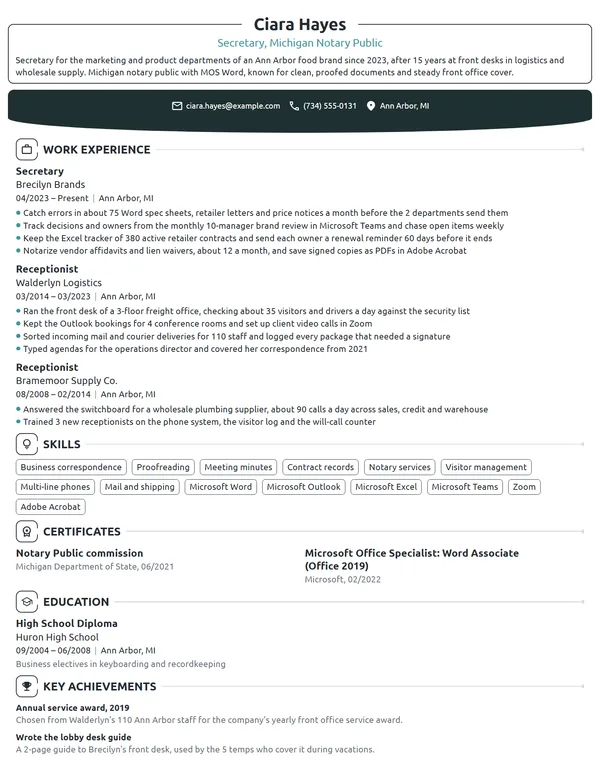
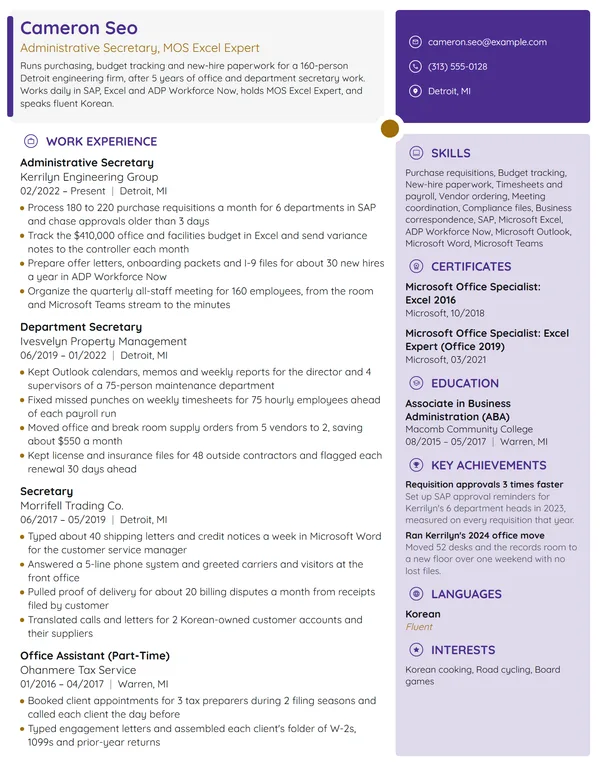
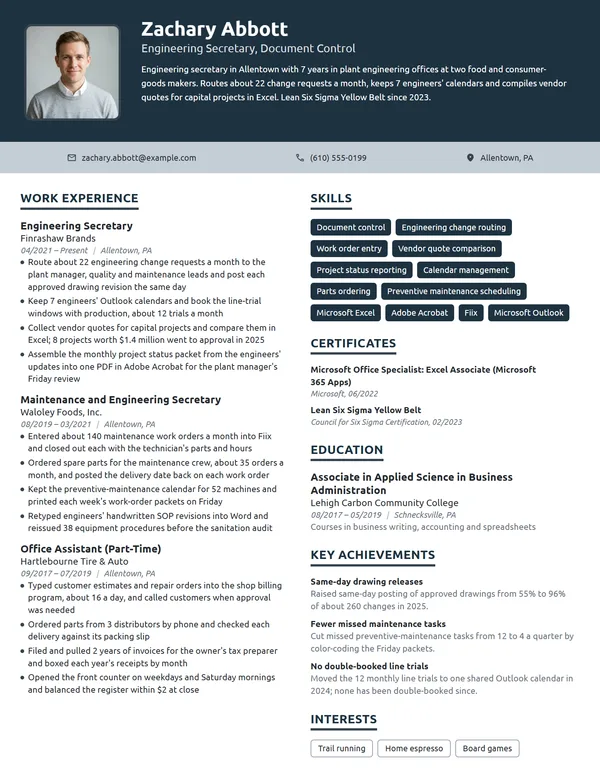
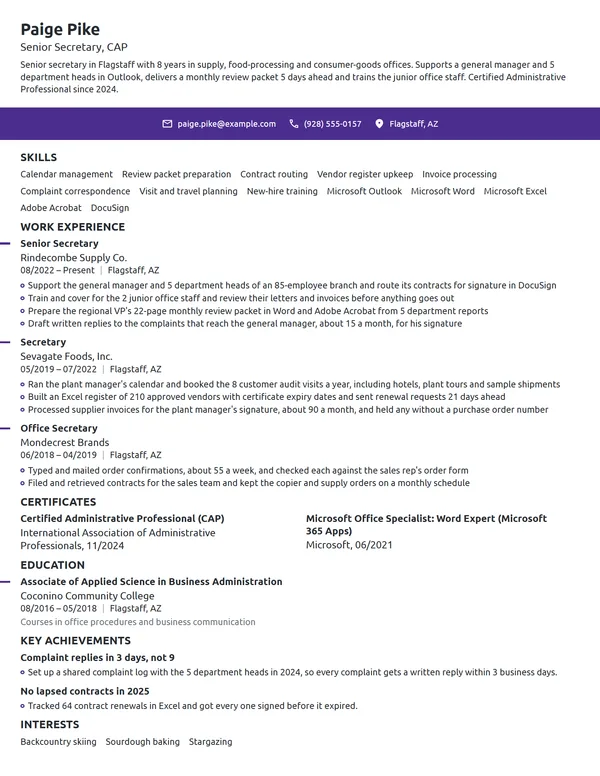
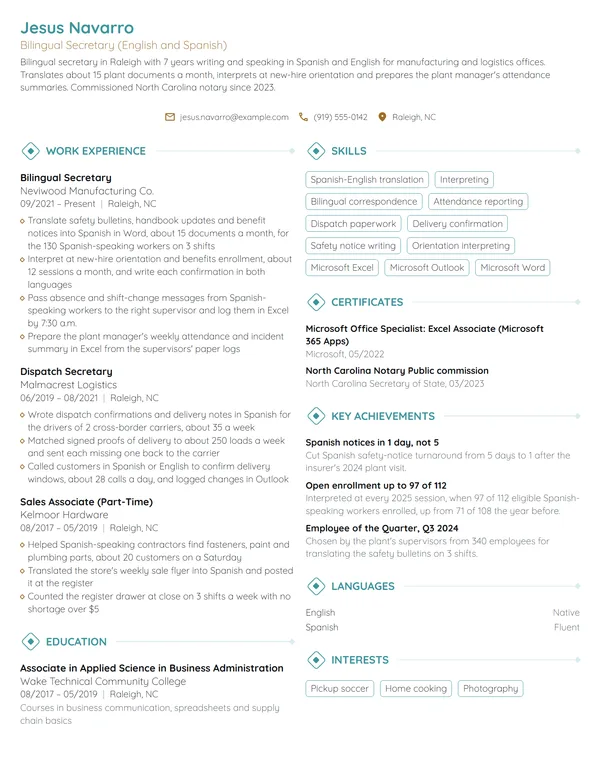
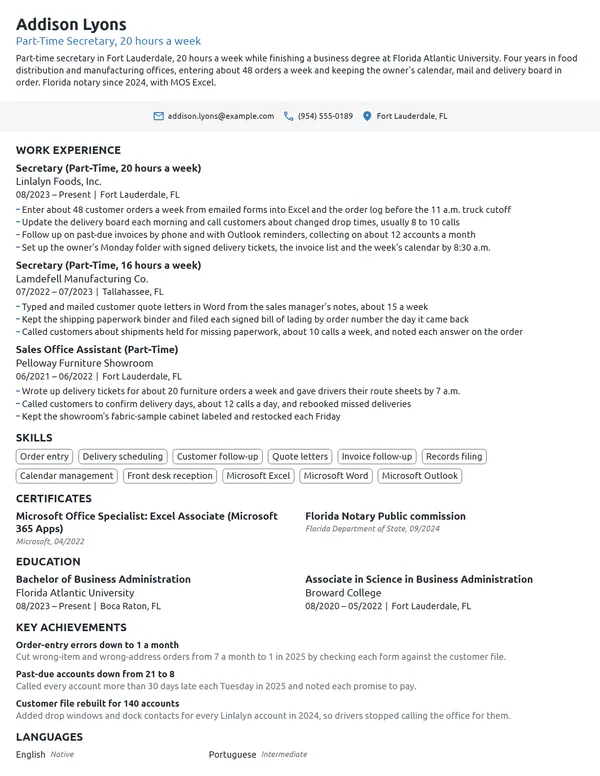
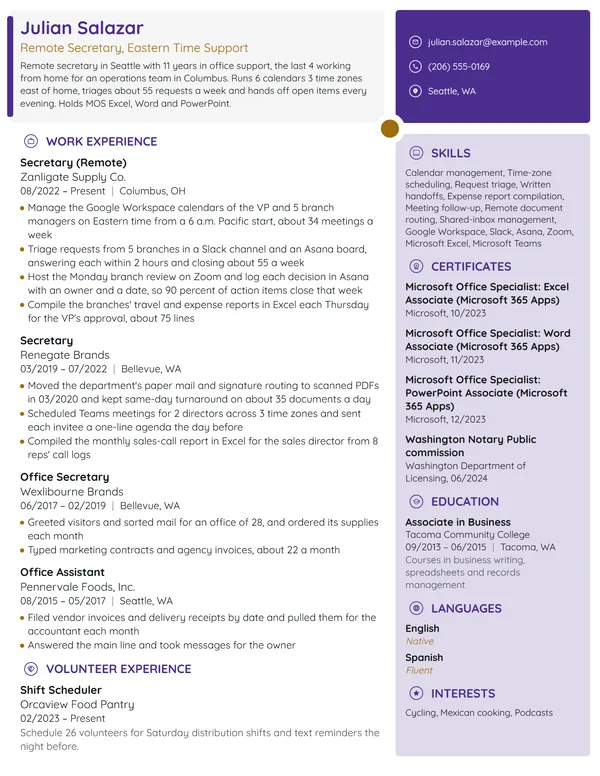
A secretary keeps an office's correspondence, calendars, records and callers in order, often for several people at once. The same job gets posted as secretary, administrative assistant or office secretary, so your resume has to match the title in front of you without losing your own. Counts carry the rest: whose work you supported, calls a day, meetings you took minutes for, managers whose schedules you ran.
How to Write a Secretary Resume - Key Takeaways
- Lay out your jobs newest first on a single page, and save a second page for 10+ years across several offices.
- Keep your real title on each job line, and put the posting's title, such as Administrative Assistant, in your headline.
- Give every bullet a count a secretary tracks: calls a day, bookings a week, letters a month, meetings minuted or files indexed.
- List Word, Excel and Outlook by name with your skills, plus the system your setting runs, such as Epic in a medical office.
- Put MOS exams you have passed and a scheduled CAP under Certificates, each with its date.
- Save the file as a PDF and test it in an ATS resume checker before you send it.
What employers look for in a secretary resume
The person hiring a secretary wants to know 3 things: who you supported, how much work you handled, and whether you can do it in their software from the first week. The BLS lists answering phones, scheduling appointments, arranging staff meetings, preparing memos and reports, editing documents and maintaining filing systems as typical duties. O*NET adds greeting visitors and keeping databases up to date.
Writing is part of the job too: the BLS names good grammar, accuracy and a professional tone among the qualities secretaries need, so your resume is also a writing sample. Build it from these sections:
- Name, headline (Secretary or Office Secretary, plus a credential such as MOS) and contact details
- Summary of 2 to 3 lines under your name, with no heading
- Work Experience, starting with your current office
- Skills, where your software and any tested typing score go
- Certificates
- Education
- Optional: Key Achievements, Volunteer Experience or Languages
Best format for a secretary resume
Choose the reverse-chronological resume format: your current office first, each job showing title, employer, city and MM/YYYY months for its first and last day. Secretaries are often hired for a specific setting, such as a law office, a clinic or a school, and putting the latest office first tells an employer at a glance which settings you know. A combination format only helps if you are coming from an unrelated field and have no office job to list yet.
- Best for most secretariesReverse-chronologicalYour jobs, newest first, with your results under each one.Best for: A steady work history in your field
- FunctionalSkills grouped up top, with a short work history below.Best for: Gaps or very little experience
- CombinationA skills section first, then your full work history.Best for: A career change with strong skills
A 1-page resume fits most secretaries, including those with 8 or 9 years in 2 or 3 offices. Go to 2 pages only with 10+ years and roles in different settings, such as a law firm and then a hospital, where each office needs its own bullets.
| Setting | What to use |
|---|---|
| Length | 1 page; 2 only with 10+ years across different offices |
| Job title line | The title your employer used, plus the office: Secretary, Admissions Office |
| Dates | Month and year as MM/YYYY; Present on the job you still hold |
| Typing speed | Only a tested score, inside Skills: Typing, 70 WPM |
| Body text | One plain font, 10.5 to 12 pt, headings 2 sizes larger |
| Photo and private details | Photo usually left off in the US and Canada; never your age, marital status or Social Security number |
| File type | A PDF; switch to .docx only if the hiring portal requires it |
Most US and Canadian resumes carry no photo, and a secretary resume gains more from a clean, well-proofed layout than from any picture, since the page itself shows how you format documents.
Secretary resume summary vs. objective
Use a summary once you have held an office job of any kind: name your years, the people or office you supported, 1 count from your bullets and your software. Use an objective if you have never worked in an office: the role you want and the closest proof you have. Novoresume's admin assistant summary and objective examples show both at different levels, and the rules for a resume summary apply to secretaries unchanged: write it last, after the bullets.
Secretary resume summary formula
Title with X years supporting who you supported in setting. One volume or turnaround count from your bullets. Software and certification, or exam status.
Example
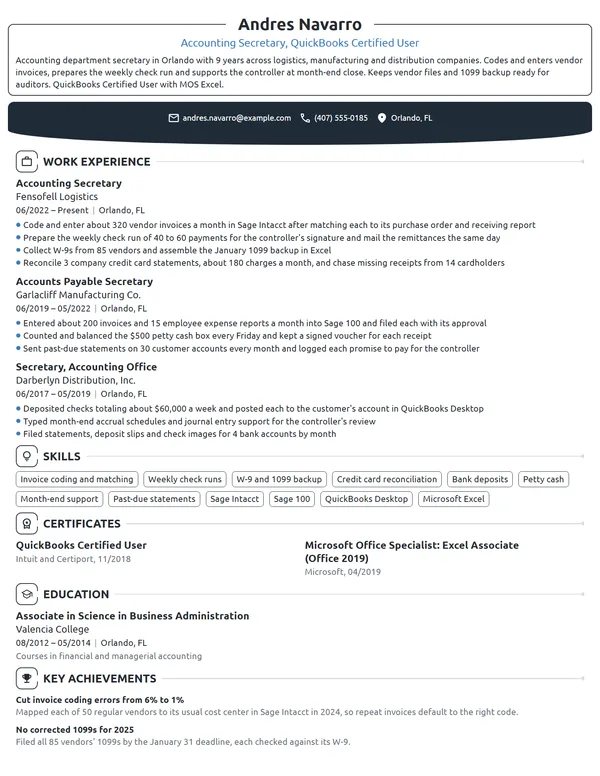
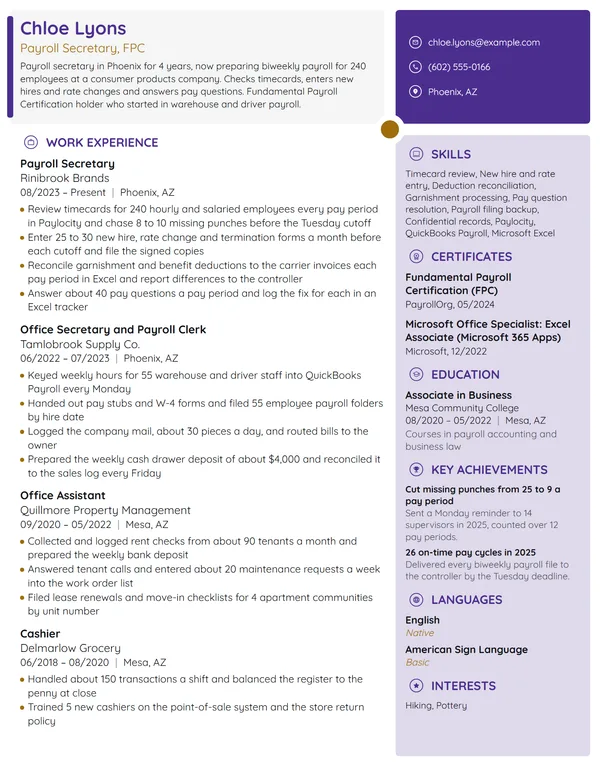
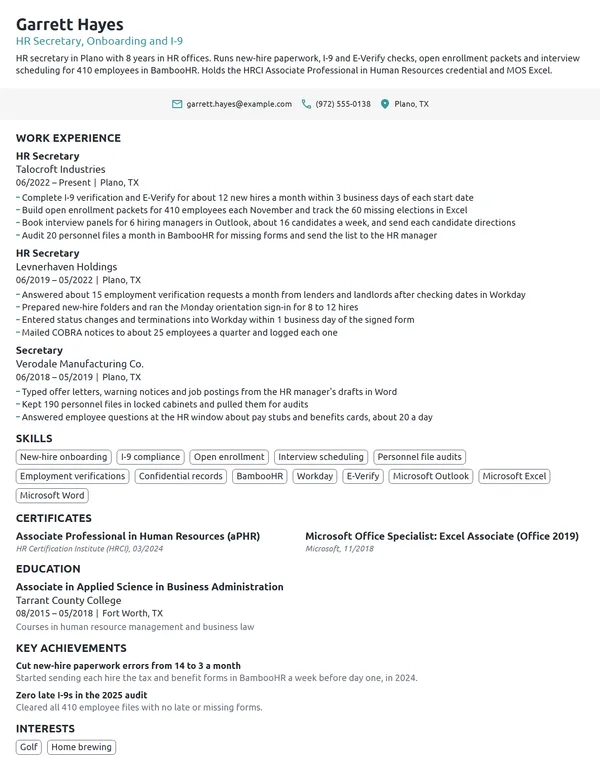
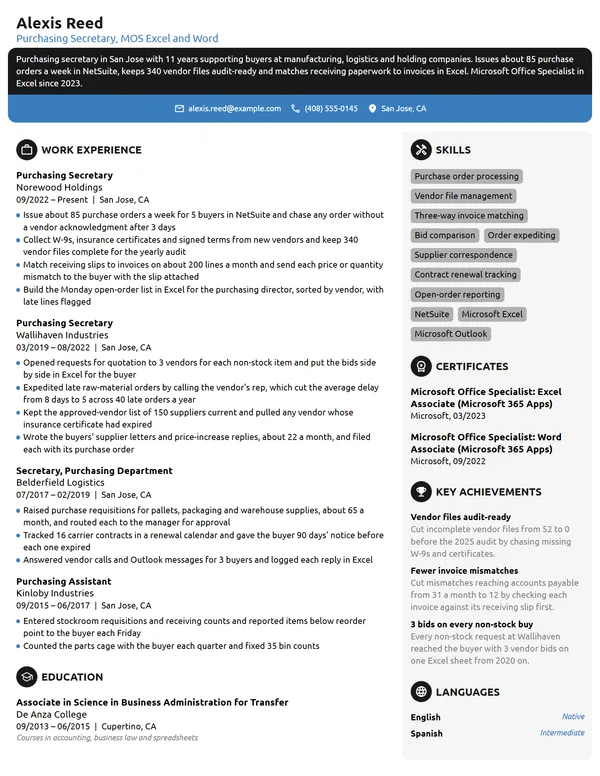
Secretary with 10 years supporting engineering and title offices. Keeps the calendars of 4 managers and sends meeting minutes within 24 hours of every project review. Microsoft Office Specialist in Word and Excel, sitting for the CAP in 2027.
Don't
Organized and dependable secretary with excellent communication skills seeking a position in a professional office.
Do
School secretary with 5 years in a 600-student middle school, handling attendance calls, enrollment files and the principal's calendar. Works in PowerSchool and Google Workspace and speaks Spanish with families.
The second version names the office, its size, the tasks and the systems.
How to write secretary work experience bullets with numbers
Your current job takes 3 to 4 bullets, each opening with a verb; a job you left gets 2 to 4. Secretarial work is easy to count once you look for it: calls, bookings, letters, minutes, files and timesheets all come in numbers. Write achievements on your resume wherever a count changed because of you, such as a turnaround you shortened or a backlog you cleared.
| Area | What to count | Example bullet |
|---|---|---|
| Phones and visitors | Calls a day, phone lines, visitors checked in | Handled about 45 calls a day on a 4-line system and checked in 20 visitors. |
| Calendars and rooms | People supported, bookings, rooms | Booked 3 conference rooms for 70 meetings a month with no double bookings. |
| Correspondence | Letters and reports a month, turnaround | Drafted 120 letters a month and had each one signed within 2 business days. |
| Meetings and minutes | Meetings recorded, attendees, days to post | Recorded minutes for 11 monthly committee meetings and posted them within 48 hours. |
| Records | Files indexed, boxes processed, retention rules | Applied the records retention schedule to 18 boxes and sent 9 for approved destruction. |
| Payroll and purchasing | Timesheets, invoices, purchase orders | Collected and checked timesheets for 32 staff every 2 weeks before payroll closed. |
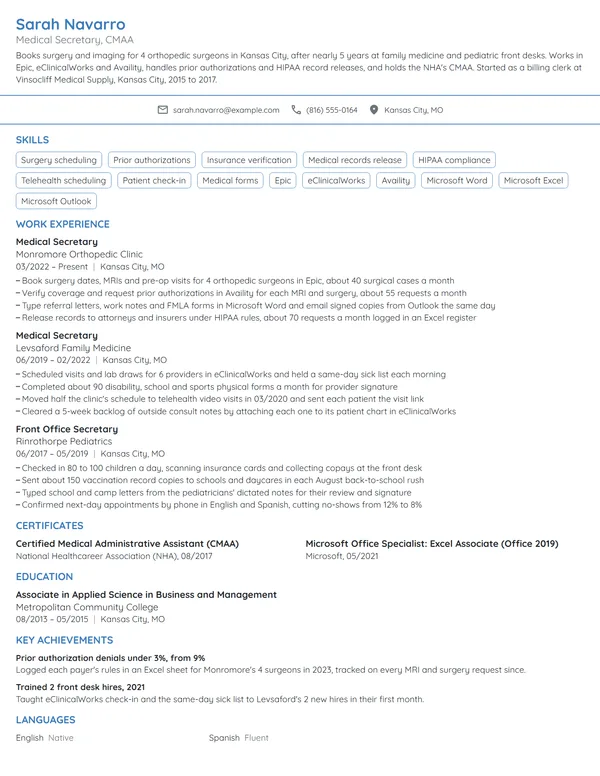
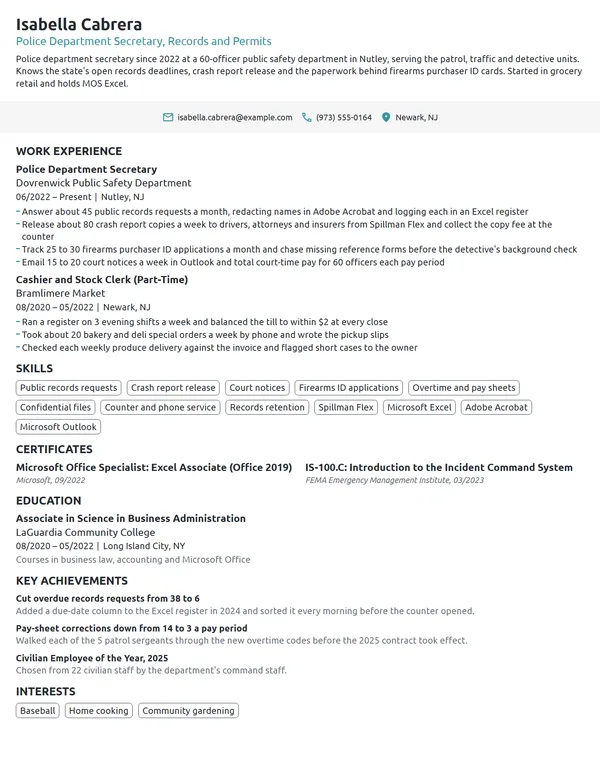
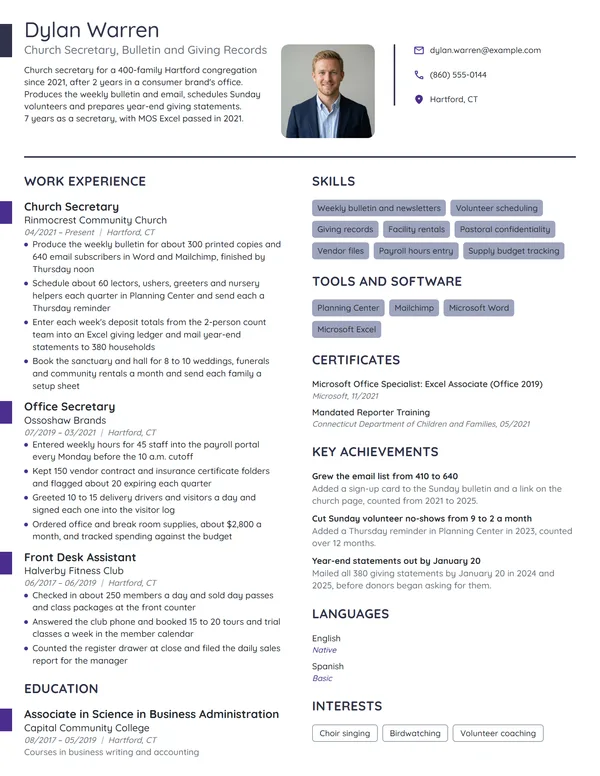
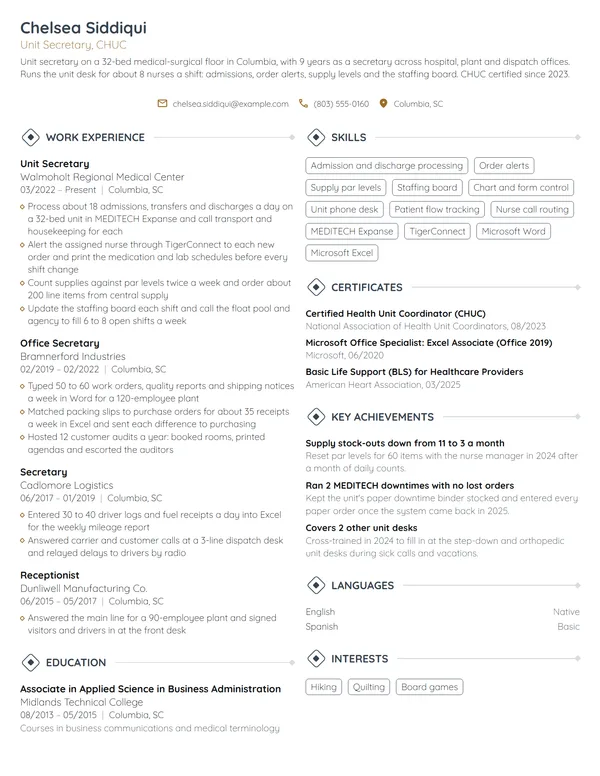
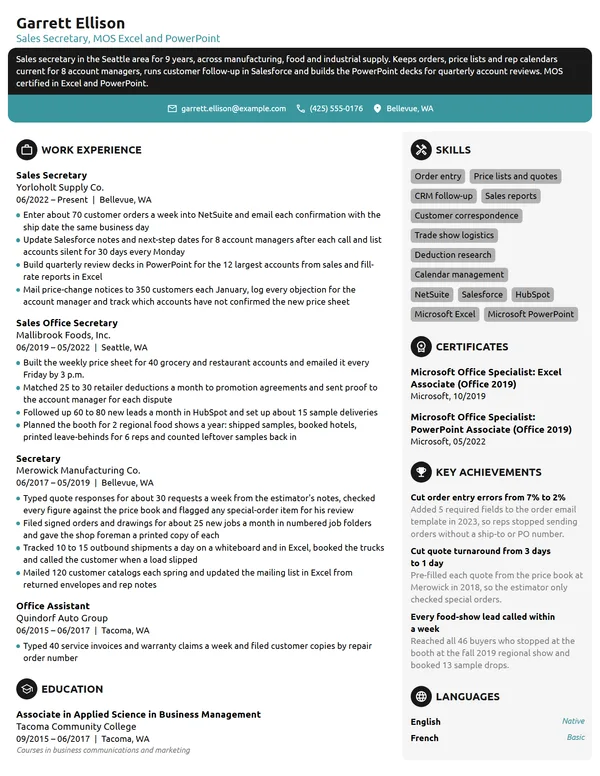
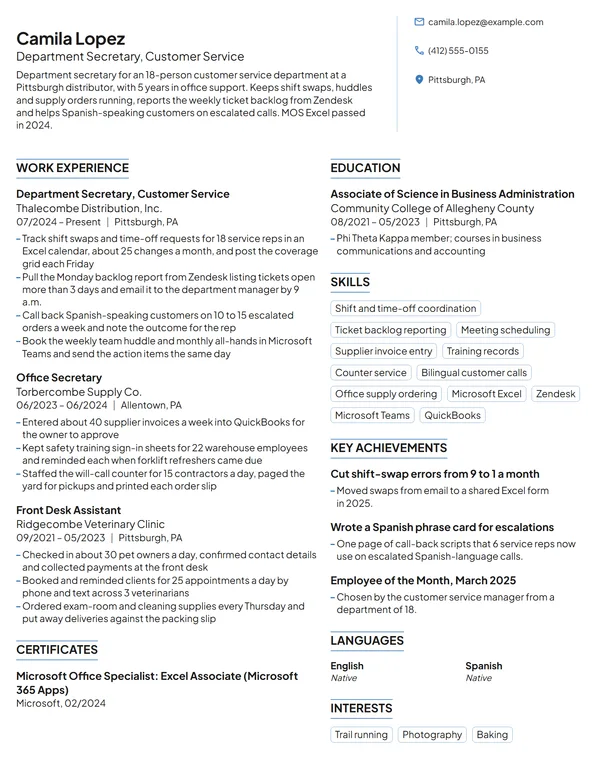
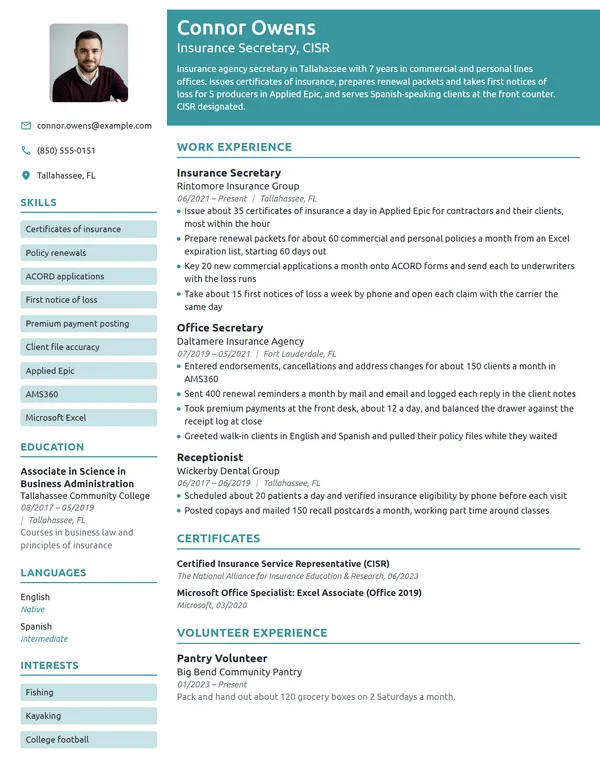
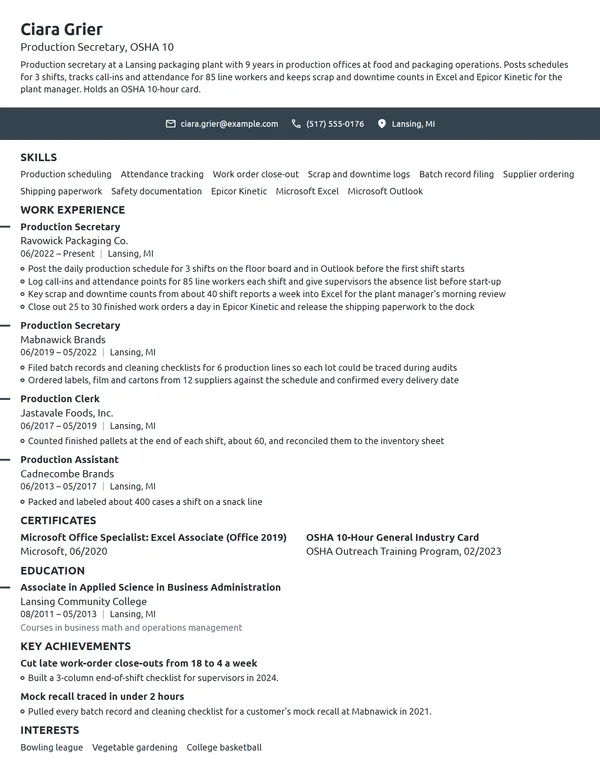
Here is a secretary's entry with those counts in place. The current job carries 4 bullets on calendars, minutes, documents and records; the older one keeps 2.
Work Experience
- Schedule meetings and site visits for 3 project managers and 1 principal, about 25 bookings a week in Outlook and Microsoft Teams.
- Take and distribute minutes for the biweekly 14-person project review, sent within 24 hours of each meeting.
- Format and proof 40 to 50 proposals, letters and reports a month in Microsoft Word, using the firm's style template.
- Scanned and indexed 2,600 paper project files into SharePoint, so staff now pull closed projects without a records request.
- Answered about 60 calls a day on a 6-line phone system and routed escrow questions to 4 officers.
- Prepared 30 closing packets a month in Word and logged each one in the office's tracking spreadsheet.
Don't
Answered phones and greeted visitors.
Do
Answered about 50 calls a day for a 9-physician practice and booked 30 to 35 appointments a day in Epic.
This version adds the call volume, the practice size and the system.
Don't
Responsible for taking meeting minutes.
Do
Recorded minutes at monthly meetings of a 9-member board and had each draft to the chair within 2 days.
Secretary skills and office software for your resume
Pick 6 to 8 hard skills for your resume named in the job ad and proved by your bullets. The soft skills below belong in your bullets as results, such as a calendar with no double bookings, more than in a list.
Hard skills for secretaries
- Calendar and meeting scheduling
- Business correspondence
- Meeting minutes
- Proofreading and document formatting
- Records management and filing
- Multi-line phone systems
- Data entry
- Travel arrangements
- Timesheets and payroll records
- Purchase orders and invoices
Soft skills office managers value
- Discretion with confidential files
- Written accuracy
- Courtesy on the phone
- Prioritizing several people's requests
- Judgment on what to escalate
- Follow-through
O*NET flags Microsoft Word, Excel, Outlook and PowerPoint as in-demand technology for secretaries, and lists Google Workspace, Microsoft Teams, Zoom, Slack, SAP Concur and QuickBooks among its hot technologies. Name the ones you use with your skills, and again in the bullet that shows the work. In a medical office, O*NET's list for medical secretaries adds Epic, MEDITECH and eClinicalWorks, plus Dentrix in a dental office, and a legal secretary should name the firm's document and billing systems the same way.
MOS and CAP: certifications for a secretary resume
No certification is required: the BLS says secretaries typically learn the job through on-the-job training of a few weeks, and names no credential. A Microsoft Office Specialist (MOS) exam still proves the Word and Excel skills postings name, and the CAP is IAAP's exam for administrative professionals. List certifications on your resume under Certificates, naming who issued each one and when.
| Credential | Issued by | What it takes |
|---|---|---|
| MOS Word Associate (Microsoft 365 Apps) | Microsoft | Pass exam MO-110, a 50-minute proctored test; Microsoft suggests about 150 hours of instruction and hands-on use first. Renewal every 60 months. |
| MOS Excel Associate (Microsoft 365 Apps) | Microsoft | Pass exam MO-210, a 50-minute test covering workbooks, cell ranges, tables, formulas and charts. |
| MOS Associate (Microsoft 365 Apps) | Microsoft | Pass 3 MOS exams in different programs, such as Word, Excel and PowerPoint, with at least 1 a Microsoft 365 Apps exam. |
| CAP (Certified Administrative Professional) | IAAP | IAAP's exam for administrative professionals. Check IAAP's current eligibility rules before you schedule it. |
How to list MOS exams and a CAP in progress
Write each MOS credential by its full Microsoft name with the month you passed, since a posting may ask for Word or Excel by name. Put a CAP you have booked on its own line marked scheduled, with the exam date, and change it to the month you passed once the result arrives.
Certificates
- Microsoft Office Specialist: Word Associate (Microsoft 365 Apps), Microsoft, 06/2023
- Microsoft Office Specialist: Excel Associate (Microsoft 365 Apps), Microsoft, 02/2024
- Certified Administrative Professional (CAP), IAAP, scheduled 03/2027
Education for secretaries: diploma, certificate or degree
The BLS says a bachelor's degree typically is not required, and that high school graduates who are comfortable with word processing and spreadsheet programs typically qualify for entry-level jobs. Legal and medical secretaries may train for several months to learn the terminology and practices of their field, so a medical terminology course or an office technology certificate belongs in Education when you have one.
Follow the standard way of listing education on a resume: the credential, then the school with its city, then the month you finished. Once you have 2 or 3 years in an office, Education moves below Work Experience and the GPA comes off. A degree in another subject still counts: an English or communications degree backs up the writing the job asks for.
Education
Entry-level and career-change secretary resumes
For your first office job, start from an entry-level resume: a short objective, Education placed high on the page, and anything that shows you can run a desk. Each item below takes a count, just as a paid secretary job would.
- Work-study or an internship in a campus or school office: calls, forms processed, files you kept.
- A church, club or nonprofit office: newsletters sent, members on the list, event sign-ups handled, under Volunteer Experience.
- Part-time retail or restaurant work: phone orders, reservations, cash drawers balanced.
- Office coursework and tests, under Education or Skills: a timed typing score, an MOS exam or a business writing class.
Don't
Hardworking individual looking for a secretary position to gain office experience.
Do
Business office technology student seeking a front office secretary role. Typed 65 WPM on a timed test, passed MOS Word in 2026 and kept the event calendar for a 300-member campus club.
Even 2 lines of objective need a score, a credential or a count.
Coming from reception, customer service or retail, stay with the newest-first order and open with a summary that names the secretarial work you already do, such as scheduling, correspondence or records. On a career-change resume, the first 3 bullets under your latest job should be its most office-like tasks, each with a count. Explain the move in a few lines of your cover letter, following the structure in how to write a cover letter, and keep the resume itself on evidence.
Secretary resume FAQ
Is a secretary resume different from an administrative assistant resume?
Barely. O*NET files Secretary, Office Secretary and Administrative Assistant under one occupation, and the BLS counts secretaries and administrative assistants together, at about 3.5 million jobs in 2025. Keep your real title on each job line and match the posting's title in your headline and summary.
How long should a secretary resume be?
Use 1 page unless you have 10+ years in different settings, such as a law firm and then a clinic, where each office needs its own bullets and software. Page 1 should still hold your 2 most recent offices.
Should I put my typing speed on a secretary resume?
Yes, if you have a tested score from a timed test or a staffing agency. Write it in Skills as a figure, such as Typing, 70 WPM. Leave out an estimate you have never measured, since an office may test you before it hires you.
Do secretaries need a certification?
No. The BLS says most secretaries learn through a few weeks of on-the-job training. An MOS exam in Word or Excel is the fastest way to prove the software a posting names, and IAAP's CAP is an option once you meet its eligibility rules.
What software should a secretary list on a resume?
Word, Excel and Outlook first, since O*NET flags all 3 as in demand for secretaries. Add the calendar, video and file tools you use daily, such as Microsoft Teams, Zoom or Google Workspace, and any system your setting runs, from Epic in a clinic to QuickBooks in a small office.
How do I write a medical secretary resume?
Lead with the medical setting and its systems. O*NET lists scheduling patient appointments, completing insurance forms and keeping medical records as medical secretary tasks, and Epic, MEDITECH and eClinicalWorks among their systems. Add any medical terminology course, since the BLS notes medical secretaries may train for several months.
How much do secretaries make?
The BLS reports a median annual wage of $47,540 in May 2025 for secretaries and administrative assistants outside legal, medical and executive roles, $45,930 for medical secretaries and $55,570 for legal secretaries. Keep pay off the resume and raise it at the offer stage.
Next steps
Choose the example nearest your setting and level, keep its layout, and swap in your own counts: calls, bookings, letters, minutes and files. Build it in our resume builder or adapt one of the resume templates, proof it twice, and pair it with a short letter naming the office you want to support.