
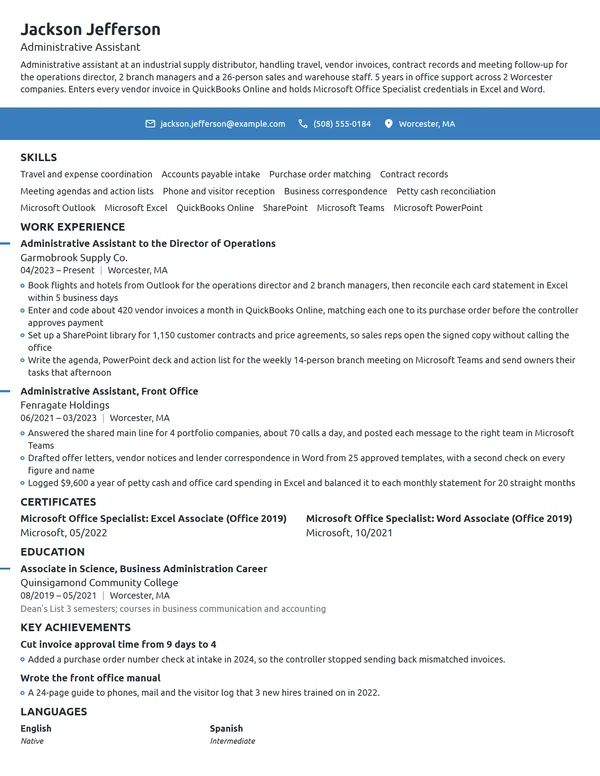
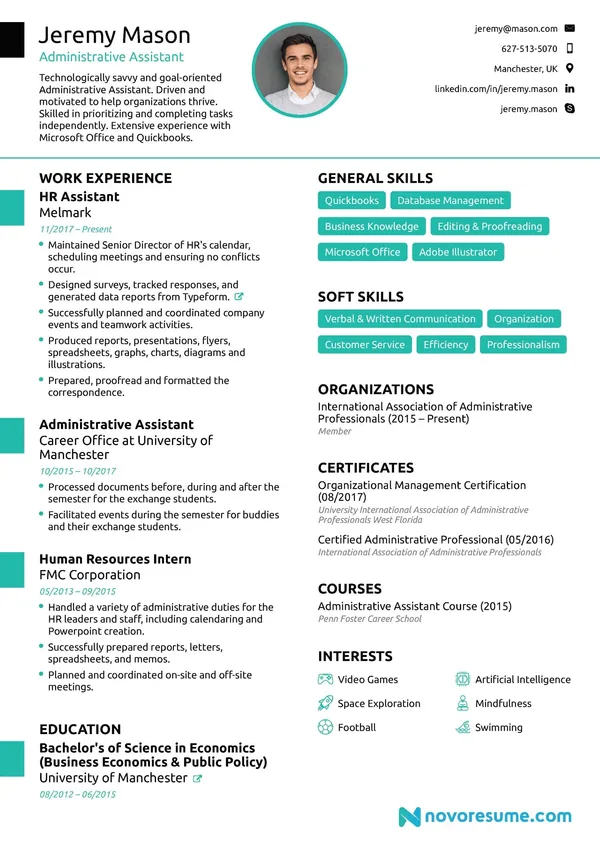
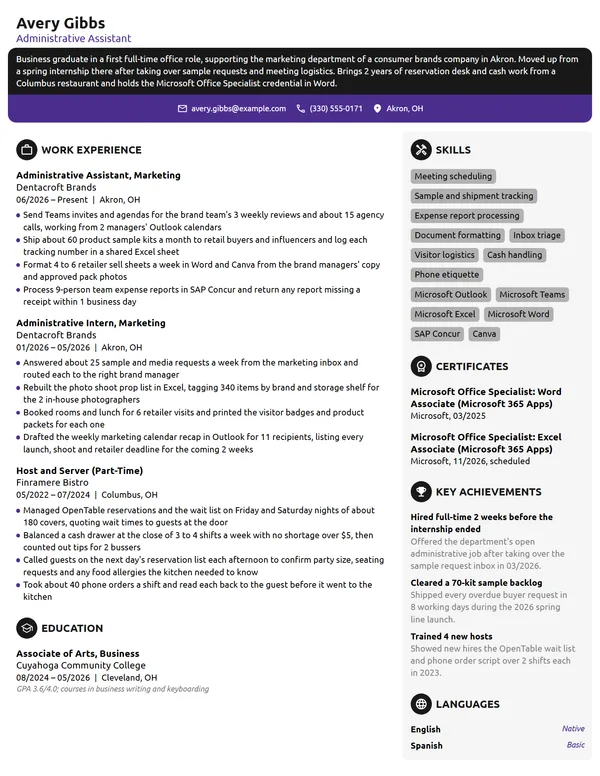
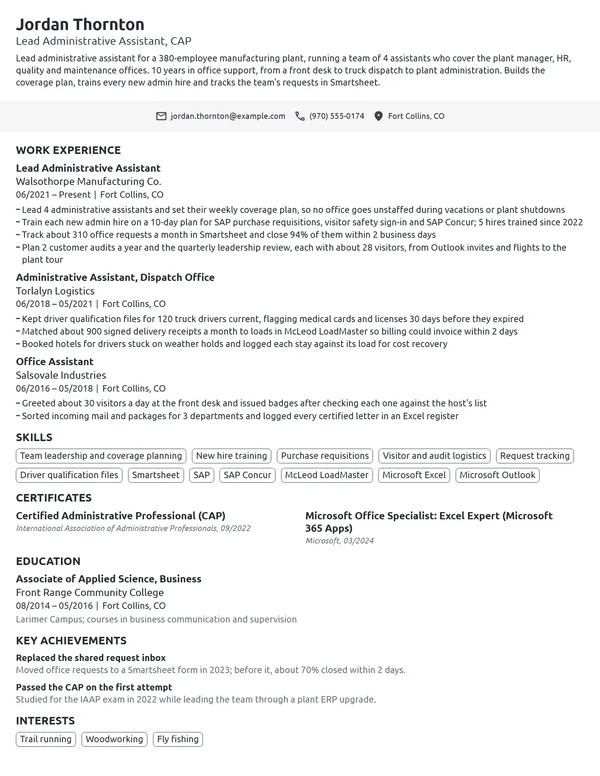
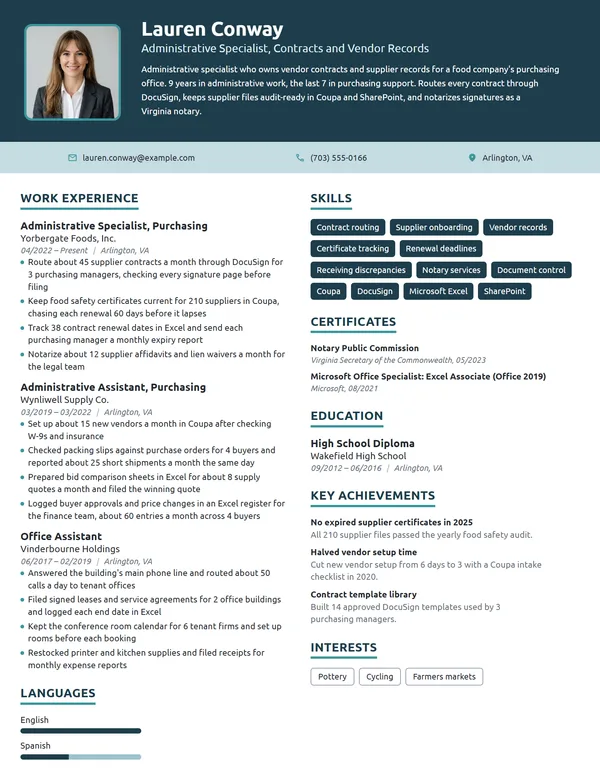
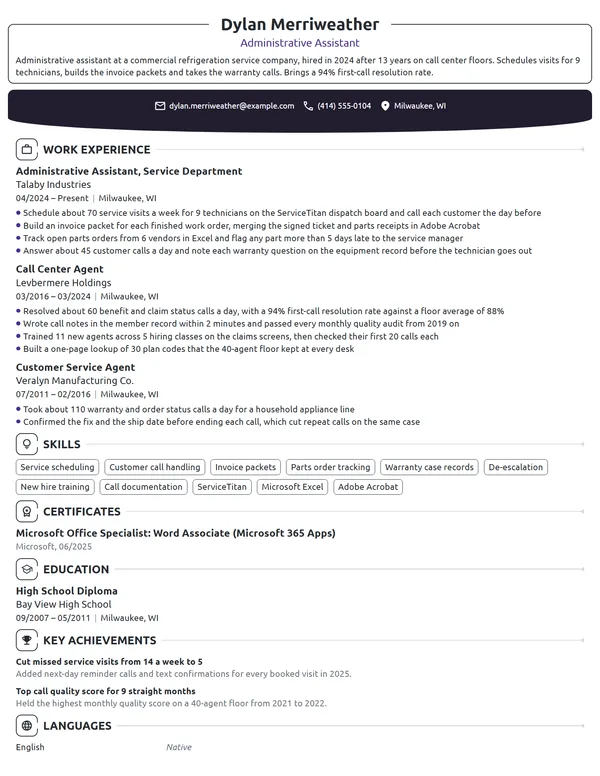
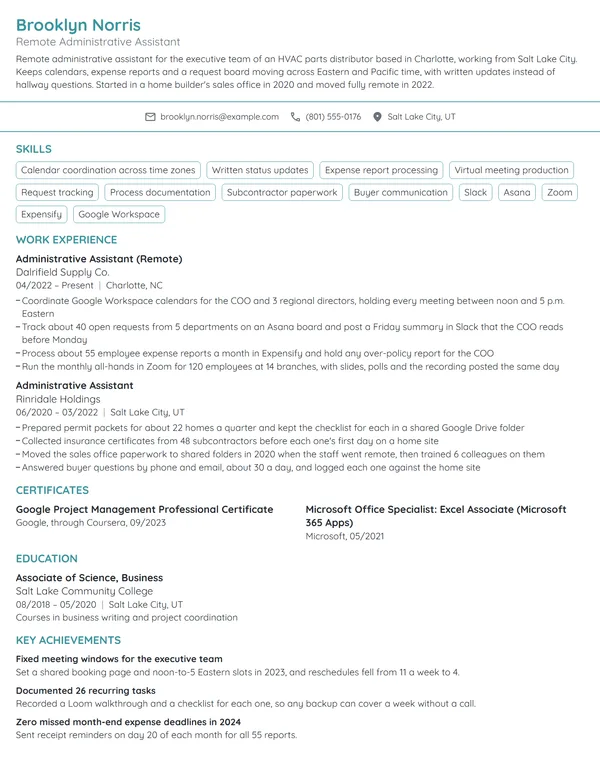
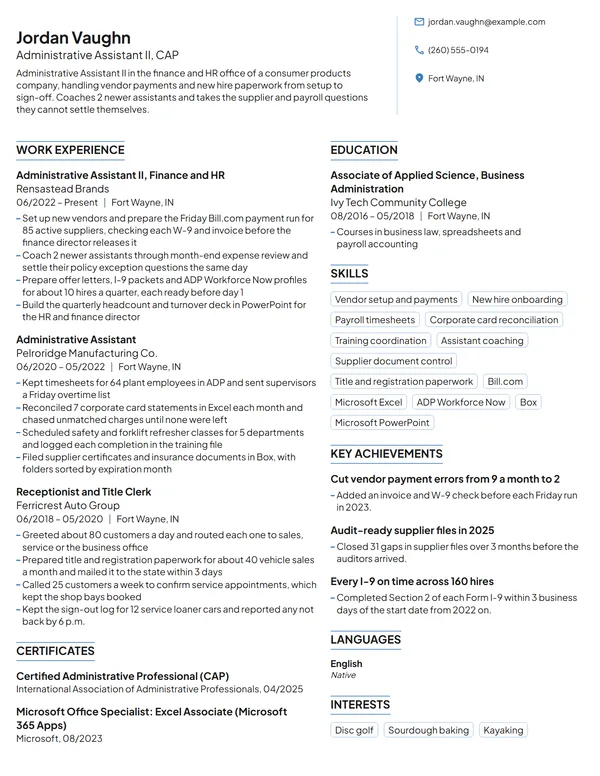
Good administrative work tends to go unnoticed: meetings start on time, travel runs smoothly and files appear the moment someone asks. A resume is your chance to make that work visible. Office managers look at whose calendars and teams you supported, how much crossed your desk in a week, and which office software you can use from day one. Admin duties often get described in identical words, so the names and numbers you add do the most to separate your resume from the rest.
How to Write an Administrative Assistant Resume - Key Takeaways
- Keep to reverse-chronological order and 1 page, saving a second page for 10+ years of support roles.
- Name who you supported and at what level in your job title line or first bullet, such as 4 claims directors or a 30-person sales team.
- Give each bullet an office number: meetings booked, trips arranged, files managed, budgets kept or turnaround times cut.
- List Outlook, Excel, Word and each system from the job ad you have used by its exact name, and prove each one in a bullet.
- List a Microsoft Office Specialist exam or IAAP's CAP under Certificates, naming who issued it and when, and add CAP to your headline once you hold it.
- Test the finished file in an ATS resume checker before you send it to an employer.
What hiring managers look for in an administrative assistant resume
A hiring manager opens your resume to answer 3 questions: who did you support, how much did you keep organized for them, and can you do it in their software from week 1. The BLS lists scheduling appointments, arranging staff meetings, preparing memos and reports, maintaining databases and filing systems, and basic bookkeeping as typical duties. O*NET adds creating and maintaining databases and scheduling appointments for supervisors and clients.
Those duties look alike on every posting, so your scope and your systems are what set your resume apart. Organize it under these headings, which applicant tracking systems recognize:
- Name, headline (for example, Administrative Assistant, CAP) and contact details
- Summary: a short paragraph under your name, no heading required
- Work Experience, starting with your current role
- Skills, with your office software included
- Certificates, for MOS exams or the CAP
- Education
- Optional: Languages if you speak more than English, and 1 of Volunteer Experience and Key Achievements
Best format for an administrative assistant resume
Choose the reverse-chronological resume format: your current job at the top, then each earlier one with its title, employer, city, and start and end dates as MM/YYYY. Admin careers often grow from office assistant to administrative assistant to executive or senior support, and this order makes that growth plain. It also suits people arriving from retail, hospitality or customer service, as long as the first bullets under each job are the scheduling, records and cash tasks you already did.
- Best for most administrative assistantsReverse-chronologicalYour jobs, newest first, with your results under each one.Best for: A steady work history in your field
- FunctionalSkills grouped up top, with a short work history below.Best for: Gaps or very little experience
- CombinationA skills section first, then your full work history.Best for: A career change with strong skills
Stay on 1 page with under 10 years of office work. A 2-page resume fits a senior administrative assistant who has supported several executives or departments, but page 1 must still hold your current role and your certifications.
| Setting | What to use |
|---|---|
| Length | 1 page; 2 only after 10+ years of support roles |
| Job title line | Title plus who you support: Administrative Assistant to the Finance Director |
| Dates | MM/YYYY on both ends, and Present for the job you hold now |
| Body text | 1 easy-to-read font such as Calibri or Arial, 10.5 to 12 pt |
| Photo, age and family details | A photo is unusual in the US and Canada; never list a birth year, family status or Social Security number |
| File name and type | FirstName-LastName-Resume.pdf, or a .docx when the application portal requests Word |
Most US and Canadian resumes carry no photo. An office hiring manager judges you on how cleanly the page is laid out, so treat the resume as a sample of the documents you would produce for them.
Administrative assistant resume summary vs. objective
Use a summary once you have held a paid office or administrative job: 2 to 3 lines with your years, who you support, your best result and your strongest system or credential. Use an objective if you are applying for your first office role, naming the job you want and the closest evidence you have. These admin assistant summary and objective examples show both at different career stages. Draft it after your bullets so it can borrow their best figure.
Administrative assistant resume summary formula
Title with X years in industry or office type, supporting who and how many. Your best scheduling, travel, records or cost result as a figure. Certification or key system.
Example
Administrative assistant with 10 years in insurance and property management offices, supporting 4 claims directors. Cut late expense reports from 22 to 3 a month after moving a 31-person team to SAP Concur. Certified Administrative Professional (CAP) and Microsoft Office Specialist in Excel.
Don't
Organized and reliable administrative professional with strong communication skills who loves helping teams succeed.
Do
Administrative assistant with 6 years at a 5-attorney estate planning practice, opening and tracking about 120 client files a month in Clio and Outlook. Microsoft Office Specialist in Word.
This version adds the setting, the people supported, a monthly volume, the systems and a credential.
How to write administrative assistant bullets with numbers
Write 3 to 4 bullets under the job you hold now and 2 to 4 under each earlier one, each opening with a verb and closing on a result. Admin work is easy to count once you look: people supported, meetings per week, trips per quarter, files, budgets and days saved. When you list work experience on a resume, swap any line copied from your job description for one of those numbers.
| Area | What to count | Example bullet |
|---|---|---|
| Calendars and meetings | People supported, meetings a week, conflicts avoided | Kept calendars for 3 vice presidents with 0 double bookings in 2025. |
| Minutes and board support | Meetings minuted, turnaround time, packets prepared | Took minutes at 18 board meetings a year and sent them for approval within 48 hours. |
| Records and filing | Files managed, documents scanned, retrieval time | Scanned and indexed 2,400 paper personnel files into SharePoint in 4 months. |
| Purchasing and supplies | Budget size, vendors, savings | Managed a $22K office supply budget and finished the year 11% under it. |
| Correspondence | Letters, templates, response time | Turned 60 standard letters into Word templates and cut reply time from 5 days to 2. |
| Onboarding and office setup | New hires, equipment orders, start-day readiness | Prepared desks, badges and laptops for 14 new hires in 1 quarter, each ready on day 1. |
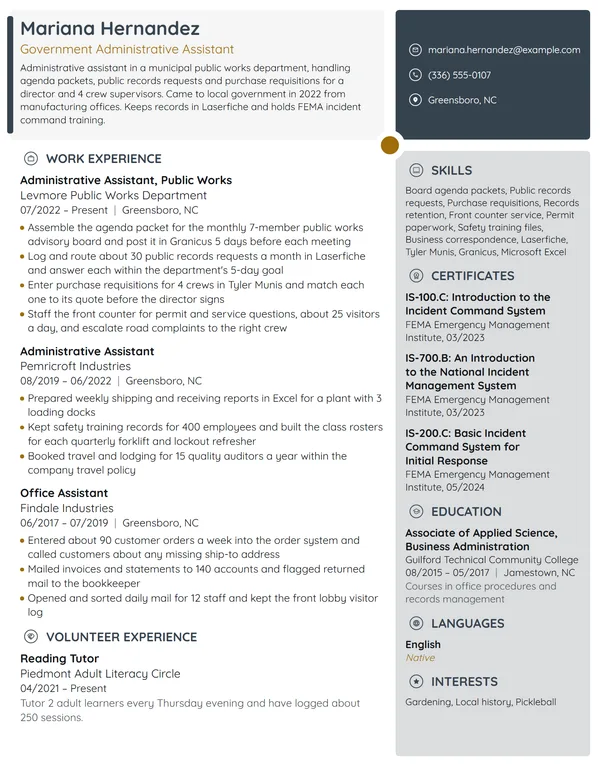
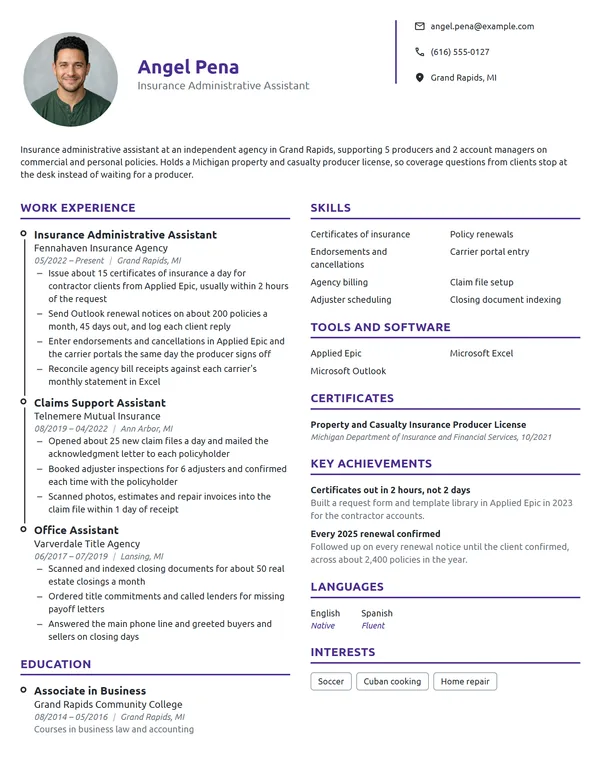
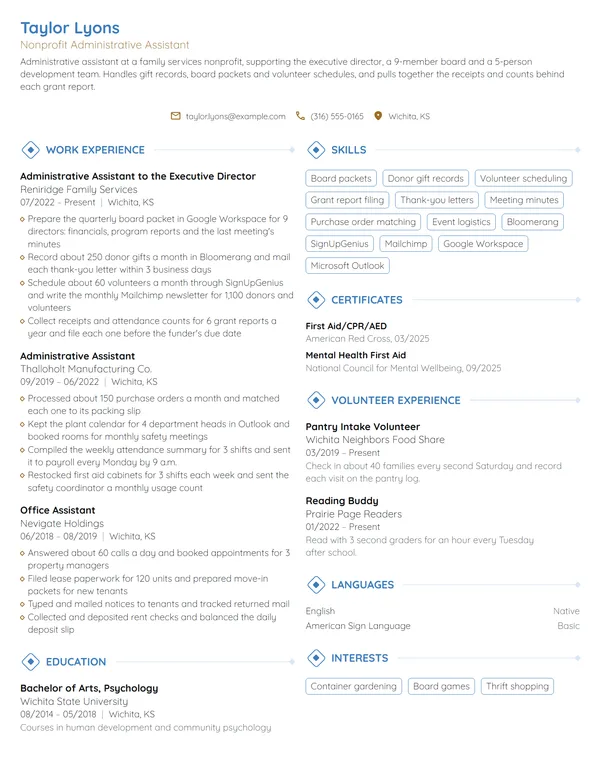
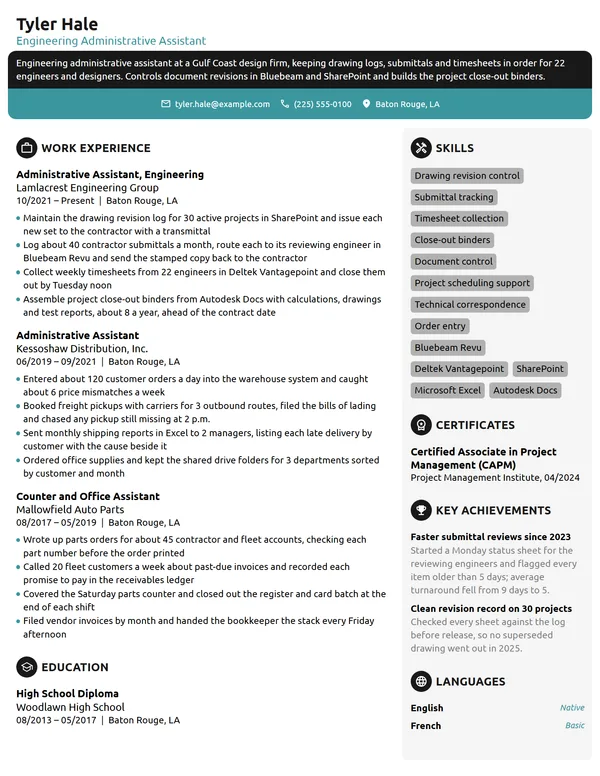
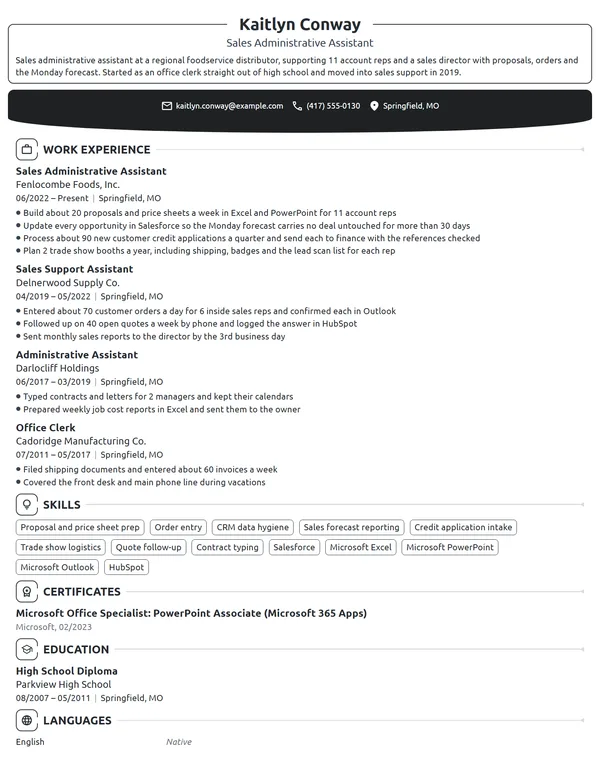
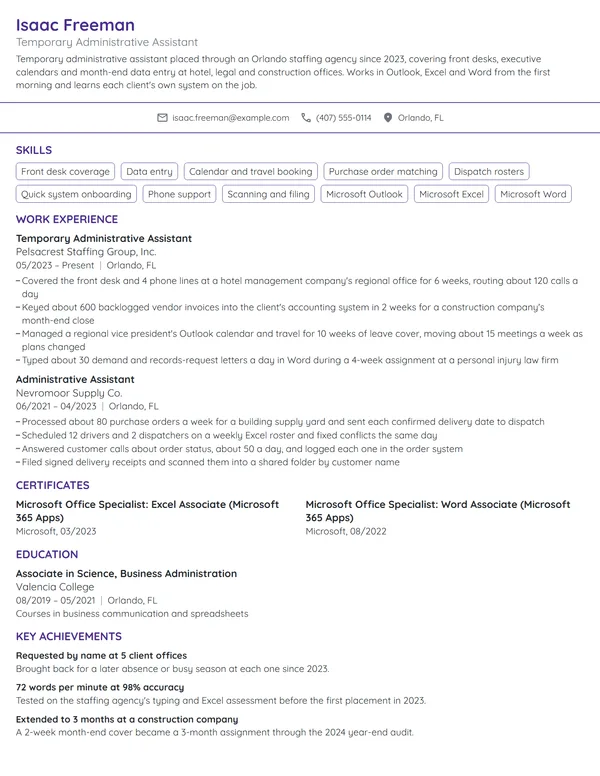
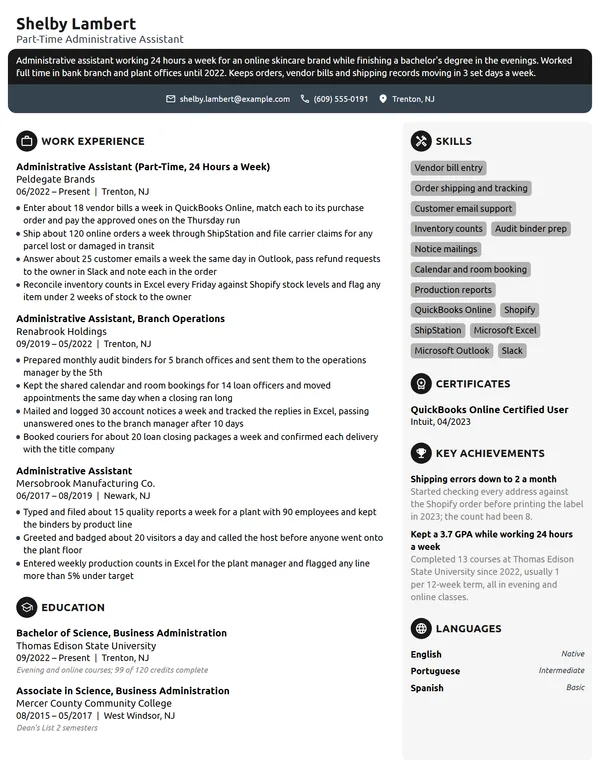
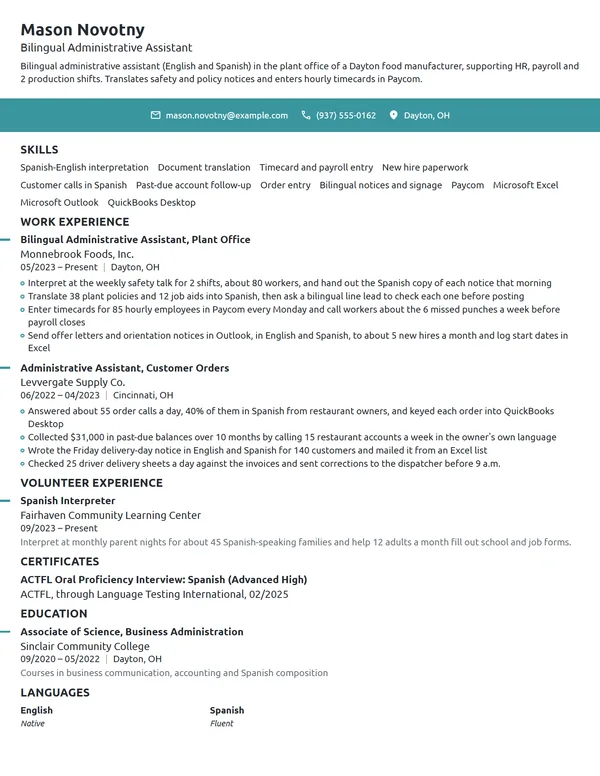
Here is how that looks for one administrative assistant. The current job names who is supported and carries 4 bullets; the older office job gets 2.
Work Experience
- Manage Outlook calendars for 4 claims directors, booking about 35 meetings a week across 3 time zones.
- Cut late expense reports from 22 to 3 a month by moving a 31-person team to SAP Concur and running a weekly reminder list.
- Book travel for 12 field adjusters, about 40 trips a quarter, within a $180K annual travel budget.
- Rebuilt the shared drive for 9,000 claim files into a numbered folder structure, cutting file requests to IT from 15 to 2 a month.
- Entered 260 lease renewals a year in Yardi and mailed every renewal notice 90 days before the lease end date.
- Ordered supplies for 6 properties and kept spending under a $14K yearly budget.
Don't
Responsible for scheduling meetings for the team.
Do
Scheduled about 25 meetings a week for 3 partners and cut double bookings from 8 a month to 0 by moving everyone onto 1 shared Outlook calendar.
The second bullet says who, how many and what changed.
Don't
Ordered office supplies and kept the break room stocked.
Do
Combined weekly supply orders for a 45-person office into 1 monthly order and saved $3,100 in the first year.
Administrative assistant skills and office software for your resume
Choose 6 to 8 hard skills for your resume that the job ad lists and your bullets already back up. The BLS names decision-making, interpersonal, organizational and writing skills as the qualities this job needs, so let your bullets show those soft skills instead of listing them as adjectives.
Hard skills for administrative assistants
- Calendar and meeting management
- Travel and expense booking
- Records management and filing
- Meeting minutes
- Business correspondence
- Data entry
- Purchasing and vendor coordination
- Invoice and petty cash tracking
- Event planning
- New hire onboarding support
Soft skills office managers value
- Discretion with confidential information
- Prioritizing competing requests
- Clear written English
- Courtesy on the phone and in person
- Follow-through
- Working calmly to deadlines
List your software with your skills, then prove each program inside a bullet. O*NET's in-demand list for administrative assistants covers Microsoft Excel, Outlook, PowerPoint, Word and the Microsoft Office suite, and its hot technology list adds SAP Concur, Google Workspace, Microsoft Teams, Zoom, Slack, Intuit QuickBooks and Kronos Workforce Timekeeper. Industry systems count too: Yardi in property management, Salesforce on a sales floor.
MOS and CAP: certifications for administrative assistants
No certification is required for this job: the BLS says most administrative assistants learn their skills through on-the-job training lasting a few weeks. A credential still helps when you are new or changing fields, because it proves skills a hiring manager cannot see in an interview. Put certifications on your resume under Certificates, each with the issuer and the month and year you earned it.
| Credential | Issued by | What it takes |
|---|---|---|
| Microsoft Office Specialist: Excel Associate (Microsoft 365 Apps) | Microsoft | Pass exam MO-210, a 50-minute proctored test. Microsoft suggests about 150 hours of instruction and hands-on use first, and the credential renews every 60 months. |
| Microsoft Office Specialist: Associate (Microsoft 365 Apps) | Microsoft | Pass 3 MOS exams in different programs, such as MO-110 (Word), MO-210 (Excel) and MO-310 (PowerPoint), with at least 1 a Microsoft 365 Apps exam. |
| Certified Administrative Professional (CAP) | International Association of Administrative Professionals (IAAP) | 4 years of paid administrative work with no degree, 3 with an associate degree or 2 with a bachelor's, all within the last 10 years, then a 3-hour exam of about 200 to 225 multiple-choice questions. |
How to write CAP after your name
Once you pass, IAAP's own style puts the credential after your name with a comma, as in Jane Doe, CAP. Add it to your headline as well (Administrative Assistant, CAP), and keep the full name, IAAP and the date under Certificates. Internships and work-study hours do not count toward IAAP's experience rule, so check your paid years before you write an exam date on your resume.
Certificates
- Certified Administrative Professional (CAP), International Association of Administrative Professionals (IAAP), 11/2025
- Microsoft Office Specialist: Excel Associate (Microsoft 365 Apps), Microsoft, 04/2025
Education for administrative assistants: diploma, degree or office program
The BLS puts the typical entry-level education at high school or the equivalent, and says a bachelor's degree typically is not required. O*NET's survey of the occupation shows the spread: 50% of respondents say the job requires finishing high school, 22% an associate degree and 11% a bachelor's. Some community colleges and technical schools also run programs in administrative assistance, the BLS points out.
Put your highest level first, with the school, city and month and year, as you would when listing education on a resume. An associate degree or office technology certificate goes above your diploma, with 1 line of relevant courses such as business communication or bookkeeping. If your diploma is your only credential, keep the entry to 2 lines and let your certificates carry the training.
Education
Entry-level and career-change administrative assistant resumes
Per the BLS, high school graduates who are comfortable with word processing and spreadsheet programs usually qualify for entry-level positions. Build an entry-level resume around that: a short objective, a Microsoft Office Specialist exam if you have one, then any work where you scheduled, filed, handled cash or answered for other people.
- Part-time office or front desk work: calls a day, appointments booked, files kept.
- Retail or restaurant shift lead: staff schedules built, cash drawers balanced, inventory orders placed.
- Club or student group officer: meeting minutes, budgets tracked, events organized, listed under Volunteer Experience.
- Coursework, under Education: keyboarding, business writing or bookkeeping classes, with the software you used.
Don't
Hardworking individual looking for an administrative assistant position where I can learn and grow.
Do
Shift lead with 2 years scheduling 9 employees and balancing $40K in weekly sales in Square, seeking an administrative assistant role. Passed Microsoft exam MO-210 (Excel) in 2026.
Even a first-job objective carries proof: a team size, a dollar figure or a passed exam.
Moving over from retail, hospitality, customer service or healthcare reception, keep your jobs in reverse-chronological order and lead each one with its most administrative task. A career-change resume works when a hiring manager can see office work in your first 3 bullets. Keep your reasons for changing fields for a short letter, where the rules for writing a cover letter leave room for 2 or 3 sentences on why you want to work in an office.
Administrative Assistant resume FAQ
Do administrative assistants need a degree?
No. The BLS lists high school completion or the equivalent as the typical entry-level education and says most learn their skills in a few weeks of on-the-job training. An associate degree or office program helps, and goes first under Education if you have one.
How long should an administrative assistant resume be?
Use 1 page in most cases. Move to 2 pages only after 10+ years of support roles or when you have supported several executives, and keep your current job and certificates on page 1.
What software should an administrative assistant list on a resume?
Start with Outlook, Excel, Word and PowerPoint, which O*NET flags as in-demand for this job, then add the systems the posting names, such as SAP Concur, Microsoft Teams, Google Workspace or QuickBooks. List only programs you have used at work, and mention each in a bullet.
Is CAP certification worth it for an administrative assistant resume?
Yes, once you have the experience for it. IAAP requires 2 to 4 years of paid administrative work, depending on your degree, before you can take the exam. If you hold it, write CAP after your name in the headline and list it under Certificates with the date.
How do I show who I supported on an administrative assistant resume?
Put it in your job title line or first bullet: the role and number of people, such as 3 vice presidents or a 25-person engineering team. Level and headcount tell a hiring manager how much you can carry before they read anything else.
What is the difference between an administrative assistant and an executive assistant resume?
Scope. An administrative assistant resume usually shows support for a team or department: meetings, records, supplies and office tasks. An executive assistant resume centers on 1 or 2 senior leaders, with board work, complex travel and confidential projects.
How do I write an administrative assistant resume with no office experience?
Lead with an objective naming the job and your closest evidence, such as a shift lead role or a Microsoft Office Specialist exam. Then rewrite each past job's bullets around scheduling, cash handling, records and phone work, with a number in every line.
Should I list typing speed on an administrative assistant resume?
Only when the ad requests it. Put it in Skills as words per minute from a recent timed test, and leave it off if the ad never mentions typing.
Should I include salary expectations on an administrative assistant resume?
No. Pay belongs in the interview, or on an application form that asks for it. For reference, BLS data put the median yearly pay for secretaries and administrative assistants, except legal, medical and executive, at $47,540 in May 2025.
Next steps
Open whichever example matches your level and swap in your own people supported, meeting counts, budgets and systems. Put your resume together in our resume builder or on one of our resume templates, and attach a short letter that opens on the result you are proudest of.