
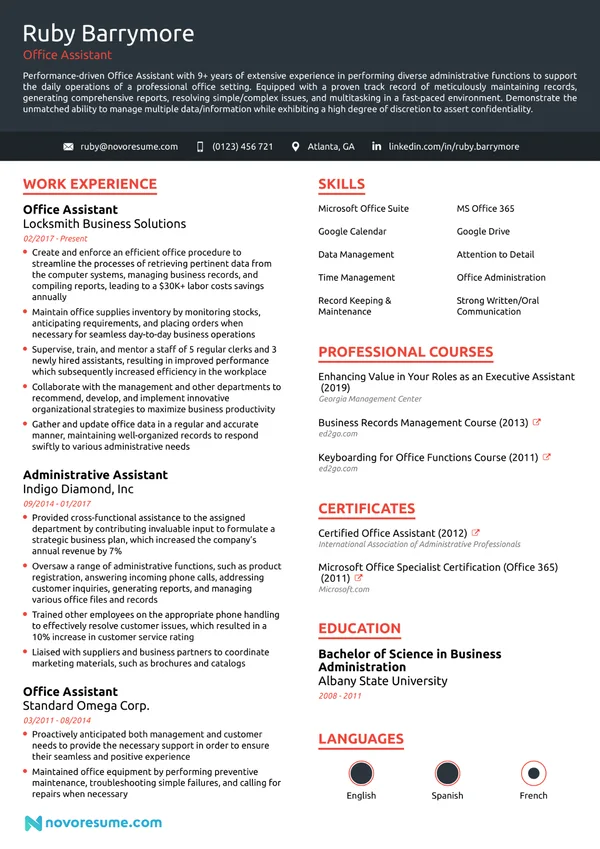
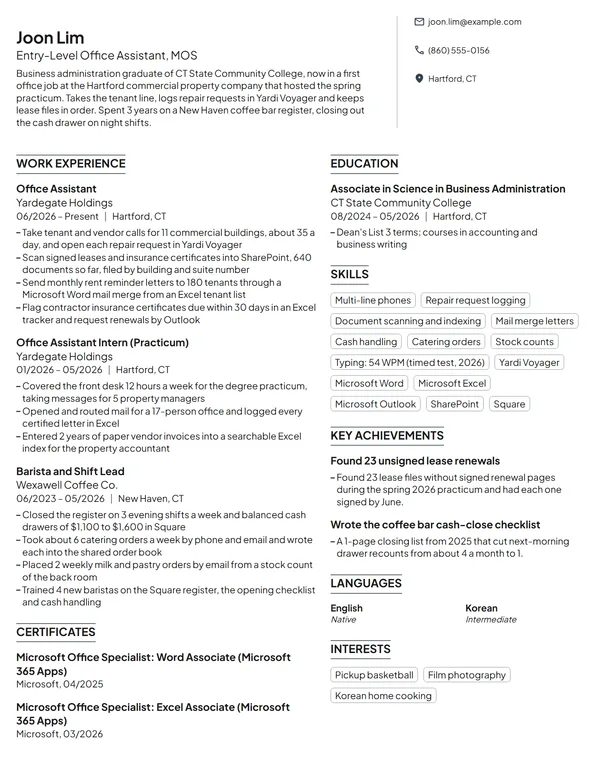
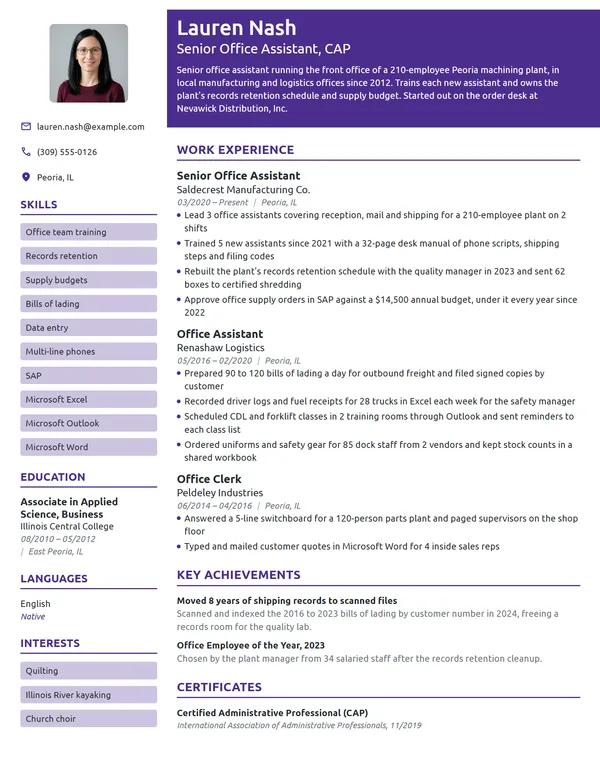
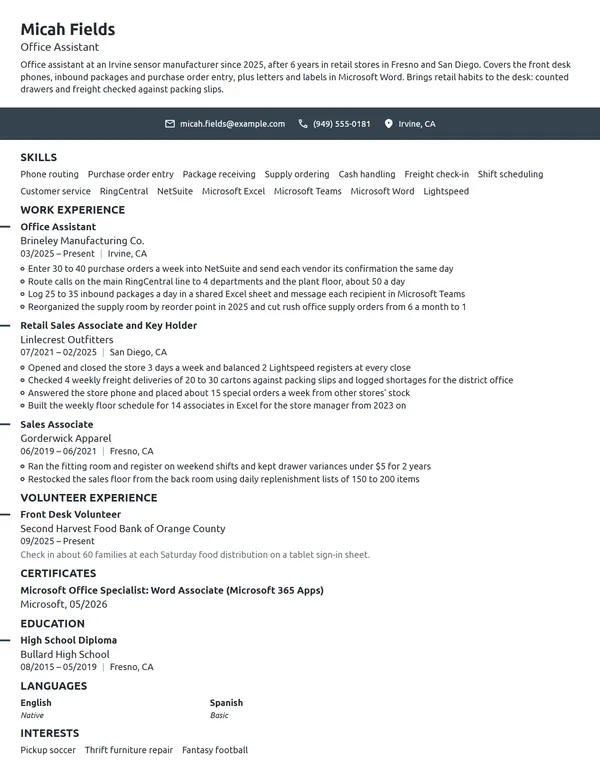
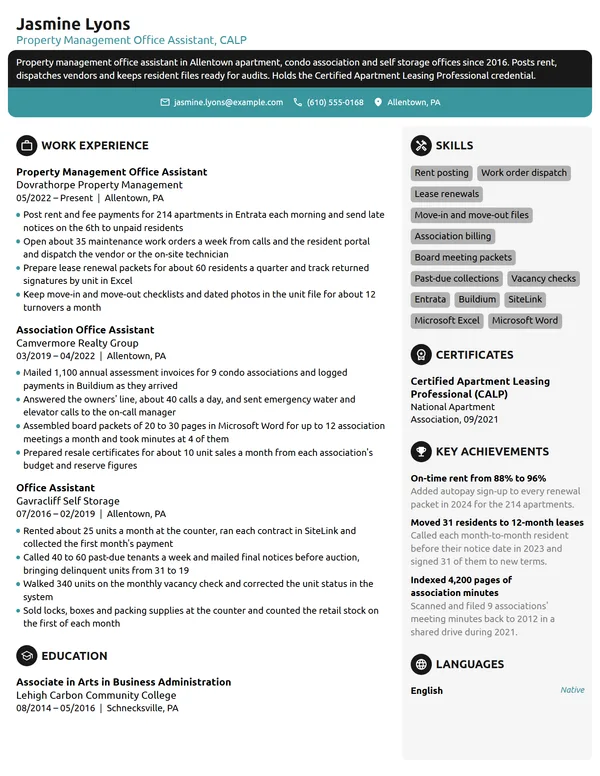
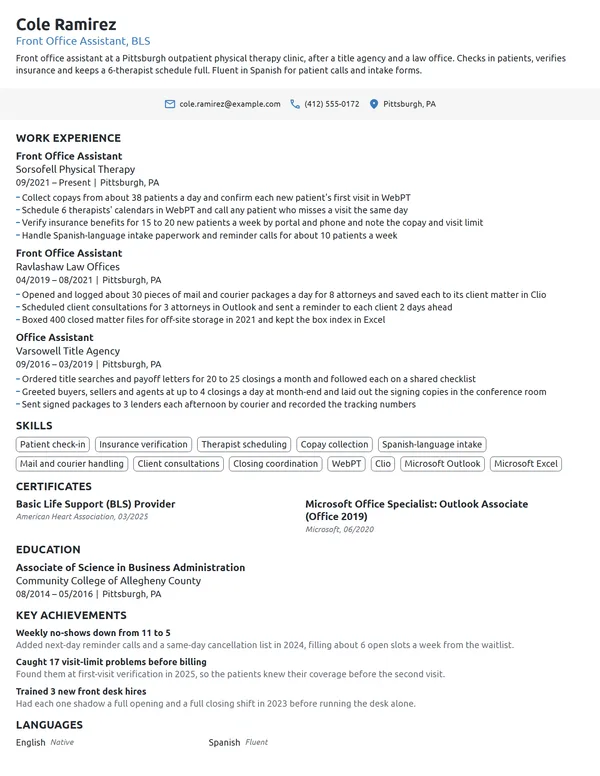
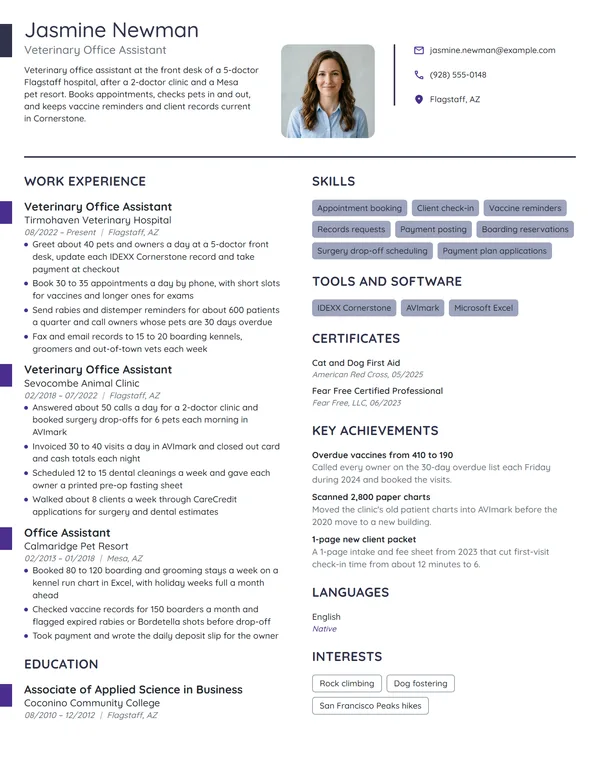
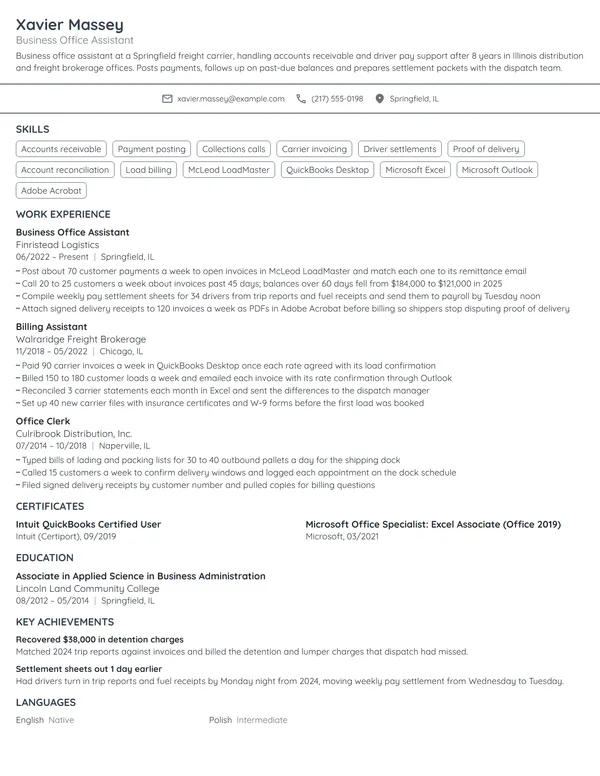
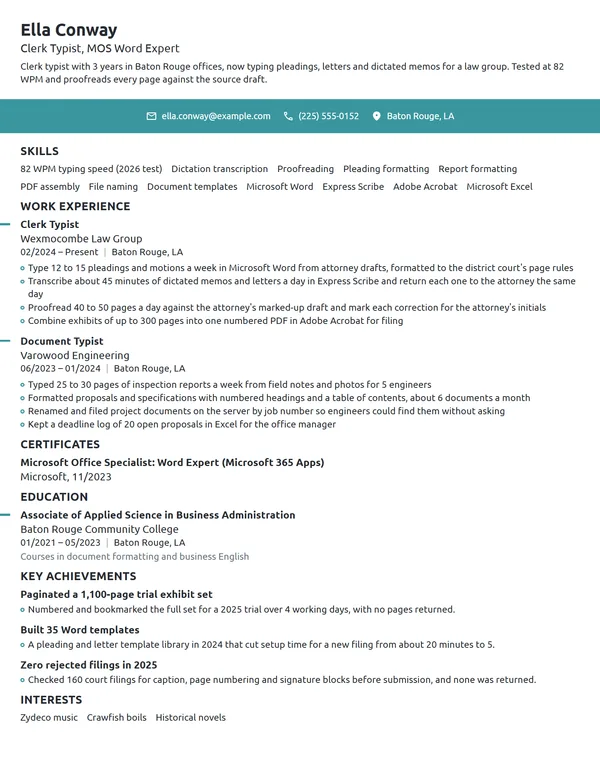
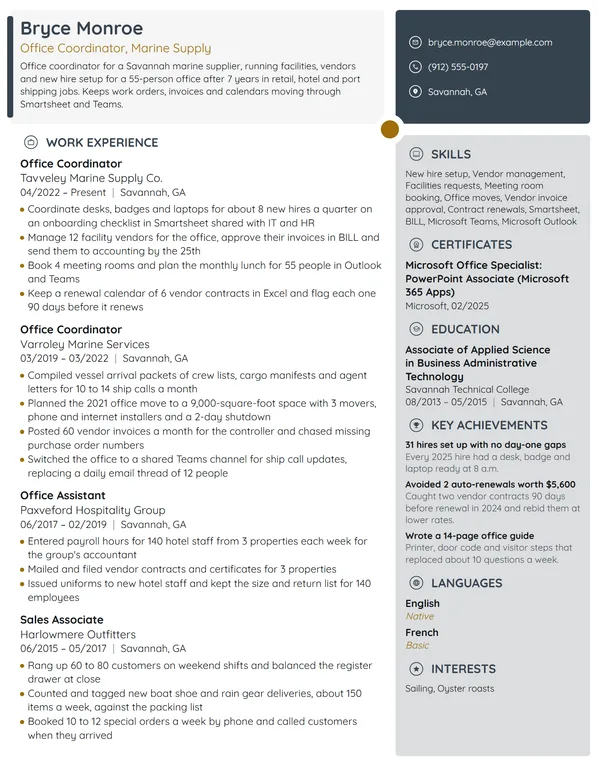
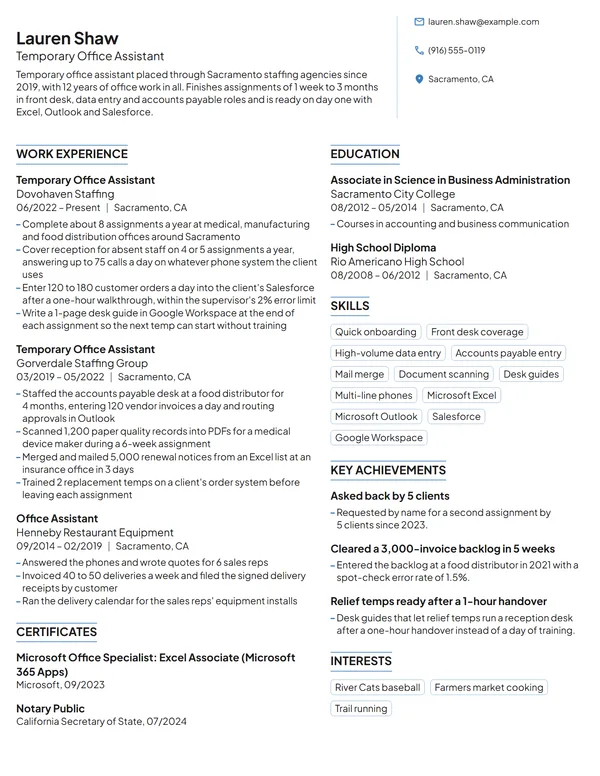
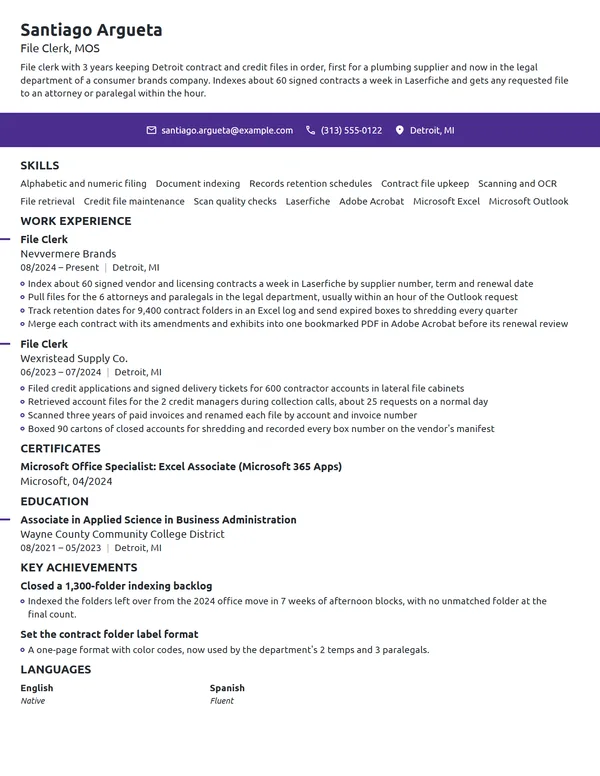
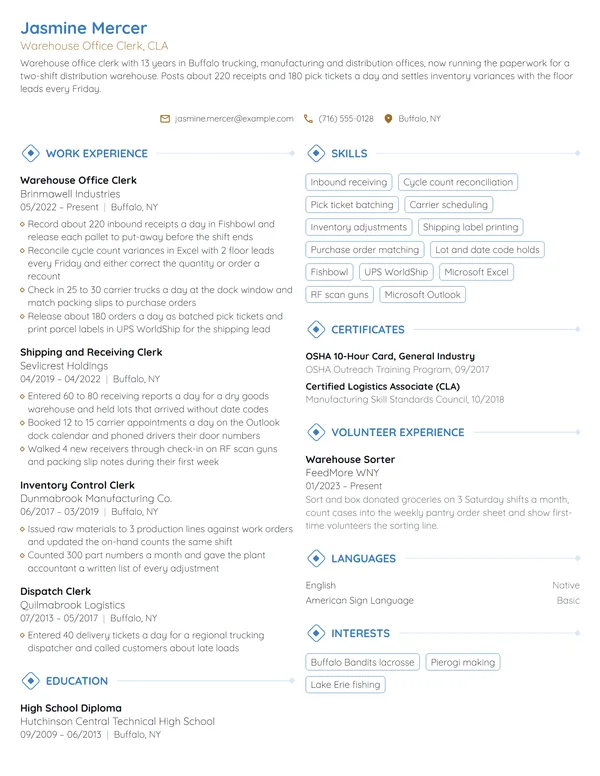
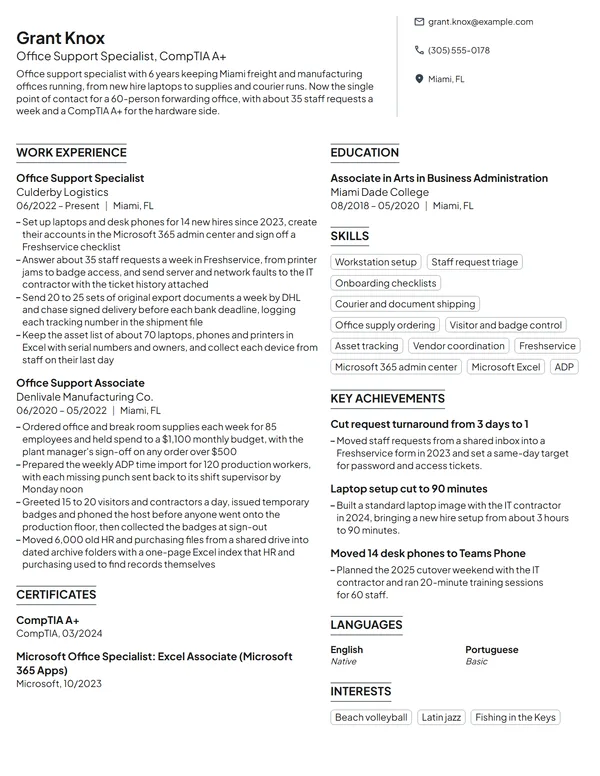
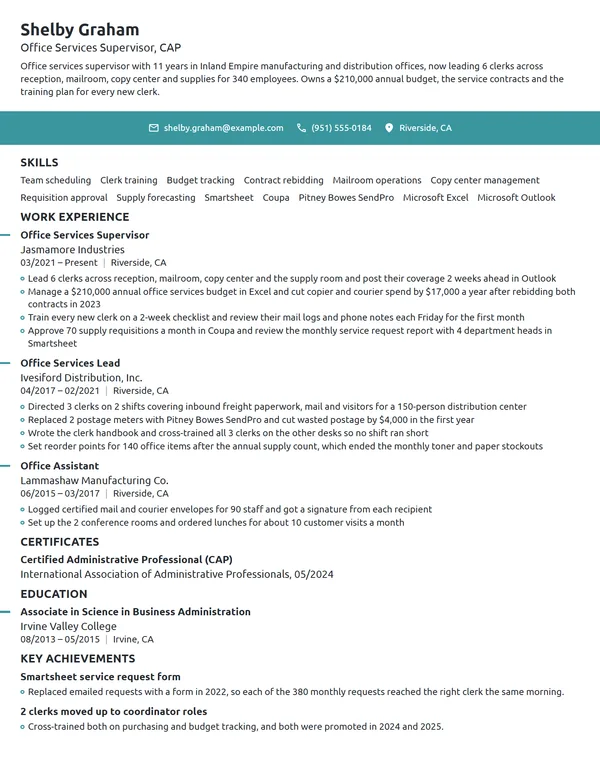
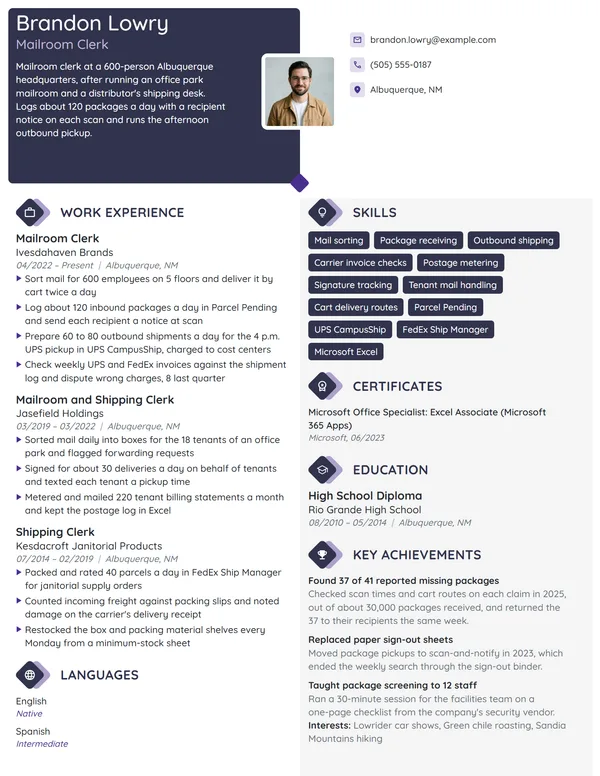
Office assistant work is a mix of small, steady jobs: phones, mail, filing, bills and the supply closet. A typical posting asks for organization, a clear phone manner and speed in Microsoft Office or Google Workspace. Listing every task you handle turns a resume into a long, flat duty list. Pick the 3 or 4 tasks the job posting stresses, give each one a count, such as calls a day or bills a month, and name the software you did them in.
How to Write an Office Assistant Resume - Key Takeaways
- Put your newest job first in a reverse-chronological layout that fits 1 page; a second page only makes sense after 10+ years across several offices.
- Open with 2 to 3 lines that name your years, the kind of office, the desk tasks you own and 1 counted result.
- Lead each job with the task the posting lists first, and give every bullet a count: calls a day, bills a month, files, mail or supply spend.
- Name your software exactly, such as Outlook, Excel, Google Workspace or QuickBooks Online, in Skills and again inside a bullet.
- List MOS, QuickBooks Certified User or CAP under Certificates, naming who issued it and when, and put a tested typing speed in Skills.
- Leave off a birth date and other personal details, then see how the file parses in an ATS resume checker before you send it.
What an office manager checks on an office assistant resume
The BLS lists answering calls and emails, sorting mail, scheduling appointments, typing routine memos, filing paper and electronic documents, preparing bills and data entry as the core of the job. It also says the duties depend on the type of office and often change daily. O*NET adds running copiers, scanners and voice mail, basic bookkeeping, and keeping filing, inventory and mailing systems up to date.
Because no 2 offices split the work the same way, the person hiring wants to know which of those tasks you can take off their plate on day 1, and at what volume. Give them a resume built from these sections:
- Name, a headline such as Office Assistant or Office Assistant, MOS, and your phone, email and city
- 2 or 3 lines of summary below your name (no heading prints above it)
- Work Experience, current job on top
- Skills, with your office software and a tested typing speed
- Certificates, if you hold MOS, QuickBooks Certified User or CAP
- Education
- Optional: Languages, plus Volunteer Experience (or Key Achievements instead)
Best format for an office assistant resume
Go with the reverse-chronological resume format, which lists your current job first and works backward, each entry giving the job title, the company and its location, plus start and end months as MM/YYYY. Office clerks may move up into administrative jobs with more responsibility, per the BLS, and this order shows that step from front desk or clerk work to a fuller office role. It also keeps a career changer's newest office tasks at the top, so a skills-first layout is rarely needed.
- Best for most office assistantsReverse-chronologicalYour jobs, newest first, with your results under each one.Best for: A steady work history in your field
- FunctionalSkills grouped up top, with a short work history below.Best for: Gaps or very little experience
- CombinationA skills section first, then your full work history.Best for: A career change with strong skills
One page holds almost every office assistant resume. If you have worked in 4 or more offices, give the last 10 years full entries and fold anything older into 1 line, or let an older role keep a single bullet if it matches the posting, such as billing at a dental front desk.
| Setting | What to use |
|---|---|
| Length | 1 page for most; 2 only with 10+ years across several offices |
| Job title line | Your title plus the type of office: Office Assistant, Construction Supply |
| Dates | MM/YYYY for start and end, with Present on the current job |
| Typeface | Helvetica, Georgia or a similar face, with body text no smaller than 10 pt |
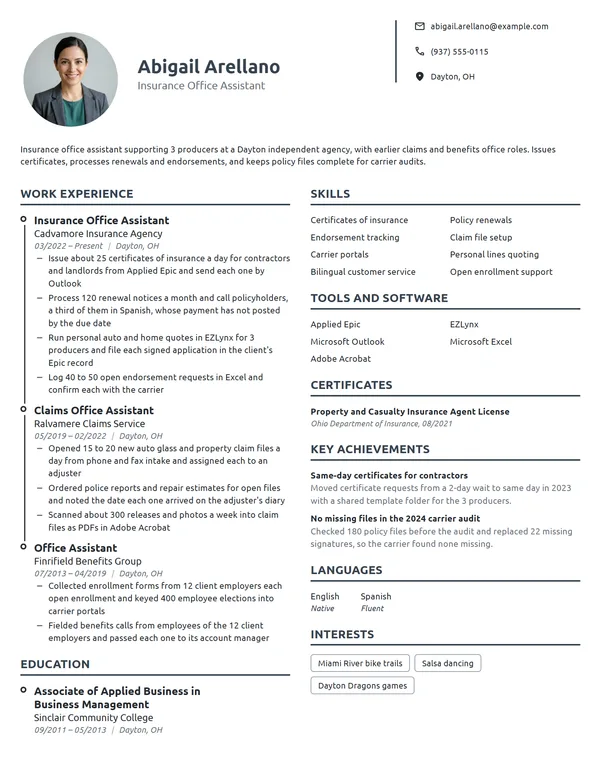
| Photo and private data | Most US and Canadian offices expect none; birth dates, marital details and SSNs stay off too |
| File type | PDF unless the employer's portal wants a Word file |
Most US and Canadian resumes carry no photo. Your layout already shows the reader how you would format their letters and spreadsheets, so keep the margins even and the dates lined up.
Office assistant resume summary or objective: which to use
Decide with 1 question: have you been paid to do office work? If yes, write a resume summary with your years, the type of office, the 3 tasks you own and your best number. If not, write an objective: the role you want plus the closest proof you have, such as a work-study desk or a register you balanced. Write it after your bullets and take its figure from them.
Office assistant resume summary formula
Title with X years in type of office, covering 3 main desk tasks. 1 result with a count or a dollar figure. Software or certification.
Example
Office assistant with 7 years in a roofing supply branch and a dental practice, covering phones, vendor billing and records. Enter 160 vendor bills a month in QuickBooks Online, each matched to its purchase order. Microsoft Office Specialist in Word and Intuit QuickBooks Certified User.
Don't
Friendly and detail-oriented office assistant with excellent multitasking skills, looking to contribute to a busy office.
Do
Office assistant with 4 years at a 12-person insurance agency, handling phones, mail and policy filing in Google Workspace. Cut unreturned voicemails from about 20 a week to 3 with a shared callback log.
The rewrite swaps adjectives for the office size, the tasks, the system and a before-and-after count.
Office assistant bullets that show volume and range
Your current job gets 3 to 4 bullets and each earlier one gets 1 to 3, every one opening with a verb. Office work is easy to count once you look for it: calls, visitors, mail, bills, files, orders and supply dollars. Everything about how to list work experience on a resume applies here, with 1 addition for this job: cover at least 2 different kinds of task in your current role, so the reader sees range as well as volume.
| Area | What to count | Example bullet |
|---|---|---|
| Phones | Calls a day, lines covered, callbacks | Covered a 6-line phone system, about 80 calls a day, during 2 receptionists' breaks. |
| Visitors and front desk | Visitors a day, badges, deliveries signed for | Signed in about 30 visitors a day and issued badges from a lobby tablet. |
| Mail and shipping | Staff served, pieces, carrier costs | Sorted mail for 40 staff each morning and saved $2,300 a year by sending routine packages by ground. |
| Filing and records | Files, boxes, retention dates, lookup time | Purged 14 boxes of records past their retention date and indexed the rest by client number. |
| Data entry and billing | Entries a week, errors, deadlines met | Keyed 250 work orders a week into SAP, with 2 errors found in the last audit. |
| Supplies and equipment | Copiers, monthly budget, reorder points | Tracked toner and paper for 5 copiers and kept supply spend under a $700 monthly budget. |
| Rooms and appointments | Rooms, meetings a week, no-shows | Booked 3 conference rooms for about 40 meetings a week in Outlook. |
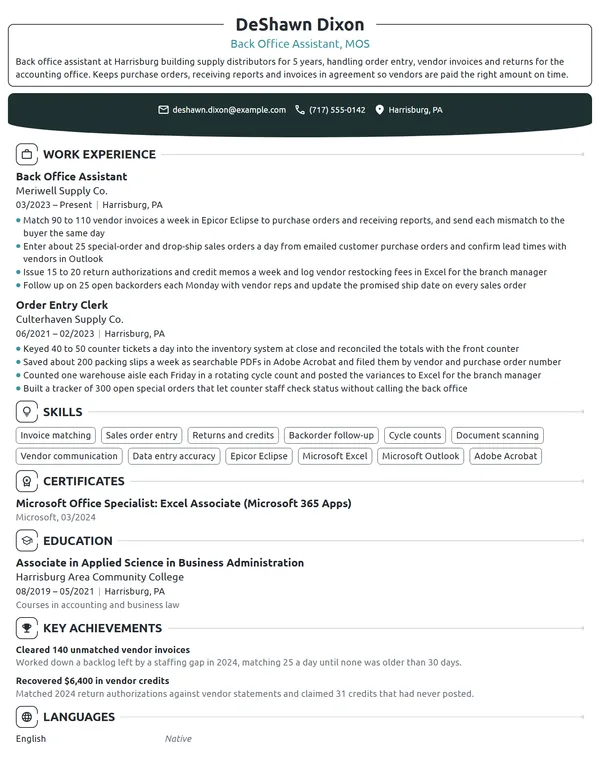
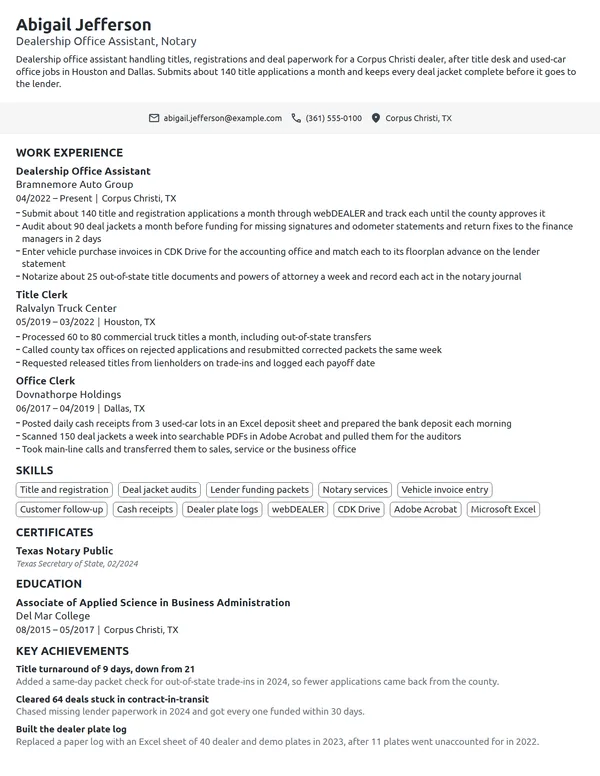
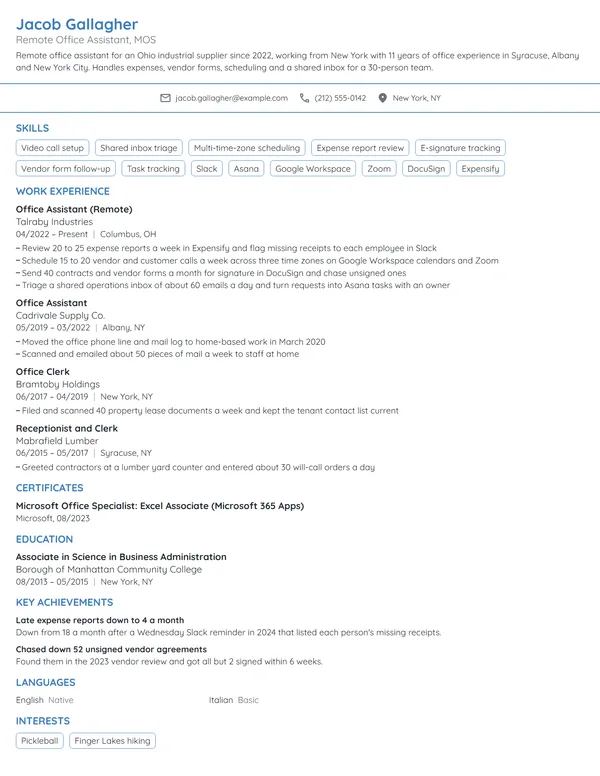
Here is how those counts look in a finished office assistant entry. The current job covers 4 different desk tasks, and the dental front desk role keeps the 2 bullets that still match office work.
Work Experience
- Answer about 70 calls a day on a 4-line phone system for a 26-person branch, routing quote and delivery questions to 3 departments.
- Enter 160 vendor bills a month in QuickBooks Online and match each one to its purchase order before the 15th.
- Built an Excel index of 1,800 open and closed job files, cutting a typical lookup from about 10 minutes to under 1.
- Run the $900 monthly supply budget; saved $1,250 on toner in 2025 by moving 2 printers to a lease.
- Checked in about 45 patients a day in Dentrix for 4 dentists and confirmed next-day visits by phone.
- Posted $8K to $12K in daily payments and balanced the drawer at close, with 0 shortages in 2021.
Don't
Answered phones and greeted visitors.
Do
Answered about 55 calls a day for a 9-person engineering office and logged every message in Microsoft Teams within 5 minutes.
A phone bullet needs the volume, the size of the office and what happened to each call.
Don't
Responsible for filing and data entry.
Do
Entered 300 timesheets every 2 weeks into the payroll system and caught 14 missing approvals before the cutoff in 2025.
Office assistant skills, office equipment and software
Choose 6 to 8 skills the posting names and your bullets already prove. The BLS singles out communication, attention to detail, interpersonal skills and organization for this job, and those show best through results, so put the hard skills below in your Skills section and let the bullets carry the rest.
Hard skills for office assistants
- Multi-line phone systems
- Mail sorting and shipping
- Paper and electronic filing
- Data entry
- Vendor bills and invoicing
- Basic bookkeeping
- Appointment and room scheduling
- Copier, scanner and printer upkeep
- Supply ordering and inventory
- Business letters and memos
Soft skills office managers notice
- A clear, calm phone manner
- Accuracy with numbers and names
- Switching between tasks
- Discretion with records
- Courtesy with visitors
- Asking before guessing
O*NET flags Microsoft Word, Excel, Outlook, PowerPoint, Google Workspace and Intuit QuickBooks as in-demand software for general office clerks, so name the ones you use in Skills and show each in a bullet. Its hot technology list also shows how the job changes by office: Henry Schein Dentrix and MEDITECH in healthcare, Yardi in property management, SharePoint and Adobe Acrobat for records. Strong computer skills on a resume are specific, such as mail merge in Word or filters and VLOOKUP in Excel.
Office assistant certifications: MOS, QuickBooks and CAP
No certificate is required: the BLS says office clerks usually learn on the job, in training that typically lasts up to 1 month. A credential helps most when you have little office history, because it proves software skills before the interview. Add certifications to your resume under Certificates, each naming its issuer and the month and year you earned it.
| Credential | Issued by | What it takes |
|---|---|---|
| Microsoft Office Specialist: Word Associate (Microsoft 365 Apps) | Microsoft | Pass exam MO-110, a proctored 50-minute test. Microsoft suggests about 150 hours of instruction and hands-on use, and the credential renews every 60 months. |
| Microsoft Office Specialist: Excel Associate (Microsoft 365 Apps) | Microsoft | Pass exam MO-210, also 50 minutes, on worksheets, tables, formulas and charts. Microsoft names data-entry logs and sales invoices among the workbooks it covers. |
| Intuit QuickBooks Certified User | Intuit, delivered through Certiport | Pass the Certiport exam that validates you can use QuickBooks effectively. Certiport aims it at students in business, accounting and finance programs. |
| Certified Administrative Professional (CAP) | International Association of Administrative Professionals (IAAP) | A written exam plus more than 2 years of work experience, per the Department of Labor's My Next Move. Recent graduates of 2-year office programs can start with CAP (ip). |
Where a typing speed or skill test goes
Many office postings ask for a typing speed. Put it in Skills as a tested figure with its test, such as Typing: 62 WPM, and only if you took a real timed test recently. A software test from a staffing agency counts as proof the same way: note the program and your score in Skills, and keep Certificates for credentials an issuer awarded.
Certificates
- Intuit QuickBooks Certified User, Intuit (Certiport), 10/2024
- Microsoft Office Specialist: Word Associate (Microsoft 365 Apps), Microsoft, 03/2023
Education for an office assistant: diploma, associate degree or courses
Finishing high school, or an equivalent, is the typical requirement in the BLS profile. O*NET's survey shows a wider spread: 41% of respondents say the job needs a diploma, 36% an associate degree and 15% some college. When listing education on a resume, put your highest level first, with the school, the city and the month and year.
An associate degree in business or office administration goes above your diploma, with 1 line of courses only if you are new to office work, such as bookkeeping or business writing. With a diploma alone, keep it to the school and the date, and let your software credentials and bullets show the training.
Education
First office job, career change or a second language
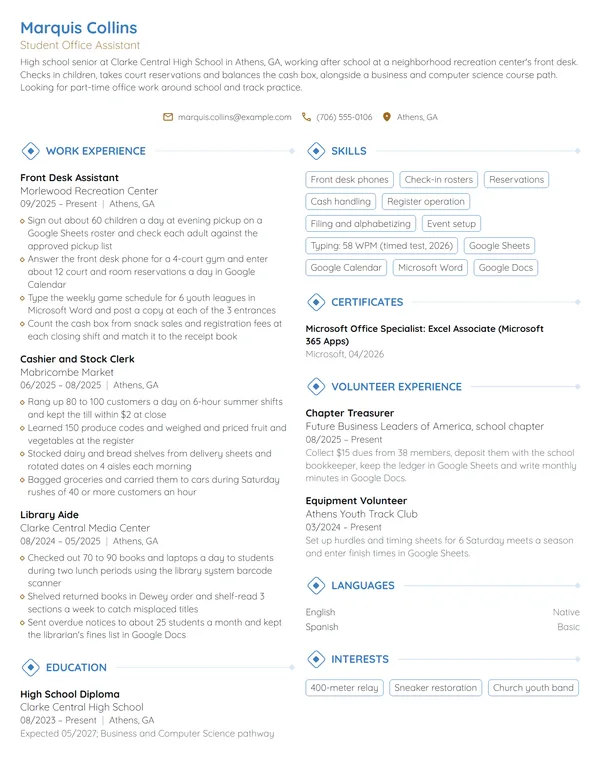
With no office job yet, an entry-level resume works: a short objective, Education placed high on the page, and after it any role where you answered for other people, handled money or kept records. Part-time work is common in this job, the BLS notes, so a part-time desk role counts in full. Write each item with the counts a paid office job would get.
- Work-study or campus office jobs: calls, forms processed, hours a week.
- Retail or restaurant shifts: drawers balanced, deliveries checked in, schedules posted.
- Family business help: bills entered, customers booked, the software you used.
- Club treasurer or secretary: dues collected, minutes taken, listed under Volunteer Experience.
Don't
Motivated individual seeking an office assistant position to gain experience in a professional environment.
Do
Business administration student with 2 semesters of work-study at a college admissions office, seeking a part-time office assistant role. Filed about 200 applications a week and covered the front phone 15 hours a week.
Even a first objective names a setting, a volume and the hours you can work.
Coming from retail, food service or a warehouse, stay with reverse-chronological dates and open each old job with the tasks an office also does: cash, orders, schedules and customer calls. A career-change resume for this job reads well when those transferable skills carry the same counts as office bullets. Your reason for the switch fits in 2 sentences of a cover letter, and the advice on a cover letter with no experience shows how to frame it.
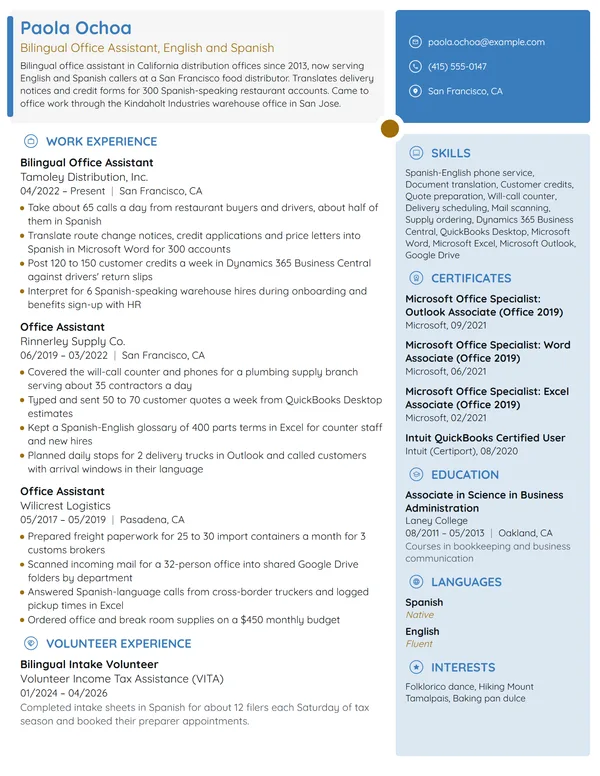
A second language is worth its own line for a bilingual office assistant. Put it under Languages with an honest level, then prove it in a bullet with a count, such as calls or forms handled in Spanish each week. The guidance on language skills on a resume explains how to describe each level.
Office Assistant resume FAQ
What is the difference between an office assistant and an administrative assistant resume?
Mostly the scope. An office assistant resume shows range across the desk, such as phones, mail, filing, data entry and bills, with a count for each. An administrative assistant resume leans on the people you support, their calendars and travel. If the posting mixes both, lead with whichever duties it lists first.
How long should an office assistant resume be?
1 page for most. Even with several offices behind you, the last 10 years and 3 to 4 bullets on your current job usually fit on 1 sheet. Move older roles into 1 line each, or drop the ones that add no office task the ad wants.
Do I need a degree to work as an office assistant?
No. The BLS says general office clerks typically enter with a diploma or its equivalent and learn on the job. An associate degree helps for some employers, and a Microsoft Office Specialist or QuickBooks credential can stand in for office experience when you are starting out.
What skills should I put on an office assistant resume?
Put 6 to 8 that the posting names and your bullets prove: multi-line phones, data entry, filing, mail and shipping, scheduling, bills or invoicing, plus the exact software, such as Excel, Outlook, Google Workspace or QuickBooks. Add a tested typing speed if the ad asks for one.
How do I describe answering phones on an office assistant resume?
Give it a volume and an outcome. Say how many calls a day you took, how many lines or staff you covered, and what you did with each call, such as routing it, booking an appointment or logging a message within a set time.
Can I list QuickBooks if I only entered bills or invoices?
Yes, if you describe exactly that. Name QuickBooks in Skills and write a bullet for the work you did in it, such as bills entered a month or invoices sent a week. Keep reconciliations and reports off the resume unless you have done them yourself.
How do I show a second language on an office assistant resume?
List it under Languages with a plain level, such as native, fluent or conversational, and back it up in Work Experience. A bullet that counts calls, visitors or forms you handled in that language each week shows the reader you can use it at their front desk.
Should I put salary expectations on an office assistant resume?
No. Pay belongs in the employer's own form or in a later conversation, so leave it off the page. For a benchmark, the BLS reports a median annual wage of $45,010 for general office clerks in May 2025, or $21.64 an hour; offers vary by city, industry and the software the job needs.
Next steps
Choose the example closest to your situation, then rewrite each bullet with your own calls, bills, files and supply figures, and put the posting's first duty first. Build the page in our resume builder, or pick one of the resume templates as a base, and send it with a brief letter that names the office tasks you can take on.