
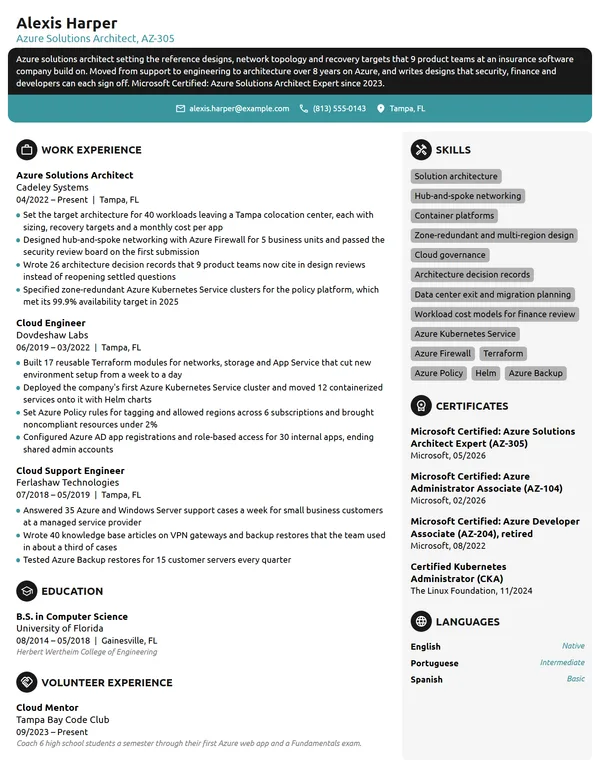
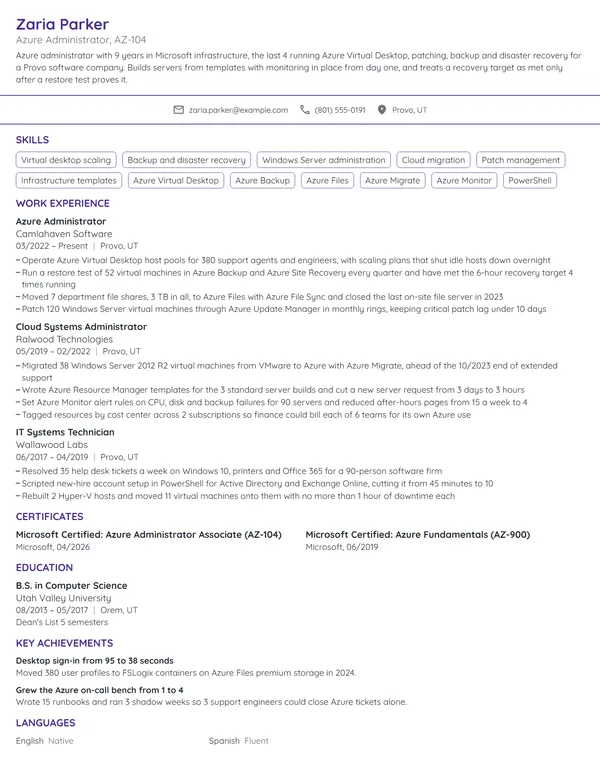
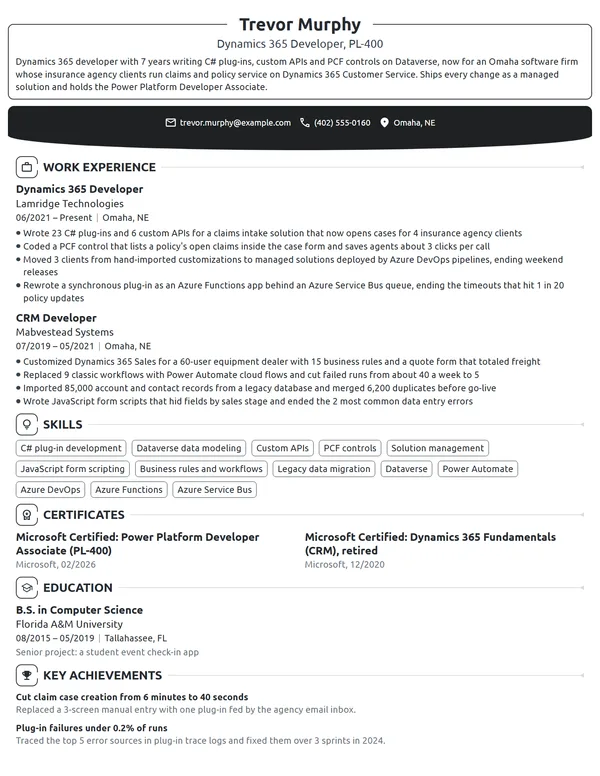
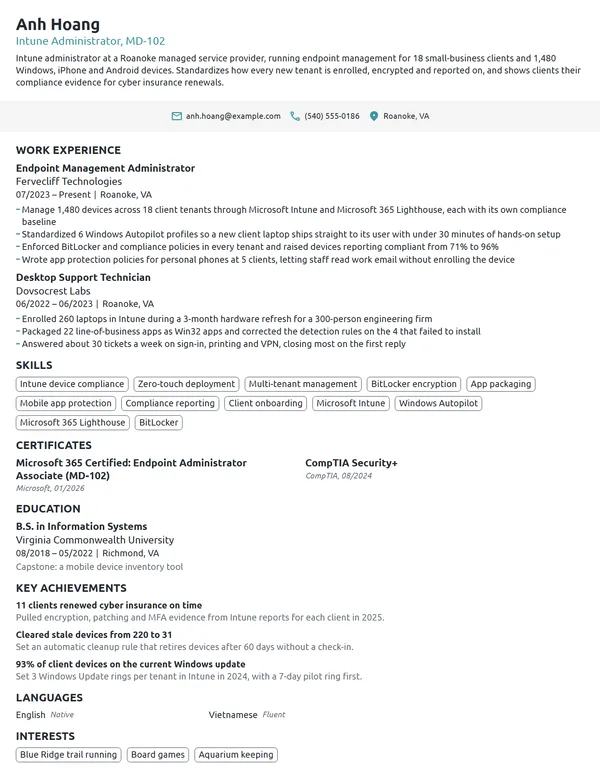
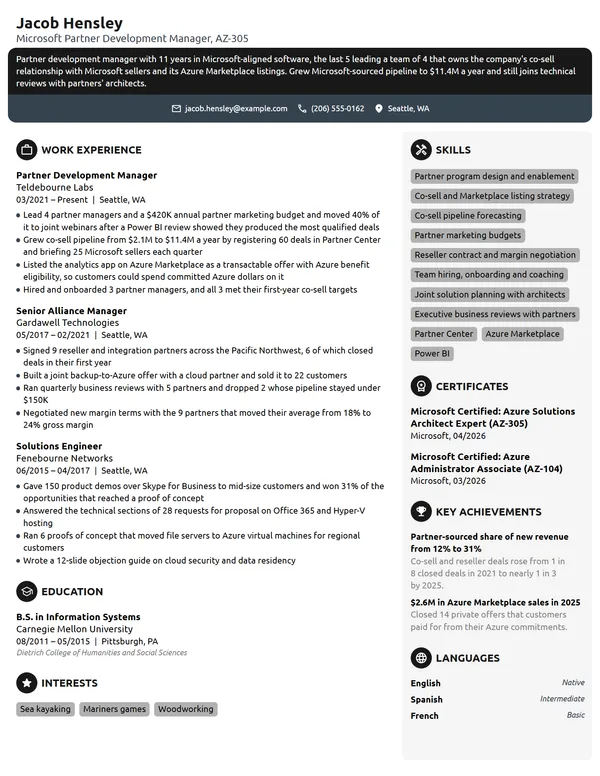
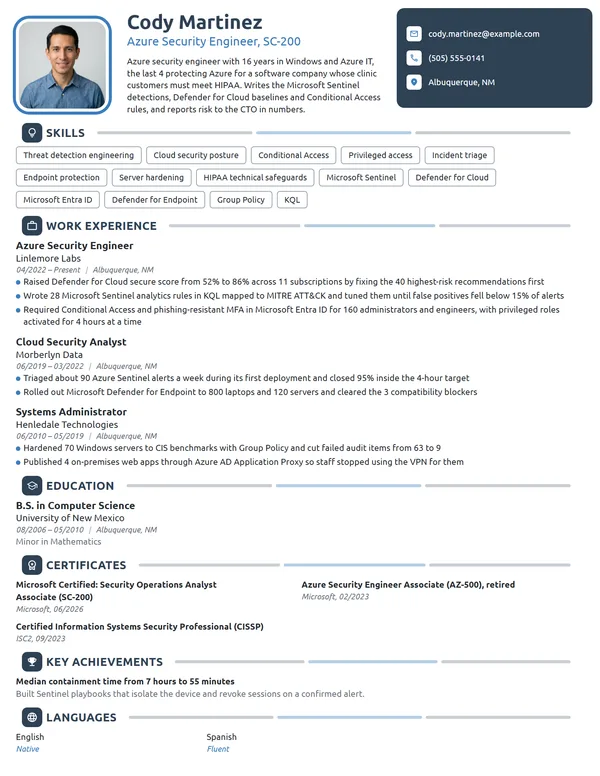
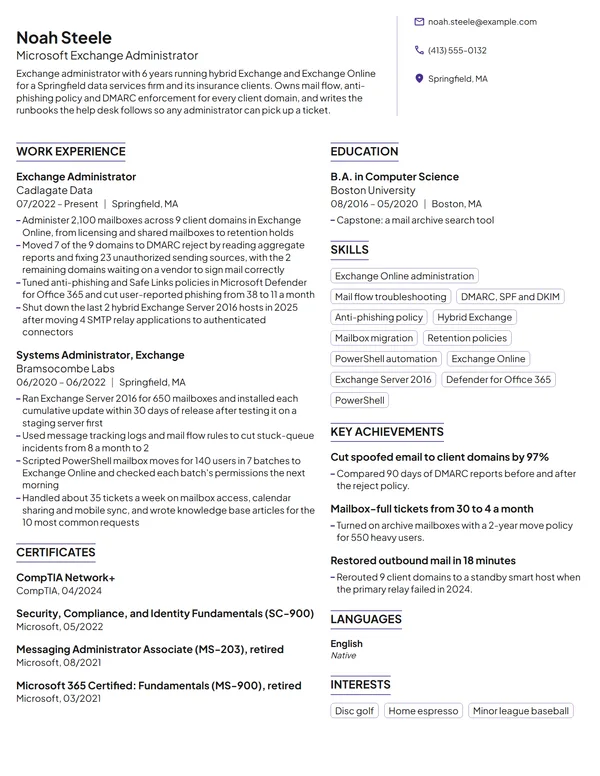
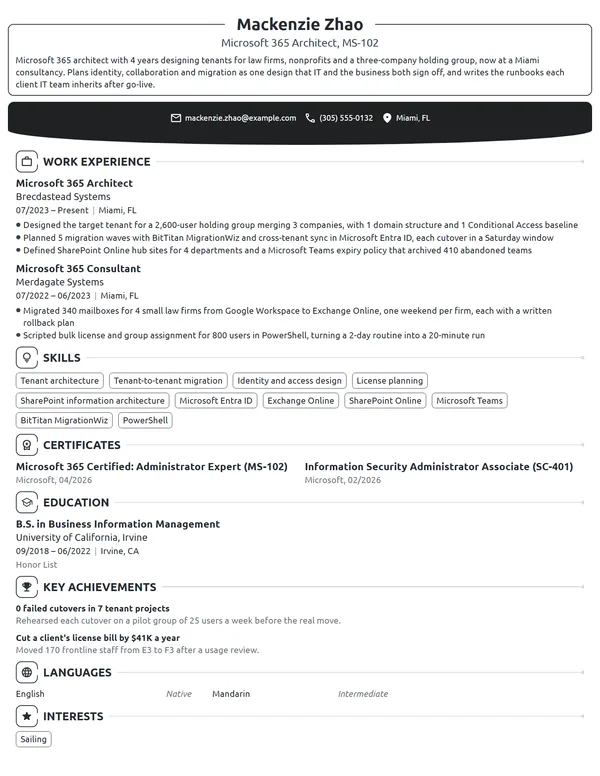
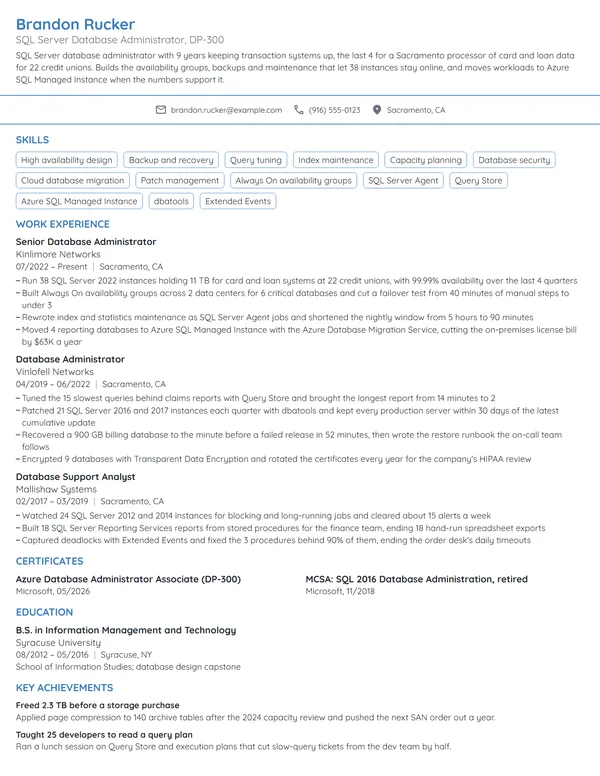
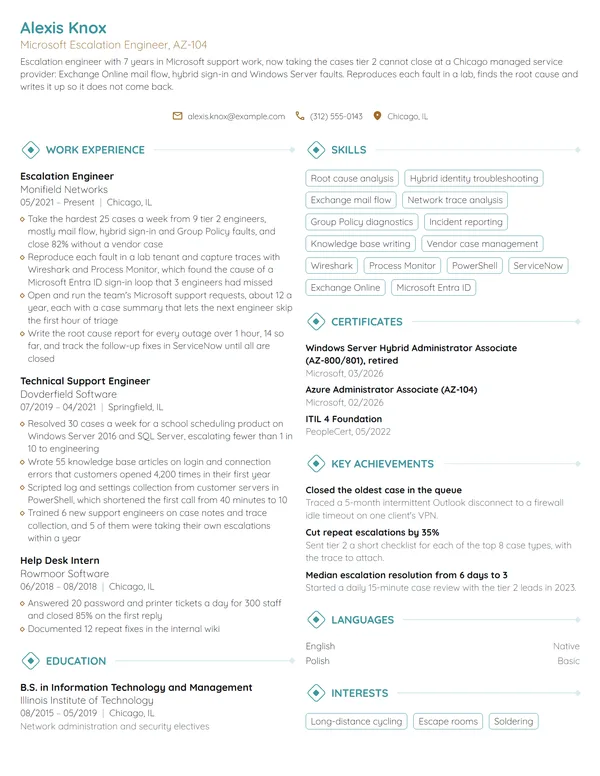
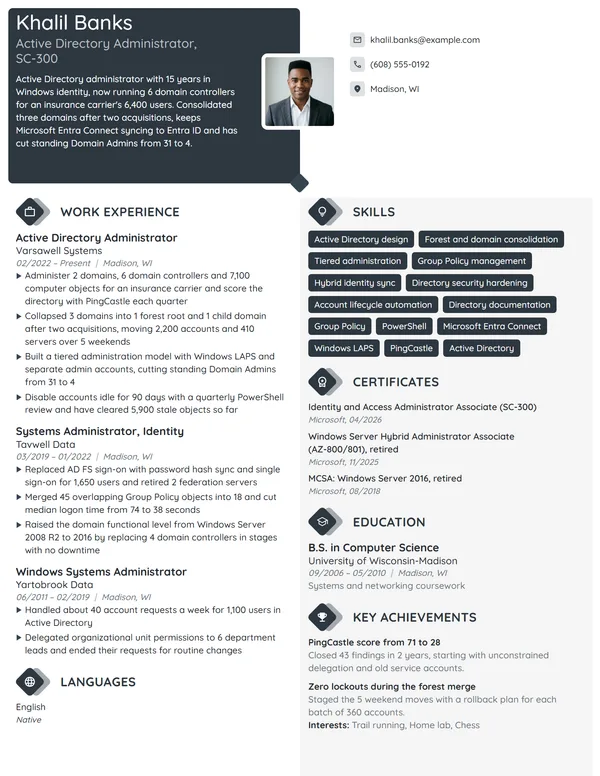
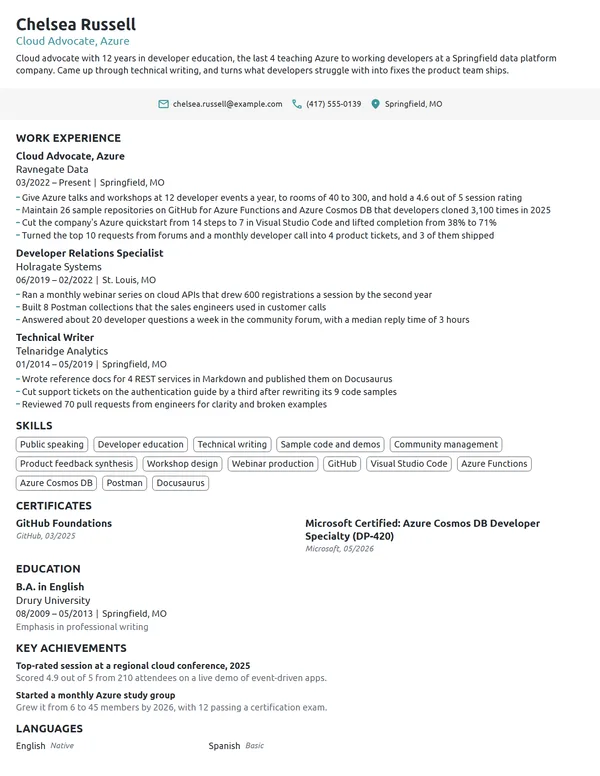
Microsoft resumes have 2 kinds of readers: recruiters at Microsoft itself, and the many employers whose business runs on Azure, Microsoft 365 or Dynamics 365. Both check the same things: which products you have run, at what scale, and whether your certifications are current and correctly named. Microsoft retires and renames credentials and products often, so a resume that was accurate 2 years ago can now carry a retired exam or an old product name. A strong one pairs every product with a number, such as users, devices, subscriptions or monthly cloud spend.
How to Write a Microsoft Resume - Key Takeaways
- Keep the page newest job first and to 1 page, moving to 2 only past 10 years or across several large rollouts.
- Open with 2 to 3 lines naming your role, your years, the Microsoft products you run, the size of the environment and 1 measured result.
- Give every product a scale in your bullets: users, devices, subscriptions, mailboxes, monthly Azure spend or go-live dates.
- Write each product under the name it had at the time, such as Azure AD before 07/2023 and Microsoft Entra ID after.
- List certifications with the full Microsoft name, the exam code and the month earned or renewed, and drop the renewal date once a credential has expired.
- Check that every required qualification in the posting appears in your text, then run the file through an ATS resume checker.
What Microsoft and Microsoft-stack employers look for in a resume
Microsoft's careers site asks applicants to confirm they meet the required qualifications in the posting before they apply, and its job match indicator compares your skills, title and work experience with the role. An IT manager hiring for an Azure or Microsoft 365 job at another company reads the same way: the products named in the ad, then proof you ran them at a size close to theirs.
Microsoft also names the values it hires for: respect, integrity, accountability and growth mindset. On a resume, those show through results you can explain in an interview, since Microsoft says most interviews include 2 to 4 conversations and asks candidates for specific examples from past work.
Build your page from these sections:
- Name, a headline with your role and top credential (Azure Administrator, AZ-104 certified) and contact details
- 2 to 3 summary lines under your name; this part carries no heading
- Work Experience, current role first
- Skills, with your Microsoft products named exactly
- Certificates, each with its exam code and date
- Education
- With room to spare: Languages, and either Key Achievements or Volunteer Experience
Best format for a Microsoft resume
The reverse-chronological resume format suits nearly every Microsoft role, because the reader wants to see what you run today and how the environments grew from job to job. Each entry carries your title, the employer and its city, with start and end months written MM/YYYY. A help desk technician who became a Microsoft 365 administrator and then a cloud engineer shows that path clearly in this order.
- Best for most Microsoft applicantsReverse-chronologicalYour jobs, newest first, with your results under each one.Best for: A steady work history in your field
- FunctionalSkills grouped up top, with a short work history below.Best for: Gaps or very little experience
- CombinationA skills section first, then your full work history.Best for: A career change with strong skills
Stay on 1 page below 10 years of experience. A cloud architect or senior consultant with several large migrations can use 2, as long as page 1 holds the current role and the certifications the posting asks for.
| Setting | What to use |
|---|---|
| Length | 1 page under 10 years; 2 for architects, consultants and long careers |
| Dates | MM/YYYY on every job and certificate, with Present for the current role |
| Product names | The name the product had during that job: Azure AD until 07/2023, Microsoft Entra ID after |
| Headline | Role plus your strongest current certification or exam code |
| Photo and private data | Usually no photo in the US and Canada; keep your date of birth, Social Security number and marital status off the page |
| File type | PDF for email, or the format the careers portal requests on upload |
Most US and Canadian resumes carry no photo. On Microsoft's careers site, a resume uploaded on the Search page for a single job search is purged within 24 hours, and applying takes a profile, so create one before you apply.
Microsoft resume summary vs. objective
Ask one question: have you already run a Microsoft product for an employer? If yes, write a resume summary that names the product, the size of the environment and your best result. If you are a student or moving into IT from another field, write an objective that names the role you want and your strongest proof, such as a Fundamentals certification or a lab project.
Microsoft resume summary formula
Role with X years running Microsoft products for size of organization or environment. Your biggest measured win. Current Microsoft certification and year.
Example
Cloud engineer with 7 years running Microsoft 365 and Azure for a 4,200-user health system. Cut monthly Azure spend by $9,400 by rightsizing 61 virtual machines and moving backups to cool storage. Microsoft Certified: Azure Solutions Architect Expert, 2025.
Don't
Microsoft-certified IT professional with broad experience across the Microsoft ecosystem and a passion for cloud technology.
Do
Microsoft 365 administrator with 5 years at a 1,900-user school district, managing Intune, Exchange Online and Teams. Cut account lockout tickets by 60% with self-service password reset. Microsoft 365 Certified: Teams Administrator Associate, 2025.
The rewrite names the environment's size, the products, a result and the exact credential.
How to write Microsoft work experience bullets with numbers
Your current job gets 3 to 4 bullets; each older role gets 1 to 3. Every product in a bullet needs a scale beside it, because "managed Azure" can mean 1 test subscription or a company's full estate. Write achievements on your resume as the change you made and the number that proves it, never as the duties listed in your job description.
| Area | What to count | Example bullet |
|---|---|---|
| Azure infrastructure | Subscriptions, resources, monthly spend, uptime | Consolidated 9 Azure subscriptions under 1 management group and tagged 100% of resources for chargeback. |
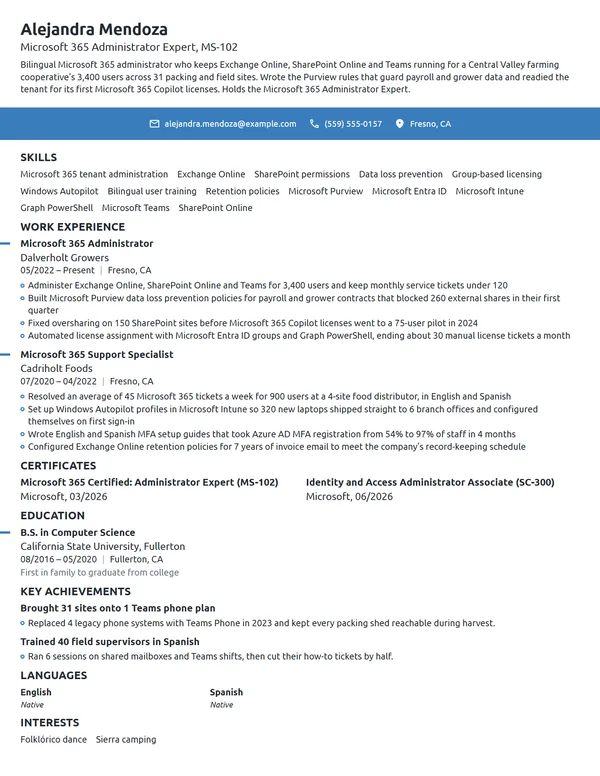
| Microsoft 365 administration | Users, mailboxes, devices, licenses | Reclaimed 340 unused E3 licenses in a quarterly review and reassigned them to new hires. |
| Identity and security | MFA coverage, Secure Score, incidents closed | Raised Microsoft Secure Score from 41% to 78% in 6 months. |
| Dynamics 365 and Power Platform | Users live, processes automated, go-live dates | Took 85 sales users live on Dynamics 365 Sales on the planned date and retired 3 spreadsheet trackers. |
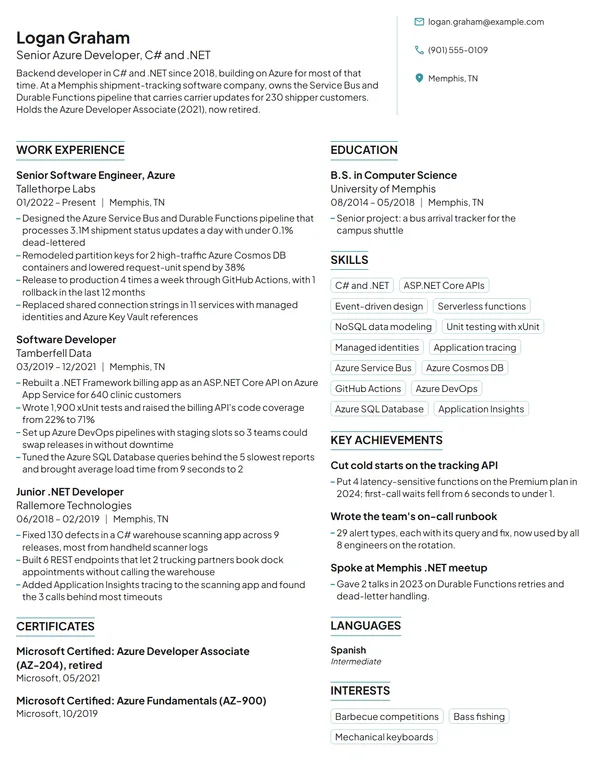
| Development on Azure | Services moved, latency, deployments, failed releases | Moved 14 services to Azure Functions and cut p95 API latency from 820 ms to 310 ms. |
| Data and Power BI | Reports, refresh times, report users | Rebuilt 22 Power BI reports on 1 shared data model, cutting refresh time from 50 to 12 minutes. |
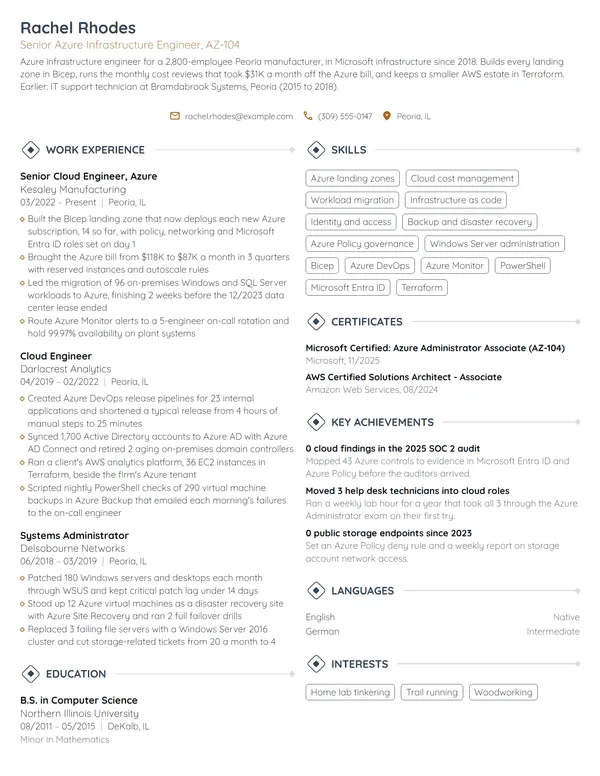
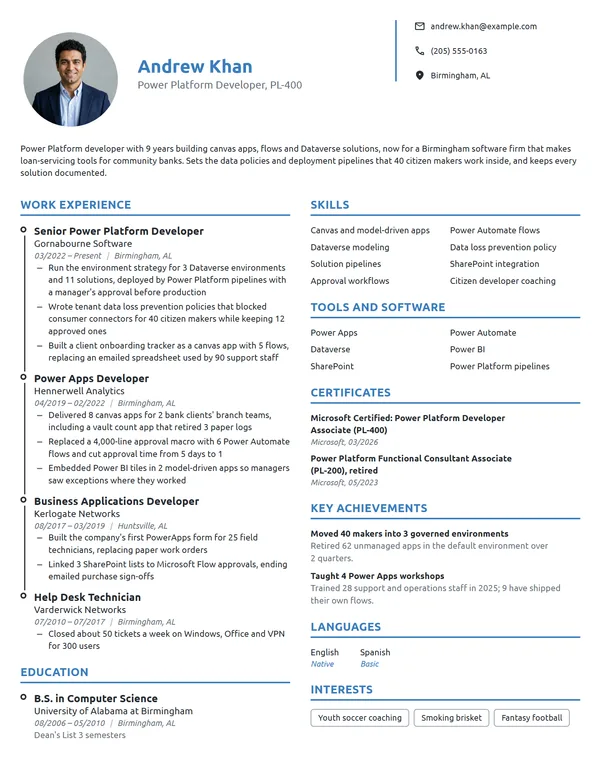
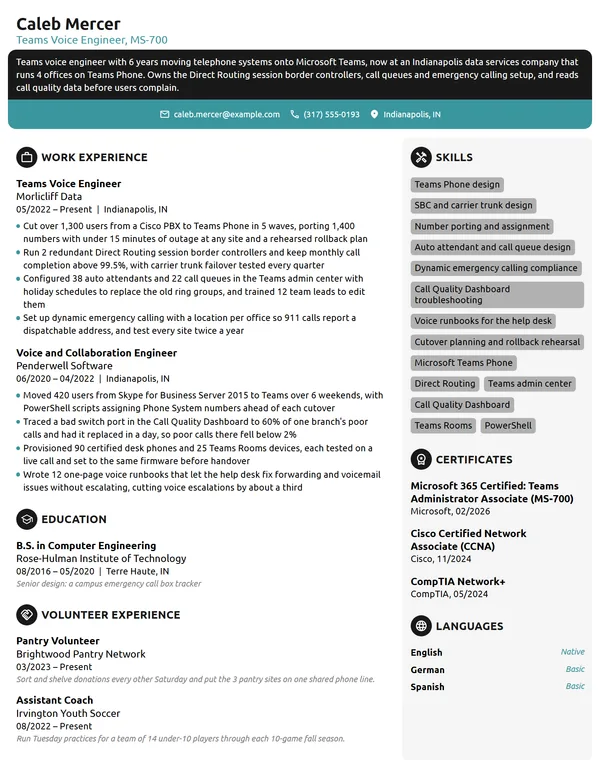
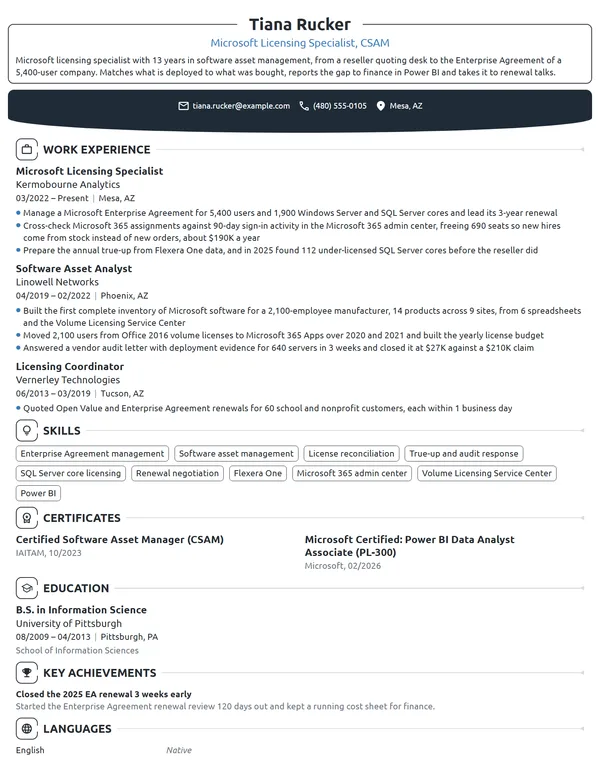
Here is how that looks across one cloud engineer's last 2 jobs: 4 bullets on the current role, 2 on the older one, and every product named as it was called that year.
Work Experience
- Enrolled 2,300 laptops and tablets in Microsoft Intune and cut devices missing Windows patches from 19% to 3% within 2 quarters.
- Moved 1,150 mailboxes and 38 department file shares to Exchange Online and SharePoint Online over 11 weekends, with 2 hours of total downtime.
- Rolled out Conditional Access in Microsoft Entra ID for 4,200 users, requiring MFA on every sign-in from outside the hospital network.
- Wrote 27 PowerShell runbooks in Azure Automation that cut new-hire account setup from 2 days to 40 minutes.
- Ran 140 Windows Server virtual machines on Hyper-V across 2 sites at 99.95% monthly uptime for 3 years.
- Migrated 610 mailboxes from on-premises Exchange 2013 to Exchange Online in 2019.
Don't
Responsible for managing the company's Azure environment.
Do
Managed 3 Azure subscriptions with 210 resources and $46K in monthly spend, set a budget and alert for each team, and stayed within budget in 11 of 12 months.
The rewrite gives the size of the estate, the money involved and a result a finance team would check.
Don't
Worked on the Dynamics 365 implementation project.
Do
Configured Dynamics 365 Customer Service for a 70-agent contact center, including 12 routing rules and 4 SLA timers, and went live in 14 weeks.
Microsoft skills and product names for your resume
Choose 6 to 8 technical skills for your resume that the posting names and your bullets prove. A Microsoft 365 administrator leads with identity, endpoint and messaging work; an Azure developer leads with services, languages and pipelines; a Dynamics 365 consultant leads with the modules configured and the business processes behind them.
Hard skills for Microsoft roles
- Azure administration and governance
- Microsoft 365 tenant administration
- Identity and access management
- Endpoint management with Intune
- PowerShell scripting
- Infrastructure as code (Bicep, ARM templates)
- CI/CD with Azure DevOps or GitHub Actions
- Dynamics 365 configuration
- Power Platform (Power Apps, Power Automate)
- Power BI reporting
Soft skills Microsoft hiring teams value
- Growth mindset
- Clear change communication
- Working with business stakeholders
- Accountability for outages
- Documentation habits
- Teaching users new tools
Write every product exactly as the posting spells it, since resume keywords are how both recruiters and search filters find you. Then date the names. Microsoft renamed Azure Active Directory to Microsoft Entra ID in July 2023, Visual Studio Team Services became Azure DevOps in September 2018, and Defender ATP became Microsoft Defender for Endpoint in September 2020. A job that ended in 2022 says Azure AD; your current Skills list says Entra ID.
Microsoft certifications on a resume: names, exam codes and dates
List certifications on your resume under Certificates with the full name Microsoft uses, the exam code and the month. According to Microsoft Learn, associate, expert and specialty certifications must be renewed every year through a free, open-book online assessment, taken in a 6-month window before expiry, while Fundamentals certifications do not expire. Lead with the credential the posting names.
| Credential | Issued by | What it takes |
|---|---|---|
| Microsoft Certified: Azure Fundamentals | Microsoft | Exam AZ-900 at beginner level. Microsoft calls it a common starting point for an Azure career, and it does not expire. |
| Microsoft Certified: Azure Administrator Associate | Microsoft | Exam AZ-104, renewed every 12 months. Microsoft expects experience with PowerShell, Azure CLI, Bicep or ARM templates and Microsoft Entra ID. |
| Microsoft Certified: Azure Solutions Architect Expert | Microsoft | Exam AZ-305, plus the Azure Administrator Associate as a prerequisite. |
| Microsoft 365 Certified: Administrator Expert | Microsoft | Exam MS-102 plus 1 of 4 associates: Endpoint Administrator, Teams Administrator, Identity and Access Administrator or Information Security Administrator. Microsoft retires it on November 30, 2026. |
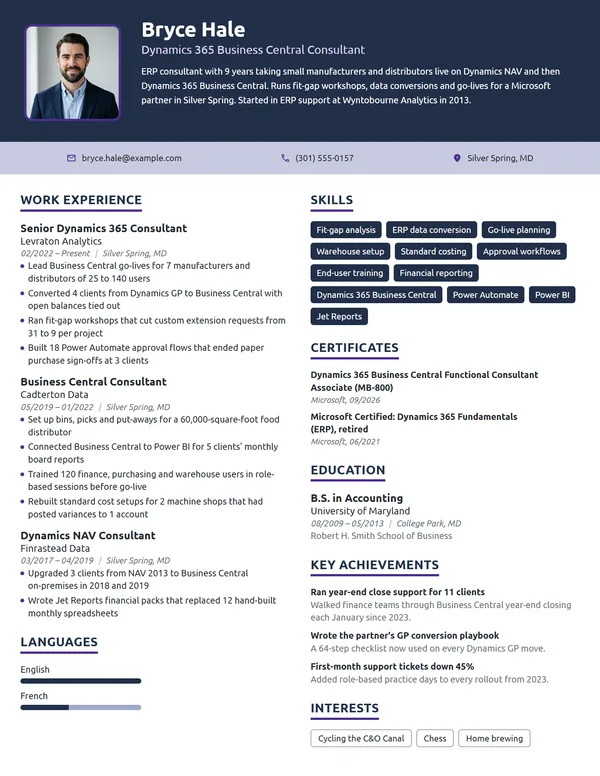
| Microsoft Certified: Dynamics 365 Business Central Functional Consultant Associate | Microsoft | Exam MB-800, renewed every 12 months. |
| Microsoft Office Specialist (Associate or Expert) | Certiport, endorsed by Microsoft | A hands-on exam taken inside the application itself, at Associate level for core skills or Expert level for advanced work. |
Retired, renewed and older Microsoft certifications
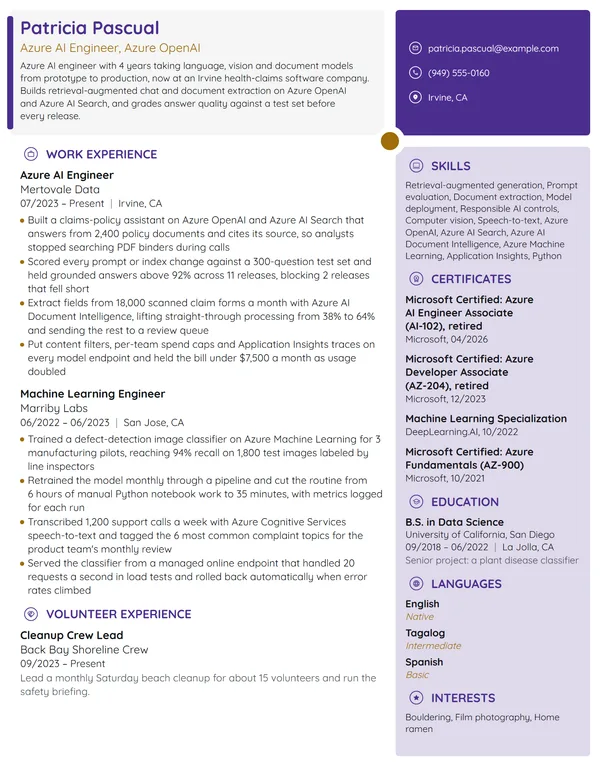
Microsoft retires exams often: the Azure Developer Associate (AZ-204) and its renewal assessment retired on July 31, 2026, and the Azure Security Engineer Associate (AZ-500) on August 31, 2026. Microsoft Learn says a certification you already earned stays on your transcript, so list it with the month earned and the word retired. MCSA, MCSD and MCSE exams retired on January 31, 2021; keep one only with its original date, and put a current role-based certification above it.
Certificates
- Microsoft Certified: Azure Solutions Architect Expert (AZ-305), Microsoft, earned 06/2025, renewed 05/2026
- Microsoft Certified: Azure Administrator Associate (AZ-104), Microsoft, earned 04/2021, renewed 03/2026
- Microsoft 365 Certified: Endpoint Administrator Associate, Microsoft, earned 09/2023, renewed 08/2026
- Microsoft Certified: Azure Developer Associate (AZ-204), Microsoft, 02/2024; certification retired 07/2026
How to list a computer science or IT degree on a Microsoft resume
Read the posting's education line closely. When it asks for a degree in computer science, information systems or a related field, put that degree where the reader finds it fast; when it says a degree or equivalent experience, your certifications and job history answer that line. The usual rules for listing education on a resume apply: the degree name first, then the school with its city, then the month you graduated.
Add a GPA only while you are within 2 to 3 years of graduating and it sits at 3.5 or above. A capstone built on Azure or the Power Platform earns 1 line under the degree in your first years, then drops off once your jobs carry the same proof.
Education
GPA 3.6. Capstone: an Azure-hosted appointment scheduling app used by 3 campus clinics.
Entry-level and career-change resumes for Microsoft roles
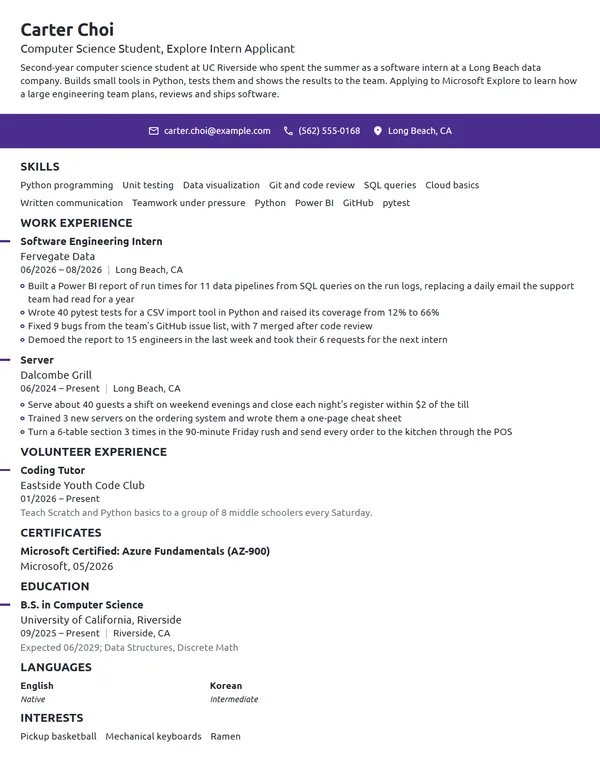
Without an IT job yet, use an entry-level IT resume layout: an objective, Education high on the page, and every piece of hands-on Microsoft work you can count. Microsoft markets its Applied Skills credentials, earned through lab-based assessments of real tasks, to students and career changers as well as working IT staff.
- Fundamentals certifications: Azure Fundamentals (AZ-900) shows the vocabulary, listed under Certificates with its month.
- Applied Skills credentials: each one proves a single task, such as deploying a workload, and goes under Certificates beside your certifications.
- Campus or part-time help desk work: accounts supported, tickets closed a week, devices imaged.
- Home lab or class projects, under Key Achievements: the Azure services used and what the build did, with a number.
Don't
Motivated graduate seeking an opportunity to grow my Microsoft skills.
Do
Information systems graduate with Azure Fundamentals and a Microsoft Applied Skills credential, seeking a junior cloud support role. Supported 450 student and staff accounts in Microsoft 365 as a campus help desk technician.
Even a junior objective carries proof: a credential and a number from real work.
Moving from Excel-heavy office work, network support or another cloud platform, stay with newest-first order and move the Microsoft tasks you already do, such as Power Automate flows or user administration, into the first bullets of each job. A career-change resume also needs a reason for the switch, which belongs in a cover letter: our IT cover letter examples show how to explain it in 2 or 3 sentences.
Microsoft resume FAQ
Should I put an expired Microsoft certification on my resume?
Only if it still supports the job and you have nothing newer for the same product. List it with the month you earned it and leave off any renewal date. A lapsed associate certification can be renewed only before it expires, so earn the current one again before applying for a role that requires it.
Is the Azure Developer Associate still worth listing after it retired?
Yes, if you earned it. Microsoft retired the Azure Developer Associate and its renewal assessment on July 31, 2026, but Microsoft Learn keeps earned certifications on your transcript. List it with the month earned and a note that it retired, and let your Azure development bullets carry the proof.
Can I still list MCSE or MCSA on my resume?
Yes, with its original date. Microsoft retired the remaining MCSA, MCSD and MCSE exams on January 31, 2021 and moved to role-based certifications. Place a current role-based certification above the older title so the reader sees your recent level first.
How should I write Microsoft exam codes like AZ-104 on a resume?
Write the full certification name first and the exam code in parentheses, such as Microsoft Certified: Azure Administrator Associate (AZ-104). The code alone is the exam, not the certification, and some recruiters search for one while others search for the other.
Should I write Azure AD or Entra ID on my resume?
Both, each in its own time. Microsoft announced the rename of Azure Active Directory to Microsoft Entra ID on July 11, 2023, so bullets from jobs that ended before then say Azure AD, and your current job and Skills list say Entra ID.
Can I apply for more than one job at Microsoft at a time?
Yes. Microsoft's careers site lets you apply for several jobs through its Job Cart feature. Tailor the resume to each posting's required qualifications, since the site's match indicator compares your skills, title and experience with every role separately.
Can I use AI to write my resume for a Microsoft application?
Yes, for preparation. Microsoft encourages candidates to use AI tools responsibly during preparation, and it expects every candidate to represent themselves honestly. Every product, number and certification on the page must be yours, since interviews ask for specific examples behind each line.
Are Microsoft Office skills worth listing on a resume?
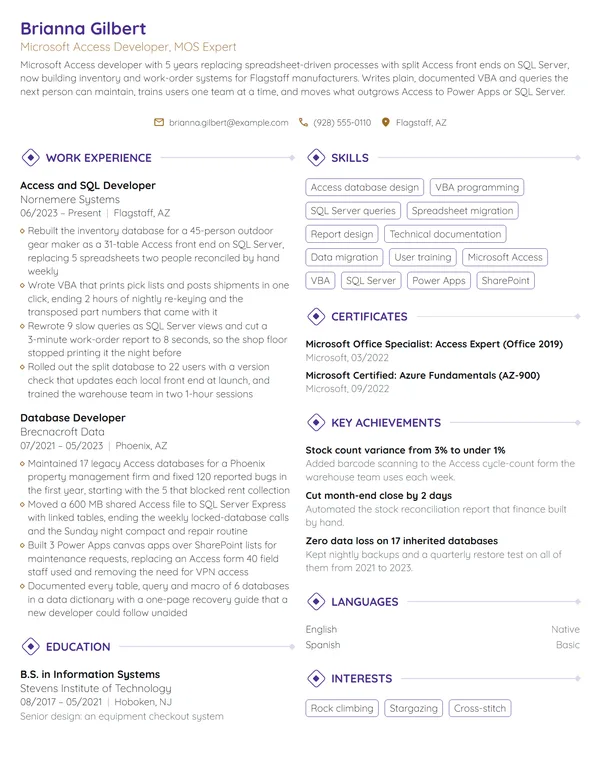
Only where the job uses them heavily, such as administrative, finance or project coordinator roles. Name the function you use, such as pivot tables in Excel or mail merge in Word, and add a Microsoft Office Specialist certification from Certiport if you hold one.
Next steps
Start from the example nearest your role, keep its order, and swap in your own environment sizes, rollout dates and results. Check every product name against the year you used it and every certification against your Microsoft Learn transcript. Build it in our resume builder or from one of the resume templates.