
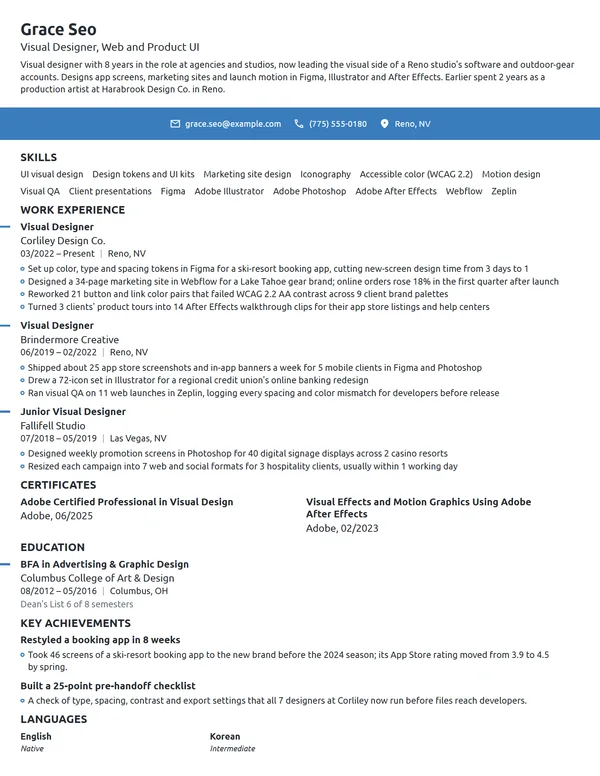
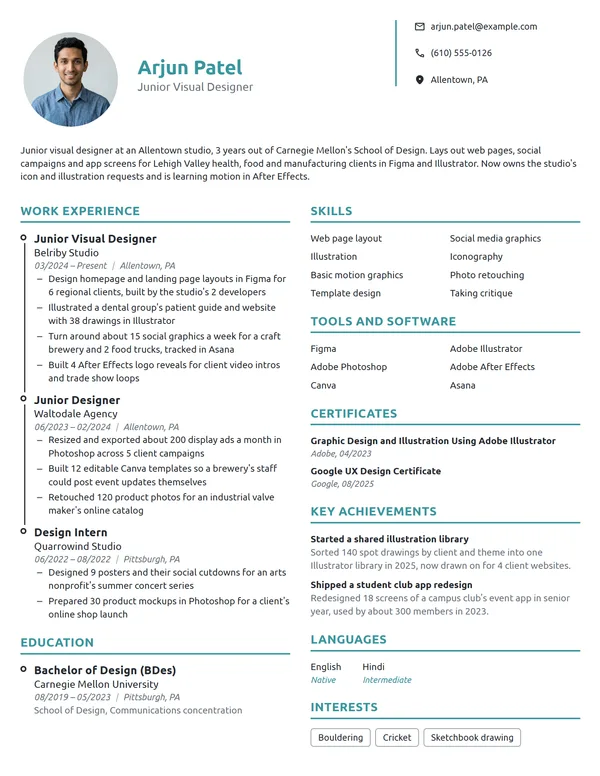
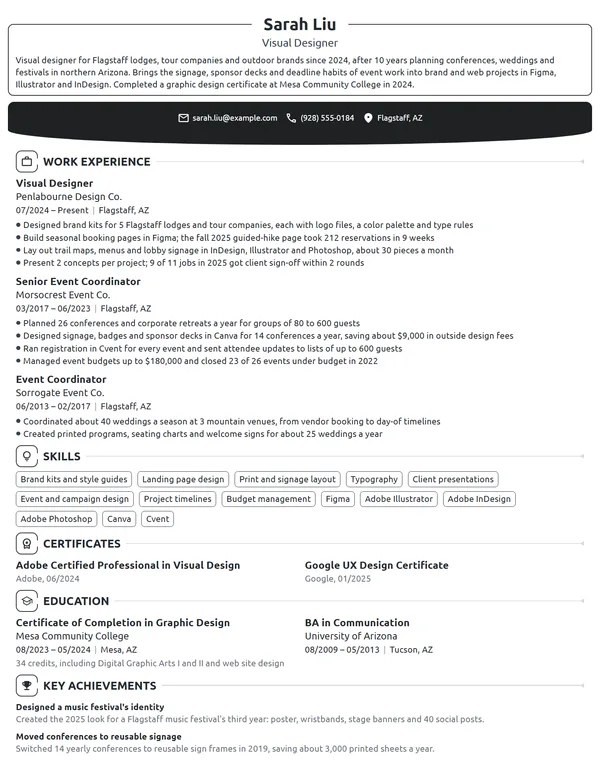
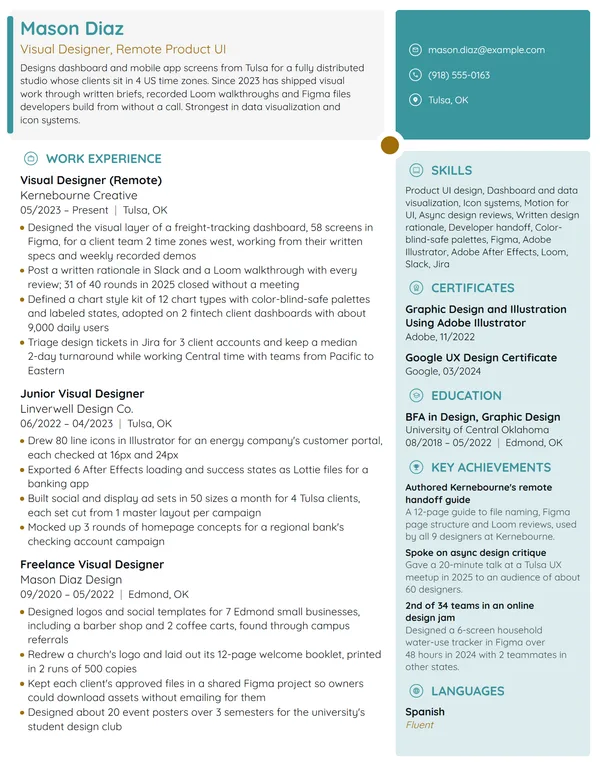
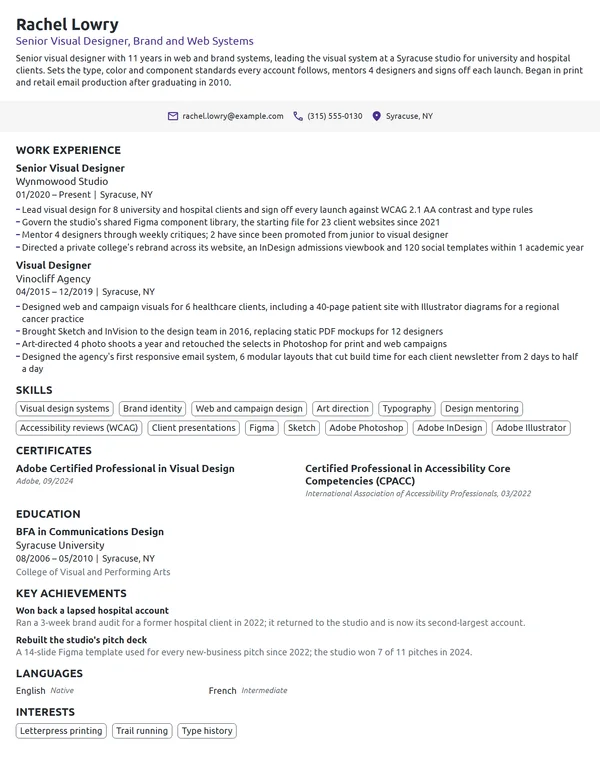
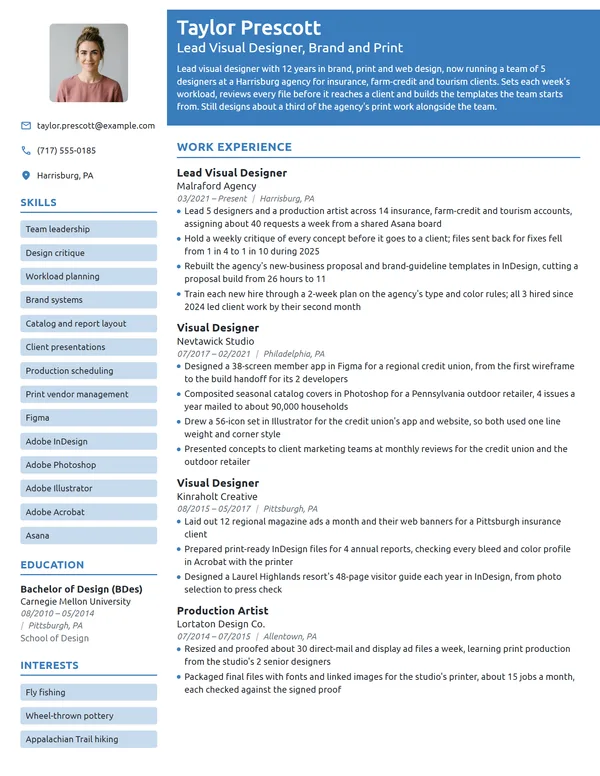
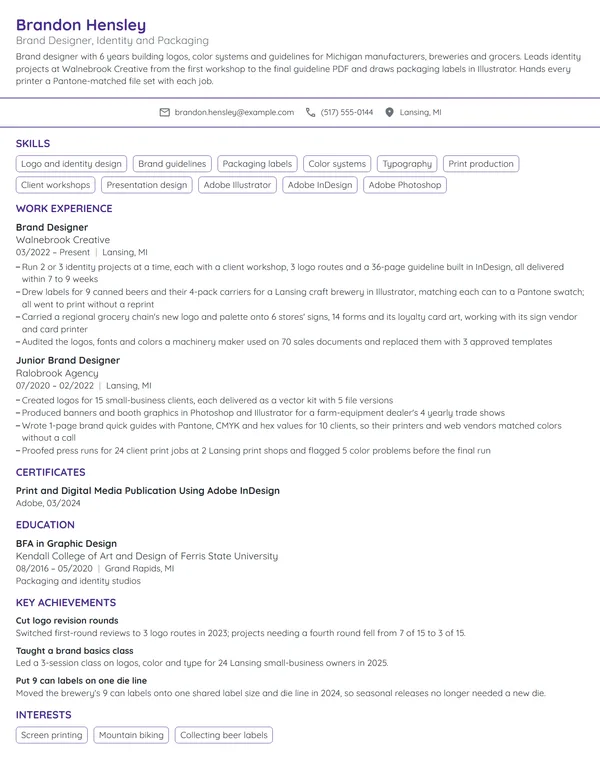
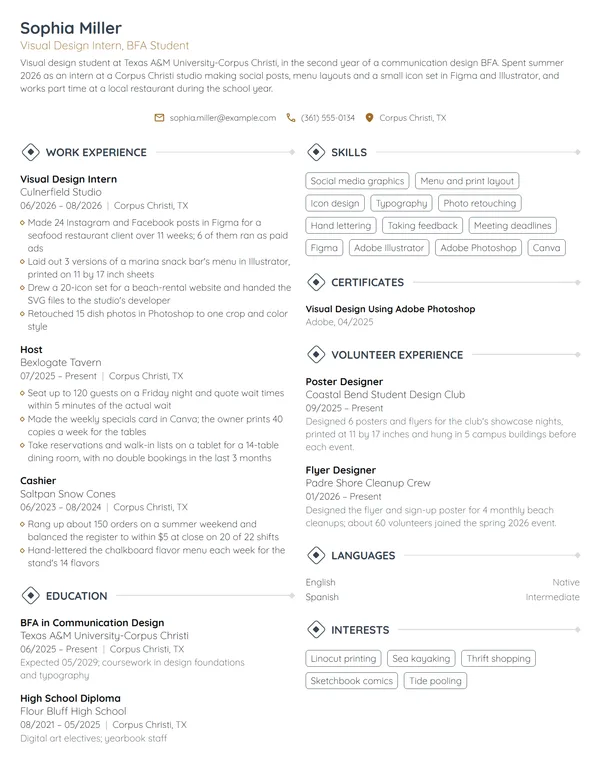
Visual designers make products and brands look good and work well. Design leads want to see the apps, websites and brand systems you designed, the tools you used, such as Figma and Adobe, and what changed after launch. The same title covers very different work, though. One company's visual designer makes campaigns, while another's builds product screens and a design system, so your resume has to lead with whichever side a given job wants.
How to Write a Visual Designer Resume - Key Takeaways
- List your roles newest first on 1 page, in a clean layout that screening software can read.
- Open with 2 to 3 lines that name the surfaces you design, your years, your main tools and 1 shipped system or launch.
- Count your output and its effect in every bullet: components, screens, templates, contrast fixes, conversion rates or defects per release.
- List Figma, Illustrator, Photoshop or After Effects under Skills only when a bullet shows what you made with each.
- Point to 3 to 5 portfolio case studies, each one matching a job on the resume.
- Leave personal details off, then test the PDF with an ATS resume checker before you apply.
What hiring managers look for in a visual designer resume
A design lead or creative director reads your resume to answer 3 questions: what you designed, for which product or brand, and what happened after it launched. The BLS lists choosing colors, images and typefaces for layouts and presenting concepts to art directors among a graphic designer's duties, and describes digital designers as people who create and test interface layouts and navigation for usability. Visual design jobs sit where those 2 descriptions meet, so show the craft and the product it served.
Most visual designer postings lean one way, toward brand and marketing work or toward product screens and a design system. Whichever way yours leans, use these sections, named so screening software parses them:
- Name and headline (Visual Designer, Product and Brand, for instance), contact details and portfolio URL
- A 2- to 3-line summary at the top, which needs no heading
- Work Experience, current role on top
- Skills, with your design tools listed among them
- Certificates
- Education
- Optional extras: Key Achievements, Languages, Volunteer Experience
Best format for a visual designer resume
Use the reverse-chronological resume format: your newest role first, each with your title, the employer and its location, plus start and end dates as MM/YYYY. Visual design careers usually climb from junior designer to visual designer, senior and lead, and reviewers want to see how recent your product or brand work is. A combination layout, which puts skills above your history, fits only a switch from an unrelated field, and even then the dated jobs stay.
- Best for most visual designersReverse-chronologicalYour jobs, newest first, with your results under each one.Best for: A steady work history in your field
- FunctionalSkills grouped up top, with a short work history below.Best for: Gaps or very little experience
- CombinationA skills section first, then your full work history.Best for: A career change with strong skills
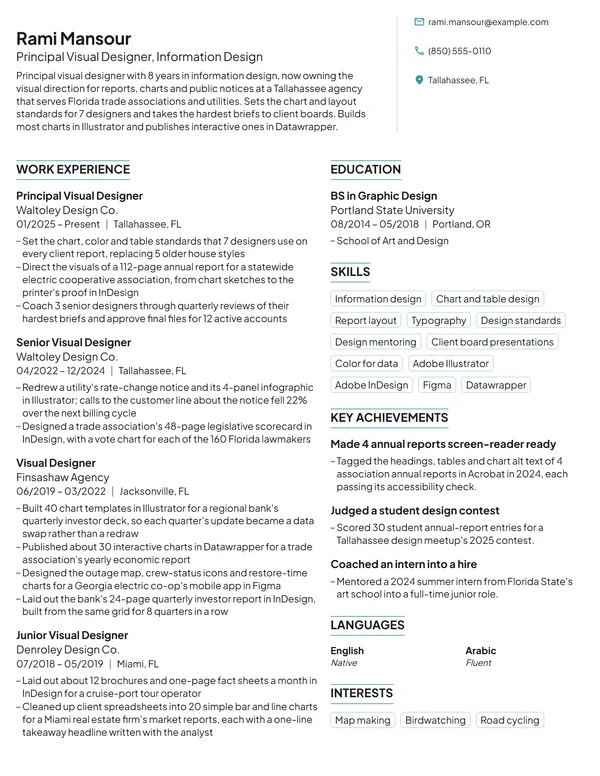
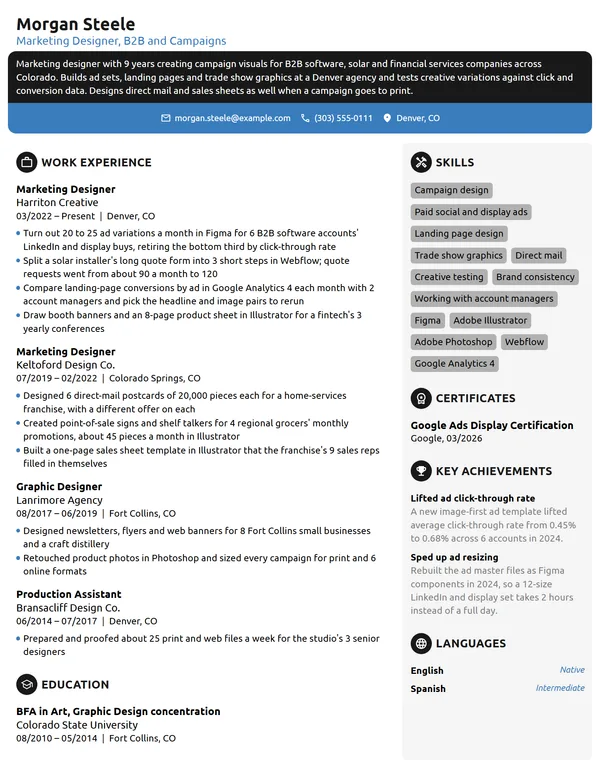
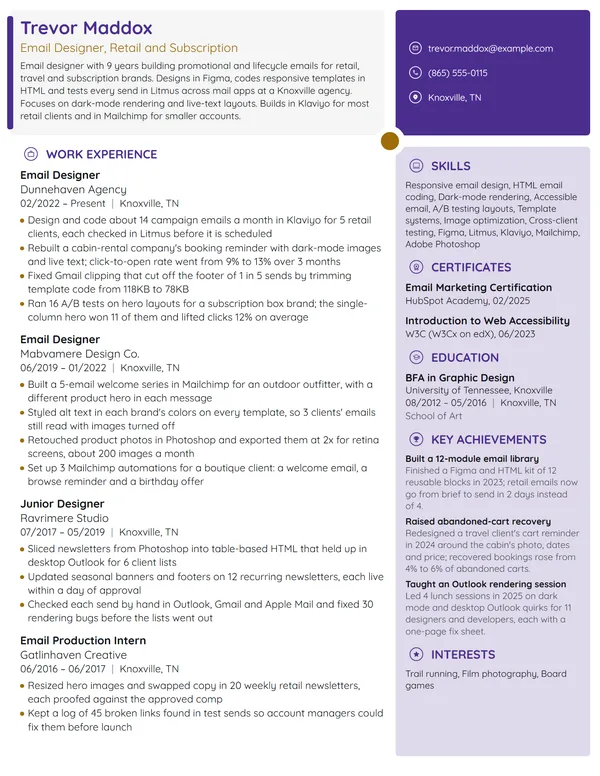
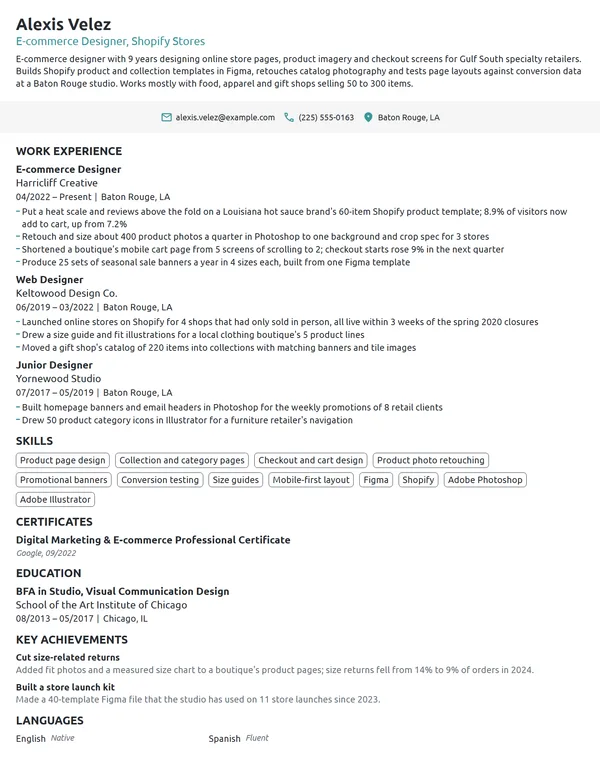
Keep it to 1 page until you have about 10 years in design; a lead or principal designer with several products or rebrands can run to 2. Your resume is also a design sample, so a single accent color and a second column are fine, as many creative resume templates show. Keep every heading, skill and date as real text: skill bars, icon-only contact lines and words set inside images are what screening software drops.
| Setting | What to use |
|---|---|
| Length | 1 page; 2 only for lead roles with about 10 years of design work |
| Headline | Your title plus your focus, such as Visual Designer, Brand and Web |
| Portfolio link | Plain text in the contact line, pointing to 3 to 5 case studies |
| Layout | 1 or 2 columns, 1 accent color, headings in text that copies cleanly |
| Dates | MM/YYYY throughout, with Present marking your current job |
| Photo and private details | No photo for most US and Canadian employers; leave out age, marital status and your Social Security number |
| File type | PDF saved under your name and the job title; Word only if the form requires it |
Most US and Canadian resumes carry no photo. Your portfolio already shows how you see, and the resume only has to make a reviewer want to open it.
Visual designer resume summary vs. objective
The test: if you have been paid to design for at least 1 year, write a resume summary; if not, write an objective stating the role you want and your best student or freelance proof. Either way, put the surfaces you design in the first line, because a reviewer sorting brand designers from product designers reads that first. Write it after your bullets, and reuse the best figure you find there.
Visual designer resume summary formula
Title who designs surfaces for product, brand or industry. X years in 2 to 3 tools. 1 system or launch, with its scale or result.
Example
Visual designer who designs app screens and campaign pages for a telehealth company. 7 years in Figma, Illustrator and After Effects. Built a 96-component design library now used by 4 product squads.
Don't
Creative visual designer with a passion for beautiful, user-centered design and a keen eye for detail.
Do
Visual designer with 4 years on a SaaS marketing team, owning the website, product screenshots and ad creative in Figma and Photoshop. Shipped a 30-page site redesign in 1 quarter.
This version gives the setting, the surfaces, the tools and a delivery a reviewer can picture.
How to write visual designer work experience bullets with numbers
Your current role gets 3 to 4 bullets, earlier roles 1 to 3, each starting with a verb and naming what you made. Design work leaves countable traces: components in a library, screens in a flow, templates in a rollout, defects caught in visual QA. Write achievements on your resume with those counts and, where your team measured it, the result after launch.
| Area | What to count | Example bullet |
|---|---|---|
| Design systems | Components, teams using them, handoff questions | Wrote usage rules for a shared Figma library and onboarded 3 new squads to it in 1 quarter. |
| Accessibility | Screens audited, contrast failures fixed, standard met | Audited 140 screens against WCAG 2.2 AA and fixed 37 contrast failures before launch. |
| Web and landing pages | Pages shipped, conversion before and after | Redesigned the pricing page; trial sign-ups rose from 1.9% to 2.7% in 6 weeks. |
| Brand rollouts | Templates and touchpoints updated, weeks taken | Rolled the new identity across 52 templates, from slide decks to email headers, in 10 weeks. |
| Engineering handoff | Visual QA defects per release, specs written | Cut visual QA defects per release from 18 to 6 by adding spacing tokens and redlines to every handoff. |
| Illustration and motion | Illustrations, animations, formats delivered | Created 45 spot illustrations and 12 Lottie animations for a mobile onboarding flow. |
Here is a visual designer's entry built that way. The current role covers system, accessibility and campaign work, and the agency role gets 2 lines.
Work Experience
- Rebuilt the visual language of a patient app used in 3 states: a 6-color palette, 2 typefaces and 180 icons, all meeting WCAG 2.2 AA contrast.
- Maintain a Figma library of 96 components used by 4 product squads; handoff questions logged in Jira fell from about 30 to 9 a sprint.
- Designed 22 landing pages for the 2025 open-enrollment campaign; the top page converted 4.1% of visitors against 2.6% for the old template.
- Animated 3 onboarding screens in After Effects for the app's first-run flow.
- Designed web and social assets for 11 retail and nonprofit clients, about 60 deliverables a month in Illustrator and Photoshop.
- Coded 8 HTML email templates that the account team reused for 140 sends.
Don't
Responsible for creating visuals for the marketing team.
Do
Designed 300 paid social and display ads a quarter in Figma and Photoshop, built from 1 template set in 5 sizes per concept.
This version shows the volume, the channel and the system that made the volume possible.
Don't
Worked closely with developers on the design system.
Do
Wrote usage notes for 64 components and paired weekly with 2 front-end engineers, so the coded library matched Figma within 1 release.
Visual design skills and tools for your resume
Choose 6 to 8 hard skills for your resume that the job ad asks for and your bullets back up. Typography, layout and color belong on nearly every visual designer resume; motion, illustration or front-end code only where you have shipped them.
Hard skills for visual designers
- Typography and type hierarchy
- Layout and grid systems
- Color systems
- Design systems and component libraries
- Iconography
- UI visual design
- Brand identity
- Accessible design (WCAG)
- Motion design
- Developer handoff and specs
Soft skills design leads value
- Taking critique without losing the idea
- Explaining design choices to non-designers
- Prioritizing requests from several teams
- Consistency across many screens
- Working with engineers
- Meeting launch dates
List your tools among your skills, and prove each one inside a bullet. O*NET flags Figma, Adobe Creative Cloud and Adobe Illustrator as in-demand hot technology for web and digital interface designers, and lists Figma, Canva, Adobe Photoshop, Adobe InDesign and Adobe After Effects for graphic designers. HTML and CSS appear on the graphic designer list too: if you can build or adjust a page in code, say which page and what changed.
How to show accessibility and contrast work
Accessibility is visual design work a reviewer can check, so name the standard and the level. WCAG 2.2, the W3C's accessibility guidelines, sets a Level AA contrast ratio of at least 4.5:1 for body text and 3:1 for large text, meaning 18 point or 14 point bold. A bullet that counts the screens or colors you tested and the failures you fixed tells a reviewer more than the word accessibility under Skills.
Adobe and UX certificates on a visual designer resume
No license is required to work as a visual designer, so certificates are optional proof, most useful early in a career or when you move into a new tool. List certifications on your resume under Certificates, each with its issuer and month, and keep only credentials the posting would care about.
| Credential | Issued by | What it takes |
|---|---|---|
| Adobe Certified Professional in Visual Design | Adobe, with exams run by Certiport | Pass the Photoshop exam and either the Illustrator or the InDesign exam. The specialty stays valid for 3 years from issue. |
| Adobe Certified Professional in Video Design | Adobe, with exams run by Certiport | Pass the Premiere Pro exam and either Photoshop or After Effects; a fit when your work includes motion and product video. Valid 3 years. |
| Adobe Certified Professional in AI Creative Workflows | Adobe, with exams run by Certiport | Pass the Adobe Firefly exam plus 1 of Photoshop, Illustrator, InDesign, Premiere, Express or Acrobat. Valid 3 years. |
| Google UX Design Certificate | Google, taken on Coursera | No degree or experience needed. Google says it takes under 6 months at 5 to 10 hours of study a week, using Figma and Adobe XD. |
Write a specialty credential by its full name rather than listing each exam. A UX certificate helps a brand-side designer moving toward product roles, but it reads as a course, so back it with a bullet about screens you shipped.
Certificates
- Adobe Certified Professional in Visual Design, Adobe, 05/2024
- Google UX Design Certificate, Google, 10/2021
How to list a design degree on a visual designer resume
For graphic designers, the BLS names a bachelor's in graphic design or a related fine arts field as the typical entry education, while schooling for digital designers runs anywhere from high school to a bachelor's degree. In O*NET's survey of graphic designers, 65% of respondents said the job requires a bachelor's. When listing education on a resume, give the degree as awarded, then the school and where it is, then the graduation month; once you hold a full design job, move Education below Work Experience.
Write BFA, BA or BS exactly as your diploma does. Within 2 to 3 years of graduating, add 1 line on the degree project closest to the job you want, with its scale; after that, the line goes.
Education
Degree project: a 24-screen visitor app for a history museum, designed in Figma.
Junior and career-change visual designer resumes
Without a full-time design job yet, an entry-level resume opens with a short objective, follows with Education, and then lists the design work people actually used, counted as a paid job would be.
- Internships and co-ops: screens, assets or pages you delivered, and which of them shipped.
- Freelance and nonprofit clients: logos, sites or social sets with the client type and the result, as their own Work Experience entry.
- Student publications, hackathons and design clubs: issues laid out, apps prototyped, members you led.
- Self-initiated redesigns: in the portfolio only, labeled as concepts, never written up as client work.
Don't
Aspiring visual designer looking to grow my skills at an innovative company.
Do
BFA graduate with a 12-week product design internship at a fintech startup, seeking a junior visual designer role. Redrew the app's 90-icon set and designed 4 onboarding screens that shipped.
Proof belongs in an objective too: an internship, a shipped piece and a count.
Coming from marketing, event planning, retail merchandising, print production or front-end development, keep your dated history and lead with a summary naming the design work you already do, such as signage, slide decks, email templates or landing pages. A career-change resume works when the top bullets of your current job are its most visual ones. Save why you are switching for the letter that goes with your application; these graphic designer cover letter examples tie a design move to work already done.
Visual Designer resume FAQ
What is the difference between a visual designer and a graphic designer resume?
Mostly the surfaces. A graphic designer resume often leads with print, packaging and campaign assets, while a visual designer resume leads with app screens, websites, design systems and brand work that lives on screens. Use the title the posting uses, and put the matching work first.
Can a visual designer resume use color and two columns?
Yes, within limits. One accent color and a second column are fine, and the layout itself shows your sense of hierarchy. Keep all text selectable, skip skill bars and icon-only contact details, and check that a parser reads the sections in the right order.
How do I add my portfolio to a visual designer resume?
Write the full URL as plain text in your contact line, then make sure each case study maps to a job or project named in your bullets. Lead the portfolio with 3 to 5 projects that match the posting, each with the problem, your role and the result.
How long should a visual designer resume be?
Use 1 page; most visual designers fit on 1. Move to 2 pages only with about 10 years of design work across several products, brands or rebrands, and keep your 2 latest roles on page 1.
Do visual designers need HTML and CSS on their resume?
Not always, but it helps on product and web teams. O*NET lists HTML and CSS among the hot technologies for graphic designers. Add them to Skills only if a bullet shows what you built or adjusted in code, such as an email template or a landing page.
Which certifications help a visual designer resume?
Adobe Certified Professional in Visual Design is the most direct fit, since it covers Photoshop plus Illustrator or InDesign. The Google UX Design Certificate helps if you are moving toward product work. Put either one in Certificates, naming the issuer and month.
Do you need a degree to become a visual designer?
Not always. The BLS names a bachelor's as the typical entry path for graphic designers, while schooling for digital designers ranges from high school to a bachelor's. Without a degree, your portfolio and shipped work carry the resume, so put Work Experience first and keep Education short.
How do I show design system work on a resume?
Count it. Name the tool, the number of components, how many teams use the library and what changed for engineering, such as fewer handoff questions or visual QA defects. One bullet with those numbers says more than design systems listed under Skills.
How much do visual designers make, and should I list salary?
Leave salary off the resume and discuss it in the interview. BLS has no visual designer category: it reports a median annual wage of $62,960 for graphic designers and $104,000 for web and digital interface designers, both in May 2025.
Next steps
Choose the example that matches your level and focus, keep its order, and swap in your own components, screens, campaigns and results. Our resume builder and its templates give you a clean layout to start on; then line up 3 to 5 portfolio case studies that tell the same stories as your bullets.