Updated on February 24, 2026
What Does a Good Resume Look Like in 2026?
Learn what a good resume looks like with formatting tips, sections, and design elements that make your resume stand out to employers.


Novoresume got people hired at
























You've spent hours writing your resume, but you're still not sure if it looks right. The formatting may feel off, or you're worried it will be outdated compared to what hiring managers expect in 2026.
At this point, you’re wondering – what does a good resume even look like? All you know is that if it falls short, your resume might get skipped, no matter how qualified you are.
In this article, we'll show you precisely what a good resume looks like and how to create one that gets results.
We're going to cover:
- What Makes a Resume Look Good?
- What Are the Essential Resume Sections?
- Resume Design Mistakes to Avoid
...and more!
Let's dive in.
Want to make sure your resume looks professional and gets past the ATS? Use our professional resume builder to create your resume in minutes!
Choose a resume template to get started.
What Makes a Resume Look Good
A good-looking resume starts with neat, professional formatting.
Before a hiring manager reads a single word, they'll review your resume, and if what they see is a messy, unprofessional document, they might skip it altogether.
All in all, you have barely six seconds to catch their attention while they judge your eye for detail and professionalism.
Here's what makes a resume visually compelling:
- Font choice. Stick to a professional yet modern and readable font such as Ubuntu, Lora, Roboto, or Overpass. Use 10-12pt for body text and 14-16pt for section titles and headings.
- Margins and spacing. Keep your margins to one inch on all sides. Any more than that and your resume will be too cluttered, but any less and it’ll look stretched out on the page. Use consistent line spacing of 1.0 between body text and 1.15 between headings to keep your resume readable.
- Strategic color use. One or two accent colors can help your resume stand out, but keep text dark on a light background. Use color sparingly for section headings, links, and borders, but not for body text.
- White space. Don't try to cram everything onto the page. White space makes your resume easier to scan and won’t overwhelm the hiring manager with information.
- Consistent formatting. Use the same bullet style, font sizes, and spacing throughout your entire resume. If you bold one job title or header, bold them all. Inconsistency makes your resume look messy and unprofessional.
If you're not confident in your design skills, you can use a professionally designed resume template to take the guesswork out of formatting. We build Novorésumé’s templates with these best practices, so you can focus on your content rather than wrestling with margins.
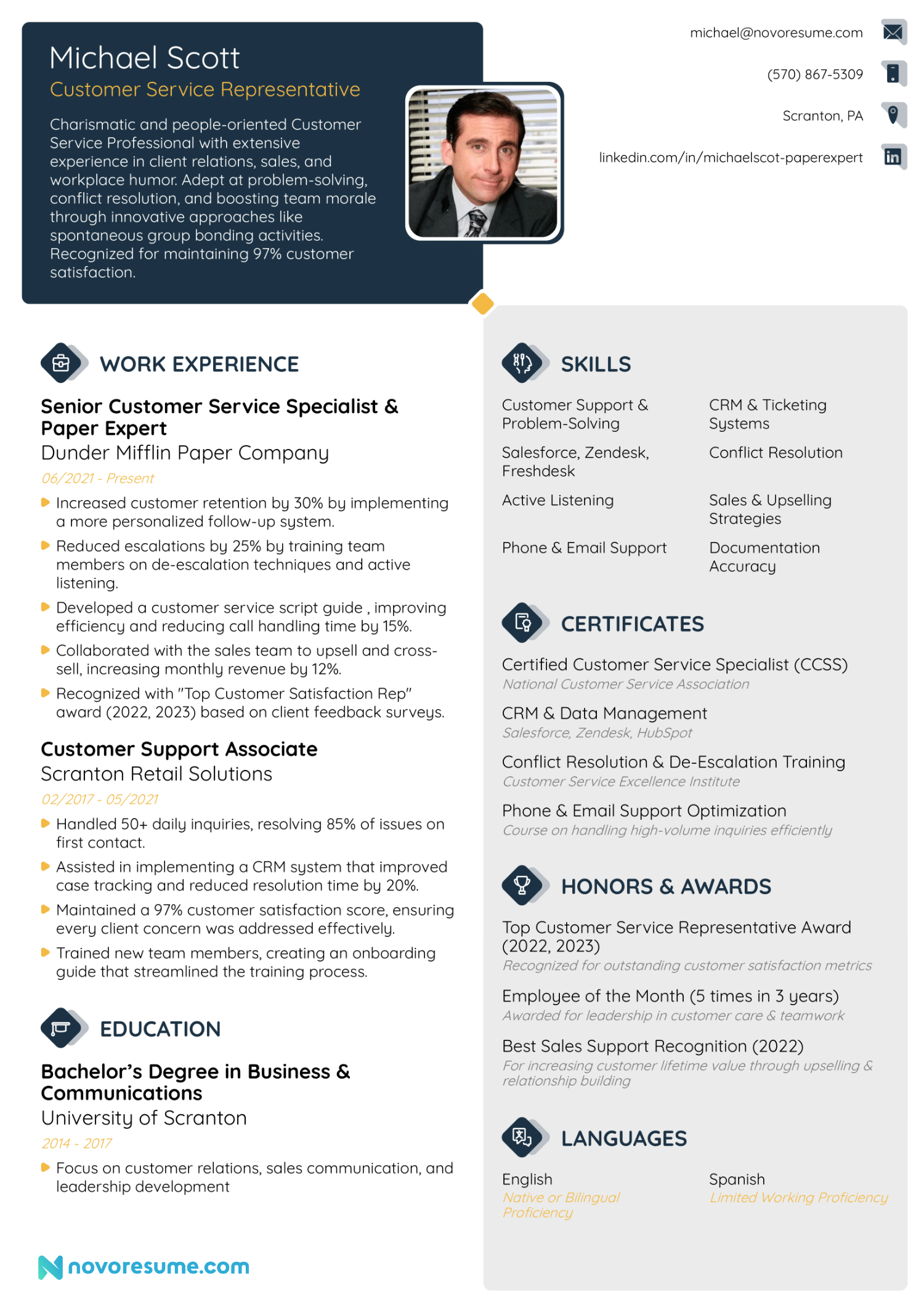
Here’s an example of a great-looking resume made with our resume builder:
Essential Resume Sections
Now that you know what makes a resume look good visually, let's talk about what actually goes into it. Every resume should include these essential resume sections:
- Contact Information. Your name, phone number, professional email address, and postal address go here. Your city and state/country are usual enough, so you can skip the complete street address and instead add a link to your LinkedIn profile or portfolio, if applicable.
- Resume Summary or Objective. Always add a brief overview at the top of your resume that highlights your key qualifications, years of experience, and the value you can bring to the employer. It’s like an elevator pitch to make the hiring manager want to learn more about you.
- Work Experience. Your work history should always be in reverse-chronological order, with the most recent roles first. For each role, include the job title, company name, location, dates, and 4-6 bullet points describing your achievements.
- Relevant Skills. Include a mix of hard skills, like technical abilities, tools, and certifications, and soft skills, like communication, leadership, or problem-solving. Always tailor this section to match the job description's keywords.
- Education. List your degrees with the level and major, institution name, and your graduation year. If you're a recent graduate or still studying, you can include relevant coursework or honors. But if you've been working for 10+ years, only list the name of your highest degree and keep this section brief.
- Optional Sections. If you have space on your resume, you can also include sections dedicated to your certifications, volunteer work, personal projects, languages, or professional associations. You should only add these if they strengthen your application for the specific role.
7 Resume Design Mistakes to Avoid
Even small mistakes can make your resume look unprofessional or hard to read. Here are the most common resume mistakes to watch out for:
❌ Unreadable text. If a hiring manager has to squint to read your resume, they won't bother. Keep fonts at 10 pt or larger to give your text room to breathe, so it’s not too small or too crowded.
❌ Inconsistent formatting. Switching between different bullet styles, fonts, or spacing in your resume makes it look careless. Be consistent with formatting throughout the entire document to maintain professionalism.
❌ Photos. If you're applying internationally where photos are expected, that’s fine, but in the US, Canada, and the UK, you can skip them. Hiring managers in these countries aren’t allowed to judge candidates based on photos, so if you include one, they might reject your application.
❌ Quirky email. An unprofessional email address like "partyguy1990@hotmail.com" will surely make a bad impression. Instead, use a simple format like .”
❌ Dense paragraphs. Hiring managers often skim resumes, looking for only the most important information. Bullet points make your achievements easy to spot at a glance, so break down your paragraphs.
❌ Too flashy. A splash of color is fine, but rainbow borders, multiple accent colors, or decorative graphics all over make your resume look cluttered and unprofessional.
❌ Grammatical errors. Even one typo can get your resume tossed aside. Proofread carefully, then have someone else review it as a precaution.
Suppose you use a resume builder like Novorésumé. In that case, most of these mistakes are automatically prevented by the template structure, so you can focus on content quality instead of worrying about design slip-ups.
What Does an ATS-Friendly Resume Look Like?
An ATS-friendly resume is one that applicant tracking systems can easily read and parse. Most companies use ATS software to scan and filter resumes before a human ever sees them, so if your resume isn't formatted correctly, it might get rejected automatically, no matter how qualified you are.
Here's what makes a resume ATS-friendly:
- Standard section headings. Use standard labels such as "Work Experience," "Education," and "Skills." Avoid creative headings such as "My Journey" or "Where I've Been," as they confuse the ATS and make it harder to categorize your information.
- Simple layout. Stick to a reverse-chronological format that reads top to bottom. Avoid tables, boxes, placing information in headers or footers, and designs that can scramble your content when the ATS scans it.
- Relevant keywords. The ATS scans for role-specific terms. If the job ad mentions "project management" or "Google Analytics," ensure those exact phrases appear naturally in your resume where relevant.
- No images or graphics. ATS can't read text embedded in images, logos, or decorative graphics, so keep everything as selectable text.
- Clear date formats. Use a consistent date format throughout your resume (e.g., "Jan 2023 - Present" or "01/2023 - Present") so the ATS doesn’t misinterpret dates.
- The correct file format. PDF is the safest choice since it preserves your formatting, but always check the job posting. If they specifically request a DOCX or TXT file, send that instead.
Want to make sure your resume is ATS-proof?
Try our resume builder. Each of Novorésumé’s templates is engineered to be ATS-compatible from the ground up.
The neat structure, standard headings, and text-based formatting ensure your resume parses correctly while still looking polished and professional.
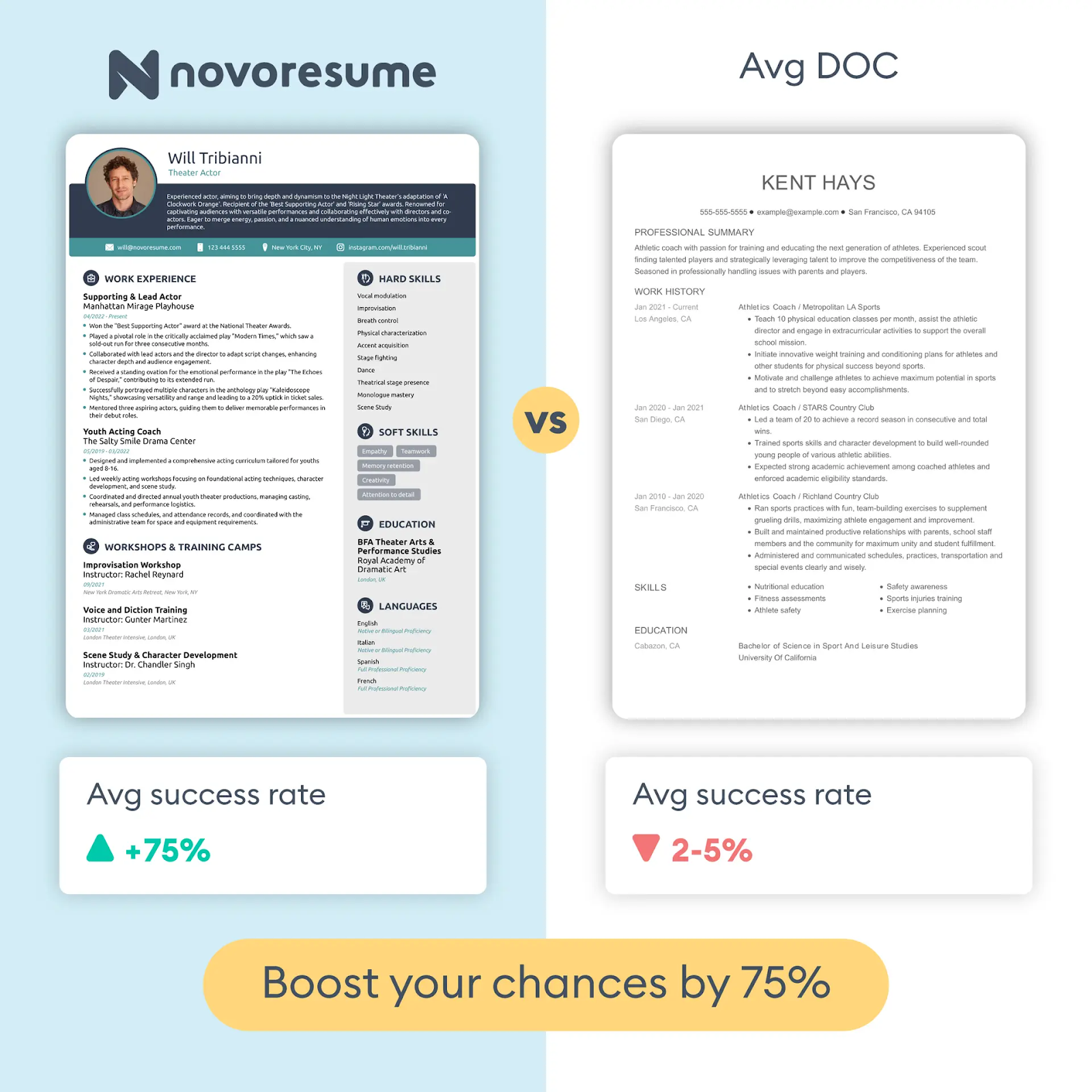
Just look at how one of our templates compares to an average resume:
Frequently Asked Questions
Are you still wondering something about what a good resume looks like? Check out the answers to some of the most frequently asked questions below.
Conclusion
A good resume is an eye-catching document that looks organized and is tailored to the job you want. It uses professional formatting, includes all essential sections, and integrates seamlessly with any applicant tracking system.
But building a resume from scratch means navigating margins, bullet points, and design issues. That's where a professional resume builder like Novorésumé comes in.
Each of our templates is ATS-friendly, professionally designed, and easy to customize so you can wow the hiring manager.
Just select a template, enter your information, and download a polished resume in minutes!
 Add Novorésumé as a preferred source on Google
Get more resume writing tips, career insights, and job search advice in your personalized Google search results.
Related posts

Resume & CV Writing Tips
Technical skills for your resume across 17 fields, from Epic and CAD to GA4 and Python, with a copyable skills-block format and honest skill tiers.

Resume & CV Writing Tips
40+ resume objective examples for students, career changers, and 22 situations, with the 3-part formula and HR survey data on when objectives actually help.

Resume & CV Writing Tips
Resume summary examples across 26 fields, every one quantified, plus the 4-part formula, the no-experience version, and what recruiters scan first.