Updated on March 2, 2026
Google Docs Resumes: Free, Easy, and Ineffective
Are Google Docs resumes any good? Learn why the text editor falls short for professional resumes and what the alternatives are.

Novoresume got people hired at
























You need to make a resume, and you’re looking at options to get started.
The obvious first choice is Google Docs – it’s free, familiar, and right there in your browser.
But there’s one problem: Google Docs isn’t actually built for resumes. It’s a word processor typically used for school projects or for work. But creating a resume that makes an impression is more complicated than that.
Google Docs doesn’t have many resume templates, the formatting is a nightmare to adjust, and it takes a long time to make a resume with it. So, are Google Docs resumes actually any good?
In this article, we’re going to cover:
- Are Google Docs Resumes Any Good?
- Google Docs VS Professional Resume Builders
- When to Use Google Docs (and When NOT to)
…and more.
Let’s get started!
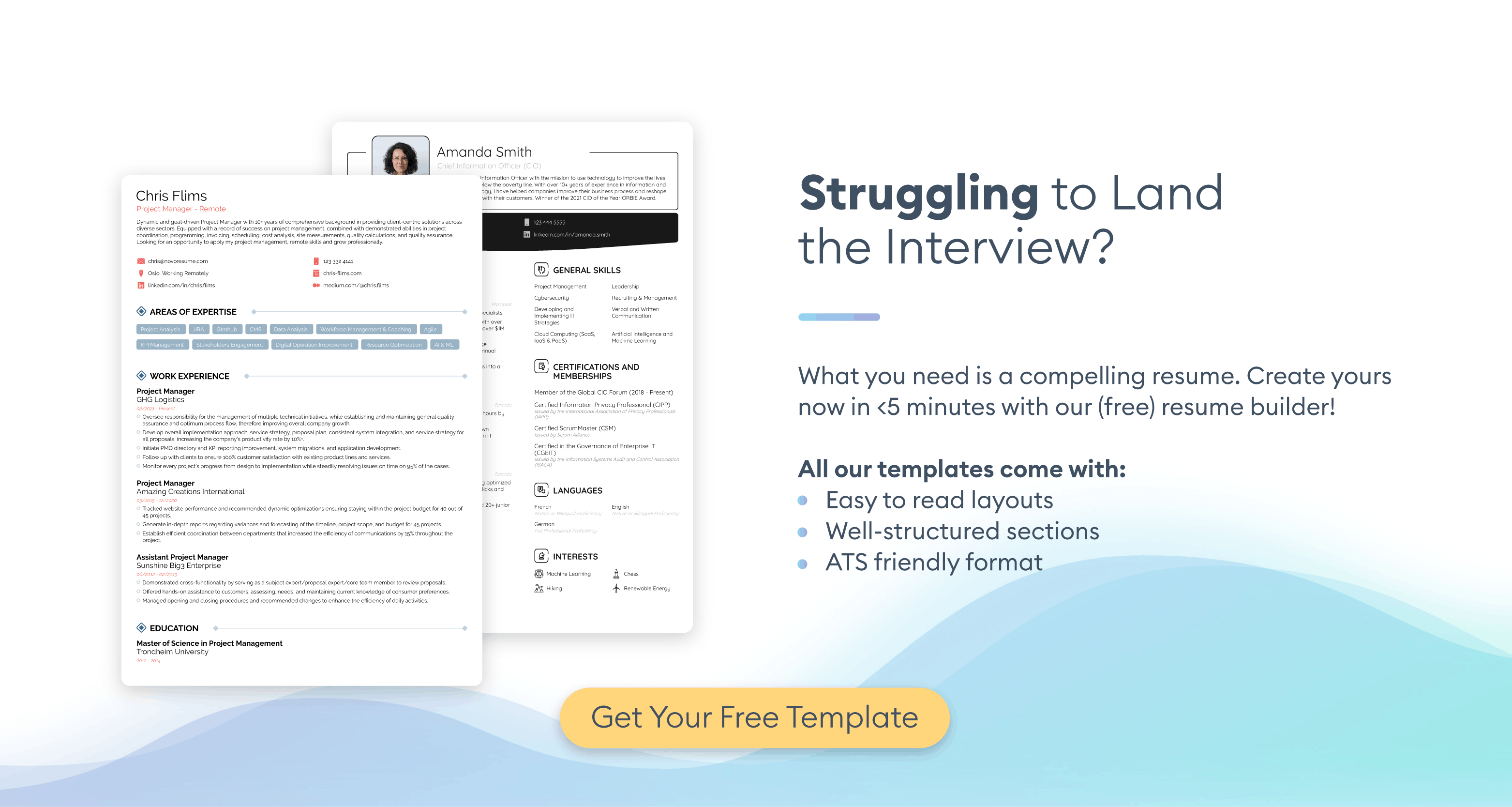
Want to create a great resume and impress the hiring manager? Use our professional resume builder to create your resume in minutes!
Choose a resume template to get started.
Can You Use Google Docs to Create a Resume?
Yes, you can use Google Docs to create a resume. The program offers a handful of built-in resume templates available in the template gallery. The templates include basic options such as "Serif," "Spearmint," and "Coral," with standard sections for contact information, work experience, education, and skills.
There are also other available Google Docs resume templates online that you can use instead. However, formatting them can be tricky if you need to add an extra section or remove any lines. All resume templates for Google Docs use hidden tables, which makes changing the layout very difficult.
If you’re willing to put in the work, you can start from a blank document and build your resume from scratch. You can create your own layout using headings, bullet points, and manual formatting. While this gives you more control over the design, it also means you have to make sure everything looks professional and stays aligned.
Are Google Docs Resumes Any Good?
Just because you can use Google Docs for your resume doesn’t mean you should.
Google Docs templates are bare-bones at best. They don’t have the polish, structure, and wow factor you need for a serious job hunt. Besides that, even if you fill out a resume template instead of starting from scratch, it could take ages to finish.
Your resume needs to make it past the applicant tracking system (ATS) intact and impress the hiring manager on the other side. It needs to be straightforward, neatly formatted, and eye-catching enough to stand out from the competition.
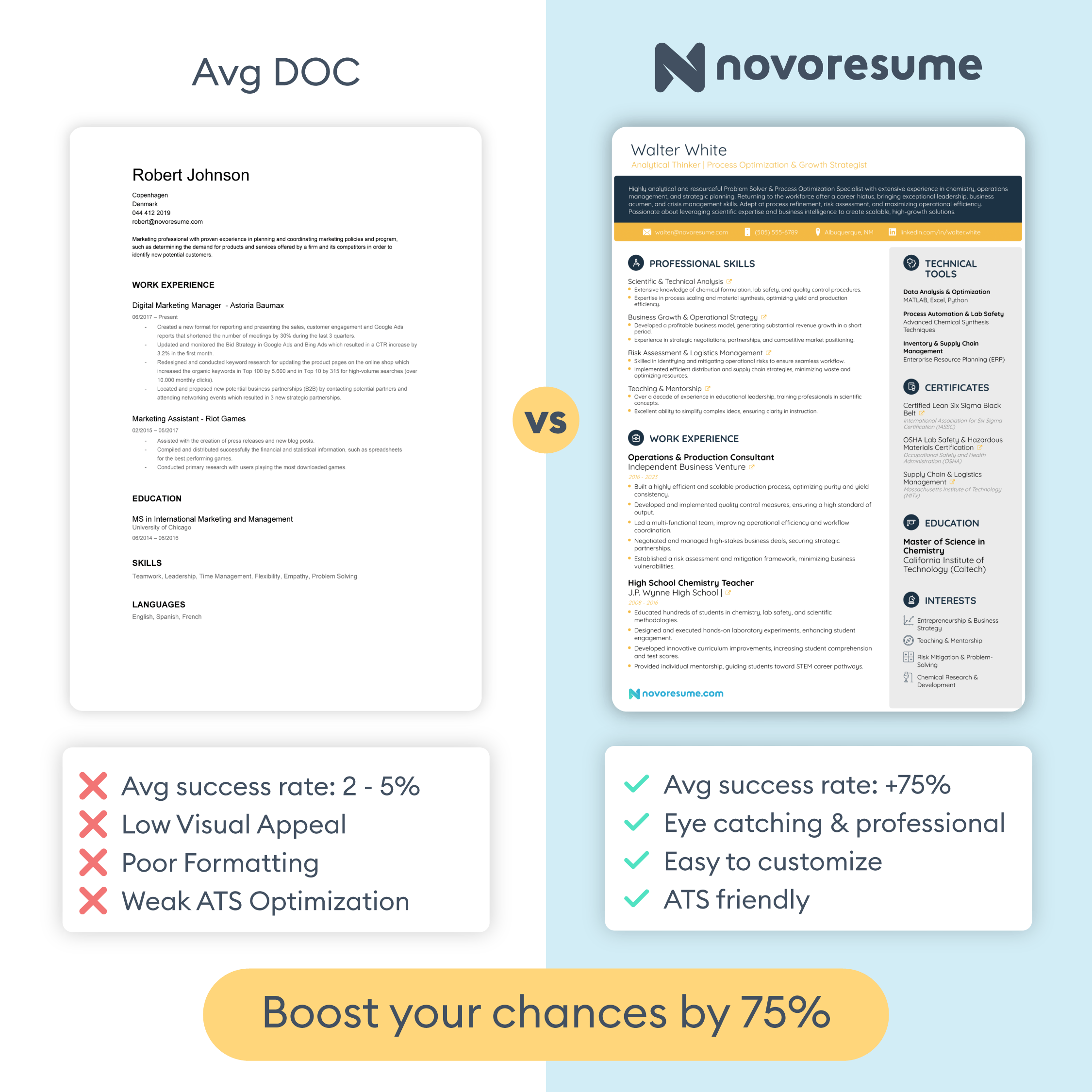
This is where Google Docs falls short. The templates have excessive white space and poor layout optimization, complicated formatting and editing, a generic and unprofessional appearance, and very limited customization options.
Overview of Google Docs Resume Features
If you want to create your resume in Google Docs, several practical concerns that are going to come up. These include:
- Rigid resume layout. Whether you build your resume from scratch or use a template, you’re looking at wasting valuable space on oversized margins and awkward section spacing. You're stuck with bulky layouts that push your experience down the page or leave entire sections looking empty and unfinished.
- Difficult formatting. Moving one section throws off the alignment of another, while changing fonts or spacing happens manually across the entire document. You're likely to spend more time fighting with the layout than actually writing your resume.
- Overused templates. Recruiters see the same outdated Google Docs layouts over and over again, which doesn’t stand out in a good way. It tells them that you didn't put much effort into your application.
- Limited customization. You can't easily rearrange sections, add design elements, or adjust the structure without completely breaking the template. What you see is mostly what you get, and what you get isn't competitive at all.
- No ATS compatibility. Google Docs templates just aren't built with applicant tracking systems in mind. The software may struggle to parse your information correctly, especially if there are tables, text boxes, or custom formatting, which most Google Docs templates use. Your application is likely to get filtered out before a human hiring manager even sees it.
Google Docs VS Professional Resume Builders
Google Docs is a versatile word processor you can use for various tasks, including essays, formal letters, and any other writing-related work.
But professional resume builders are designed specifically for one thing: helping you create a resume that lands job interviews.
Resume builders offer templates optimized for modern hiring standards. They're built from the ground up with ATS compatibility in mind, so your information gets parsed correctly without any formatting issues.
A resume builder’s templates are polished and in line with modern hiring standards, all while following the best practices for layout, spacing, and readability. You can even get access to multiple professional designs tailored to different industries, whether you're in tech, finance, marketing, or another field.
Not to mention that customizing your resume is intuitive and much faster. You can rearrange sections with a few clicks, adjust colors and fonts without breaking the layout, and preview your changes in real time. Everything stays aligned and professional, no matter what you change.
Some resume builders also come with built-in guidance, such as AI-powered writing suggestions to help you rephrase your experience effectively. You don’t have to start from a blank page or guess what recruiters want to see.
You can easily save multiple versions of your resume for different job applications, export to PDF or TXT with one click, and even create a matching cover letter for a comprehensive application package. The entire process is streamlined to save you time while delivering higher-quality results.
When To Use Google Docs Resumes (And When Not To)
So, when should you use Google Docs for your resume?
The honest answer is rarely, if you're applying for a real job.
Google Docs is fine for a school assignment, a quick draft you're sharing with a friend for feedback, or a placeholder document while you figure out your next move. It's free, accessible, and easy to collaborate on. For casual use, it gets the job done.
But for actual job applications – especially in competitive fields or for roles you genuinely care about – Google Docs isn't going to cut it.
Thankfully, you don't need to pay a fortune for a professional resume builder. At Novorésumé, we offer a completely free Basic plan that lets you create a polished, ATS-friendly one-page resume with no paywalls or hidden fees.
You get access to eight professionally designed templates with neat formatting, and you can download your resume as a PDF instantly, no strings attached.
So, if you're a student looking for an internship, an entry-level job seeker, or otherwise just starting your career in your desired field, try our resume builder for free.
After all, your resume is the hiring manager’s first impression of you, so it’s worth using a tool that's actually built for the job.
Frequently Asked Questions About Google Docs Resume Templates
Conclusion
Google Docs is a solid word processor, but that's exactly the problem. It wasn't designed for resumes, and it shows. Between the outdated templates, frustrating formatting, and lack of ATS optimization, using Google Docs puts your application at a disadvantage before a recruiter even reads it.
The good news is that you don't have to settle for it. Professional resume builders like Novorésumé give you polished, ATS-friendly templates that take minutes instead of hours to complete. And with a free Basic plan available, there's no reason to keep fighting with margins and hidden tables when a better tool exists.
Your resume is your first impression with every employer you apply to. Make it count by using a tool that's actually built for the job.
 Add Novorésumé as a preferred source on Google
Get more resume writing tips, career insights, and job search advice in your personalized Google search results.
Related posts
Resume & CV Writing Tips
Technical skills for your resume across 17 fields, from Epic and CAD to GA4 and Python, with a copyable skills-block format and honest skill tiers.

Resume & CV Writing Tips
40+ resume objective examples for students, career changers, and 22 situations, with the 3-part formula and HR survey data on when objectives actually help.
Resume & CV Writing Tips
Resume summary examples across 26 fields, every one quantified, plus the 4-part formula, the no-experience version, and what recruiters scan first.