Updated on March 2, 2026
Are Canva Resumes ATS-Friendly? All You Need to Know
Discover the best AI resume builders to create a professional resume that hiring managers will effortlessly notice.

Novoresume got people hired at
























Canva is a fantastic tool for creating eye-catching social media posts, presentations, and marketing materials. But are Canva resumes ATS-friendly?
When it comes to resumes, visual appeal alone won't land you an interview. Even if your resume looks like it belongs in a design portfolio, no recruiter will ever see it if the applicant tracking system (ATS) can't read it.
Most Canva templates are built in ways that ATS software can't process correctly.
In this guide, we'll explain why Canva resumes struggle with ATS screening and show you a better alternative that gets your application past the software and into the recruiter’s hands.
Let’s dive in!
Want to make a resume that impresses both ATS and hiring managers? Use our professional resume builder to create your resume in minutes!
Choose a resume template to get started.
What Is an ATS and Why Does It Matter?
An Applicant Tracking System (ATS) is software employers use to collect, organize, and filter job applications. When you submit your resume online, it typically goes through an ATS before a human ever sees it. The system scans your resume for relevant keywords, qualifications, and formatting to help recruiters quickly identify whether you’re a candidate worth interviewing.
Here's why making your resume ATS-compatible matters:
- Your resume gets seen. If an ATS can't read your resume properly, recruiters won't find you when searching for candidates, even if you're perfectly qualified.
- You pass initial screening filters. The ATS automatically checks some minimum requirements, such as specific skills or years of experience, set by companies. If you lack these, your resume might not pass the initial ATS screening.
- You rank higher in candidate searches. Recruiters often search their ATS database by resume keywords. A well-optimized resume effortlessly ranks at the top of these searches.
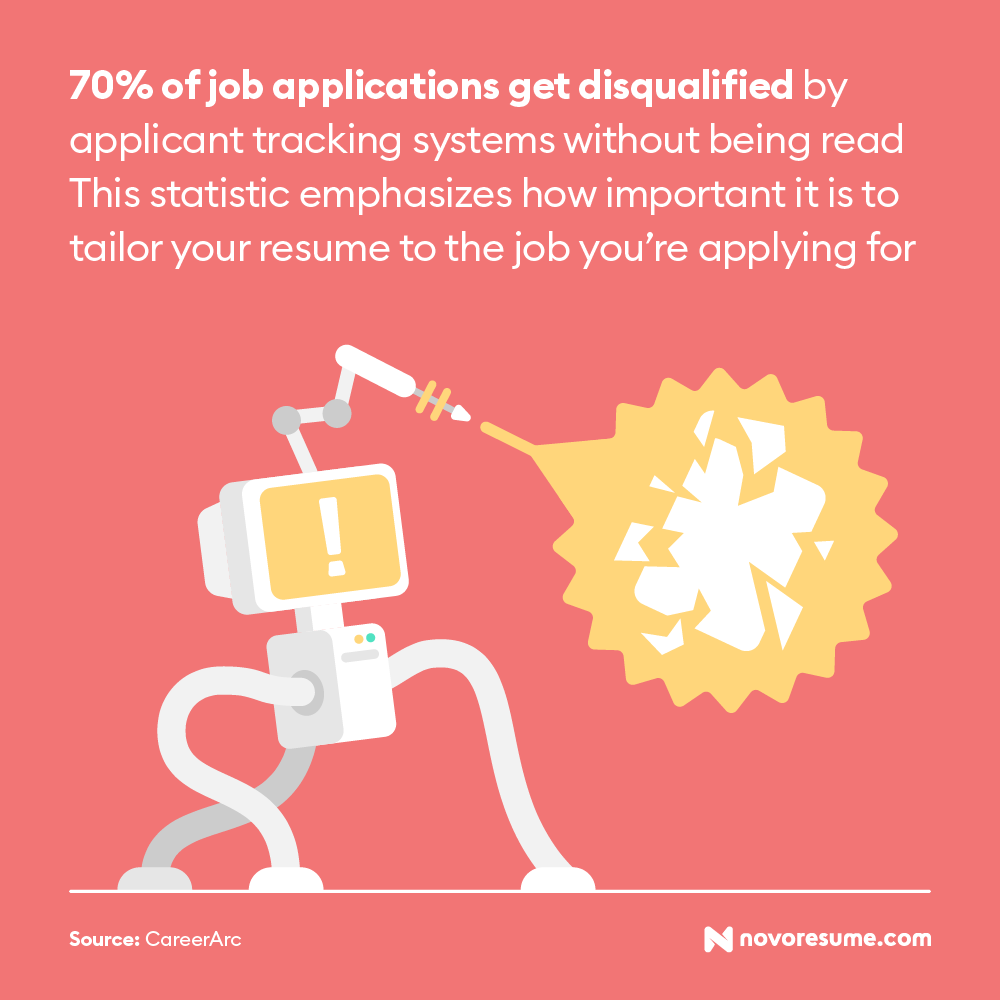
- You avoid the application black hole. That frustrating silence after applying? Sometimes it happens because the ATS couldn't read your resume correctly, and your application never reached a recruiter's screen.
How to Test If Your Resume Is ATS-Friendly?
The first method is to copy and paste your resume into a plain-text document. If the text appears jumbled, out of order, or missing information, an ATS won’t likely be able to read it.
However, the easiest way to check is by using an ATS resume checker. These tools simulate how an ATS reads your resume and flag potential issues, such as missing keywords, unreadable sections, or formatting problems.
You can use Novorésumé's built-in ATS resume check feature to scan your resume and get instant feedback on ATS compatibility. It highlights what's working and what needs fixing before you hit submit.
Are Canva Resumes ATS-Friendly?
No, most resumes made with Canva resume builder are not ATS-friendly. While Canva offers visually stunning templates that look great to the human eye, these designs often create serious problems for applicant tracking systems.
The platform prioritizes aesthetics over functionality, using design elements that ATS software struggles to parse correctly. Because of this, your resume might appear scrambled in the recruiter's system, or key details such as your skills and job titles might not show up at all.
5 Reasons Why Canva Resumes Fail ATS Scans
Canva was built for graphic design, not resume optimization. Its templates look impressive as visual documents, but they might conflict with how ATS software reads and processes information.
Here's where things go wrong when you use Canva to create your resume:
- Non-standard fonts and layouts. Creative fonts and unconventional layouts often fail to render properly, turning your resume into unreadable characters or misaligned text. When creating a resume, it’s best to stick to standard fonts such as Ubuntu, Roboto, or Overpass.
- Text boxes and complex formatting. ATS software reads documents linearly, and text boxes can cause the content to appear out of order or be skipped entirely.
- Overdesigned templates. Graphics, icons, and images might catch a human's eye, but hiring managers prioritize content over design. Furthermore, ATS systems can't interpret visual elements at all.
- Lack of important sections. Many Canva templates skip essential resume sections like skills, certifications, or professional summaries that ATS systems specifically scan for.
- Limited export options. While Canva lets you download your resume as a PDF, the file is often image-based rather than text-based. In that case, the ATS might see a blank document instead of your qualifications.
A Smarter Alternative to Canva’s Resume Builder
If you've ever used Canva to create a resume, you know the frustration.
Every text box needs manual adjustment. Move one element and suddenly your entire layout shifts. Add an extra line to your work experience, and you're stuck resizing, realigning, and tweaking margins for the next twenty minutes. With Canva, you have complete design freedom, but that can make it easy to make formatting mistakes that hurt your chances with ATS.
Novorésumé takes a different approach. Instead of flashy visual appearance, it provides professionally designed templates that are already optimized for ATS compatibility. The content blocks snap into place automatically, spacing adjusts as you type, and the formatting stays clean no matter how much information you add.
The difference is simple: Canva is a design tool for creating resumes. Novorésumé, on the other hand, is a resume builder designed specifically for beating applicant tracking systems.
Here’s what a job-winning ATS-friendly resume looks like:
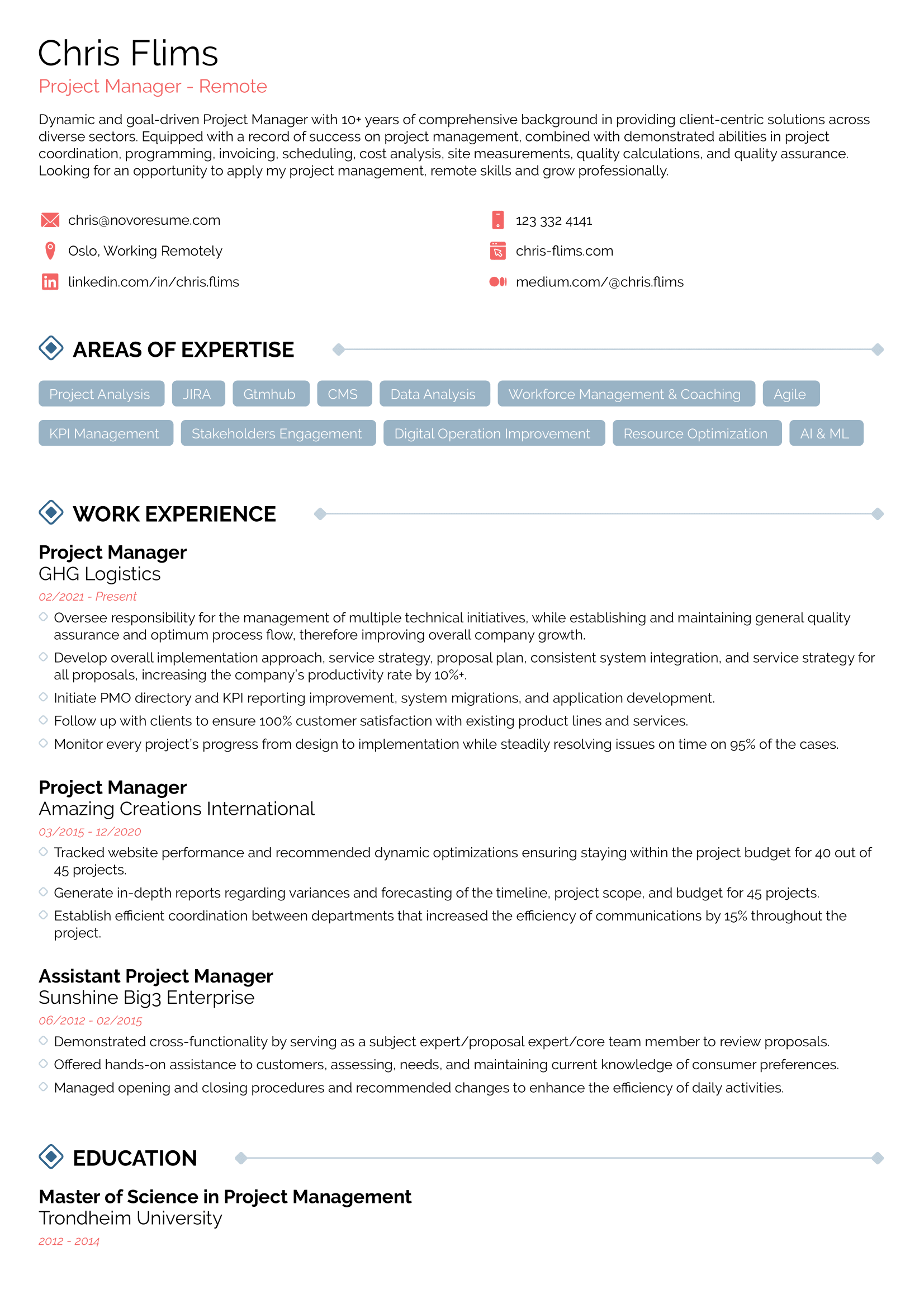
With the Novorésumé builder, instead of fighting with text boxes, you spend your time focusing on what actually matters: your experience, skills, and achievements.
When Is It Safe to Use a Canva Resume?
Canva won't necessarily hurt your resume, but you're always taking a risk with it.
The safest scenario is when you're applying directly to a small company or handing your resume to someone in person. Small companies with just a handful of employees often don't invest in applicant tracking software, so your beautifully designed Canva resume will be seen exactly as you intended.
On the downside, it’s hard to be sure whether a company uses an ATS. So, unless you're physically handing over a printed resume or applying to a tiny business, assume they’re using an ATS.
The other exception is when you’re applying for creative roles where design skills are part of the evaluation. Graphic designers, art directors, marketing creatives, and similar positions are sometimes expected to demonstrate visual sensibility through their résumés. In these cases, a Canva resume can double as a subtle portfolio piece.
However, this comes with a significant caveat: larger creative agencies and corporations still run applications through an ATS before anyone reviews them. A stunning resume that ATS can't parse is still a resume they’ll never see. If you’re convinced to use a designed resume for a creative role, consider submitting an ATS-friendly version through the online portal and attaching your Canva version as a portfolio piece.
ATS-friendly doesn't mean boring. If you want a resume that's both visually appealing and scannable by applicant tracking systems, check out these 25+ creative resume templates that prove you don't have to sacrifice design for functionality.
Frequently Asked Questions About Canva Resume Templates
Conclusion
Canva is a great design tool, but it's not ideal for resumes that need to pass through an ATS. Unless you're handing your resume directly to a hiring manager, the risk of your application getting lost isn't worth the visual flair.
To increase the chances your resume reaches a human reviewer, use a purpose-built resume builder like Novorésumé that balances a clean design with ATS compatibility. Remember that your resume's job is to get you interviews, not win design awards.
 Add Novorésumé as a preferred source on Google
Get more resume writing tips, career insights, and job search advice in your personalized Google search results.
Related posts
Resume & CV Writing Tips
Technical skills for your resume across 17 fields, from Epic and CAD to GA4 and Python, with a copyable skills-block format and honest skill tiers.

Resume & CV Writing Tips
40+ resume objective examples for students, career changers, and 22 situations, with the 3-part formula and HR survey data on when objectives actually help.

Resume & CV Writing Tips
Resume summary examples across 26 fields, every one quantified, plus the 4-part formula, the no-experience version, and what recruiters scan first.