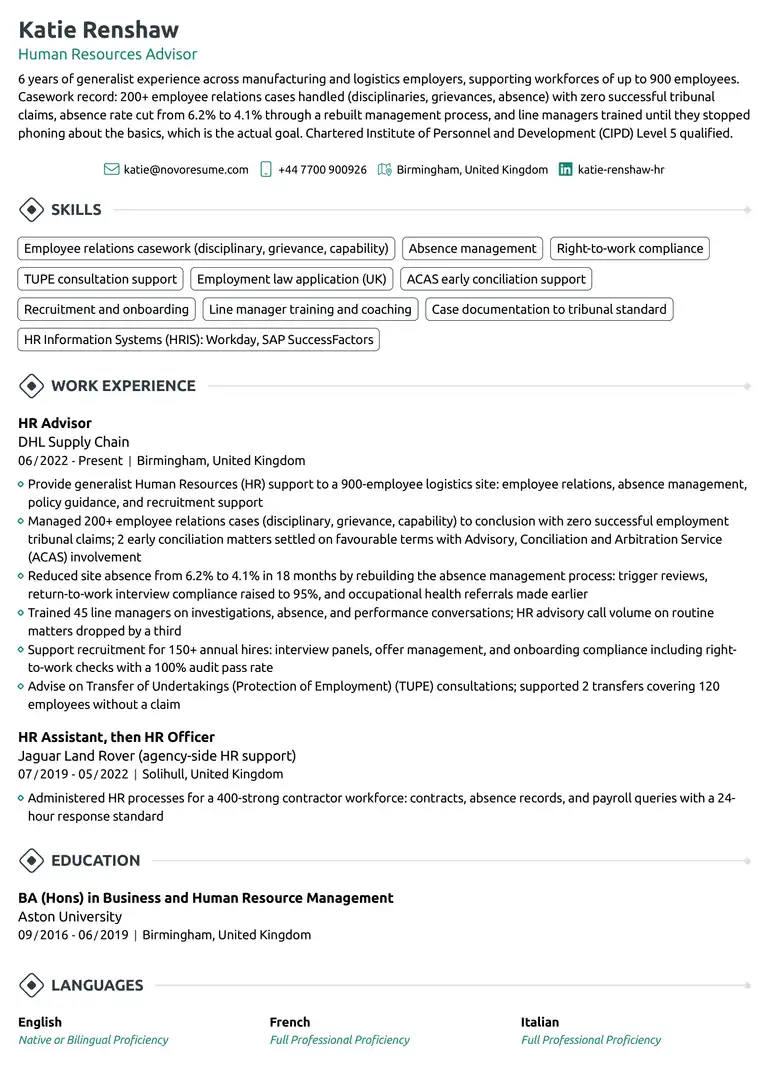
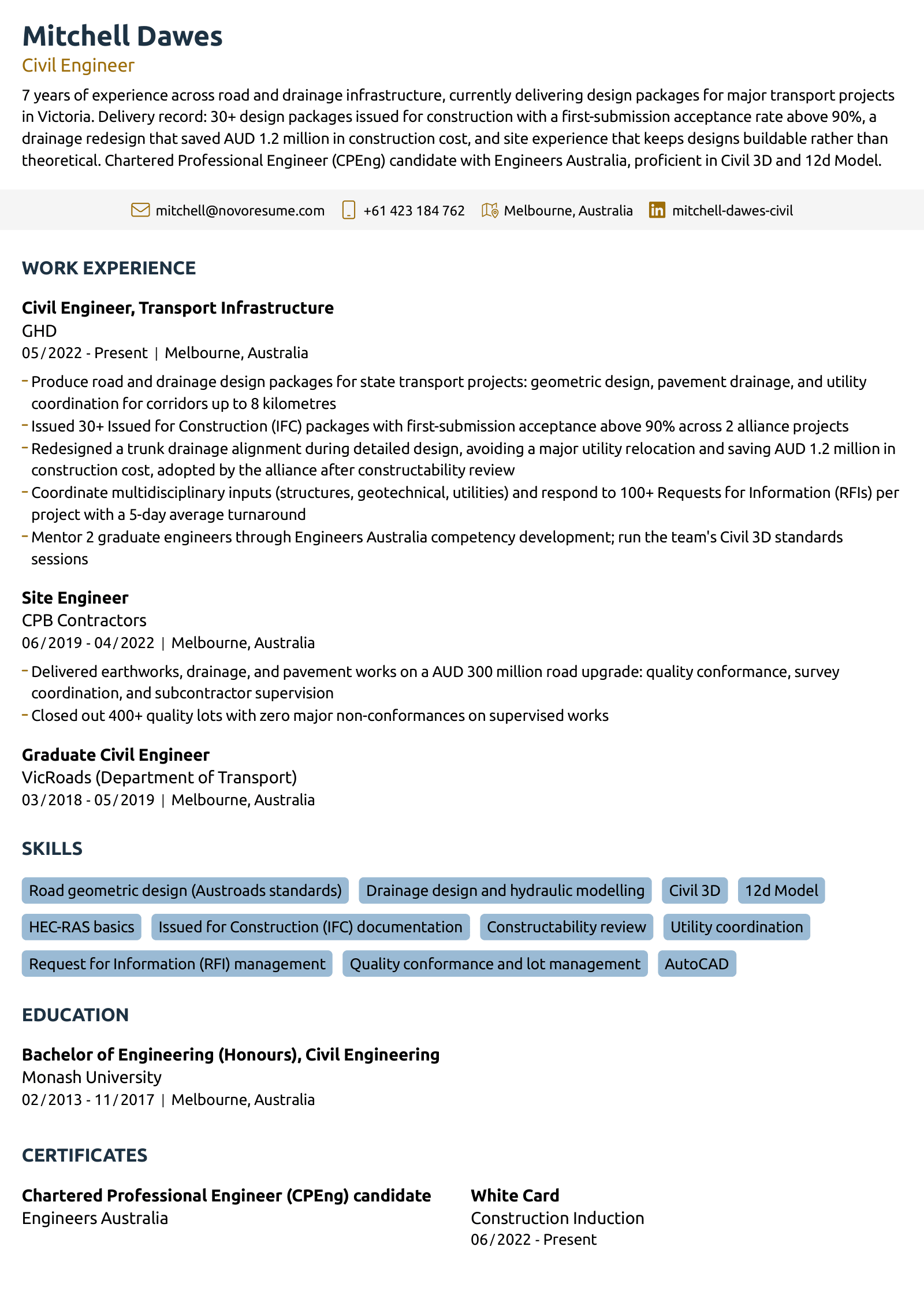
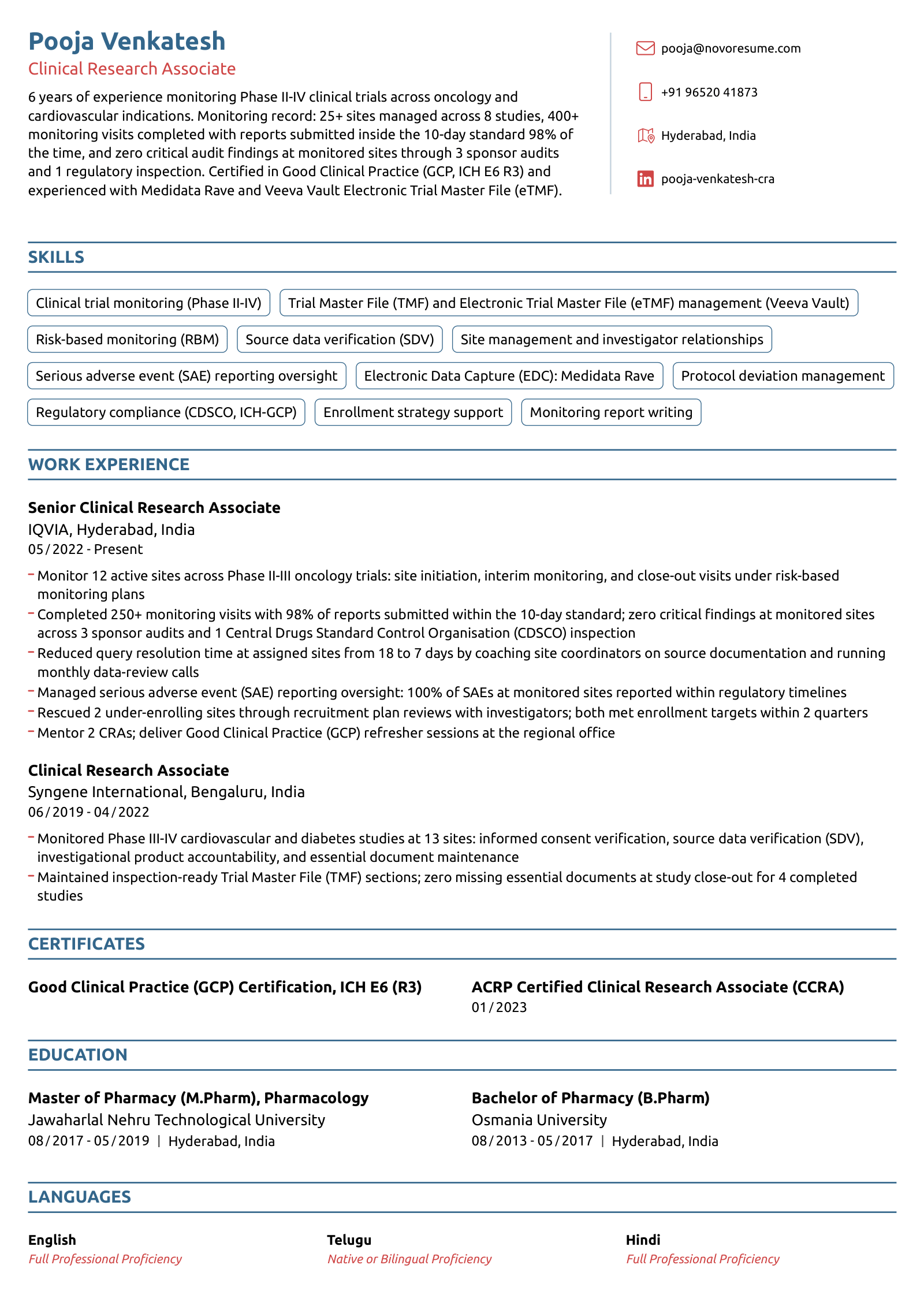
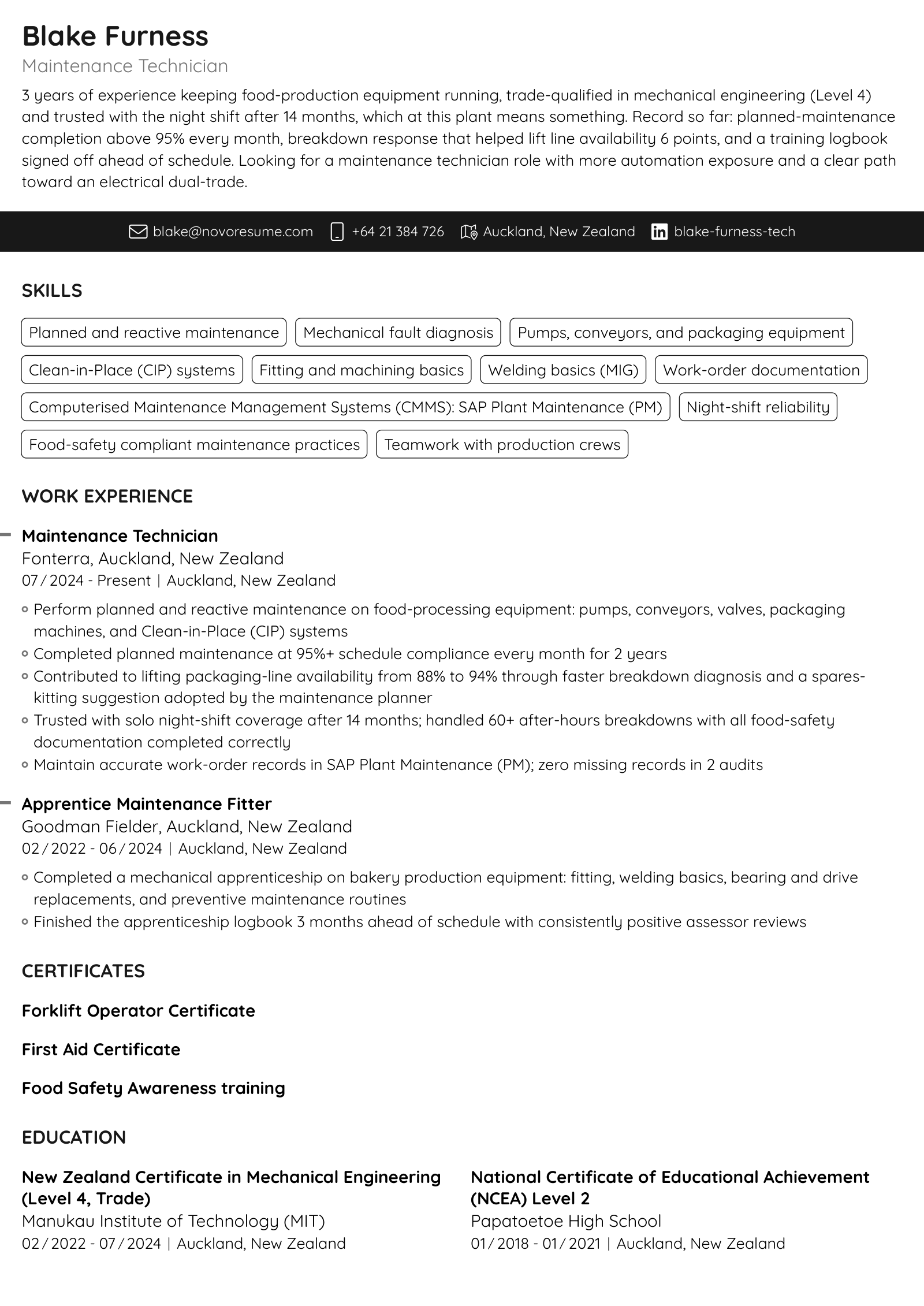

"Highly recommended for CV templates and tips. I was amazed by how much help and content you could get for free on Novoresume. You guys saved me a lot of time and made my CV look better than ever, thanks."
ATS-Friendly CV Templates
ATS-friendly CV templates that parse cleanly in Workday, Taleo, and Greenhouse. Clean structure, real text, every keyword lands. Free to start.
Create My CV
Free to start. No credit card required.
Import CV
- Rated Excellent on Trustpilot
- Free to start
- A4 & US Letter
Novoresume got people hired at
























82.3%
of recruiters use an ATS to screen candidates (HR Survey)
74%
spend 20 seconds or less on the first scan (HR Survey)
8 in 10
users who switched from Canva, Word or Google templates, or another builder rate Novoresume 4 or 5 stars (User Success Survey)
What Makes a CV Template ATS-Friendly?
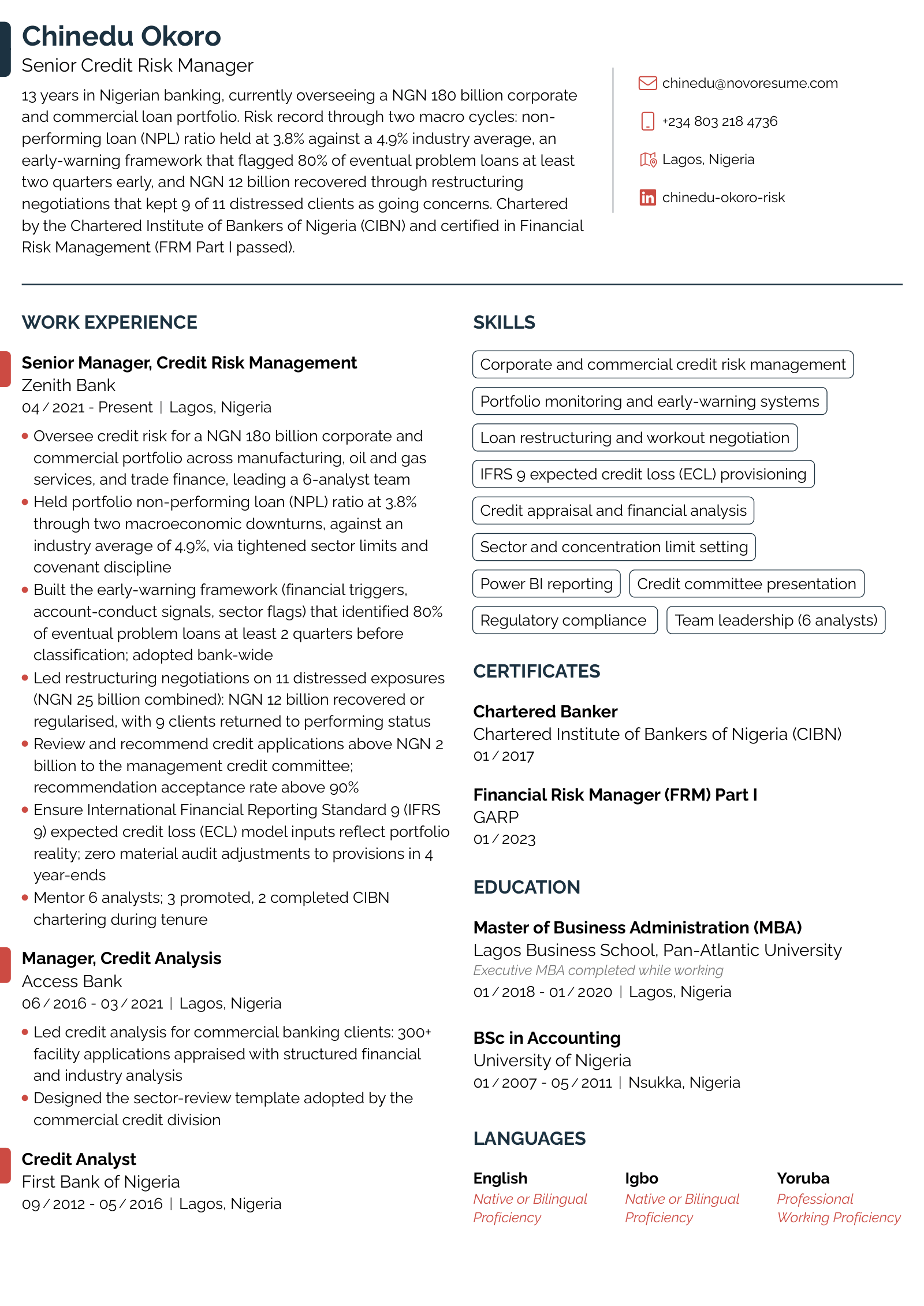
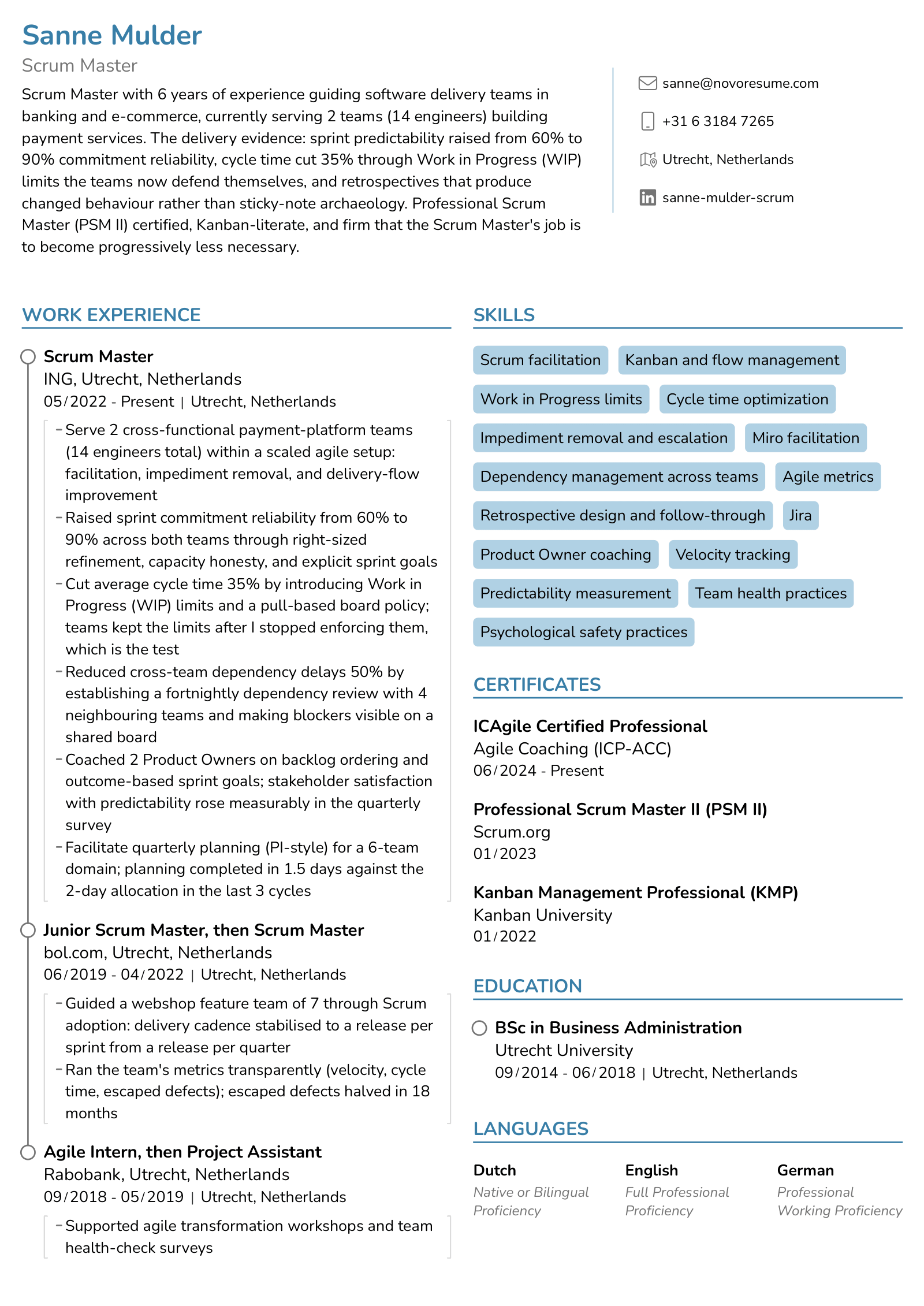
An ATS-friendly CV template uses a layout that applicant tracking systems can read as plain text: standard section headings, a single clear reading order, no graphics in place of text, and fonts the software recognizes. When the parser reads your CV correctly, every keyword you add actually registers against the job advert.
And this is not an edge case. 82% of HR professionals screen CVs through an ATS before a person reads them, according to our HR Survey. Here's what separates a template the software reads from one it chokes on:
The parser reads cleanly
Standard fonts: Ubuntu, Raleway, Quicksand, Open Sans, Calibri, Arial
Standard headings: Work Experience, Skills, Education
A single, tested reading order
Skills and headings written as text
Contact details in the document body
Simple bullet points
The parser chokes on
Script, decorative, and display fonts
Creative labels like "My Journey" or "What I Do Best"
Text boxes and floating design elements
Skill bars, icons, and headings saved as images
Contact details tucked into headers and footers
Nested tables and graphics inside table cells
When Should You Use an ATS-Friendly CV?
Every time you apply online. If your application enters through a form or a job board, software reads it before a person does, and that covers large employers, recruitment agencies, public-sector bodies, and most small companies hiring through the major boards. Treat ATS-friendly formatting as the baseline for any CV you submit, not a special version you keep for certain employers.
All Novoresume CV templates are built to be ATS-friendly. We test them against the systems employers actually screen with: Workday, Greenhouse, Taleo, iCIMS, and Lever. They consistently pass, with every section, date, and keyword landing in the right field. Formatting is a solved problem before you type a single word. The only thing left to get right is your content.
What Recruiters Say About These CV Templates
Top working recruiters, executive career coaches, and certified resume writers independently reviewed Novoresume. Here's what the people on the other side of the hiring desk said.
I work with candidates from around the world, and I always emphasize the importance of understanding the expectations of the market you are targeting. Novoresume’s CV templates offer a great variety of clean, professional layouts that can be customized based on a candidate’s background, experience, and goals.
 Melissa O'Neill
These templates create breathing room without feeling bloated. They organize information in a way that lets readers quickly connect the dots, which is especially important when someone may only spend a minute or two reviewing your background.
 Joe Szynkowski
Writing a CV can be challenging without a starting point, but Novoresume solves that problem with its many different template designs. Occasionally, when hosting job readiness workshops, I come across students in academic or research fields who need help brushing up their CVs. I love that I can point them to Novoresume to get started!
 Mo Brown
Novoresume's CV templates are modern, eye-catching, and professional-looking. As a former Recruiter, I would be impressed if a job seeker sent their CV using one of these formats.
 Biron Clark
Check Your CV Against the Job Before You Apply
A parseable template gets you read. It doesn't guarantee you match what the employer is searching for. That part depends on your content, and it's why we built our ATS checker tool. Upload your CV and the job ad you're applying for, and you'll get a match score.
Build My CV Now
79% of users who rebuilt their CV using Novoresume received a job offer within 3 months, per our User Success Survey
Pros and Cons of ATS-Friendly CV Templates
Pros
- The 82.3% ATS screen stops being a lottery: every section, date, and keyword lands in the right field.
- Standard headings and a single reading order also make the human scan faster, and 74% of recruiters give a CV 20 seconds or less.
- Works everywhere: large employers, agencies, public-sector bodies, and every major job board.
- Nothing to configure or test yourself; the parsing work is already done and verified.
Cons
- Deliberately restrained design; if you're in a portfolio field, pair it with a link to your work.
- Standard headings mean less room for personal flourishes like custom section names.
- It fixes the format, not the content: keywords still have to match the job advert (the builder's ATS check helps).
More Expert Reviews of These CV Templates
Novoresume's CV templates are built with that multi page structure in mind from the start, so section consistency holds up three or four pages in, which most self built documents can't manage.
 Jessica Anghelescu, MBA
This is a game-changer for candidates because it means less time spent staring at a blank page wondering what matters, and more time actually applying.
 Hena Dapo
What makes Novoresume's CV templates work is that they get the basics right, clean structure, no clutter, and a layout that is easy to follow.
 Vikalp Tiwari
Work Experience entries showed me two separate checks, one for bullet count, one for action verbs and quantification which I like a lot because it shows that the coaching evaluates more than one dimension of quality.
 Aneta Trenkoska
Compared to building a CV in Word or Google Docs, where getting a multi-page academic document to stay consistently formatted is its own headache, Novoresume's templates hold their structure automatically as you add sections.
 Alison Webb Lawrence
I highly recommend Novoresume CV library to any job seeker who wants a template that feels right to them, appeals to recruiters, stands up to ATS parsing, and does justice to their experience and skills.
 Christy Morgan
Compared to building a CV from scratch, Novoresume provides a much more intuitive experience that helps candidates create a document they're confident to share.
 Mariana Martinez
A good CV should make it easy to understand someone's experience, not make me work to find it. What impressed me about Novoresume’s CV templates is the range of options available.
 Bev Campling
The templates themselves are polished and well-structured, with a strong range of options to suit different needs.
 Arianna Berchicci
The headline and summary space works well across these templates, and the visual hierarchy and white space hold up.
 Keynisha Adebisi
What job seekers say
"Templates available here helped to organise my 15 years of experience in just 1 page. My CV got shortlisted wherever I applied (Facebook, Google, Amazon, Akamai, Microsoft and Expedia). I finally landed with a job offer at 2 companies from this list."
"Just awesome. Intuitive, with great UX/UI in general and flexible. Takes very little time to create a well-designed CV. Tips on how to improve your CV based on the input is a great tool too. The free tier is more than enough to create a great, clean CV or resume."
"Amazing platform for all levels of your professional career. Great platform with good templates. It also provides some insights on CV building and makes it easy to format the document, leaving you some space to focus on what really matters: your content."
"Novoresume has enabled many individuals to have access to a constructive CV and well-detailed cover letter and guess what? It is free. Thank you!"
"I've had a tremendous experience in Novoresume when building my CV. This platform doesn't compare to any other in their field! Thanks for giving us the opportunity to have a world-class quality CV!"
"Professional and attractive resume/CV design that is easy to complete at an accessible cost. The storage of your information also makes customizing my CV for each application a breeze."
"Marvellous! I have successfully gained multiple nursing positions with my resume and cover letter via Novoresume.com!"
"Excellent platform for making CVs. I was able to make multiple resumes that suited many jobs. I love the layout and the proofreading options."
"Using Novoresume makes CV creation easier than before with all the templates and suggestions, even the recommendations that they give while creating a competitive resume helps us to get hired and outstand in the field."
"An awesome, great and flexible service. You can build your CV and cover letter in a short time with lots of tips that improve your skills."
"Best resumé and cover letter templates I have seen so far."
Frequently Asked Questions
What is an applicant tracking system (ATS)?
An applicant tracking system is recruitment software that employers use to collect and manage job applications. When you apply online, it parses your CV, pulling your contact details, work history, education, and skills into a searchable database so recruiters can filter, search, and review candidates. Common systems include Workday, Taleo, Greenhouse, and Lever. Some also rank applications against the job description, which is why both clean formatting and matching keywords affect how visible your CV is once it's inside the system.
Do all companies use an ATS?
Not every employer, but most medium and large ones do. A small business hiring directly might not use one, but if you apply through an online form or a major job board, it's safe to assume software reads your CV before a person does. The practical rule: you rarely know for certain what's on the other end, and an ATS-friendly CV costs you nothing with a human reader, so build for the software by default.
How do keywords work in an ATS scan?
The system compares your CV's text against terms from the job description: job titles, skills, tools, and qualifications. Recruiters also run their own keyword searches across the candidate database. Use the advert's exact phrasing where it's genuinely true of you ("project management," not "handling projects"), and include both the acronym and the full term, like "SEO (search engine optimisation)," so you match either search. Place keywords where they naturally belong: skills in the skills section, tools and results inside your work experience bullets. A keyword that appears in context counts with both the software and the recruiter reading behind it.
How do I make my CV ATS-friendly?
Start from a template with a tested structure, then focus on content: 1. Keep the standard section headings the template gives you 2. Mirror the key terms from the job advert in your skills and experience 3. Spell out every acronym at least once 4. Export as PDF 5. Run the finished CV through an ATS checker before you submit Structure gets you parsed correctly. Tailored keywords are what get you shortlisted, and the checker confirms both before an employer's system gets the final say.
Why do ATS systems reject or reformat CVs?
Despite the myth, an ATS rarely rejects you on content alone; the real risk is parsing. Layout tables, text boxes, hand-built columns, headers and footers, graphics, and unusual fonts can scramble or drop your details, so the recruiter sees a garbled or incomplete CV. A clean structure with standard section headings keeps everything readable. If you've ever uploaded a CV and watched an application form scramble your job titles into the wrong boxes, you've seen parsing failure in real time. That auto-fill preview is a useful free test: when the form fills correctly, the parser is reading you cleanly.
Can you trick an ATS with hidden keywords?
No, and it backfires. White-text keywords, keyword stuffing, and pasting the job description into your CV are old tricks that modern systems detect, and recruiters see your actual CV the moment you clear the screen. Most systems also show the parsed plain text right next to the original document, so the gap between what you wrote and what you hid is visible, not hidden. A keyword-stuffed document that reaches a human reads as spam and goes straight to rejection. The reliable route is duller: genuinely match your skills to the advert's wording.
Will a two-column CV pass an ATS?
Yes. Modern applicant tracking systems read two-column CVs correctly, and every Novoresume two-column template is tested in Workday, Greenhouse, Lever, Taleo, iCIMS, Bullhorn, and JazzHR. The CVs that scramble are hand-built ones, where columns made from text boxes or layout tables get read out of order. Choose one column for its plain look in conservative sectors, not for ATS safety. A quick self-check for any CV you already have: select all the text, copy it, and paste it into a plain-text editor. If the reading order comes out scrambled, an older parser may read it the same way.
Which fonts and layout are safest for an ATS CV?
The safe list is short: Fonts: Ubuntu, Raleway, Quicksand, or Open Sans (the Novoresume defaults), plus classics like Calibri, Arial, Cambria, and Garamond, at 10.5 to 12 points Layout: one or two columns from a tested template, left-aligned, standard margins Headings: Work Experience, Skills, Education, exactly as recruiters expect Avoid: script and decorative fonts, tables, text boxes, and images carrying any actual content The parser sorts your content into fields based on these signals, so the more standard your structure, the more accurately you're read. Keep margins at 1.5 to 2.5 cm and spacing consistent; cramming triggers readability problems for humans long before it troubles the software.
Are ATS-friendly CV templates too plain to stand out?
No. ATS-friendly describes how the structure parses, not how the page looks. Good typography, clear hierarchy, smart spacing, and a tasteful accent color all survive parsing without issue. The templates on this page run from minimalist to modern, and they all pass the same tests, so you're choosing between looks, not between pretty and parseable. What actually makes a CV stand out is the content: quantified achievements, a tailored personal statement, and the exact skills the advert asks for. No recruiter has ever shortlisted a CV for its decoration.
Is a PDF or Word file better for ATS?
PDF is the safer choice with modern systems, and it preserves your formatting on every device. A small number of older systems still prefer .docx, so check the job advert. When no format is specified, submit a PDF exported from a clean, ATS-friendly template. Whatever you send, name the file professionally ("Firstname-Lastname-CV.pdf"), and never submit a scanned image or a photo of your CV; there's no parser on earth that can read a picture of text as text.
How do I know if my CV is ATS-friendly?
Run it through an ATS checker that scores your CV against a specific job advert. It flags formatting mistakes the software can't read and keywords you're missing. Novoresume's builder includes this scan, so you can fix issues before you apply rather than after. Two manual checks work too: paste your CV into a plain-text editor and confirm the reading order survives, and watch whether an application form auto-fills your details correctly from your upload. If either comes out garbled, fix the formatting before an employer's system sees it.
Free Tools to Build a Stronger CV

ATS Resume Checker
Get your ATS compatibility score and a breakdown of what's working and what's not, with personalized recommendations. Apply the fixes in the CV builder and rescan for free.

CV Maker
Build your CV on any of these templates with locked formatting, content suggestions, and an ATS check as you write. Export an A4 or US Letter PDF in minutes.

AI Cover Letter Writer
Paste the job advert and get a tailored cover letter that matches your CV in under a minute. Edit it, then export it in the same design as your CV.
Related CV Guides
Resume & CV Writing Tips
CV vs Resume - 5+ Key Differences in 2026 [w/ Examples]
CV vs resume - what's the difference? Which one should you use? We'll answer both of these questions (and more) in this article!
Resume & CV Writing Tips
How to Write a CV That Gets You Hired [in 2026]
Use our easy step-by-step guide to learn how to write a CV (Curriculum Vitae), complete with practical examples and ready-to-use templates!