Updated on March 4, 2026
How to Write a Private Service Resume & Cover Letter That Meets TIBA Standards
The complete guide for butlers, household managers, and estate professionals to create job application documents that impress UHNW families and private service recruiters.


Novoresume got people hired at
























Working in private service for Ultra-High-Net-Worth (UHNW) families requires more than exceptional skills, it demands impeccable presentation from your very first impression. Your resume and cover letter are often the deciding factors between landing an interview and being overlooked.
The International Butler Academy (TIBA) has established precise standards for professional documentation in the private service industry. This guide walks you through every requirement, with practical examples you can adapt using Novorésumé's templates.
What You'll Learn
1. TIBA Resume Standards & Requirements2. Professional Headshot Guidelines3. Cover Letter Standards for Private Service4. Example Resume Content (Ready to Use)5. Example Cover Letter Content (Ready to Use)6. Common Mistakes to Avoid7. Step-by-Step: Creating Your Documents in Novorésumé
1. TIBA Resume Standards & Requirements
Your private service resume must be compelling, professional, and tailored to each position. Lead with your most relevant and attention-grabbing information for your audience.
Mandatory Information
Required Fields
• Full Name• Email Address• Phone Number• Professional Summary (2-3 sentences)• Reason for Departing each position• Skills Section• Languages with proficiency levels• Written in EnglishRecommended Fields
• Nationality• Age or Birth Year & Month• Education & Private Service Training• Certifications• Licenses Held (driving, weapons permits)• Current Visas and Expiration Dates
Formatting Requirements
→ Length: Maximum 2 pages. Include your name and page number in the header of subsequent pages.
→ Typography: Use easy-to-read fonts. Avoid ALL CAPITAL lettering.
→ Layout: Clean, professional design with clear headings and bullet points.
→ File Name: "FirstName LastName - PositionTitle Resume.pdf"
→ Accuracy: Zero spelling or typographical errors.
→ References: Do NOT include references or "References available upon request."
Work Experience Section
- Focus on the last 3-4 roles, covering no more than 15 years
- Use bullet points to describe responsibilities and achievements
- Highlight skills: negotiation, client/vendor management, service excellence
- Always include the reason for departing each previous position
- Use neutral descriptors for past employers (never name principals)
2. Professional Headshot Guidelines
Your headshot creates the first impression. It must project likability, professionalism, competence, and leadership. Update your photo every few years or when your appearance changes significantly.
📸 Technical Requirements
• Portrait orientation, 3:4 aspect ratio• Upper body focus, emphasizing the face• Natural lighting preferred• Neutral background OR relevant setting (household interior for butler, kitchen for chef, nautical for yacht)• Light retouching only (brightness, contrast, crop)• No heavy filters or airbrushing👔 Presentation & Attire
• Polished, professional appearance• Butler's uniform, business suit, or professional attire• Relaxed, approachable expression• Confident smile: friendly but capable• Adhere to TIBA Personal Presentation Standards
3. Cover Letter Standards for Private Service
In private service, your cover letter is more than an introduction, it demonstrates judgment, discretion, and professional maturity. Since butlers often serve as the voice of their principals, this document reveals your communication style and ability to represent a household with dignity.
The Purpose of Your Cover Letter
The cover letter allows you to tell your story in a structured, compelling way that helps principals distinguish between finalists they may be considering. It's your opportunity to speak directly to the principal in your own voice, build interest, and encourage the next step in the process.
Essential Requirements
Tailoring - Every cover letter must be tailored to the specific role and household, demonstrating you've read and understood the job description.
Tone - Formal, polished, and service-oriented. Reflect discretion, loyalty, and understated professionalism.
Credibility - Establish credibility early by referencing years of service, types of households supported, and a concise overview of your private service journey.
Confidentiality - NEVER name principals or reveal identifying details. Use neutral descriptors for past employers.
Service Ethos - Demonstrate understanding of confidentiality, boundaries, and how you anticipate needs and maintain standards.
Closing - Confident, gracious, and purposeful. Express appreciation and clearly state the desired next step.
Presentation - Immaculate: clean text, consistent formatting, correct grammar/punctuation, standard business-letter format with appropriate headings and formal sign-off.
4. Example Resume Content
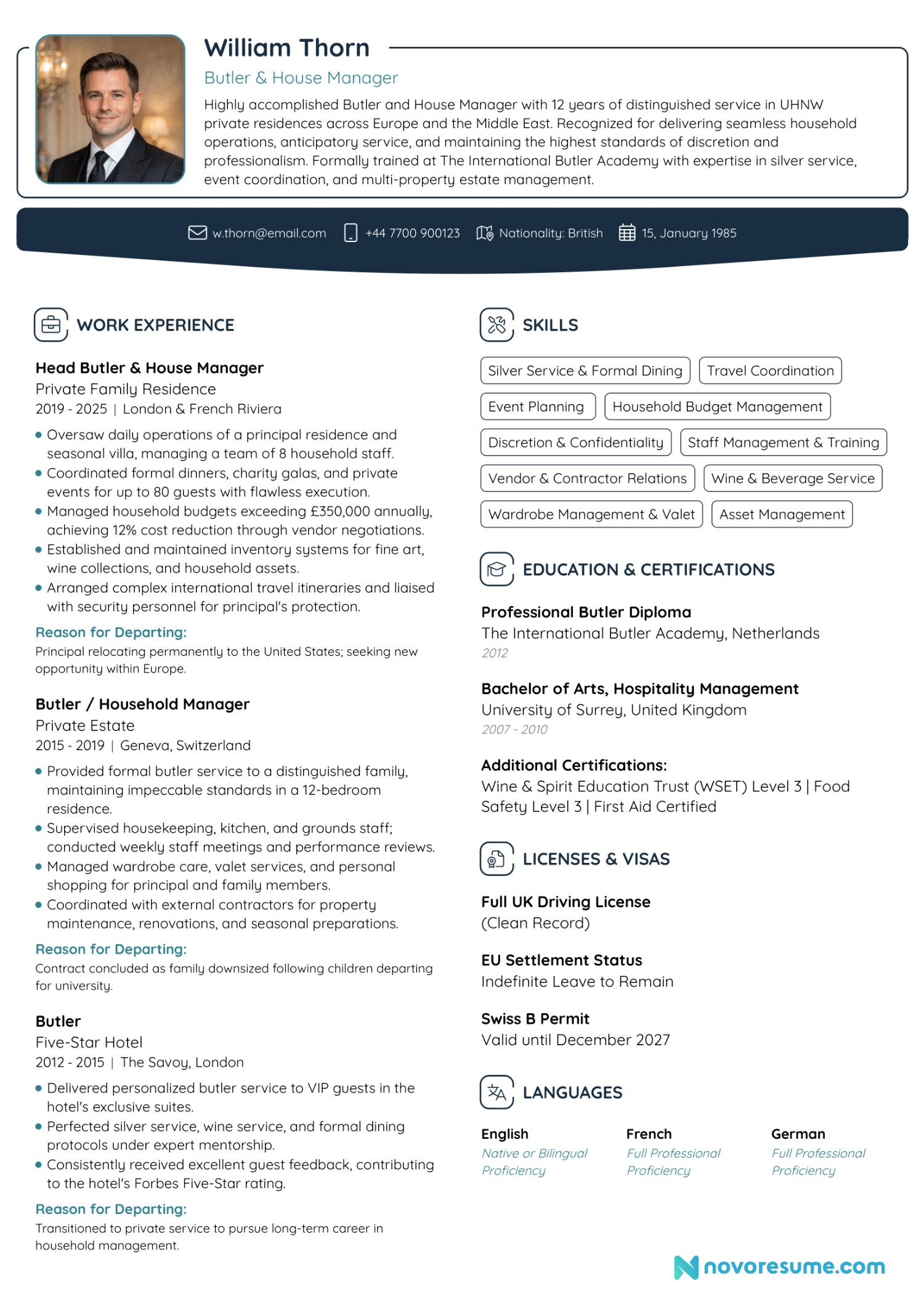
Below is a complete, TIBA-compliant example of how a Butler/House Manager resume can be structured. Use this as a reference for formatting and presentation, and tailor the content to accurately reflect your own experience when creating your resume in Novorésumé:
5. Example Cover Letter Content
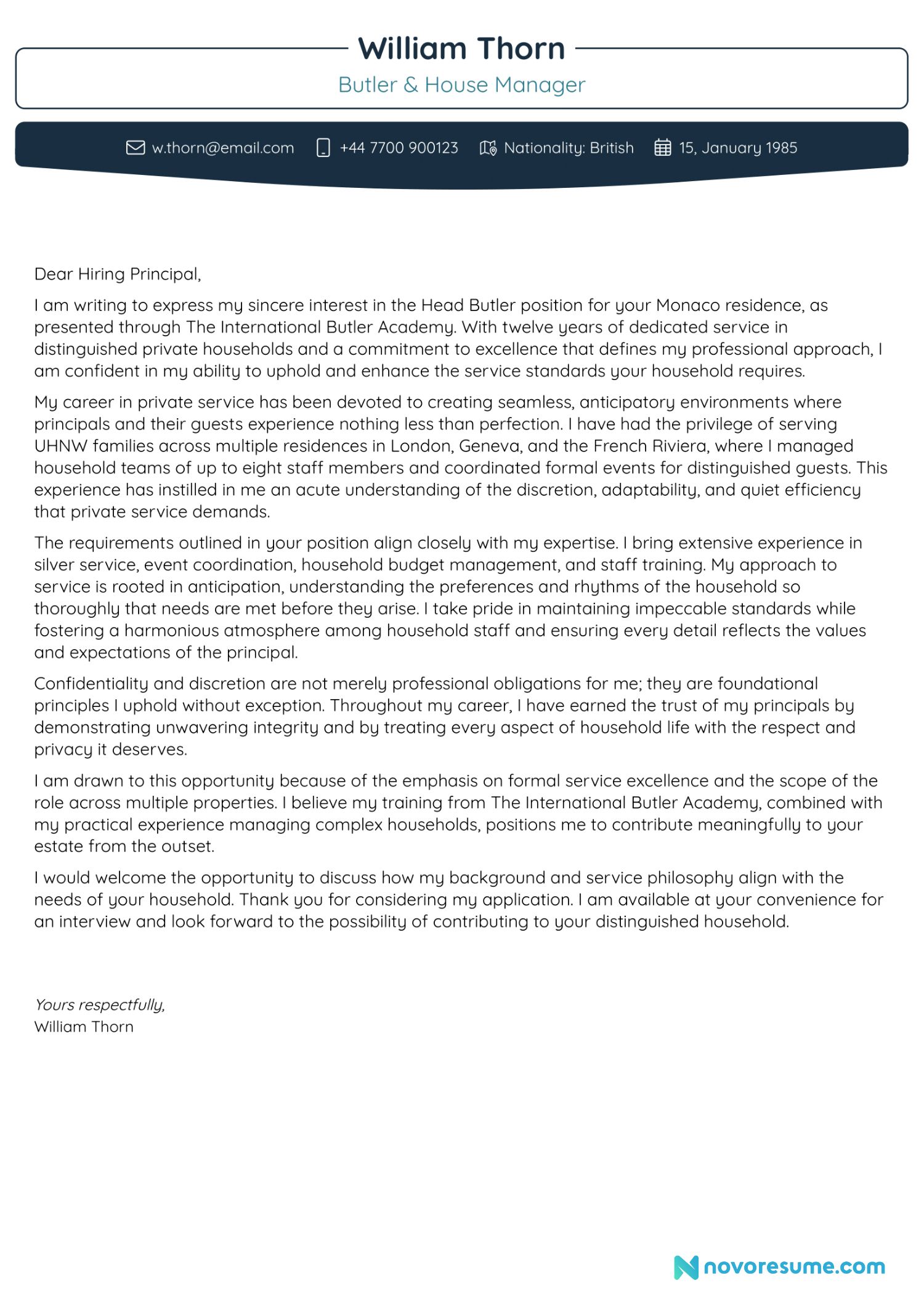
Below is a TIBA-compliant cover letter tailored to a Head Butler position. Notice how it maintains formality, demonstrates understanding of service culture, and never reveals identifying details about previous employers.
Why This Cover Letter Works
Tailored Opening: References the specific position and source (TIBA).Establishes Credibility: Immediately mentions years of experience and household types.No Identifying Details: Uses "distinguished private households" and geographic regions without naming principals.Demonstrates Service Ethos: Highlights anticipation, discretion, and understanding of UHNW expectations.Aligns with Requirements: Directly addresses skills mentioned in the job description.Confident Closing: Clearly requests an interview and expresses appreciation.Formal Tone Throughout: Professional language befitting private service communication.
6. Common Mistakes to Avoid
Resume Mistakes
• Naming previous principals or employers• Missing reason for departing positions• Including "References available upon request"• Using ALL CAPS in headings• Exceeding 2 pages• Generic file names like "resume.pdf"• Poor quality or informal photos• Spelling and grammatical errors• Listing irrelevant work experienceCover Letter Mistakes
• Using a generic, non-tailored letter• Casual or overly familiar tone• Revealing confidential information• Including personal anecdotes unrelated to service• Failing to mention relevant experience• Weak or ambiguous closing• Formatting inconsistencies• Not demonstrating understanding of service culture• Lengthy paragraphs that lose focus
7. Creating Your Documents in Novorésumé
Follow these steps to create TIBA-compliant documents using Novorésumé's professional templates.
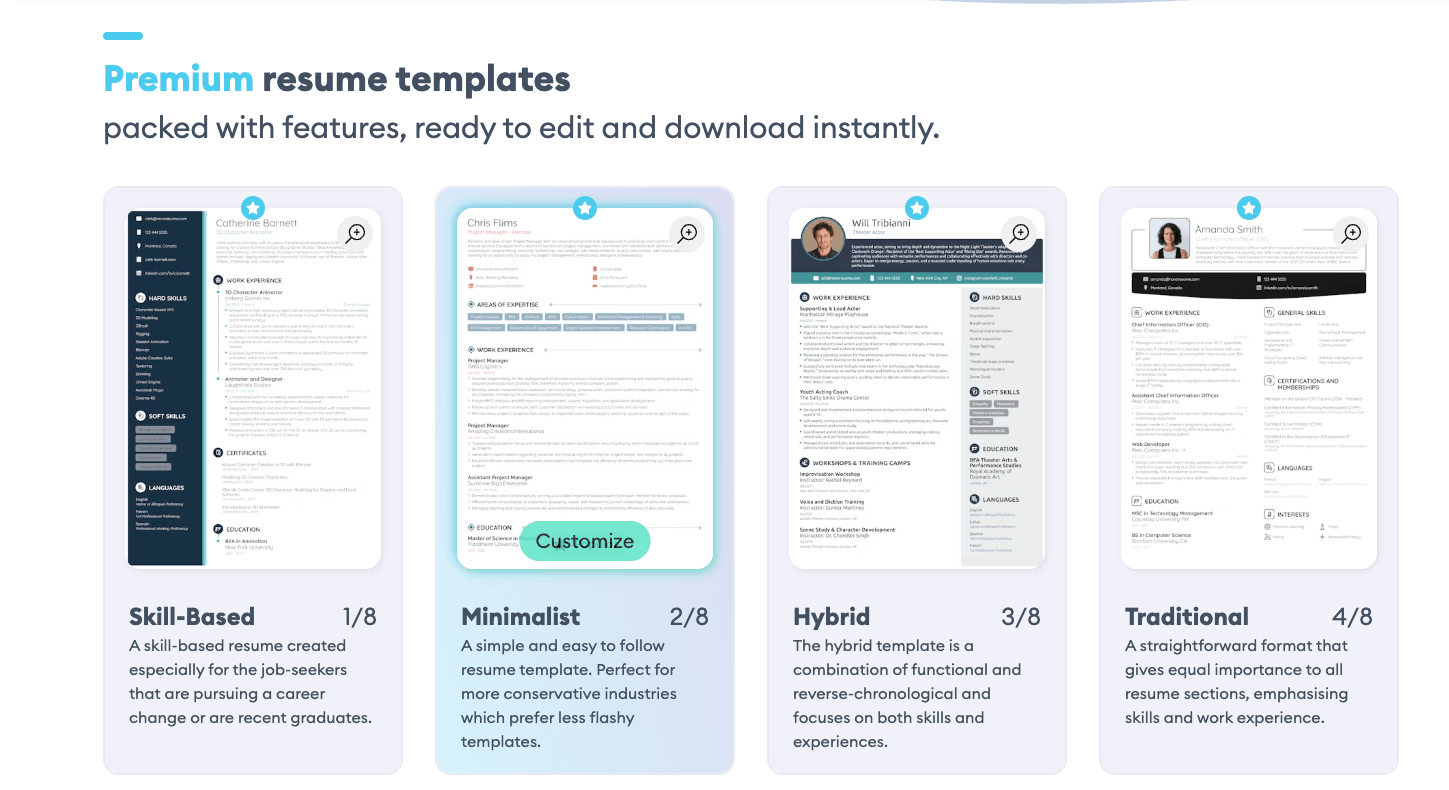
1. Choose a Professional Template
Select a clean, modern template from the templates page. Avoid overly creative designs, private service employers expect understated professionalism.
2. Add Your Professional Photo
Upload a headshot that meets TIBA standards: portrait orientation, professional attire, natural lighting, and a neutral or relevant background.
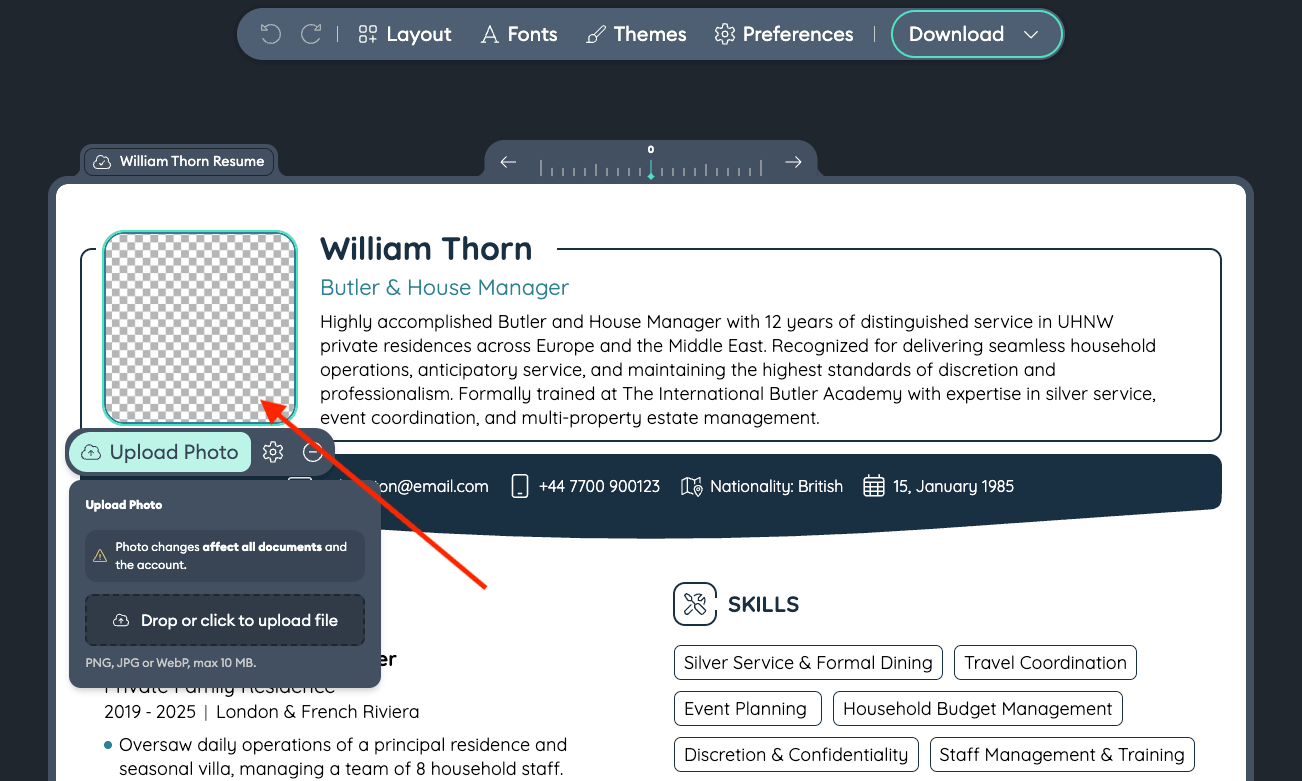
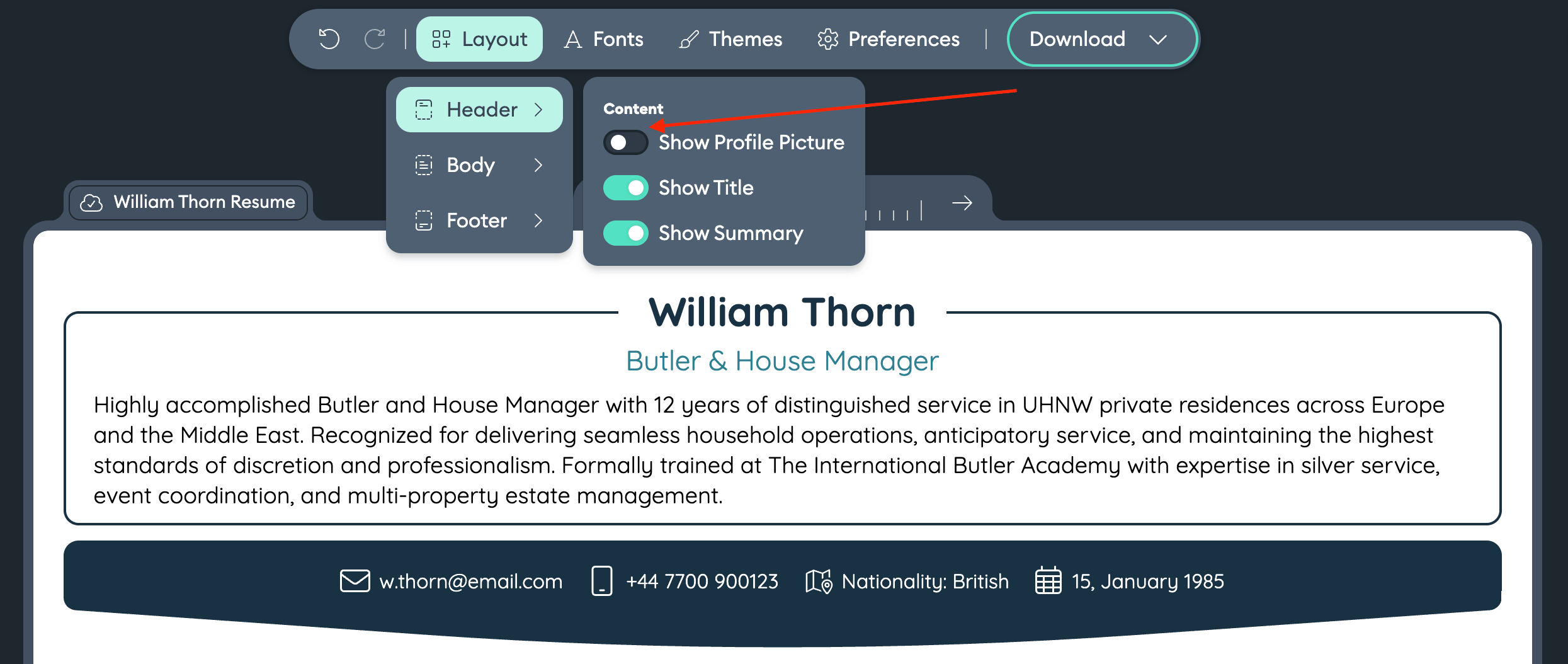
All Novorésumé's templates allow you do add a picture to your template. If the photo placement does not appear, click on Layout in the top menu, then Header to see the option "Show Profile Picture".
3. Complete All Mandatory Sections
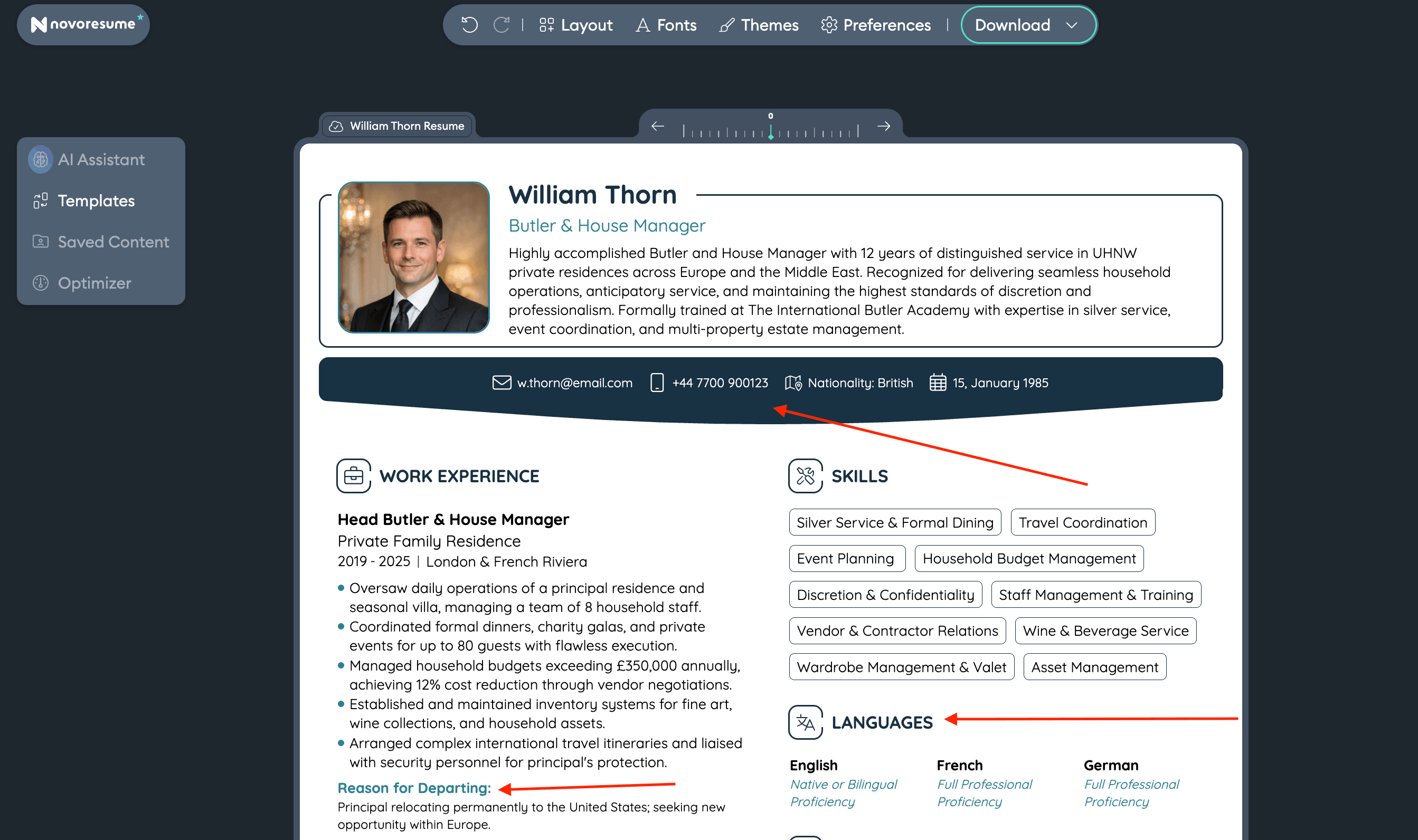
Ensure you include: contact information, nationality/age, professional summary, work experience with departure reasons, skills, and languages with proficiency levels.
4. Add Education, Certifications & Licenses
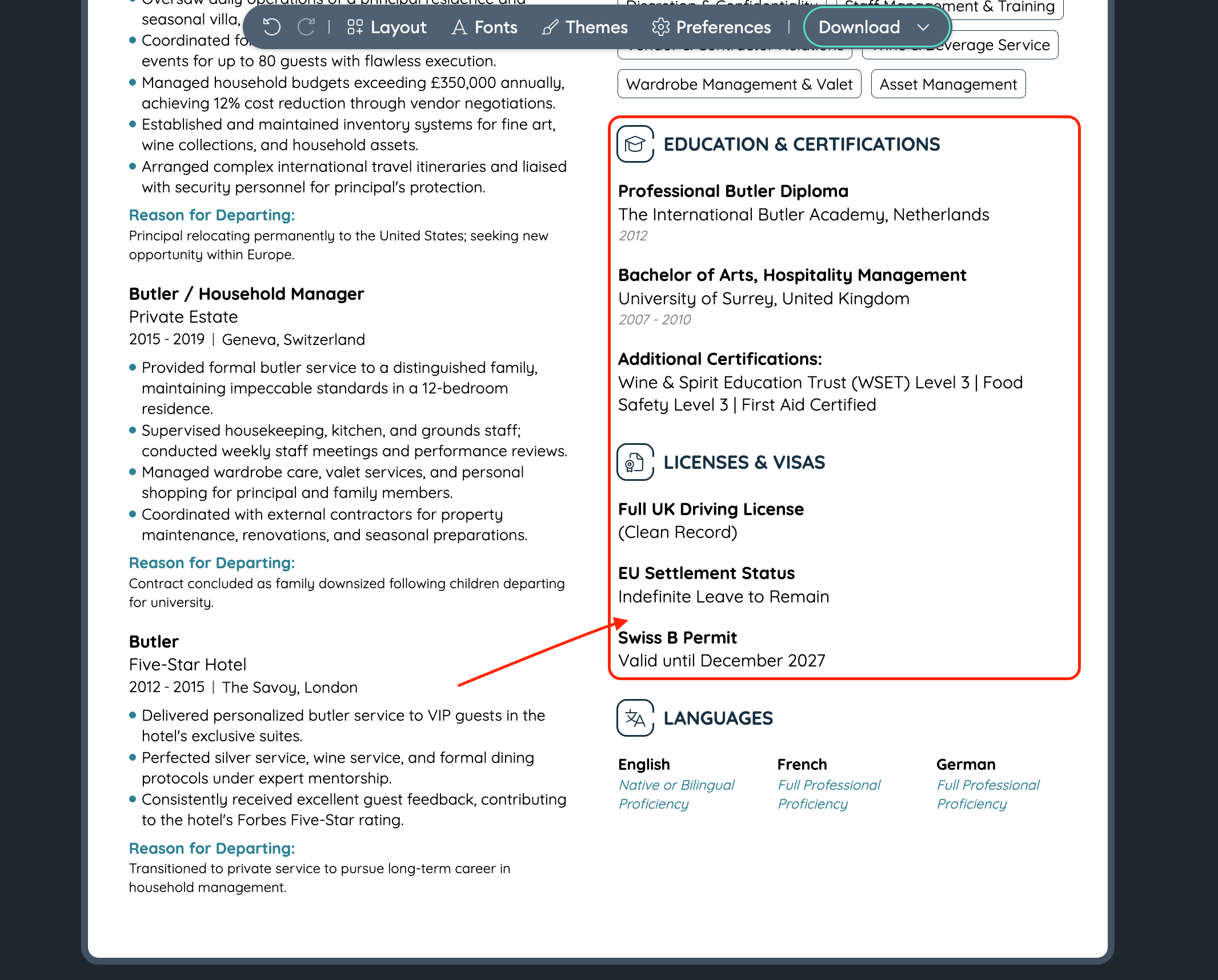
Include your butler training, hospitality education, certifications (WSET, food safety), licenses (driving), and visa information with expiration dates.
5. Create Your Cover Letter
Use Novorésumé's cover letter builder. Match the design to your resume for consistency. Tailor the content to each specific position. You can select a cover letter from our cover letter templates page here.
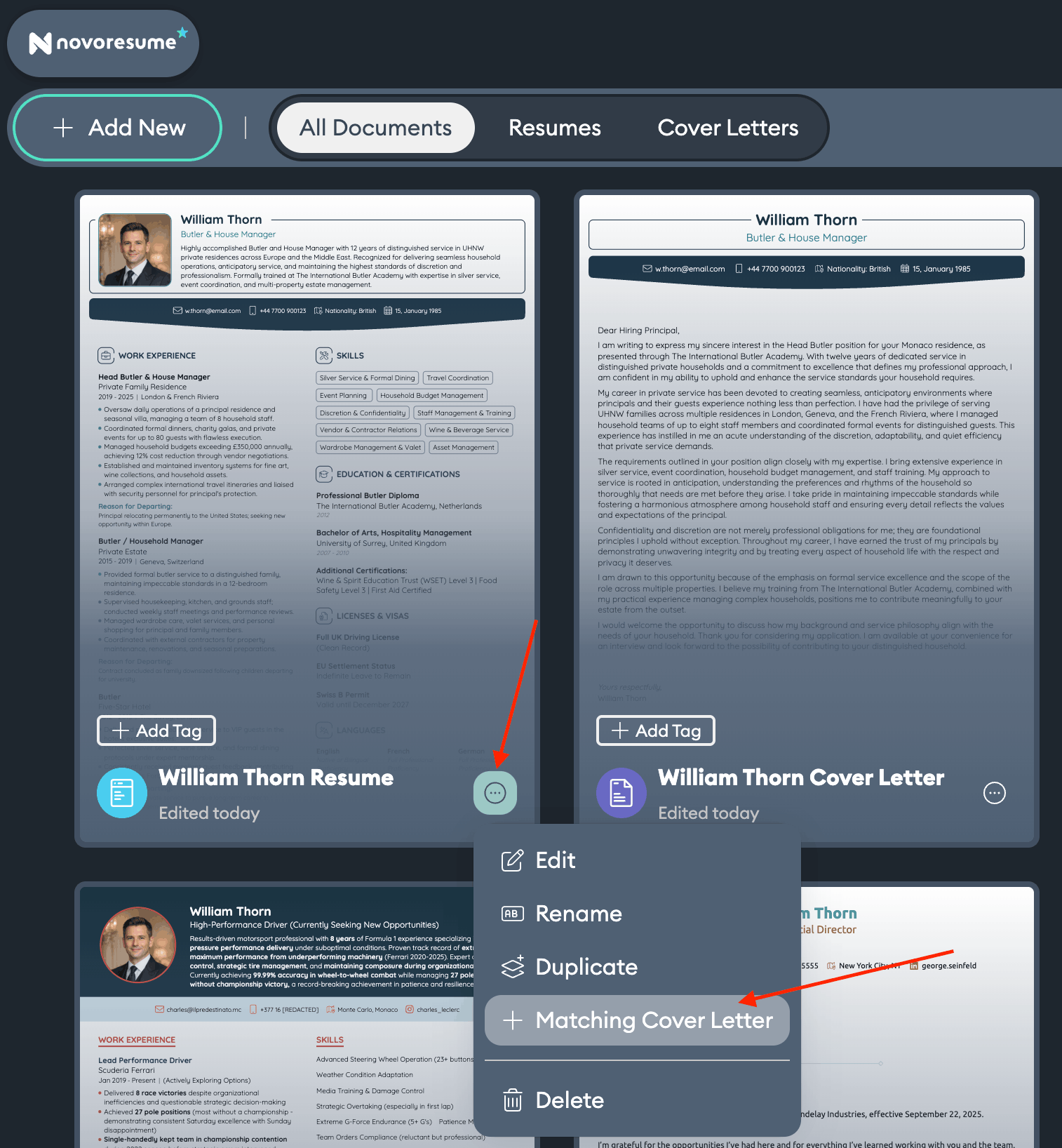
Or, after writing your resume, under "My Documents" you can click on the 3 little dots and then on "+ Matching Cover Letter" as seen bellow.
6. Review, Download & Name Correctly
Proofread for errors. Download as PDF. Name your file: "FirstName LastName - PositionTitle Resume.pdf". Under "My Documents" you can have an overview of all your documents and name them accordingly before downloading.
Ready to Create Your TIBA-Standard Resume?
Use Novorésumé's professional templates to build a resume and cover letter that meets the highest standards of private service.
 Add Novorésumé as a preferred source on Google
Get more resume writing tips, career insights, and job search advice in your personalized Google search results.
Related posts

Examples
15 short cover letter samples under 150 words each, ready to copy and adapt, plus the skeleton template and survey data on why brief cover letters win.

Examples
Learn how to make a convincing flight attendant resume with our guide. Tips, tricks, resume templates, and samples included!

Examples
Learn how to make a convincing marketing executive resume with our guide. Tips, tricks, resume samples and examples included!