























Infographic Resume Templates

Visual templates that make achievements scannable through icons, skill bars, timelines, and small charts. Best for roles where the ability to communicate data visually is itself part of the job description. Use with judgement: in conservative industries, infographics introduce noise instead of signal.

Create My Resume Now

Free to start. No credit card required.

Import Existing Resume
  • Excellent from 1,610+ Trustpilot reviews
  • ATS friendly
  • Forbes' #1 AI Resume Builder
  • GDPR Compliant
  • 18M+ jobseekers
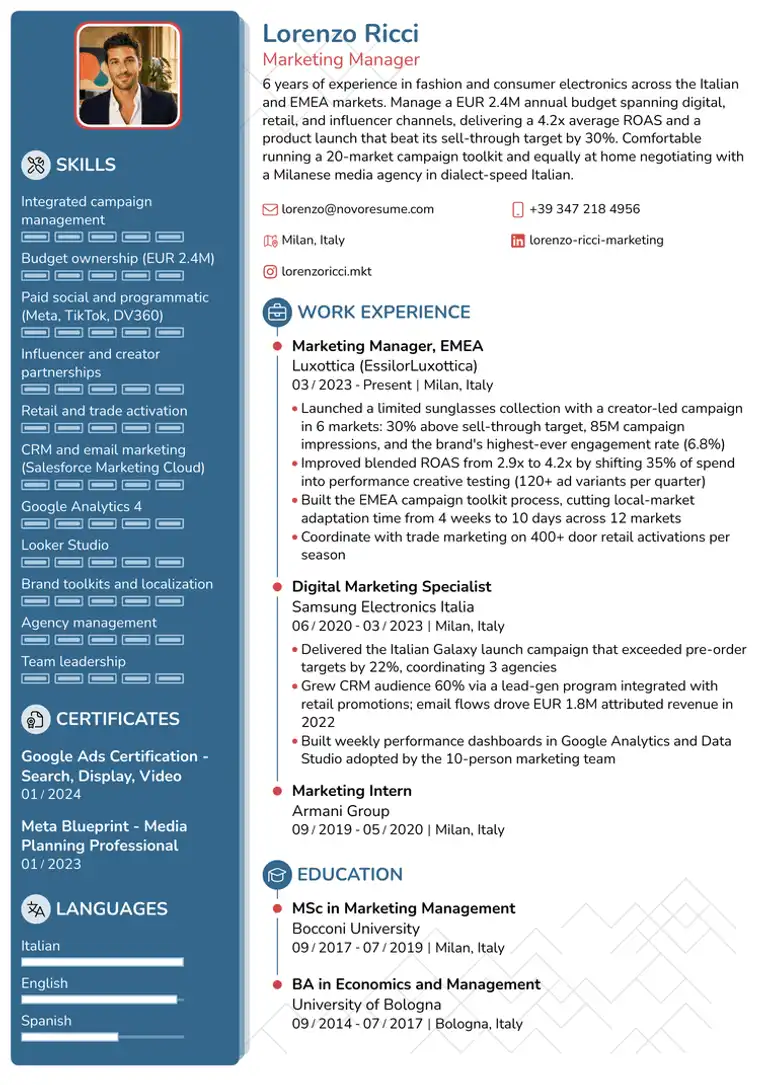
Marketing Manager Resume TemplateATSPDF

Marketing Manager

Resume Template

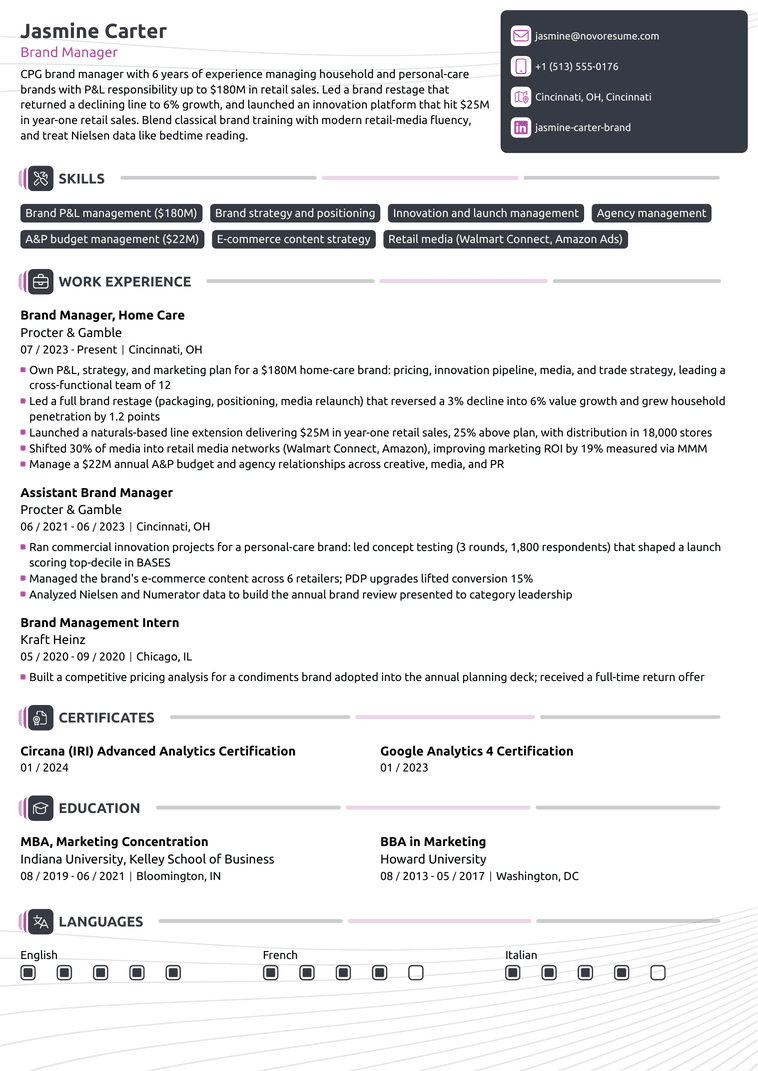
Brand Manager Resume TemplateATSPDF

Brand Manager

Resume Template

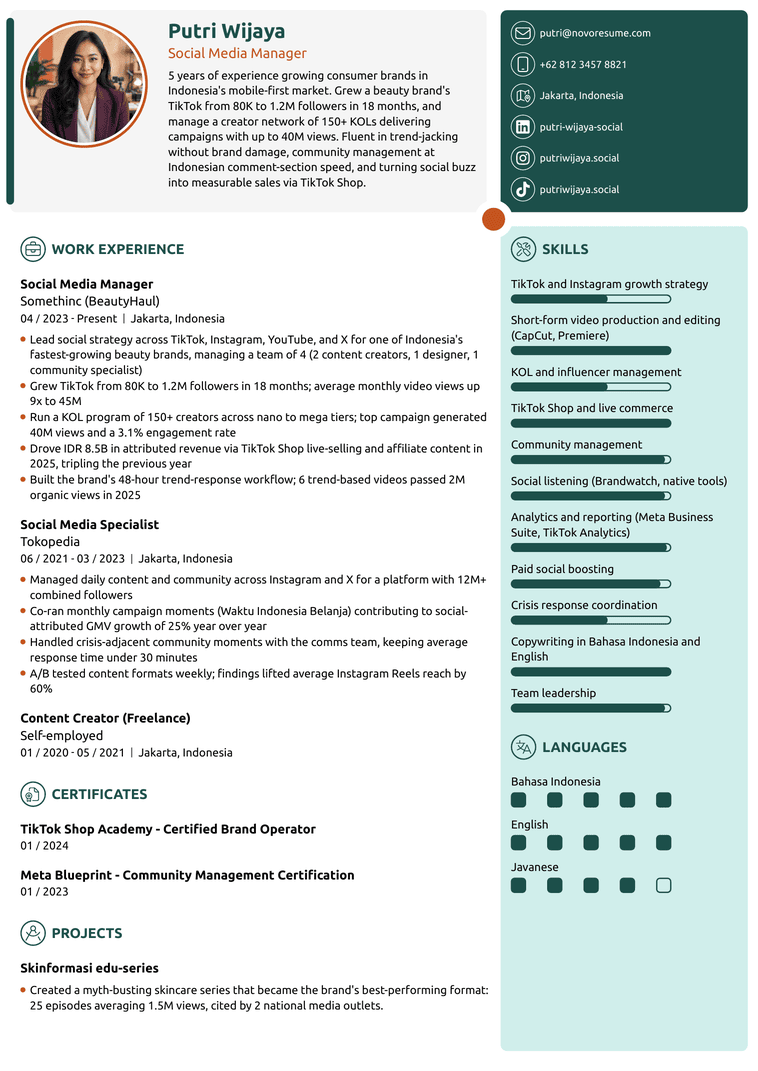
Social Media Manager Resume TemplateATSPDF

Social Media Manager

Resume Template

Novoresume got people hired at

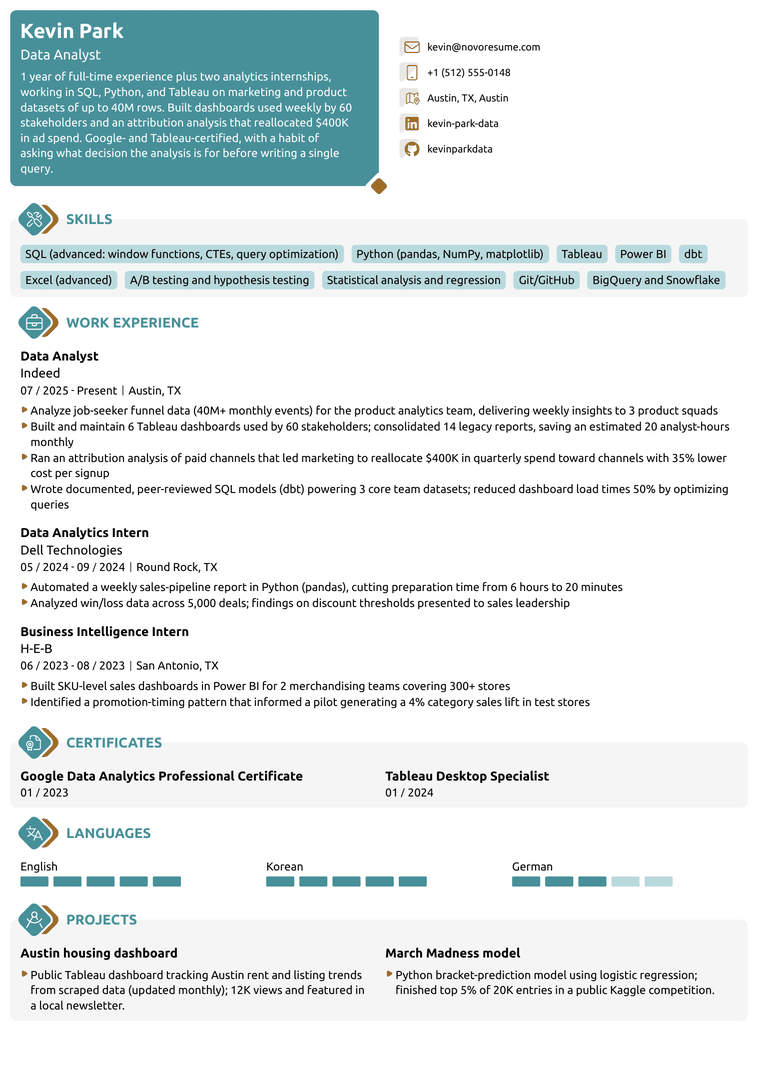
Data Analyst Resume TemplateATSPDF

Data Analyst

Resume Template

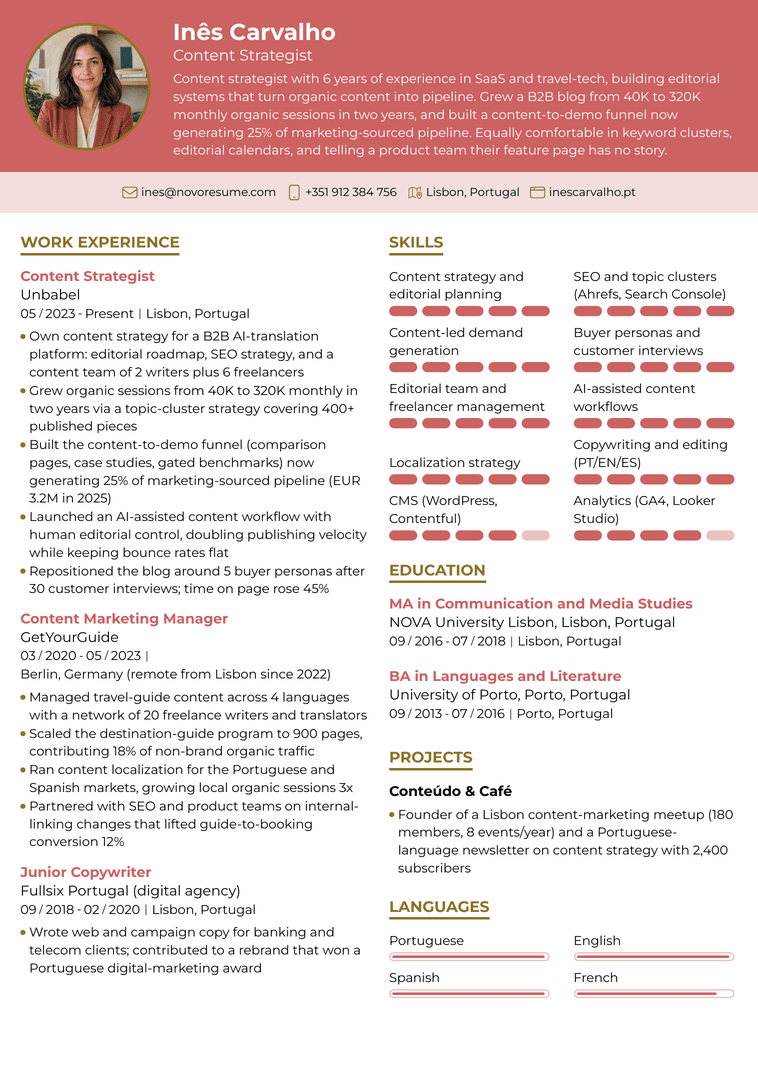
Content Strategist Resume TemplateATSPDF

Content Strategist

Resume Template

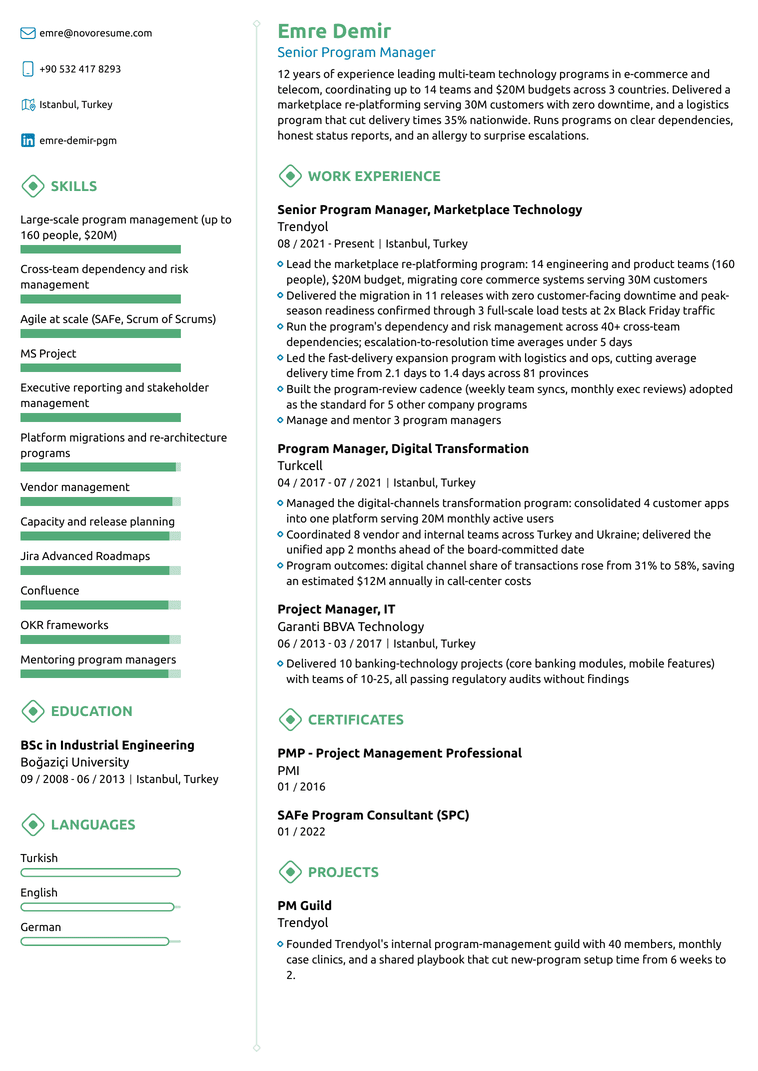
Programme Manager Resume TemplateATSPDF

Programme Manager

Resume Template

74%

of recruiters spend 20 seconds or less on the first scan (HR Survey)

79%

read the work experience section first (HR Survey)

8 in 10

users who switched from Canva, Word or Google templates, or another builder rate Novoresume 4 or 5 stars (User Success Survey)

What Is an Infographic CV?

An infographic CV uses visual elements to communicate information that would otherwise be plain text. Skill bars rate proficiency at a glance. Timelines visualise career progression. Pie charts and donut charts surface achievements. Icons replace section labels. The result is a document that prioritises scannability over density.

The trade-off is that infographic CVs work in a narrower set of contexts than other styles. Marketing and creative roles reward them. Conservative industries actively discount them. Our infographic template files parse cleanly, because every visual sits on top of real text. Heavily visual CVs built in other tools often do not. Used in the right place, they're effective. Used in the wrong place, they actively hurt the application. Many candidates get the best results from modern templates with light infographic elements rather than going full visual.

When to Use an Infographic CV

Pick an infographic template in these situations:

You're applying for a marketing or growth role. Brand managers, growth marketers, content strategists, and social media leads all benefit from a CV that demonstrates visual fluency.

You're a data analyst or BI professional who wants to show your craft. A data CV with small charts visualising your accomplishments demonstrates your ability to communicate data, which is a core part of the job.

You're a creative ops or project management professional. Project managers, scrum masters, and creative ops leads can use timelines and visual organisation to demonstrate their ability to structure complex work.

The role specifically asks for visual portfolio elements. Some marketing and design-adjacent roles list "visual storytelling" or "data visualisation" as required skills. An infographic CV becomes part of the demonstration.

You're applying to a company whose brand uses visual data storytelling. Match the company's visual norms when their materials already emphasise data viz.

When Not to Use an Infographic CV

Infographic is wrong for conservative industries. Finance, law, federal, healthcare administration, and traditional corporate operations all read infographic CVs as unserious. Use traditional or professional instead. It's also wrong for senior leadership roles even in marketing-adjacent industries. At the VP and C-level, the credentials should speak louder than the visualisation. A senior CMO with an infographic CV can read as someone overcompensating. For ATS-heavy hiring pipelines at large enterprises, our infographic templates still parse cleanly, but recruiters there expect a plainer page. Use a modern template with light infographic elements instead.

What Recruiters Say About These Templates

Top working recruiters, executive career coaches, and certified resume writers independently reviewed Novoresume. Here's what the people on the other side of the hiring desk said.

Novoresume's templates split the difference because they are visually distinct enough to stand out, but built with an eye toward getting through the ATS filters.
Alison Webb LawrenceAlison Webb LawrenceStrategic Talent Advisor & Recruiting Leader
I believe that CV companies have a responsibility to consider the quirks of applicant tracking systems and how recruiters assess CVs. Novorésumé is one of the few that gets this right.
Christy MorganChristy MorganInternational Career Coach & Resume/CV Writer
As an HR manager, the CV is the first thing I assess, and a well-presented document makes a strong first impression.
Arianna BerchicciArianna BerchicciUK HR Consultant

Elements of an Infographic CV

  1. The Skill Bars

    The most common infographic element. Each skill gets a horizontal bar filled to indicate proficiency. Use sparingly: more than eight to ten skills with bars starts to look like a video game stat sheet. Rate honestly. Five-star ratings for every skill undermine the entire mechanism.

  2. The Timeline

    A horizontal or vertical visualisation of your career path. Each role appears as a dot or marker on the timeline with a brief label. Works well for candidates with steady career progression. Works poorly for candidates with gaps or non-linear paths.

  3. The Icon Set

    Section headers replaced with icons (briefcase for work history, graduation cap for education). Use consistently or not at all. Mixing icons and text-only headers looks accidental.

  4. The Small Charts

    Pie or donut charts visualising language proficiency, time allocation, or interests. Pick one or two carefully. Charts that don't communicate something the reader couldn't get from text are just decoration.

  5. The Colour Palette

    Infographic templates can support slightly bolder colour use than modern templates because colour is part of the visual data system. Still keep it to two or three colours maximum, with one dominant and the others used for accents.

  6. The Portfolio Link

    Even more important on infographic CVs. The whole template signals visual fluency, so the portfolio has to back it up.

Common Infographic Resume Mistakes

  • 01

    Rating yourself five stars on every skill.

    The bars exist to differentiate; if everything is at maximum, the bars communicate nothing.

  • 02

    Using charts that don't add information.

    A pie chart of your interests communicates almost nothing the reader couldn't get from a text list.

  • 03

    Picking infographic for the wrong industry.

    The most common failure mode.

  • 04

    Over-decorating senior CVs.

    At the VP+ level, credentials carry the application. Heavy visualisation undercuts the gravitas the role expects.

  • 05

    Treating the template as a portfolio substitute.

    The infographic elements add visual fluency but they don't replace actual work samples.

  • 06

    Embedding critical information inside images.

    ATS systems can't read text in graphics.

"Their templates helped me land interviews with big firms like TikTok, Tableau and Google despite my lack of experience in the tech industry. I highly recommend Novoresume because 1) their pricing options are affordable, 2) the platform is user-friendly and 3) you save time when it comes to tailoring your resume/cover letters."

MariamSingapore

"I had been struggling to find work for the better part of 6 months. I updated my resume in Novoresume, and within 2 weeks I had a job. Over the course of those two weeks, I went from maybe one interview a week to two interviews a day for two solid weeks. My rate in going from HR screens to hiring manager calls improved from 5% to 75%. Don't waste time with a Google Doc template, this is the one you need! The platform is incredibly easy to use, plenty of templates to choose from. The only issue I have is that you have to pay to get more than one page, but paying $20 to get a job when you are facing losing your home is worth it. I have told all my friends about my experience and am going to put some of their resumes in the platform also. I would highly recommend using Novoresume to build your resume, especially if you are younger and don't have as much experience. A resume like this will really get recruiters and hiring managers attention."

Courtney CirinoUnited States

"I really like how easy it was to build my cv and cover letter in the same style. The biggest plus in my opinion is that it has lots of customization options which allowed me to match my application style with the company I was applying for. Good job."

Bogdan BirgovanDenmark

"I love Novoresume!!! I’ve gotten hired at two jobs using their cover letters and resumes. I love that you can just sign up a month at a time without automatic renewal, and that they save all of my documents to my account. It has made the application/hiring process so much easier, and the templates are great! I actually had an interviewer ask what I built my resume in because they liked it so much ◡̈"

HannahUnited States

"Easy to use, neat website. Resume optimization options and variety of design. I only had an issue once and they fixed it promptly. Highly recommended for resume building."

Aleksi KvitatianiGeorgia

"I am writing this letter to thank and praise your website, Novoresume, for being the best free resume builder that I have ever used. I am so pleased with the level of service and user-friendly design that Novoresume has to offer. It was incredibly easy to build a resume and customize it to my needs. I was also delighted to find that the website did not force me to pay money in the end; instead, I was able to download my finished resume for free. Novoresume has been my favorite experience so far. Not only did I get a great-looking resume in a matter of minutes, but I was also able to save money in the process. I will be using this website again for any future resume or cover letter needs. Thank you Novoresume for creating such an amazing, efficient, and free resume-building experience."

Danya AlzarooniUAE

"I highly recommend their service if you are job searching. Easy to use and highly customizable templates for both, resumes and cover letters. For someone that works in marketing, I found their service convenient and made my life way easier when I had to update my resume and ajust the cover letter depending on the job I was applying for."

MarianCosta Rica

"Novoresume is easy to use and makes a difficult task more manageable. They offer so many templates to choose from and then a very customizable layout. I love adjusting the colors of each resume I make to reflect the company I'm applying to. For me, the real value comes in how easy it is to duplicate a resume and adjust it. I have so many resumes stored in the UI now and its very easy to re-find them. Highly recommend the premium product!"

EmmaUnited Kingdom

"Very precise, crisp format of resume. The best feature is it guides you through the entire resume with proper keywords to fill in the appropriate words and details."

Akshata PupalaIndia

"Novoresume is a fantastic resource to help you build your resume and cover letter. I have been using them for years, and their creative, eye catching templates have helped my resume standout and land the coveted interviews! Their templates are easy to use and adjust. The tool even highlight issues and makes suggestions. Highly recommended!"

Bilal AlviCanada

"it is an amazing tool, I got many opportunities on this resume. this is amazing."

Sajideen MehdiPakistan

"The resume builder forms are super intuitive and have honestly been a big part in my job searching success . I find myself using them often every time I need to perform an update to my resume. Their free option is great but the premium one has some perks that are definitely worth the price."

Sebastian LamasUnited States

Frequently Asked Questions

Do infographic CVs pass ATS?

Many do, but not all. Templates that use icons and visual elements as decoration on top of text-based structure usually parse fine. Templates where critical information is embedded only in graphics often fail. Every Novoresume infographic template is tested across major ATS systems, but you should still run your finished CV through our ATS Checker before submitting to make sure your specific content parses correctly.

When does an infographic CV look unprofessional?

When it has too many charts that don't communicate anything, when skill bars are all rated at maximum, when icons are inconsistent, or when the layout takes more attention than the content. Used with restraint, infographic CVs look modern. Used heavily, they look like a graphic design student's first project.

Should I use skill bars on a CV?

Sometimes. Skill bars work when they meaningfully differentiate. They fail when every skill is rated five out of five. If you can't honestly rate some skills lower than others, skip the bars and use a text list.

Can I use an infographic template for a senior role?

Generally no, even in marketing. At VP and C-level, credentials matter more than visual flair. Use a modern or professional template instead. The exception is senior creative or design ops roles where visualisation is the core of the job.

Are infographic CVs recruiter-approved?

In the right industries, yes. Marketing recruiters expect visual fluency. Data analytics recruiters appreciate visualisation. Conservative industry recruiters don't. Match the template to your industry.

What's the difference between infographic and creative templates?

Creative templates use layout, colour, and typography as part of the visual statement. Infographic templates use small charts, skill bars, and timelines to communicate specific information visually. There's overlap, but creative is about aesthetic. Infographic is about data communication.

Free Tools to Build a Stronger Resume

AI Resume Generator

AI Resume Generator

Paste the job advert you're applying for, and we'll create a tailored resume: summary, experience, skills. Customise it with your details, and you're ready to apply.

ATS Resume Checker

ATS Resume Checker

Get your ATS compatibility score and a breakdown of what's working and what's not, with personalised recommendations. Apply the fixes in the resume builder and rescan for free.
Resume Summary Generator

Resume Summary Generator

74% of recruiters spend 20 seconds or less on a first scan. A sharp summary at the top earns the rest of the read. Generate one in seconds.

Related Resume Guides