























Modern Resume Templates

Sleek, contemporary layouts built for forward-thinking industries where being current is itself part of the job. Pick one, paste in your work history, and you're done in under five minutes.

Create My Resume Now

Free to start. No credit card required.

Import Existing Resume
  • Excellent from 1,610+ Trustpilot reviews
  • ATS friendly
  • Forbes' #1 AI Resume Builder
  • GDPR Compliant
  • 18M+ jobseekers
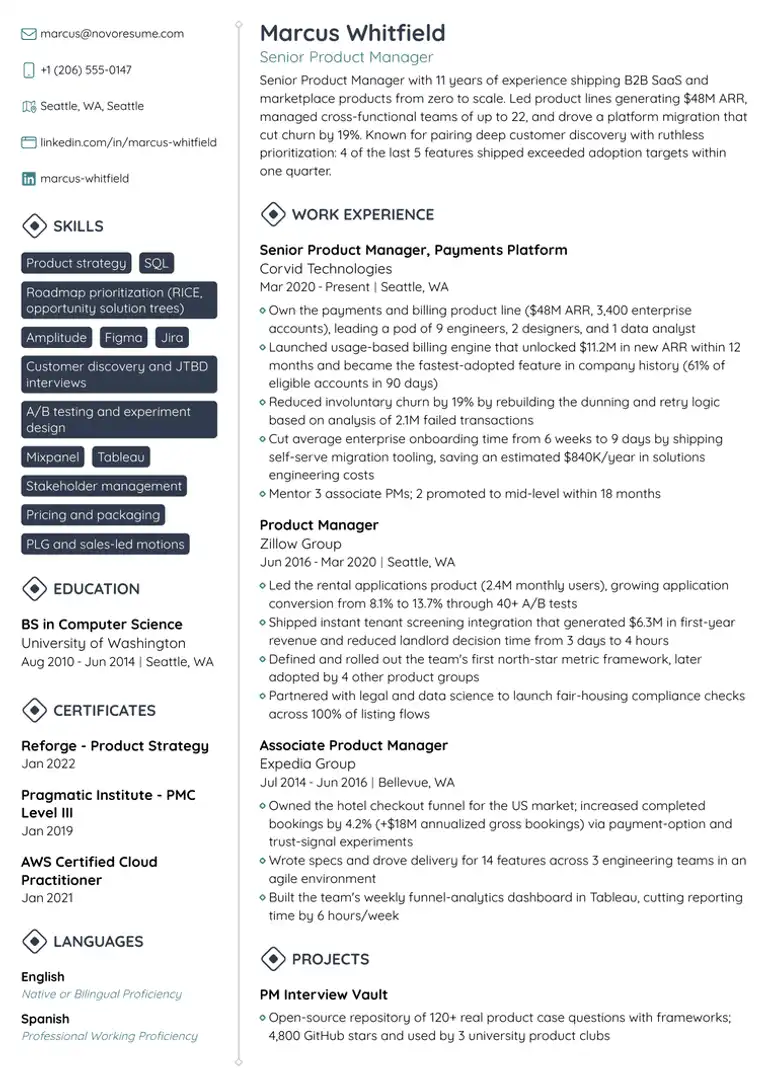
Product Manager Resume TemplateATSPDF

Product Manager

Resume Template

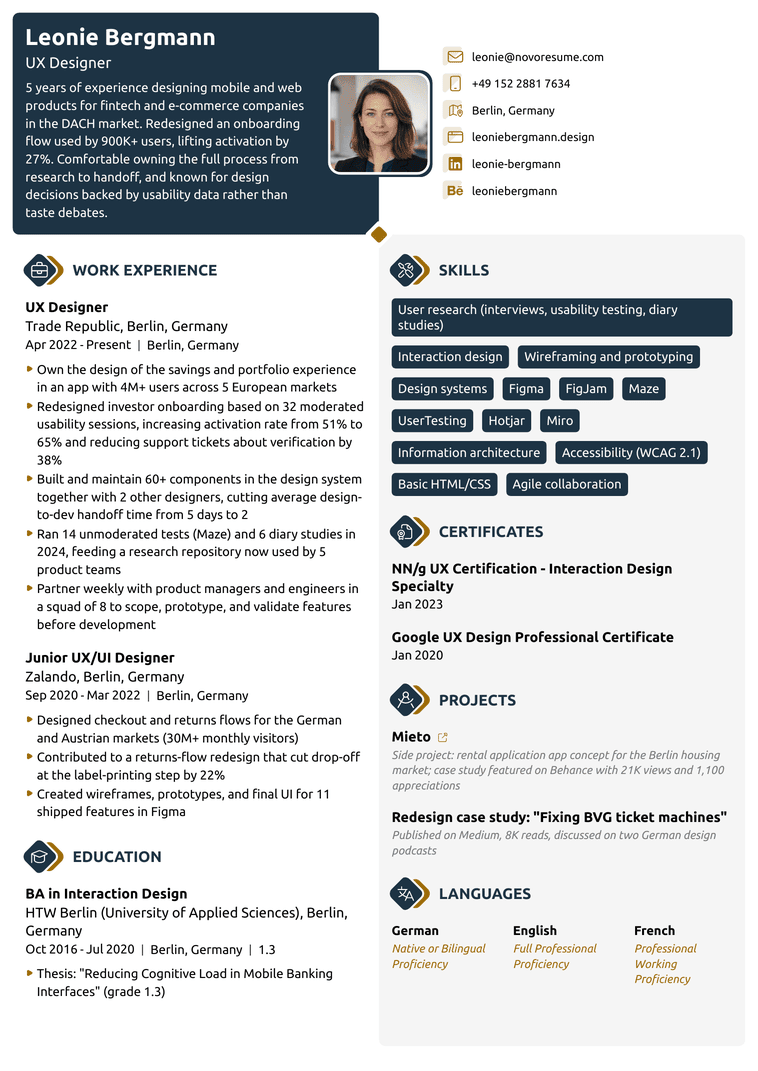
UX Designer Resume TemplateATSPDF

UX Designer

Resume Template

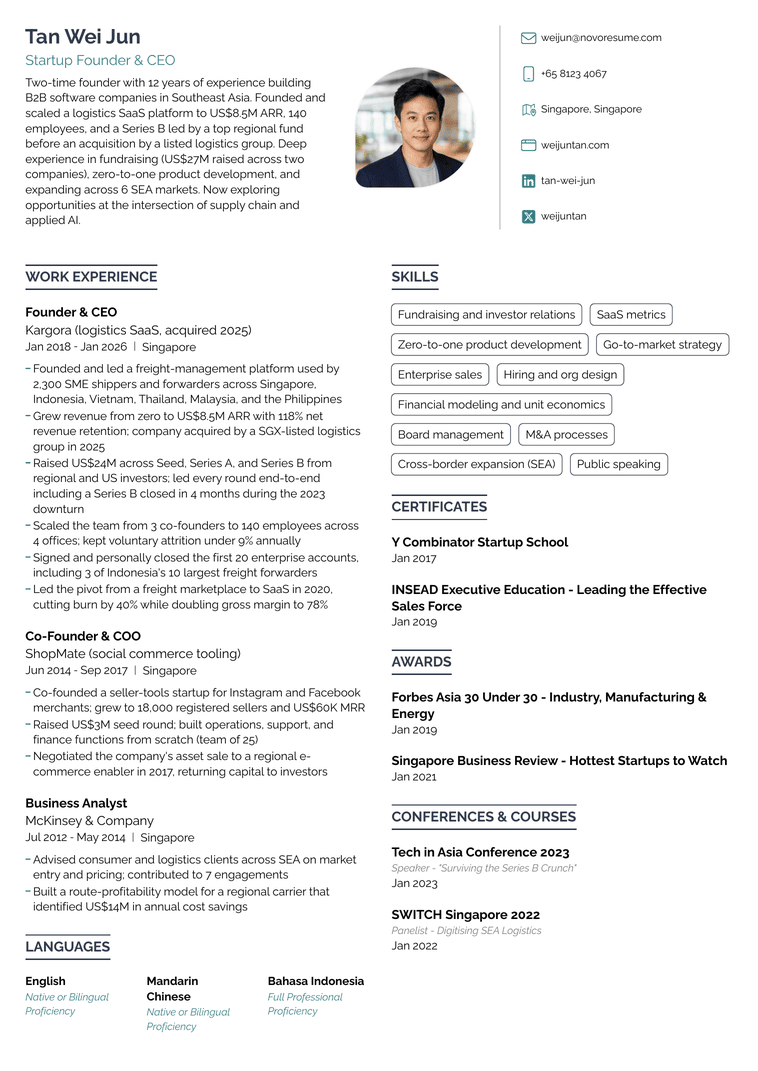
Startup Founder Resume TemplateATSPDF

Startup Founder

Resume Template

Novoresume got people hired at

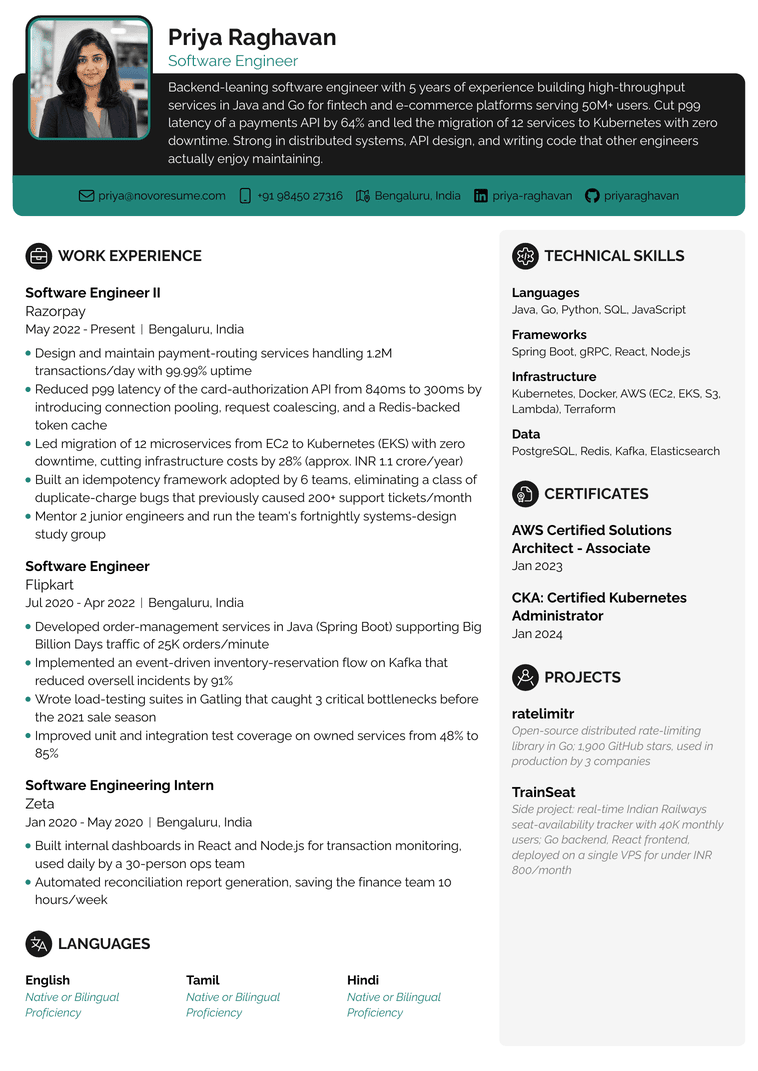
Software Engineer Resume TemplateATSPDF

Software Engineer

Resume Template

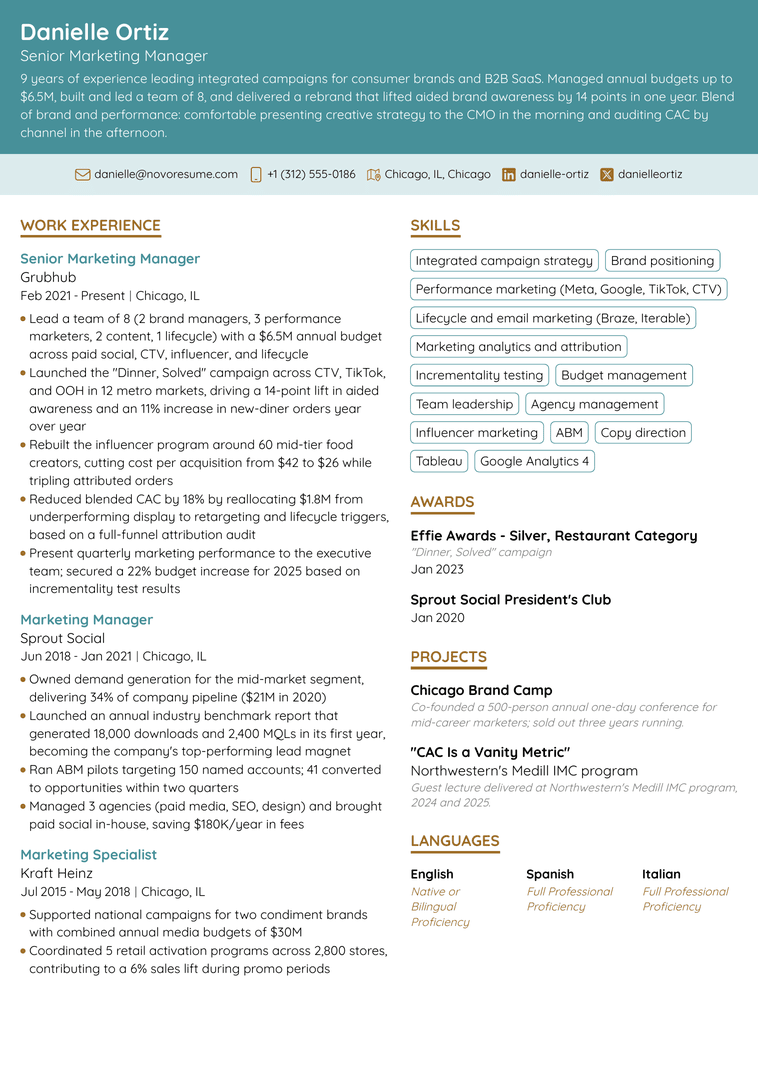
Marketing Manager Resume TemplateATSPDF

Marketing Manager

Resume Template

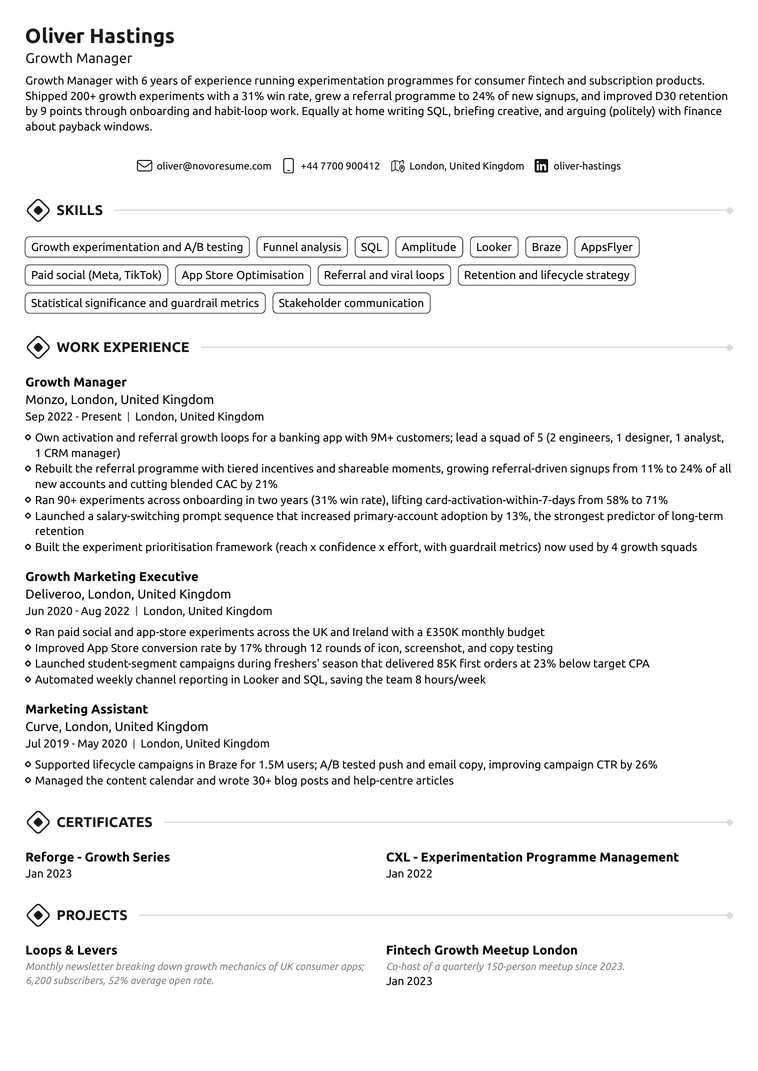
Growth Manager Resume TemplateATSPDF

Growth Manager

Resume Template

74%

of recruiters spend 20 seconds or less on the first scan (HR Survey)

79%

read the work experience section first (HR Survey)

8 in 10

users who switched from Canva, Word or Google templates, or another builder rate Novoresume 4 or 5 stars (User Success Survey)

What Is a Modern CV?

A modern CV template uses clean typography, generous whitespace, and confident accent colours to signal that you understand current hiring norms. The structure is unmistakably 2026: sans-serif headings, a single coloured sidebar or top banner, and a visual hierarchy that lets a recruiter find your most recent role in the first second of scanning.

Modern templates work because they earn the 20 seconds recruiters spend on the first scan. The fonts are clean sans-serifs. The colour palette is restrained, typically with one accent colour used for headers and dividers. The layout often uses two columns, with skills and contact in a sidebar and work history in the main column. What separates modern from creative is restraint. Modern looks current without crossing into portfolio territory.

When to Use a Modern CV

Pick a modern template in these situations:

You're applying to tech, product, design, marketing, content, growth, or a startup environment. These industries expect candidates to understand visual language. A black-and-white Times New Roman CV in a Series B startup application makes you look like someone who hasn't been paying attention.

You're under 15 years into your career. Modern templates are designed around the one-page constraint and work best for IC roles and mid-level management.

The recruiter likely shares your visual language. If the hiring manager is a designer, PM, marketer, or engineering leader, they will notice formatting choices. A modern template signals you fit before they read a single bullet.

You're applying across multiple modern companies. Most tech, product, and marketing companies have similar CV expectations. One modern template can be tailored for each application without redesigning.

You want to stand out in a stack of similar CVs. In competitive applicant pools, a clean, modern layout gets pulled out of the pile more often than a generic Word document.

When Not to Use a Modern CV

A modern template is the wrong choice for investment banking, BigLaw, federal hiring, traditional insurance, government contractors, or any conservative corporate environment where restraint signals seriousness. For those roles, use a traditional or professional template. If the company website looks like it was last redesigned in 2012, the hiring committee almost certainly prefers traditional formatting. Match the company's visual norms, not yours.

What Recruiters Say About These Templates

Top working recruiters, executive career coaches, and certified resume writers independently reviewed Novoresume. Here's what the people on the other side of the hiring desk said.

Novoresume's templates split the difference because they are visually distinct enough to stand out, but built with an eye toward getting through the ATS filters.
Alison Webb LawrenceAlison Webb LawrenceStrategic Talent Advisor & Recruiting Leader
I believe that CV companies have a responsibility to consider the quirks of applicant tracking systems and how recruiters assess CVs. Novorésumé is one of the few that gets this right.
Christy MorganChristy MorganInternational Career Coach & Resume/CV Writer
As an HR manager, the CV is the first thing I assess, and a well-presented document makes a strong first impression.
Arianna BerchicciArianna BerchicciUK HR Consultant

Elements of a Modern CV

  1. The Header

    Most modern templates use a full-width header with your name in a larger font, your target role title below, and contact information, including LinkedIn and portfolio links. Photos are optional and depend on geography. In the UK, leave the photo off. In much of continental Europe, parts of Asia, and Latin America, a professional photo is expected.

  2. The Sidebar

    Modern templates typically use a left or right sidebar in the accent colour. Skills, contact info, languages, certifications, and education go in the sidebar. Work history goes in the main column. This is the highest-density-per-page format that still parses cleanly through ATS.

  3. The Accent Colour

    One colour, used for your name, section headers, or dividers, and the sidebar background. Two colours look cluttered. Three colours read like a designer's portfolio piece. Navy and charcoal work everywhere. Teal, burnt orange, and forest green signal current without being loud.

  4. The Typography

    Sans-serif throughout. Pick one of the editor's sans-serif fonts and keep it consistent. Body text at 10 to 11 point. Headers at 14 to 16 point. Your name in 22- to 28-point.

  5. The Layout

    Most modern templates use a two-column structure with a 35-40% sidebar and a 60-65% main column. Single-column modern templates also exist. They parse the same and fit less content, so pick by how much you need on the page.

  6. Whitespace

    Modern templates breathe. If you find yourself cramming six bullets per role to fill the page, you're using the wrong template. Cut to three or four tight bullets and let the layout do the work.

Common Modern Resume Mistakes

  • 01

    Mixing serif and sans-serif fonts in the same document.

  • 02

    Filling the sidebar with 30 skills.

    Pick eight to twelve, prioritised by relevance.

  • 03

    Including a photo for a US application.

    Photos introduce a risk of bias and aren't expected.

  • 04

    Forgetting that ATS reads left to right, top to bottom.

    If your sidebar is on the left, the ATS reads it before the work history.

  • 05

    Shrinking the font below 10 point to fit more content.

    Cut content instead.

  • 06

    Using a modern template for a finance, law, or federal application where it reads as informal.

Pros and Cons of Modern Resume Templates

Pros

  • Signals you understand current hiring norms in tech, design, marketing, and startups before a single bullet is read.
  • Earns the 20-second scan: strong visual hierarchy puts your most recent role in the first second of reading.
  • Stands out in a stack of generic Word documents without crossing into portfolio territory.
  • Every Novoresume modern template stays ATS-parseable, so the style costs you nothing in screening.

Cons

  • Wrong for conservative industries (BigLaw, investment banking, federal hiring), where restraint signals seriousness.
  • Two-column variants give you density; one-column versions give you a plainer page. Both parse cleanly.
  • Accent colours invite overuse; more than one reads as a design portfolio, not a CV.

"Their templates helped me land interviews with big firms like TikTok, Tableau and Google despite my lack of experience in the tech industry. I highly recommend Novoresume because 1) their pricing options are affordable, 2) the platform is user-friendly and 3) you save time when it comes to tailoring your resume/cover letters."

MariamSingapore

"I had been struggling to find work for the better part of 6 months. I updated my resume in Novoresume, and within 2 weeks I had a job. Over the course of those two weeks, I went from maybe one interview a week to two interviews a day for two solid weeks. My rate in going from HR screens to hiring manager calls improved from 5% to 75%. Don't waste time with a Google Doc template, this is the one you need! The platform is incredibly easy to use, plenty of templates to choose from. The only issue I have is that you have to pay to get more than one page, but paying $20 to get a job when you are facing losing your home is worth it. I have told all my friends about my experience and am going to put some of their resumes in the platform also. I would highly recommend using Novoresume to build your resume, especially if you are younger and don't have as much experience. A resume like this will really get recruiters and hiring managers attention."

Courtney CirinoUnited States

"I really like how easy it was to build my cv and cover letter in the same style. The biggest plus in my opinion is that it has lots of customization options which allowed me to match my application style with the company I was applying for. Good job."

Bogdan BirgovanDenmark

"I love Novoresume!!! I’ve gotten hired at two jobs using their cover letters and resumes. I love that you can just sign up a month at a time without automatic renewal, and that they save all of my documents to my account. It has made the application/hiring process so much easier, and the templates are great! I actually had an interviewer ask what I built my resume in because they liked it so much ◡̈"

HannahUnited States

"Easy to use, neat website. Resume optimization options and variety of design. I only had an issue once and they fixed it promptly. Highly recommended for resume building."

Aleksi KvitatianiGeorgia

"I am writing this letter to thank and praise your website, Novoresume, for being the best free resume builder that I have ever used. I am so pleased with the level of service and user-friendly design that Novoresume has to offer. It was incredibly easy to build a resume and customize it to my needs. I was also delighted to find that the website did not force me to pay money in the end; instead, I was able to download my finished resume for free. Novoresume has been my favorite experience so far. Not only did I get a great-looking resume in a matter of minutes, but I was also able to save money in the process. I will be using this website again for any future resume or cover letter needs. Thank you Novoresume for creating such an amazing, efficient, and free resume-building experience."

Danya AlzarooniUAE

"I highly recommend their service if you are job searching. Easy to use and highly customizable templates for both, resumes and cover letters. For someone that works in marketing, I found their service convenient and made my life way easier when I had to update my resume and ajust the cover letter depending on the job I was applying for."

MarianCosta Rica

"Novoresume is easy to use and makes a difficult task more manageable. They offer so many templates to choose from and then a very customizable layout. I love adjusting the colors of each resume I make to reflect the company I'm applying to. For me, the real value comes in how easy it is to duplicate a resume and adjust it. I have so many resumes stored in the UI now and its very easy to re-find them. Highly recommend the premium product!"

EmmaUnited Kingdom

"Very precise, crisp format of resume. The best feature is it guides you through the entire resume with proper keywords to fill in the appropriate words and details."

Akshata PupalaIndia

"Novoresume is a fantastic resource to help you build your resume and cover letter. I have been using them for years, and their creative, eye catching templates have helped my resume standout and land the coveted interviews! Their templates are easy to use and adjust. The tool even highlight issues and makes suggestions. Highly recommended!"

Bilal AlviCanada

"it is an amazing tool, I got many opportunities on this resume. this is amazing."

Sajideen MehdiPakistan

"The resume builder forms are super intuitive and have honestly been a big part in my job searching success . I find myself using them often every time I need to perform an update to my resume. Their free option is great but the premium one has some perks that are definitely worth the price."

Sebastian LamasUnited States

Frequently Asked Questions

Are modern resume templates ATS-friendly?

Yes. Every Novoresume modern template is built to parse cleanly through Workday, Greenhouse, Lever, Taleo, iCIMS, and every other major Applicant Tracking System. The visual style is contemporary; the underlying structure follows ATS-safe rules. You can verify by running your finished CV through our ATS Resume Checker.

Is a modern template too creative for a corporate role?

Depends on the company. A modern template fits most tech, marketing, product, and consulting roles, even at large enterprises such as Amazon, Google, and Microsoft. It does not fit at investment banks, traditional law firms, government agencies, or conservative finance and insurance companies. When in doubt, look at the company's own brand. If their website looks up to date, a modern template fits. If their website looks like it was last redesigned in 2008, use a traditional template instead.

What's the difference between modern and creative templates?

Modern templates are clean, professional, and up to date. They use restrained colour, sans-serif typography, and a structured layout to signal that you understand contemporary design without making the CV the focus. Creative templates use the layout itself as part of the pitch, with bolder colours, unusual structures, and visual elements that wouldn't pass at most non-creative employers. Use modern for product, marketing, tech, and consulting. Use creative for design, copywriting, art direction, and portfolio-driven roles.

Can I use a modern template if I'm a senior professional?

Yes, especially in industries where being current is part of the job. The one caveat: at the VP or C-level, the CV should feel weighty yet stylish. Look at our combination or two-page templates if you have 15+ years of experience to fit.

Should I include a photo on a modern resume template?

In the UK, no. UK employers prefer CVs without photos to avoid bias claims. In much of continental Europe, parts of Asia, and Latin America, a professional photo is expected. Match local norms.

What file format should I download my modern CV in?

Always PDF. PDFs preserve modern template formatting across all devices and operating systems, look more professional than Word documents, and are compatible with every major ATS.

Free Tools to Build a Stronger Resume

AI Resume Generator

AI Resume Generator

Paste the job advert you're applying for, and we'll create a tailored resume: summary, experience, skills. Customise it with your details, and you're ready to apply.

ATS Resume Checker

ATS Resume Checker

Get your ATS compatibility score and a breakdown of what's working and what's not, with personalised recommendations. Apply the fixes in the resume builder and rescan for free.
Resume Summary Generator

Resume Summary Generator

74% of recruiters spend 20 seconds or less on a first scan. A sharp summary at the top earns the rest of the read. Generate one in seconds.